

11 Clear Signs Your Business Should Consider Employee Monitoring Software
By Frank Oliver
August 10, 2026 12 min readAs your business grows, the visibility you once had can fade quickly. Projects move through more hands and distributed teams. Consequently, managers spend more time determining where work stands and why deadlines slip.
As a solution, employee monitoring software can help by giving you a clearer view of working hours. More importantly, it replaces assumptions with evidence, so you can identify bottlenecks before they affect delivery.
I know this challenge firsthand. As a Principal Consultant in Operations, I have seen how when operations scale, manual updates and disconnected reports make it harder to link time spent with actual progress.
To help you avoid the challenges I encountered, I will explain the clearest signs that your business may be ready to adopt employee monitoring software.
The 60-Second Takeaway
- Employee monitoring software becomes useful when managers lack reliable visibility into how work is progressing.
- Repeated status checks, missed deadlines, and unclear productivity signals are strong warning signs.
- Inaccurate attendance and billable-hour records can create avoidable payroll and client disputes.
- Remote and hybrid teams often need more consistent visibility than manual updates can provide.
- Monitoring data can help uncover workload imbalances, workflow bottlenecks, and rising project costs.
- It can also support policy enforcement and provide useful context for security-sensitive activity.
- The best results come from using monitoring data alongside business outcomes.
- Before adding headcount, workforce data can help you determine whether the real issue is capacity or process inefficiency.
What Is Employee Monitoring Software?
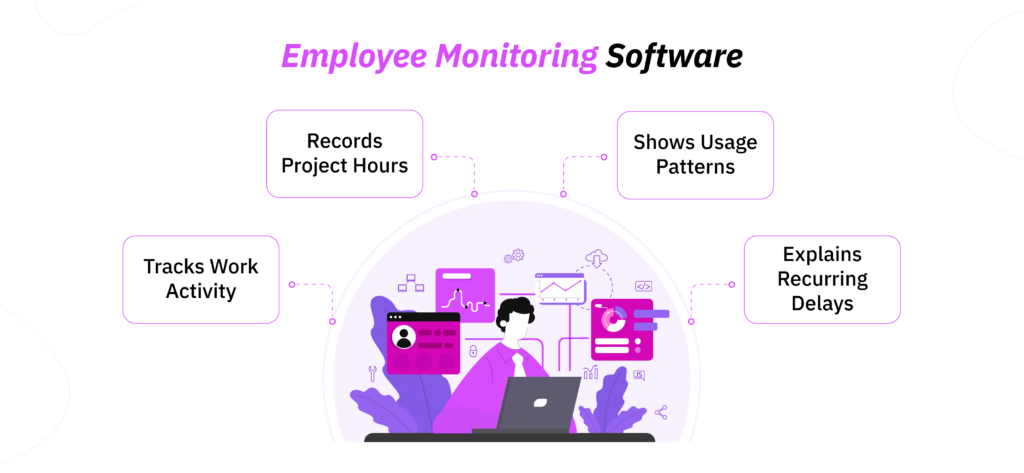
Employee monitoring software records selected work-related activity so that you can understand how employees use their working time. Depending on the platform, it may record attendance and project hours. More advanced tools also show website use, application activity, idle periods, or periodic screenshots.
The important word here is understand. A reliable platform helps you investigate recurring delays by providing contextual evidence.
In my experience, monitoring software delivers the utmost value when it is connected to a specific business question. For instance, if a project exceeds its labor budget, I usually use recorded time to compare actual effort with the original estimate. From there, I identify where additional hours occurred and determine the reasons.
Employee Monitoring vs Time Tracking vs Workforce Management Software
| Domain | Employee Monitoring Software | Time Tracking Software | Workforce Management Software |
| Primary focus | Understanding how work is performed | Recording time spent on work | Managing workforce operations |
| Main business question | What is happening during working hours? | How much time was spent? | Who is working, when, and where? |
| Level of visibility | Detailed work-pattern visibility | Time-based visibility | Staffing and attendance visibility |
| Typical use case | Productivity analysis, accountability, workflow visibility | Billing, payroll, project costing | Scheduling, attendance, leave, staffing |
| Best suited for | Businesses that need deeper insight into employee work patterns | Businesses mainly concerned with accurate hours | Businesses managing shifts or larger workforces |
| Management value | Helps explain how time and effort are being used | Helps quantify time | Helps coordinate workforce availability |
11 Signs Your Business May Need Employee Monitoring Software
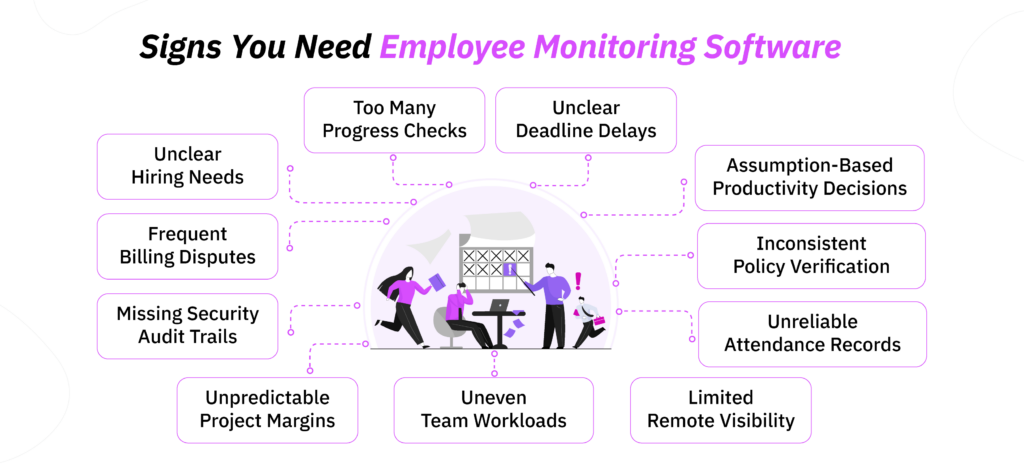
You rarely reach the point of needing employee monitoring software because of a single incident. In most businesses, the need becomes apparent through recurring operational patterns. Projects become harder to track while the connection between working time and business outcomes becomes less clear.
These are the signs I noticed before finally turning to a professional tool.
1. Managers Spend Too Much Time Requesting Progress Updates
When managers repeatedly ask employees what they are working on, you have more than a communication problem. You have a visibility problem.
I saw this become increasingly expensive while reviewing a team of 32 employees managed by six supervisors. Collectively, those managers were spending about 11 hours every week requesting updates and piecing together information from different channels. Once they had a consistent view of working time and project activity, the time spent on those follow-ups fell by roughly 28%.
Employee monitoring software can make routine work patterns visible without requiring employees to continually stop and explain what they are doing. As a result, managers can spend their time resolving actual obstacles instead of reconstructing the working day.
2. Deadlines Are Missed, but the Cause Is Unclear
A missed deadline tells you that delivery failed. However, it does not tell you where the failure occurred.
The employee may have received the task late. An approval may have stalled the process. Moreover, it is also possible for priorities to change over time before the work is completed.
This is where work-pattern data becomes particularly useful. During one eight-week review, I found that 64% of delayed tasks had actually reached the responsible employees on schedule. The larger problem was an approval stage that added an average of 1.8 working days to affected tasks.
Without that visibility, management could easily have concluded that employees were simply working too slowly.
3. Productivity Decisions Depend on Assumptions
If two managers can look at the same employee and reach completely different conclusions about productivity, your performance decisions probably lack a consistent evidence base.
This often happens when managers equate responsiveness with performance or assume that visible activity means useful output.
I encountered this while reviewing the working patterns of the same 32 employees. Although the employees with the highest recorded activity appeared busier, their on-time completion rate was 17 percentage points lower than that of employees with lower activity levels.
That reinforced something I have learned repeatedly in operations: activity becomes far more useful when you connect it with completed work and performance outcomes. Employee monitoring software gives you a consistent source of operational data, which makes productivity discussions less dependent on impressions and easier to support with evidence.
4. Billable Hours Regularly Lead to Disputes
Billing problems often start long before an invoice reaches the client.
When employees reconstruct their timesheets several days later, short calls may be forgotten, and revision work can be assigned to the wrong project. Those small inaccuracies accumulate surprisingly quickly.
I once compared submitted timesheets with project records across 14 employees and found a monthly difference of approximately 96 hours. Some work had never been recorded, while other hours had been allocated to the wrong client.
Reliable monitoring and project-time records create a clearer trail between the work performed and the hours billed. For a service business, that improves both invoicing accuracy and visibility into where project margins are actually going.
5. Attendance and Working-Time Records Are Unreliable
Accurate attendance and working-time records become increasingly important as your team grows and payroll becomes more complex. When there are issues with attendance, one may assume that it is because of deliberate time theft. However, the truth is that the bigger issue in this regard is an unreliable recording process.
In my experience, I have noticed that most discrepancies come from missed clock-outs or hours entered retrospectively rather than intentional misuse.
That level of correction may seem manageable at first, but it becomes increasingly costly as your workforce grows. Employee monitoring software gives you a consistent record of working time, which makes attendance easier to verify and reduces the administrative effort required to resolve discrepancies later.
6. Remote and Hybrid Teams Lack Consistent Visibility
Remote and hybrid work removes much of the day-to-day context managers naturally have in an office. You may know that an employee is online, yet still have limited visibility into how consistently work is progressing across the day or whether remote-work expectations are being followed in the same way across the team.
From my experience, a regular pattern I’ve seen is that some, if not all, remote employees show extended gaps or irregular activity patterns that are not visible through ordinary status reports.
Once those patterns were reviewed alongside application usage and working-time data, managers could distinguish routine exceptions from issues that genuinely required follow-up.
TimeBee: Find the Gaps Before They Become Expensive
Learn More
7. Workloads Are Uneven Across the Team
Workloads rarely remain evenly distributed without active management.
Reliable employees often receive more urgent work because managers know they will deliver. Over time, that can leave one part of the team overloaded while capacity elsewhere remains unused.
Once, during a six-week review, I found that three employees were responsible for 31% of all overtime. When I looked deeper, those same employees were also receiving most of the urgent client revisions. After the work was redistributed, their overtime declined by 22%.
8. Project Costs and Profit Margins Are Becoming Unpredictable
If similar projects are producing very different margins, you need to understand what is happening between your original estimate and the final delivery.
The difference may come from additional revisions. Scope changes may also be consuming hours that were never accounted for commercially.
Employee monitoring data helps make those discrepancies visible because you can compare actual effort with the assumptions used when the project was priced.
9. Security-Sensitive Activity Lacks an Audit Trail
When employees work with sensitive information, you need enough visibility to reconstruct unusual activity when something goes wrong.
Suppose an employee accesses an unfamiliar application shortly before sensitive data is moved. Without historical records, you may struggle to determine whether the event was legitimate or deserves further investigation.
10. Workplace Policies Are Difficult to Verify Consistently
Policies are easy to document but much harder to enforce consistently when managers have limited evidence of what happens during the working day. This becomes particularly challenging when employees work remotely or follow flexible schedules, because different managers may interpret the same policy differently.
In practice, the problem is rarely a single obvious violation. You may instead notice repeated uncertainty around required working hours or the use of applications that fall outside approved workflows. Without consistent records, managers are left to rely on individual judgment, which can lead to uneven enforcement across teams.
11. You’re Adding Headcount Without Knowing Whether You Actually Need It
Hiring more people can appear to be the obvious response when overtime rises, or managers say their teams are overloaded. However, before increasing payroll costs, I would first want to know whether the business is facing a genuine capacity shortage or simply using its existing capacity inefficiently.
To make that distinction, you need reliable visibility into how working hours are being used across the team. Employee monitoring software can provide that utilization data, helping you separate a true staffing requirement from an operational problem before committing to additional headcount.
How to Evaluate Each Warning Sign to Determine If You Need Employee Monitoring Software
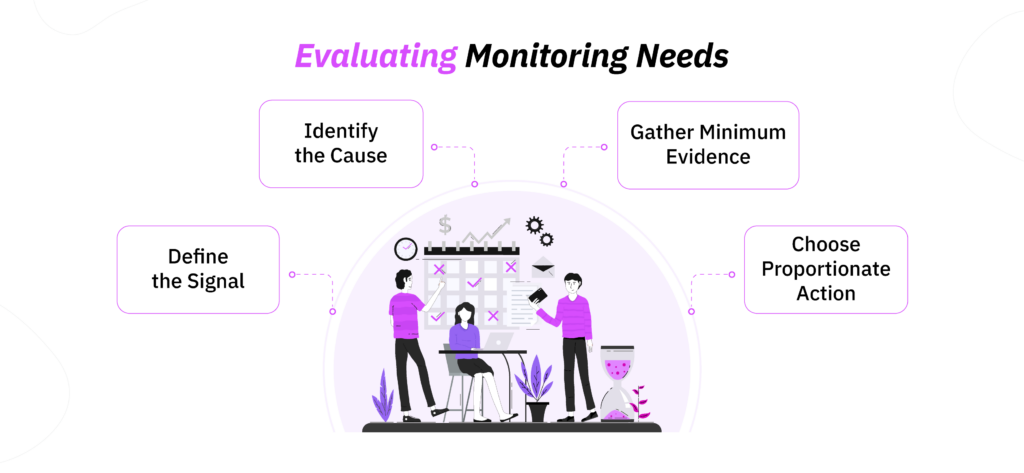
I use a four-step framework:
- Signal: Define the recurring problem in observable terms. For instance, “Productivity is low” is vague. By contrast, “client tasks miss their due dates by an average of two days” is measurable.
- Cause: Consider whether the problem originates in the process or the technology. You should also examine management practices and employee workload before reaching a conclusion.
- Evidence: Identify the minimum information needed to test each possible cause. Your existing project records may already answer part of the question. Payroll information or customer data may provide further context.
- Action: Decide how to tackle the problems and whether implementing a monitoring software is the most proportionate response.
What a Reliable Employee Monitoring Solution Can Look Like
A reliable employee monitoring solution should help you interpret work patterns rather than merely accumulate records.
It should connect time with projects so that you can investigate cost overruns. It should also make workload differences easier to identify. Most importantly, it should allow you to investigate exceptions without treating every employee as a problem.
The platform should also let you adjust the scope of monitoring. The ability to collect information does not mean that every feature should be active for every employee.
How I Used TimeBee to Address Common Monitoring Challenges
I used TimeBee to bring working time and project data into one place instead of relying on scattered updates. Its reports gave me visibility into project hours, website and application activity, attendance, and screenshots, which made it easier to investigate operational questions with a consistent data trail.
For example, during a 30-day review of the same 32 employees, I noticed that 19% of recorded project time was being logged as general work rather than against a specific task. That made project costing less reliable because I could see the hours being worked without always knowing which deliverable they belonged to. After tightening the project labels and reviewing how time was being assigned, unallocated time fell to 6%.
The application and website reports were useful for a similar reason. Across that same period, roughly 14% of tracked application time initially appeared unrelated to core work. However, once I reviewed the applications by role, almost half of that activity turned out to support legitimate research, communication, or client work. That distinction mattered because raw activity data can look very different once you understand the workflow behind it.
I also found the attendance records helpful when comparing scheduled and recorded working time. Over the first month, 11% of workdays contained a late start, missed clock-out, or another discrepancy that required review. After employees became more consistent with the tracking process, that figure dropped to 4%.
What I found most useful about TimeBee was the ability to connect project time, attendance, and digital activity when investigating a specific business question. That gave me a clearer picture of where an issue was occurring before deciding what needed to change.
What to Look for in Employee Monitoring Software
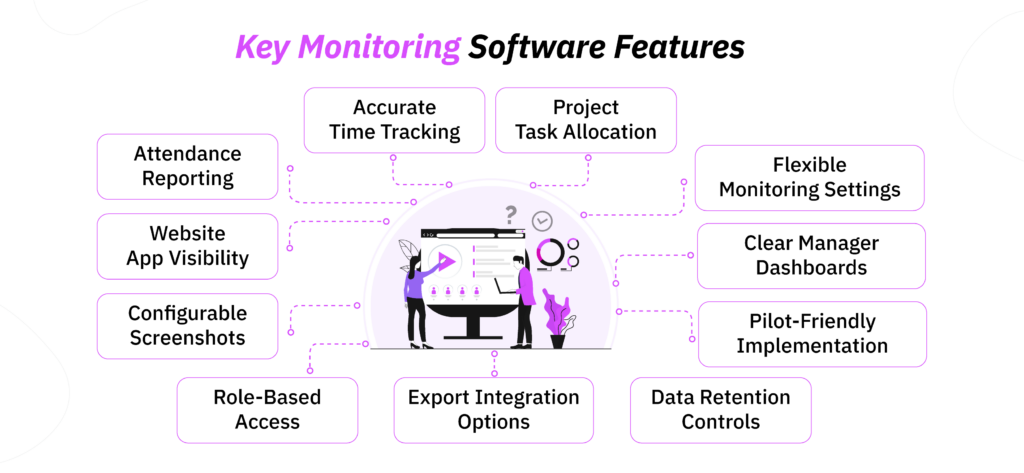
Once you know which business problem you are trying to solve, evaluate software based on whether it gives you the right level of visibility without making reporting harder to manage. The most important features to look out for are:
- Accurate time tracking so working hours can be reviewed reliably.
- Project and task allocation so you can connect time spent with actual work.
- Attendance reporting if working-time accuracy is part of the problem.
- Website and application visibility when you need context around digital work patterns.
- Configurable screenshots where visual evidence is genuinely useful.
- Role-based access controls so sensitive data is available only to the right people.
- Flexible monitoring settings so different roles do not have to be monitored identically.
- Clear dashboards and reports that managers can interpret consistently.
- Data retention controls so records are not stored longer than necessary.
- Export and integration options so monitoring data can support your existing workflows.
- Pilot-friendly implementation so you can validate the system before wider rollout.
How to Introduce Monitoring Software Without Damaging Trust: 6 Easy-to-Follow Steps
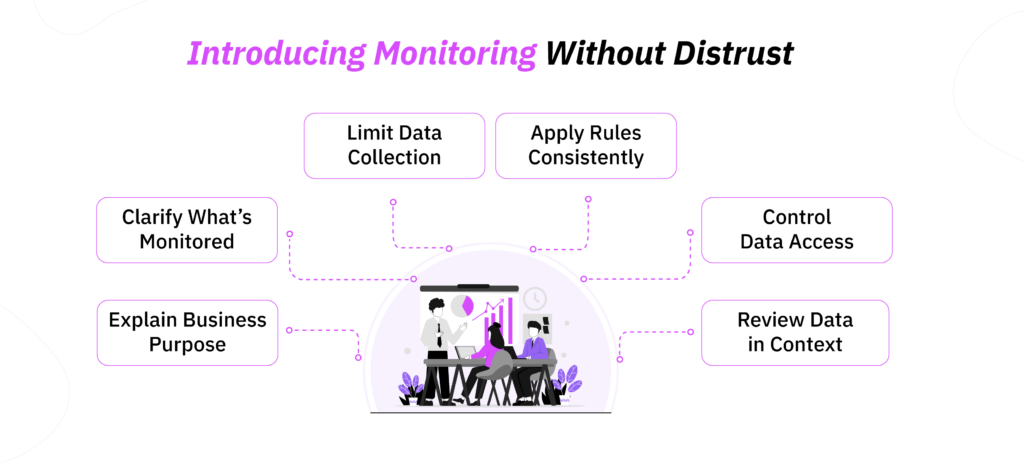
Employee monitoring is easier to implement when employees understand what is being monitored and why the data is needed. I have found that clarity at the beginning prevents far more resistance than trying to explain the system after concerns appear.
To implement monitoring software for employees, you should:
- Define the business purpose clearly: Explain the specific problem the software is intended to solve, such as inaccurate time records or limited project visibility.
- Tell employees what will be monitored: Be clear about whether the system records working hours, applications, websites, screenshots, or project activity.
- Limit monitoring to relevant data: Avoid enabling features that do not contribute to the stated business objective.
- Apply monitoring consistently: Comparable roles should follow comparable monitoring standards so employees are not treated differently without a valid reason.
- Control access to monitoring data: Decide in advance which managers can view specific information and how long records should be retained.
- Review the data in context: Use monitoring records alongside completed work, project requirements, and performance outcomes before making important decisions.
Conclusion
Employee monitoring software becomes valuable when it closes a specific evidence gap. To identify that gap, there are certain signs you need to be on a constant lookout for.
However, it is still important to remember that using an application in combination with human supervision and contextual parameters is bound to produce the best results.
I have achieved the best results when monitoring data was treated as one part of a wider operating picture. When you connect that information with completed work and project context, it can improve decision-making.
Frequently Asked Questions
Can employee monitoring software accurately measure productivity?
Yes, employee monitoring software can measure productivity using metrics such as active time, application usage, focus patterns, project hours, and productivity scores. Some platforms also classify websites and applications as productive or unproductive to help managers identify broader work patterns. However, the accuracy of those metrics depends on how well they reflect the role being measured. A high productivity score may show that an employee spent substantial time in approved applications, but it does not automatically indicate that the work was completed well or produced the intended business result.
What should businesses avoid monitoring?
Businesses should avoid monitoring information that is unrelated to an employee’s work or unnecessary for the purpose they have defined. This includes personal emails and messages, private account credentials, financial or health information, and activity on personal devices or accounts that are not used for work. You should also be cautious with highly intrusive forms of monitoring, such as continuous webcam or microphone recording, etc.
Is employee monitoring software suitable for small businesses?
Yes. Employee monitoring software can be useful for small businesses when the owner lacks reliable visibility into working hours, project progress, billable time, or remote work patterns. In fact, these issues can become expensive quickly in a smaller company because a few unrecorded hours or delayed projects can have a noticeable effect on margins.
Should remote and office employees be monitored in the same way?
Not necessarily. The appropriate level of monitoring should depend on the role, workflow, and business requirement rather than the employee’s physical location alone. For example, a remote employee may rely more heavily on digital systems, while an office-based employee may complete part of the same role through in-person activity.
How should employee monitoring software be introduced to a team?
Start by explaining the business problem the software is intended to solve. Employees should understand what information will be collected, why it is needed, who can access it, and how it may influence management decisions. From there, define clear monitoring rules and apply them consistently. I also recommend beginning with a limited rollout where possible, because it allows you to test whether the data is accurate and useful before expanding the system.
Get TimeBee for Better Workforce Visibility
Try Now


Frank Oliver
Member since July 8, 2026
Frank Oliver
Member since July 8, 2026
Frank Oliver is a Principal Consultant in Operations and Transformation, specializing in process improvement, digital transformation, operational performance, and the implementation of workplace technology.
He holds an MSc in Operations, Project and Supply Chain Management from The University of Manchester. He is also a Project Management Professional and a Prosci Certified Change Practitioner.
Overall, with more than 15 years of experience, Frank focuses on helping businesses identify the systems and workflows that influence productivity. His work further examines how processes, technology, management practices, role clarity, and data quality interact to affect organizational performance.