

9 Best Productivity Tools for Agencies: Tested Against Real Agency Work
By Jacob Tyler
August 31, 2026 17 min readRunning an agency means keeping client work moving without creating more management overhead. As projects grow, so does the coordination required to keep deadlines on track and responsibilities clear. Even small gaps in visibility can turn into missed handoffs or unnecessary follow-ups.
That is where productivity software can either help or make things worse. The right tool should remove friction from the way work already gets done, rather than introduce another system your team has to manage.
With that in mind, we looked at nine of the best productivity apps for agencies used across different operations to see where each one fits best. Instead of comparing feature lists, we focused on how these tools perform in everyday agency workflows, and here’s what we found.
Agency Productivity Tools: Our Quick Verdict
- ClickUp is our strongest all-round choice when you want project delivery, tasks, documentation, workload visibility, time tracking, and automation inside one configurable workspace.
- AgencyAnalytics is most useful after marketing work has been delivered, when you need to consolidate performance data and turn it into repeatable client reporting without rebuilding reports manually every month.
- TimeBee fits agencies that need time, billable work, project cost, and activity visibility without relying primarily on employees to reconstruct manual timesheets later.
- Slack works best as the communication layer around your agency stack, particularly when fast internal discussion and client channels matter more than formal project documentation.
- Notion is the strongest option here for briefs, SOPs, process documentation, research, meeting notes, and institutional knowledge, although we would be more cautious about making it the only system responsible for complex project delivery.
- Float is purpose-built for the question many growing agencies eventually struggle to answer: who actually has capacity to take on the next piece of work?
- Zapier earns its place by removing repetitive transfers between the applications your agency already uses rather than asking you to replace the stack.
- Miro works best for visually planning campaigns, running collaborative workshops, mapping client journeys, and turning loosely structured ideas into something the wider agency team can understand and develop together.
- HubSpot is most valuable at the sales-to-delivery boundary, where prospect information, communication history, deals, and follow-up need to remain organized before a client reaches the production team.
How We Chose the Best Productivity Software for Agencies
We tested these tools as a four-person review team so that each platform was assessed from more than one operational perspective.
The team included a B2B Technology Journalist, alongside an Agency Operations Manager, a Project Lead, and a Freelance Creative Professional. Each reviewer approached the software from the responsibilities they would typically handle in agency work.
Rather than testing isolated features, we worked through repeatable agency scenarios. This gave us a consistent way to compare tools built for very different purposes while keeping the evaluation tied to actual work.
Agency Workflow and Multi-Client Management – 30%
We started by creating separate client projects or equivalent workspaces. From there, we added work, assigned responsibility, set deadlines, changed statuses, and moved items through a basic delivery cycle.
We also created recurring work and tested how clearly different client accounts could be kept separate.
This area had the highest weightage because agencies operate across several clients at once. A productivity tool needs to help your team understand what belongs where and what needs attention next.
Collaboration, Permissions, and Adoption – 25%
Next, we tested each platform from different user perspectives. The operations reviewer handled administrative controls, while the project lead worked with day-to-day assignments. We also approached applicable workflows from the perspective of an external freelancer or client.
This included inviting users, adjusting permissions, sharing work, leaving feedback, locating assigned items, and moving between relevant parts of the platform. We also considered how much configuration or explanation a new user would need before they could participate effectively.
For us, it was particularly important because a system can support collaboration in theory but still create unnecessary administrative work if access controls are difficult to manage or the interface requires extensive onboarding.
Integrations and Workflow Automation – 25%
For platforms that support integrations or automation, we tested them as part of a wider workflow.
Our team selected common agency actions that normally require information to move between systems. Depending on the platform, this included passing new work into a project environment, sending notifications when something changed, connecting communication tools, or triggering a follow-up action after a defined event.
Reporting, Cost, and Operational Control – 20%
Finally, our team members examined what managers could see once work had been added to the platform. We navigated the available reporting views, checked how work could be filtered or organized, reviewed the pricing model, and identified which controls depended on higher subscription tiers.
Where a product tracks time, capacity, costs, activity, or client performance, we followed the information from its point of entry through to the reporting interface. For products with employee-monitoring or detailed activity features, we also reviewed what information the software can collect and which controls organizations can configure.
Quick Comparison of the Best Productivity Apps for Agencies
| Tool | Best For | Starting Price | What We Liked Most | Main Concern |
| ClickUp | Configurable agency project workflows | Free; Unlimited from $7/user/month annually | Broad project, workload, time, documentation, and automation capabilities | Configuration depth can create a substantial learning curve |
| AgencyAnalytics | Automated marketing performance reporting | $20/client/month annually | Consolidates multi-channel client reporting with unlimited staff/client users | Not a replacement for project-delivery software |
| TimeBee | Time, work visibility, and project-cost records | 14-day trial; custom paid pricing | Reduces dependence on reconstructed manual timesheets and connects hours with costs | Monitoring depth can be unnecessary for teams wanting simple time tracking |
| Slack | Internal and external communication | Free; Pro from $7.25/user/month annually | Fast communication, Slack Connect, and broad integration support | Notifications and channel volume can become distracting |
| Notion | SOPs, briefs, wikis, and knowledge management | Free; Plus from $10/member/month | Flexible combination of documents and databases | Large, highly customized workspaces require governance |
| Float | Capacity and resource planning | Starter from $7/scheduled person/month | Clear visual availability and allocation planning | Does not replace full task/project management |
| Zapier | Cross-app workflow automation | Free; Professional from $19.99/month annually | Connects otherwise disconnected systems with little coding | Costs and maintenance rise with task volume and complexity |
| Loom | Async feedback and client walkthroughs | Free; Business from $18/user/month | Fast screen recording and link-based sharing | Editing and free-plan limits matter for heavier use |
| HubSpot | Sales pipeline and client handoff | Free for up to 2 users; Starter currently from $7/seat/month annually | Centralized deal, communication, and follow-up records | Advanced functionality can become expensive |
9 Agency Productivity Software That Earned Our Recommendation
1. ClickUp – Best Overall for Managing Agency Workflows
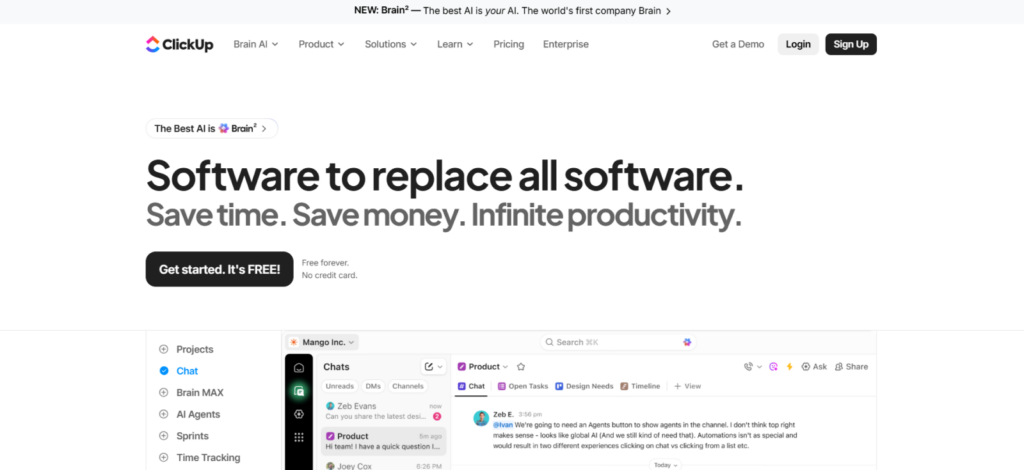
Our four-person team assessed ClickUp against a five-stage agency workflow: brief, assignment, production, review, and completion. The Agency Operations Manager focused on workspace structure, while the Project Lead checked how easily work moved between those stages. We also reviewed external access from the perspective of a freelance contributor.
ClickUp handled this structure well because tasks, Docs, dashboards, time tracking, workload views, and automations can all sit within the same workspace. That made it easier to keep delivery context connected instead of splitting it across several tools.
However, the setup required more decisions than a simpler task manager. Before the workspace felt coherent, we had to decide which hierarchy to use, how statuses should work, which custom fields were genuinely necessary, and which views each role needed. That flexibility becomes valuable once the system has clear ownership, but it also gives teams plenty of room to over-engineer their workflows.
For ongoing agency use, ClickUp made the strongest impression when we treated configuration as an operational decision rather than a feature-exploration exercise. The platform can cover a large portion of delivery management, but the productivity benefit depends on keeping the workspace simpler than the software allows it to become.
ClickUp Pricing
- Free plan available
- Unlimited: $7 per user/month
- Business: $12 per use/month (when billed yearly)
- Enterprise: Custom pricing
ClickUp Compatibility
ClickUp is available on Windows, macOS, and Linux through its desktop app. Mobile apps are available for iPhone/iPad (iOS) and Android, while the web version works through a browser. It also offers Chrome and Outlook extensions.
Its integration ecosystem includes 1,000+ integrations, with options such as Slack, Google Drive, HubSpot, Microsoft Teams, Zoom, GitHub, and Zapier.
ClickUp Pros and Cons
| Pros | Cons |
| Combines project management with Docs, dashboards, time tracking, and workload views | Initial configuration requires more decisions than simpler task managers |
| Custom statuses and fields accommodate agency-specific workflows | Excessive customization can make workspaces difficult to maintain |
| Guest permissions support clients and freelancers | New users may need onboarding before the workspace feels intuitive |
| Broad integration and automation support | More advanced reporting and controls require higher plans |
Verdict
ClickUp is our strongest overall fit for agencies wanting one configurable delivery system. It works best when someone owns the workspace architecture and keeps customization disciplined.
2. AgencyAnalytics – Best for Structured Project Delivery
We assessed AgencyAnalytics differently from a project manager because its real operational value appears after marketing work begins generating data. Our Agency Operations Manager mapped a four-step reporting cycle: connect client data, organize KPIs, build the client view, and schedule delivery. The Project Lead then reviewed how easily that structure could be reused between accounts.
The platform currently connects to 85+ data sources and allows unlimited dashboards, reports, staff users, and client users. That matters because account teams can standardize client reporting without adding another paid staff seat whenever the agency hires.
We also examined dependency risk. Connected reports still rely on permissions and APIs provided by the original platforms. In practice, that means the native advertising or analytics platform should remain your reference point when a figure needs deeper investigation.
AgencyAnalytics Pricing
- Free Trial: 14 days
- Standard Plan: $20 per client/month when billed yearly
- Enterprise: Custom pricing
AgencyAnalytics Compatibility
AgencyAnalytics primarily works through a web browser, with support for Chrome, Safari, and Firefox. Paid Admin and Staff users can also install its desktop app.
On iPhone/iOS and Android, AgencyAnalytics provides a mobile-optimized dashboard that can be added to the home screen, although it is not a native mobile app.
The platform supports 85+ integrations, including Google Analytics 4, Google Ads, HubSpot, HighLevel, social platforms, SEO tools, and other marketing data sources.
AgencyAnalytics Pros and Cons
| Pros | Cons |
| Consolidates client marketing data into one reporting environment | Not a replacement for full project-management software |
| Unlimited staff and client users simplify agency access | Pricing rises directly with the number of active clients |
| Scheduled reports reduce recurring report preparation | Available data depends on what third-party APIs provide |
| White-label dashboards improve client-facing reporting | No native iOS or Android mobile app |
Verdict
AgencyAnalytics is one of the most reliable options when recurring reporting is the bottleneck. It can remove repeated data gathering and report assembly, but it should sit beside, not replace, the system managing production work.
3. TimeBee – Best for Time Tracking and Project Cost Insight
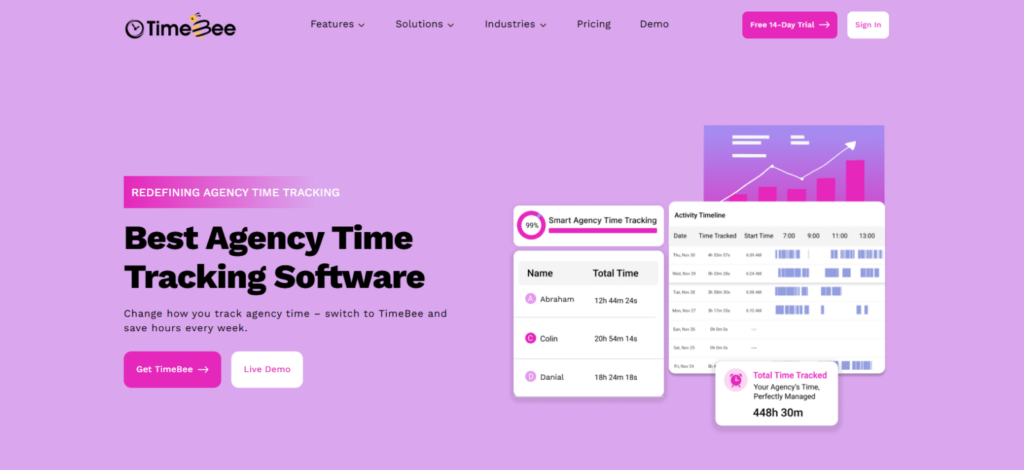
TimeBee stood out in our testing for connecting time tracking with day-to-day productivity. We configured five users, two teams, and three projects, alongside hourly rates, permissions, and attendance rules. The initial setup took approximately 45 minutes.
We tested how easily employees could record time while working across different projects and environments, then looked at how those hours translated into productivity data.
This matters for agencies because knowing that someone logged eight hours doesn’t necessarily tell you how those hours were spent. Time tracking becomes more useful when managers can see work activity alongside the hours recorded.
Across 20 cross-platform synchronization checks, 19 records reached the dashboard within 15 seconds. One mobile record took 42 seconds following a connection delay but synchronized automatically afterward. In a separate screenshot test, TimeBee captured 29 of 30 scheduled images.
That depth is useful when an agency needs billable hours and project-cost context without reconstructing timesheets afterward. It is less compelling for freelancers who only need a simple timer for tracking transparency with the client.
TimeBee Pricing
- Free Plan: 14 days
- Paid Plans: Custom Pricing
TimeBee Compatibility
TimeBee’s desktop tracking application supports Windows, Linux, and macOS.
TimeBee also provides automatic time-tracking functionality for iPhone/iOS and Android, alongside browser-based dashboard access and browser extensions.
It offers 30+ integrations, including Slack, Asana, ClickUp, GitHub, Zoho, and Trello.
TimeBee Pros and Cons
| Pros | Cons |
| Automates time capture instead of depending entirely on reconstructed timesheets | No public fixed pricing for paid plans |
| Connects tracked hours with projects and tasks | Initial organization setup requires more configuration than a basic timer |
| Supports project costing with billable and non-billable hours | Detailed monitoring may be unnecessary for smaller teams or individual freelancers |
| Provides offline tracking and detailed productivity information | |
| 30+ integrations help it fit around existing agency software |
Verdict
TimeBee fits agencies that need stronger attribution between working time and client cost. We would use its deeper monitoring controls selectively, based on the agency’s needs, rather than enabling them simply because they are available.
TimeBee: Find Where Your Agency’s Capacity Is Going
Learn More
4. Slack – Best for Fast Internal and Client Communication
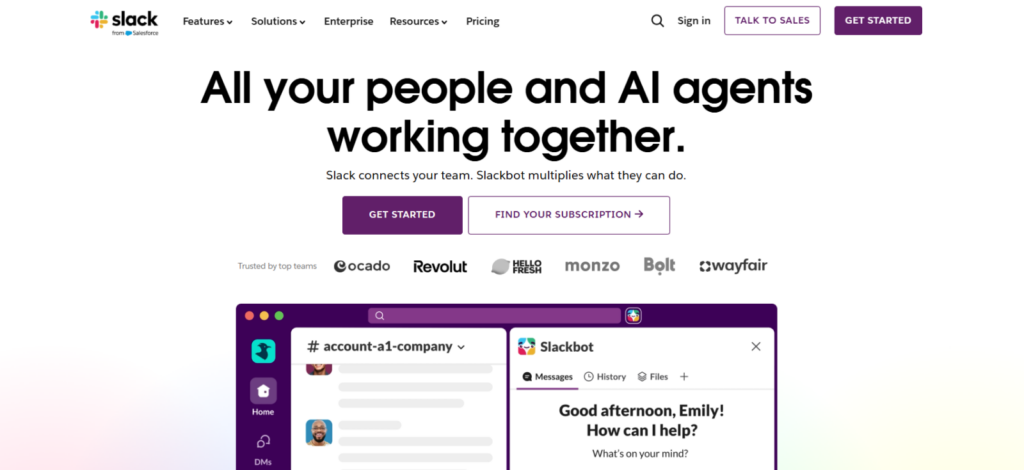
Our four-person team assessed Slack as the communication layer around agency work. We organized a five-channel structure covering two client accounts alongside delivery, operations, and general discussion. Moreover, we reviewed external access and whether we’ll get enough context without entering every internal discussion.
Furthermore, our team also evaluated three communication formats: channel posts, threaded replies, and huddles. Each handled a different requirement. Channels maintained shared context, threads reduced topic drift, and huddles handled issues that were quicker to resolve verbally.
The clearest constraint was information volume. Slack’s Free plan exposes only 90 days of message history and supports up to 10 app integrations. Pro removes those restrictions, supports integrations from a directory containing 2,600+ apps, and allows group huddles with screen sharing for up to 50 teammates.
Slack Pricing
- Free: $0
- Pro: $7.25 per active user/month when billed yearly; $8.75 when billed monthly
- Business+: $15 per active user/month when billed yearly; $18 when billed monthly
- Enterprise+: Custom pricing
Slack’s Free plan provides 90 days of searchable message history and up to 10 app integrations. Pro removes those limits.
Slack Compatibility
Slack has desktop applications for Windows, macOS, and Linux. Mobile apps are available for iOS and Android, and Slack can also be used through supported web browsers.
Its App Directory contains 2,600+ integrations, including Google Drive, Jira, Salesforce, Asana, Zoom, ChatGPT, and numerous productivity and business applications.
Slack Pros and Cons
| Pros | Cons |
| Channels provide a clear place for project and client conversations | Large numbers of channels can become difficult to monitor |
| Slack Connect supports collaboration with external organizations | Notifications can interrupt focused work |
| Threads help keep detailed conversations attached to a topic | Important decisions may become buried in message history |
| 2,600+ integrations connect communication with the wider agency stack | Routing too many automated notifications into Slack can create additional noise |
Verdict
Slack worked best when discussion stayed in Slack, but commitments moved into the project system. Used that way, it speeds coordination without turning chat into the agency’s permanent record.
5. Notion – Best for SOPs, Briefs and Agency Knowledge
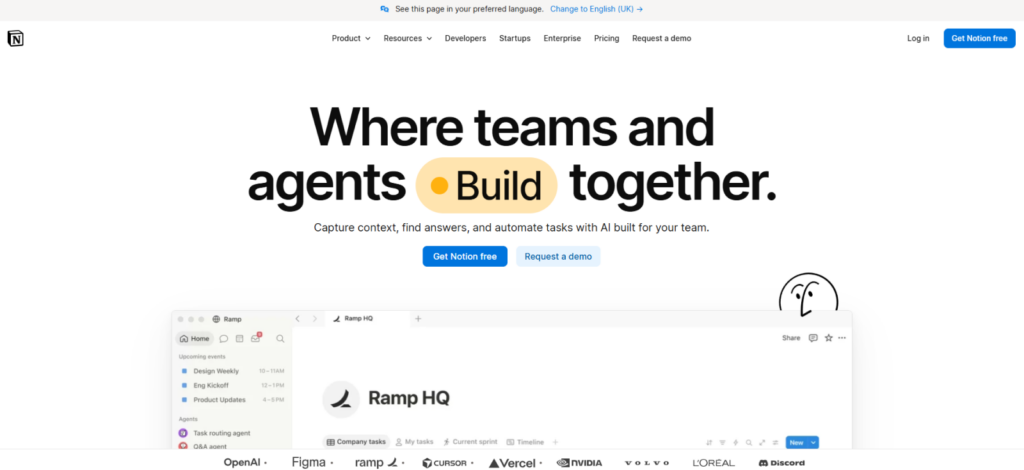
Our team assessed Notion, one of the best productivity tools for agencies, through a five-part knowledge workflow: create an SOP, build a client brief, record meeting notes, organize reference material, and share selected information externally. Our Agency Operations Manager designed the structure, while the Freelance Creative Professional tried to retrieve what was needed without administrator guidance.
That exercise highlighted Notion’s strongest agency role. Pages handle conventional documentation, while databases add properties, dependencies, and structured records. The same workspace can connect process documentation with project context instead of scattering knowledge across folders.
We also checked access for internal and external use. The Free plan permits up to 10 external guests, while Plus and higher plans allow unlimited guests. Page history increases from seven days on Free to 30 days on Plus and 90 days on Business. Offline access is also available on desktop and mobile.
The main concern is maintenance. Flexibility makes it easy for teams to create conflicting naming conventions and database structures. Without ownership, retrieval becomes harder as content grows.
Notion Pricing
- Free: $0
- Plus: $10 per member/month when billed yearly
- Business: $20 per member/month when billed yearly
- Enterprise: Custom pricing
Guests do not consume paid member seats, but they can only access pages specifically shared with them.
Notion Compatibility
Notion provides desktop applications for Windows and macOS. Mobile apps are available for iOS and Android, while the web version can be accessed through a browser. There is currently no official Linux desktop application, although Linux users can access Notion through the web.
Notion integrates with tools including Slack, Google Drive, GitHub, Jira, Asana, Figma, Trello, OneDrive, Dropbox, and Microsoft Teams.
Notion Pros and Cons
| Pros | Cons |
| Excellent for SOPs, briefs, meeting notes, and internal knowledge | Flexible structures can become inconsistent without governance |
| Combines traditional documents with structured databases | Complex database setups require more onboarding |
| Guests can collaborate without consuming paid seats | Not as specialized for resource planning as dedicated tools |
| Integrates with common agency communication and project platforms | Large workspaces need regular organization to remain easy to navigate |
Verdict
Notion is a good option when it comes to having a knowledge layer for the agency. We would use it for repeatable information and context, while leaving complex delivery and capacity management to specialized tools.
6. Float – Best for Capacity and Resource Planning
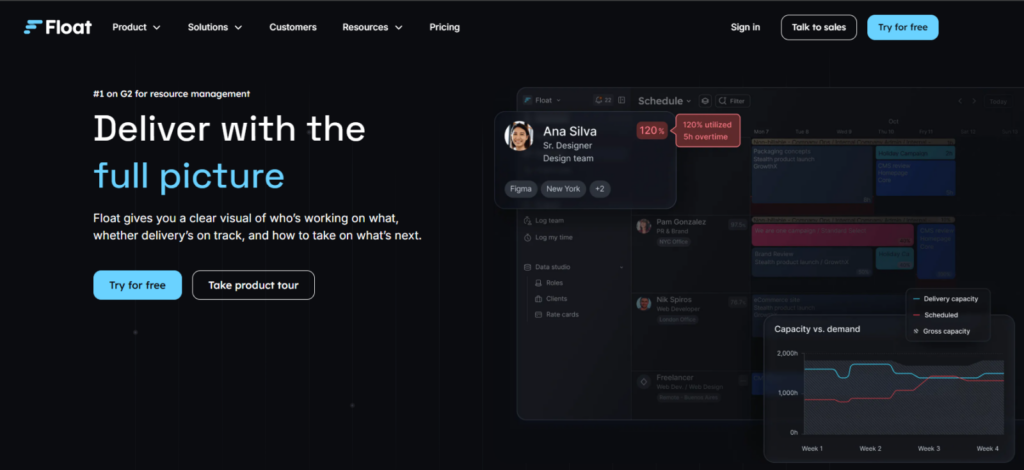
We assessed Float around one operational question: could the team determine whether additional client work would overload existing capacity? We built the resource view and compared planned assignments with availability, while treating freelancers as scheduled contributors rather than administrators.
The test centered on four inputs: scheduled work, working hours, time off, and project demand. Float is built around those variables rather than individual task lists, which clearly separates it from a normal project manager.
Starter supports scheduling alongside capacity management, unlimited project scoping, project-margin tracking, and rate cards. The Pro plan adds estimates, actuals tracking, and comparisons between estimated, planned, and actual work. Float also places no limit on the number of projects or clients you can manage.
Its billing model matters too. You pay for each person appearing on the Schedule, even if they do not require account access. People who only need visibility can be added as guests for free.
Float Pricing
- Free Trial: 30 days
- Starter: $7 per scheduled person/month when billed yearly
- Pro: $12 per scheduled person/month when billed yearly
- Enterprise: Custom pricing
Float Compatibility
Float is primarily web-based and works through current versions of Chrome, Edge, Firefox, Opera, and Safari. So, it becomes accessible from Windows, macOS, and Linux computers through a browser.
Native mobile apps are available for iOS and Android.
Direct integrations include Asana, Jira, Teamwork, Trello, Slack, Google Calendar, and Outlook Calendar. Float also supports additional workflows through its API and Zapier, including connections with ClickUp, Monday.com, HubSpot, Salesforce, and Basecamp.
Float Pros and Cons
| Pros | Cons |
| Purpose-built for workload and capacity planning | Does not replace detailed task-management software |
| Connects resource allocation with project costs and margins | Every person placed on the Schedule affects subscription cost |
| Unlimited projects and clients on all plans | Very small agencies may not need dedicated resource-planning software |
| Planning quality depends on keeping allocations and availability current |
Verdict
Float becomes useful once workload can no longer be judged reliably from meetings or memory. It gives operations a clearer basis for deciding whether the team can absorb new work before commitments are made.
7. Zapier – Best for Automating Repetitive Agency Work
Our team assessed Zapier through a four-step administrative handoff: information enters one system, a condition is met, another application receives the data, and the responsible person receives a notification. The Operations Manager mapped the process, while the Project Lead checked the final workflow.
The measurable constraint that mattered most was task volume. Free includes 100 tasks per month and two-step Zaps. Professional starts at $19.99/month and adds multi-step workflows, premium apps, and webhooks. Team starts at $69/month and supports 25 users with shared workflows, folders, and app connections.
Simple automations were easier to manage because the trigger and outcome remained obvious. Complexity increases when more conditions and actions are introduced, so we would document any automation tied to client delivery.
Zapier Pricing
- Free: $0 with 100 tasks per month
- Professional: Starts at $19.99/month when billed yearly
- Team: Starts at $69/month when billed yearly
- Enterprise: Custom pricing
Zapier Compatibility
Zapier is a web-based application, so it does not require an operating-system-specific desktop installation. It works through current versions of Chrome, Firefox, Safari, and Microsoft Edge, which makes it accessible from Windows, macOS, and Linux computers with a supported browser.
Zapier currently connects with 9,000+ applications, including Google Sheets, Gmail, Slack, Salesforce, HubSpot, Notion, Microsoft Outlook, Google Calendar, and thousands of other business tools.
Zapier Pros and Cons
| Pros | Cons |
| Connects thousands of otherwise separate business applications | Costs increase as automation task volume grows |
| Multi-step workflows can remove several manual actions from one process | Complex automations require documentation and maintenance |
| Does not require conventional programming for common workflows | Authentication or API changes can interrupt workflows |
| Team plan supports shared app connections and workflows | Available actions depend on what each connected application exposes |
Verdict
Zapier is strongest when you automate a process you understand. We would start with predictable handoffs rather than automating broadly because simpler workflows are easier to verify and maintain.
8. Miro – Best for Asynchronous Client Updates and Feedback
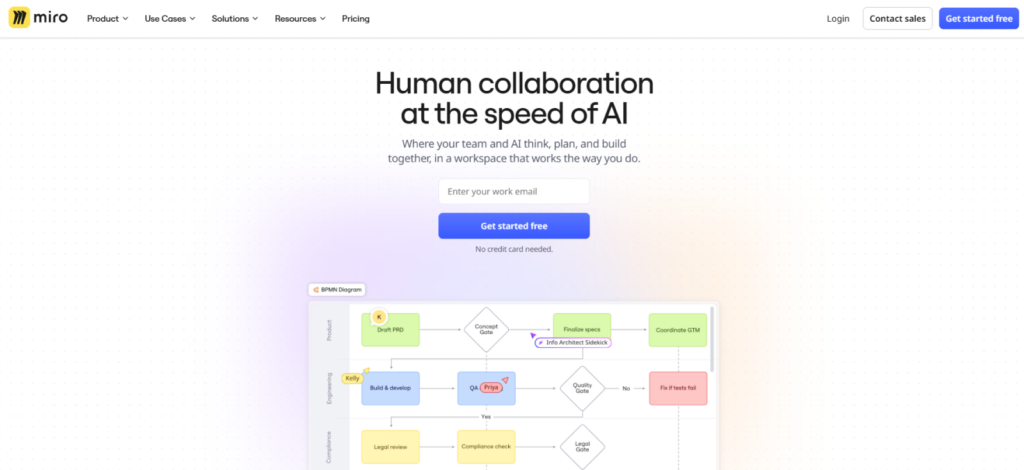
Our team assessed Miro through a structured workshop rather than a project schedule. We organized the sessions and divided the canvas into frames. During our testing, the freelancer perspective focused on contributing without requiring access to the wider agency workspace.
We worked across four board formats: sticky-note ideation, process mapping, a timeline, and Kanban. Miro provides 7,000+ templates and 250+ integrations, which reduces the need to construct every recurring workshop from scratch.
The main constraint is organization. Free allows only three editable boards. Starter adds unlimited private boards and 25 AI credits per member each month, while Business increases that to 50 credits and adds unlimited workspaces with unlimited signed-in guests.
Miro Pricing
- Free: $0
- Starter: $8 per member/month when billed yearly
- Business: $20 per member/month when billed yearly
- Enterprise: Custom pricing
Miro Compatibility
Miro provides desktop applications for Windows and macOS and can also be used through a web browser. Mobile access is available through Miro’s iOS and Android applications.
It supports 250+ integrations, including Slack, Microsoft Teams, Google Drive, OneDrive, Jira, Asana, ClickUp, Figma, Adobe tools, Trello, Zoom, and Dropbox.
Miro Pros and Cons
| Pros | Cons |
| Strong visual environment for workshops and collaborative planning | Large boards can become difficult to navigate without structure |
| 7,000+ templates accelerate common brainstorming and planning workflows | Free users are limited to three active editable boards |
| Supports diagrams, Kanban boards, timelines, tables, Docs, and Slides | Not as suitable as dedicated PM software for detailed task execution |
| 250+ integrations help move ideas into the wider agency workflow | Business-level client collaboration significantly increases per-seat cost |
Verdict
Miro worked best before execution, when several people needed to shape the same idea visually. Once decisions became owned tasks with deadlines, we would move them into the project-management system.
9. HubSpot – Best for Connecting Sales With Client Operations

We assessed HubSpot through a five-step handoff: create a contact, associate the company, open a deal, record follow-up, and pass the account into delivery. Our team members checked what context survived that sequence and considered what information would be useful before work started.
The pipeline limits make HubSpot’s tiers particularly easy to quantify. Free includes one deal pipeline, Starter provides two, Professional provides 15, and Enterprise supports 100. Included HubSpot Credits also rise from 500 on Starter to 3,000 on Professional and 5,000 on Enterprise.
The best part about this platform, however, is the continuity it offers. Keeping contact history and deal information around one CRM record reduces the need for delivery teams to reconstruct what sales knows.
HubSpot Pricing
- Free: $0 for up to 2 users
- Starter: Starts at $7 per seat/month when billed yearly; $20 per seat/month on monthly billing
- Professional: Starts at $90 per seat/month when billed yearly; $100 per seat/month on monthly billing
- Enterprise: Starts at $150 per seat/month
- Professional Onboarding: $1,500 one-time fee
- Enterprise Onboarding: $3,500 one-time fee
HubSpot Compatibility
HubSpot is primarily browser-based, so its CRM can be accessed from desktop and laptop computers without a dedicated desktop application. Its native mobile app supports iOS and Android phones and tablets.
HubSpot’s marketplace includes integrations with Gmail, Google Calendar, Outlook, Outlook Calendar, Slack, Microsoft Teams, Salesforce, Zapier, Zoom, Google Meet, and WordPress, among many others.
HubSpot Pros and Cons
| Pros | Cons |
| Keeps contacts, companies, deals, and communication history in one CRM | Professional pricing is a substantial jump from Starter |
| Deal pipelines create a clearer sales-to-delivery handoff | Professional and Enterprise require onboarding fees |
| Integrates closely with email and calendar workflows | Advanced configuration can require dedicated administration |
| Large integration marketplace makes it easier to connect sales with the wider agency stack | It does not replace detailed project-delivery software |
Verdict
HubSpot is a great option when sales context gets lost before delivery. However, we would justify higher tiers only when their additional automation and pipeline controls solve a defined process problem.
Final Verdict
The best productivity software for agencies is not the one with the most features; it is the one that removes the most operational friction. Each tool made a stronger case when we evaluated a more specific workflow.
So, before committing to any platform, identify where work currently slows down and test that exact process inside the software. If the tool makes ownership clearer or removes repetitive administration, it has a defensible place in your stack. If it simply creates another system your team has to update, adding more software is unlikely to make the agency more productive.
FAQs
Which type of productivity tool does a small agency need first?
For most small agencies, project-management software should come first. You need one reliable place for deliverables, owners, deadlines, and project status. However, follow your biggest operational bottleneck. If delivery already works but reporting consumes hours every month, reporting automation may create more value. Likewise, agencies struggling with billable-hour visibility may benefit from time tracking before adding another project tool.
Are all-in-one productivity platforms better than using several specialized tools?
Not necessarily. All-in-one platforms reduce app switching and administration, while specialized tools usually provide greater depth for specific jobs such as resource planning or client reporting. We recommend building the smallest coherent stack, rather than forcing everything into one application. Each additional tool should solve a distinct problem or eliminate enough repetitive work to justify another subscription, integration, and system your team must maintain.
How many productivity software tools should an agency use?
There is no ideal number. Your agency needs enough software to cover essential functions without creating overlapping systems. Look for duplication instead: if employees update the same information in several places or cannot identify the authoritative source, you probably have too many tools. Every application should have a defined purpose, an owner, and a clear reason it cannot be replaced by something already in your stack.
How should agencies compare per-user software pricing?
Calculate the plan containing the features you actually need at your expected team size. Then include guest charges, minimum seats, automation limits, onboarding fees, AI add-ons, storage, and annual commitments. Also check what the vendor bills for: some charge per employee, while others charge per client, scheduled person, or automation volume.
How often should an agency review its software stack?
Review your software stack formally at least once a year and whenever your team, services, or workflows change materially. Examine actual usage, overlapping features, pricing changes, integration failures, and administrative workload. Before renewing each tool, ask what useful work would become harder if you removed it. If your team cannot identify a specific workflow or decision the application improves, the subscription deserves closer scrutiny.
Bring Time and Delivery Into the Same Picture With TimeBee
Get TimeBee


Jacob Tyler
Member since July 2, 2026
Jacob Tyler
Member since July 2, 2026
Jacob Tyler is a B2B technology journalist specializing in workplace software, employee monitoring platforms, productivity technology, HR systems, data privacy, and the changing role of technology in modern organizations.
He holds an MSc in Information Systems from the University of Manchester. His professional qualifications include the CompTIA Data+ certification.
With more than 10 years of experience covering B2B software and digital transformation, Jacob focuses on translating complex product capabilities into clear guidance for business readers.
His work examines how software functions in practice, which operational problems it is designed to address, what data it collects, and what organizations should consider before implementation.
Through his writing, Jacob helps HR leaders, operations teams, founders, managers, and IT decision-makers understand workplace technology and make informed purchasing decisions.