

Why Contractors Are Switching to Mobile Time Tracking for Construction Workers
November 24, 2026 13 min readA construction crew can lose valuable working hours without anyone noticing until the weekly timesheets reach the office. Missing entries, delayed approvals, and labor hours charged to the wrong activities can all create problems that extend beyond payroll.
I’ve seen how quickly those issues compound when contractors manage multiple crews against tight project deadlines. By the time the office reconciles the hours, the superintendent may already have moved workers to another phase of the project.
That’s why more contractors are adopting construction field employee time tracking. Rather than waiting for paper timesheets, they can record hours at the jobsite and monitor labor allocation. It also makes it easier to review payroll information before minor discrepancies become costly problems.
The real advantage, hence, is getting dependable labor information early enough to make better construction management decisions.
Construction Workers Switching to Mobile Time Tracking: Every Reason in a Nutshell
- Fewer errors: Digital time entries reduce mistakes caused by handwritten or missing timesheets.
- Faster payroll processing: Electronic submissions and approvals reduce administrative work and delays.
- Better labor cost control: Project-based time records help contractors monitor labor hours against budgets.
- Easier multi-site management: Centralized records provide visibility into crew hours across different job sites.
- Improved overtime tracking: Up-to-date records help supervisors monitor overtime before payroll closes.
- More reliable documentation: Digital records make it easier to retrieve timesheets for payroll reviews and compliance.
- Greater employee transparency: Workers can review recorded hours and request corrections where supported.
- Smoother field-to-office coordination: Timely labor information helps contractors address discrepancies before they affect payroll or project reporting.
What Is the Difference Between Manual Timesheets and Mobile Time Tracking?
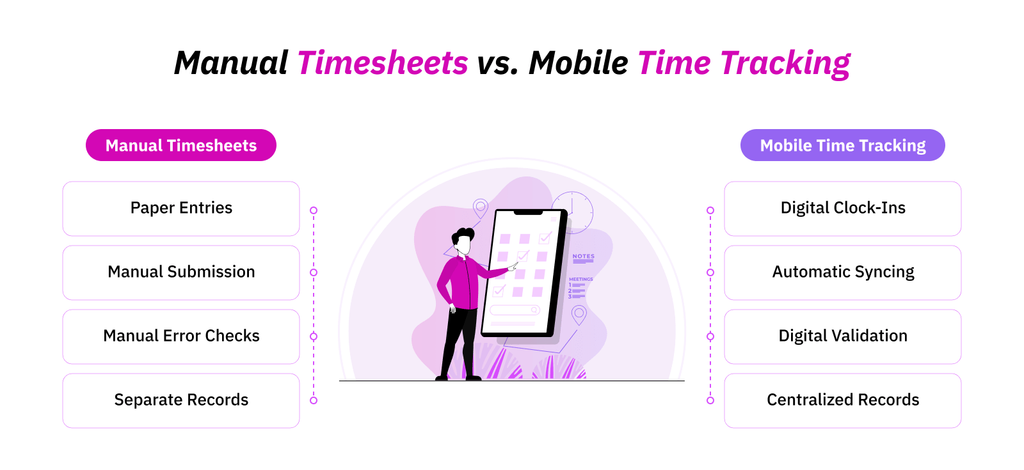
The main difference between manual and mobile time tracking is how labor hours are recorded, verified, and transferred from the field to the office.
With manual timesheets, workers or foremen record hours on paper. Someone must then collect those records, check them for missing information, and enter the hours into payroll or accounting software. If a timesheet is incomplete, the office needs to contact the employee or supervisor before processing it.
Mobile tracking reduces these handoffs. Workers record their time through an application, and authorized supervisors can review entries without waiting for paperwork to arrive.
Here’s how the two methods compare:
| Factor | Manual Timesheets | Mobile Time Tracking |
| Time recording | Handwritten entries | Digital clock-ins or time entries |
| Submission | Physical collection or emailed forms | Automatic syncing to a centralized system |
| Error detection | Manual checks | Digital records and configurable validation |
| Multiple jobsites | Separate records for each location | Centralized records |
| Labor allocation | Hours assigned manually | Project and task-based tracking |
| Payroll preparation | Often requires manual re-entry | Built-in payroll system, export timesheets, or integrations, depending on the system |
| Record retrieval | Paper files or scanned documents | Searchable digital records |
| Internet access | Not required | Offline capability in most tools |
I once reviewed the weekly manual timesheets for a contractor managing 32 workers across three active job sites. Eleven entries needed clarification because of missing hours, incorrect job assignments, or incomplete shift information. To solve this, the payroll administrator had to contact individual foremen to reconstruct the records.
The problem wasn’t that the crews had failed to complete their work. The company simply couldn’t establish a reliable record of that work without spending additional time investigating it.
That said, paper timesheets can still work for smaller operations with predictable schedules. But when employees frequently change jobsites or activities, the delay between performing work and receiving accurate labor data becomes a management problem.
How Mobile Jobsite Time Tracking for Construction Teams Works
In practice, mobile time tracking for construction teams connects the hours recorded in the field with project assignments, supervisor approvals, and payroll preparation.
Employees clock in through a mobile application or submit their hours using an approved entry method. Depending on the system, those records can be associated with projects and tasks, reviewed by supervisors, and exported for payroll.
I’ve used TimeBee to examine how this process works for construction crews. Its mobile application supports clock-in and clock-out records, project and task tracking, GPS location capture, and offline time recording. Managers can also review manual time requests and access project costing reports.
Here’s how the whole process worked in my experience before and after implementing mobile time tracking across a typical construction operation.
Recording Crew Hours Against Jobs and Cost Codes
Knowing that an employee worked eight hours doesn’t tell you how those hours affected the project’s labor budget.
Suppose a concrete crew spends three hours preparing forms, four hours placing concrete, and one hour cleaning the work area. If all eight hours are charged to concrete placement, the total paid time may be correct, but the activity-level labor costs are not.
I encountered a similar problem while reviewing records for an 18-person concrete crew. During one eight-hour shift, the workers collectively recorded 144 labor hours. However, the records didn’t consistently distinguish between formwork preparation and concrete placement.
After using TimeBee, however, the workers were able to separate the hours by activity. Resultantly, I could see where labor costs were accumulating instead of treating the entire shift as one expense.
When GPS Time Tracking for Construction Helps Verify Jobsite Hours
Knowing how many hours a worker recorded is useful, but when crews move between multiple job sites, you also need to know where those hours were recorded.
I faced this issue while reviewing timesheets for a 16-person crew working across two locations. Three entries needed clarification because the workers had been reassigned during the week, but their paper timesheets didn’t clearly identify which site they had reported to.
After moving to TimeBee, with its GPS time tracking for construction teams, I could check the GPS locations captured during clock-ins and clock-outs against the workers’ assigned sites. Instead of contacting both foremen to reconstruct every shift, I could identify which entries needed further verification.
However, I wouldn’t rely on GPS records alone to determine whether someone actually worked. It is crucial to remember that a location stamp can help verify where a device was when an entry was recorded, but it doesn’t establish what work was completed.
Reviewing, Correcting, and Approving Timesheets for Payroll
Once workers have recorded their hours against the relevant projects and tasks, the next step is to verify those entries before sending them to payroll.
I generally start by reviewing each worker’s recorded hours, assigned tasks, and any missing or inconsistent entries. If someone forgets to clock out or records time against the wrong activity, the discrepancy needs to be resolved before the timesheet is finalized.
With TimeBee, employees can submit manual time requests specifying the date, time range, relevant task, and reason for the correction. The system first validates the request by checking for overlaps. After that, their assigned supervisors can review the information and approve or reject the request.
Once the entries are verified, the approved records can be used to prepare payroll. This is where it got interesting for me, as TimeBee itself had a payroll processing option with rate and payment adjustment options.
Moreover, it also supports CSV exports as well as integrations with other software, so payroll administrators can transfer recorded information for further processing in their payroll workflow.
6 Reasons Contractors Are Switching to Mobile Time Tracking
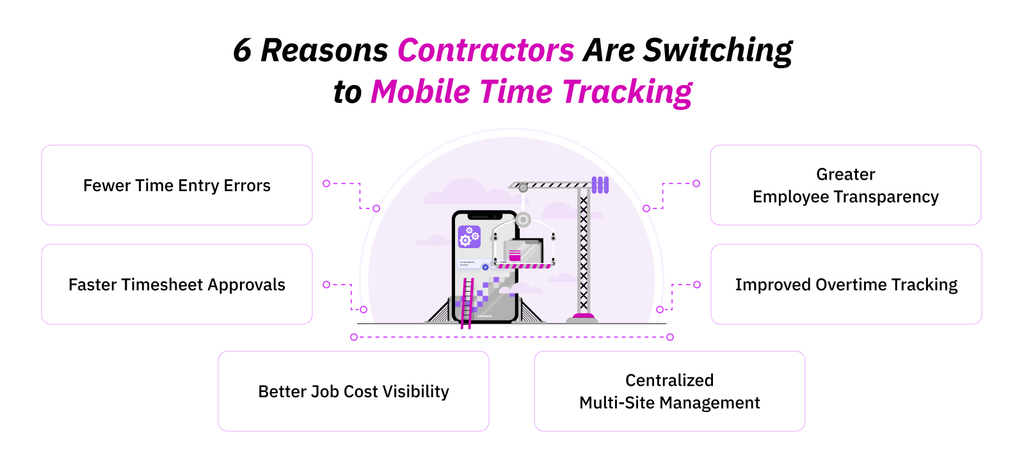
Contractors generally switch because their existing timekeeping process creates problems in management or reporting.
While the issues are generally connected, each of the following benefits solves a different operational challenge.
1. Fewer Time Entry Errors and More Accurate Payroll
Manual timesheets leave room for incorrect hours and incomplete entries. A worker might forget an early finish, record a shift against the wrong date, or even submit hours several days after completing the work.
The payroll administrator can then introduce another error while transferring the handwritten information into a separate system.
In comparison, digital time records reduce some of those risks by capturing timestamps electronically and keeping entries in one place.
On one construction payroll review, I counted 15 timecard corrections during a four-week period. Most involved missed punches or differences between employee entries and supervisor notes.
The solution for this is to, hence, make discrepancies easier to identify before payroll closes.
That said, digital records aren’t automatically accurate. Workers can still forget to clock in, choose the wrong project, or submit incorrect hours. However, when employees record time closer to when the work occurs, and supervisors review exceptions promptly, fewer mistakes need to be reconstructed days later.
2. Faster Timesheet Approvals and Reduced Administrative Work
With paper timesheets, payroll preparation often begins with collecting forms rather than processing approved hours.
Supervisors need to submit records, administrators must check them, and missing information can trigger several rounds of calls or emails.
That becomes particularly difficult when payroll deadlines coincide with other administrative demands.
I worked with a 25-person construction operation where timesheet collection, reconciliation, and preparation consumed approximately six administrative hours each week. After the team adopted mobile entries and a defined approval schedule, the same process took about two hours.
That returned four hours of administrative capacity every week.
More importantly, payroll preparation became easier to plan. Instead of waiting until the last day to discover missing entries, the office could follow up with supervisors throughout the pay period.
For construction companies managing multiple crews, this can reduce the amount of last-minute coordination required between the field and office.
3. Better Job Costing and Labor Budget Visibility
One of the most useful things accurate mobile time records can tell you is whether labor consumption matches project progress.
Suppose you’ve budgeted 240 labor hours for a framing activity. After reviewing the field records, you discover that the crew has already used 180 hours but completed only about half the planned work.
That’s a warning worth investigating. The problem might involve material availability, restricted site access, unexpected rework, or an estimate that didn’t reflect actual conditions.
I’ve reviewed projects where labor totals looked reasonable until we broke the hours down by activity. Once we compared recorded hours against completed work, the underlying problems became much easier to identify.
This is why I prefer reviewing labor hours alongside production quantities and estimated hours. Mobile time tracking tells you how much labor was used. Moreover, its progress reporting helps determine what was accomplished with that labor.
Keep Labor Hours Accounted for With TimeBee
Learn More
4. Centralized Crew Management Across Multiple Job Sites
Construction crews don’t always remain at one location for an entire project.
A superintendent may move workers to another site because materials haven’t arrived, an inspection has been postponed, or a different project needs additional labor. These changes can make timekeeping difficult when every jobsite maintains separate paper records.
For a contractor I worked with, 28 field employees were distributed across three locations during the same workweek. Several workers moved between projects as site conditions changed. The management could see the original assignments, but reconciling where hours were actually spent required updates from multiple foremen.
Centralized digital records could have made it easier to review submitted time by employee and project without collecting separate sheets from every location. Mobile time tracking could also help supervisors identify missing entries before employees were reassigned again.
5. Improved Overtime Visibility and Compliance Recordkeeping
Unexpected overtime is common when contractors need to recover delayed work, finish concrete placements, or meet critical project milestones.
The challenge in such a situation is understanding how additional hours affect labor costs while maintaining accurate payroll records.
When overtime only becomes visible during payroll preparation, supervisors may have limited opportunity to reassess staffing requirements.
To avoid this problem, digital records can help authorized managers review accumulated hours during the workweek and identify employees approaching an overtime threshold.
For example, when reviewing one crew’s weekly records, I identified four employees whose hours had reached 38 before their final scheduled shift. That information gave the superintendent an opportunity to review the upcoming work and staffing plan. It did not remove the obligation to pay overtime that employees actually worked.
Accurate digital records also make it easier to retrieve information for payroll reviews and wage-related inquiries.
However, software alone doesn’t establish compliance. Employers still need correct employee classifications, pay calculations, retention practices, and any applicable prevailing-wage or certified-payroll documentation.
6. Greater Transparency for Construction Workers
Reliable timekeeping benefits employees as well as contractors.
When workers don’t have a straightforward way to review their recorded hours, disagreements may remain unnoticed until wages have been calculated. However, digital systems that allow employee access to time records can make discrepancies easier to identify earlier.
I’ve found that workers are generally more comfortable with a new timekeeping process when they understand how their hours are recorded and how corrections are handled.
On one project, an employee questioned why his submitted record showed 40 hours when he believed he’d worked 42. Because the records were available for review, the foreman could examine the relevant shift information and identify the discrepancy before the next payroll deadline.
That kind of transparency matters, particularly when construction schedules change frequently, and employees work under different supervisors.
How Much Can Contractors Actually Save With Mobile Time Tracking?
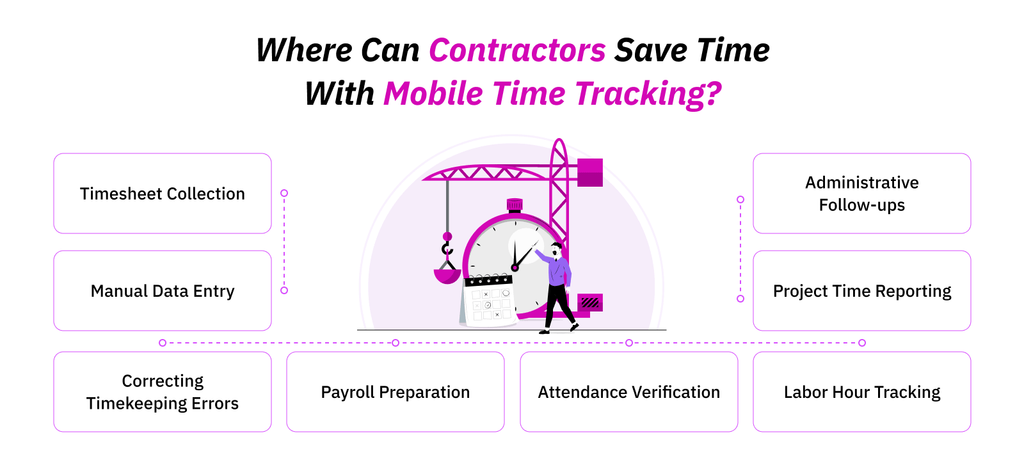
The amount a contractor can save depends on the existing administrative workload, software costs, crew size, and how effectively the new records support project management.
Personally, I prefer to estimate cost savings by looking at the time spent collecting, correcting, and preparing timesheets. These activities are easier to measure and put a dollar value on than broader productivity improvements.
For the 25-person construction operation I reviewed, the administrative figures were:
| Cost factor | Amount |
| Timesheet administration before switching | 6 hours/week |
| Administration after switching | 2 hours/week |
| Weekly administrative time saved | 4 hours |
| Loaded administrative labor cost | $32/hour |
| Working weeks per year | 50 |
| Annual software cost | $2,700 |
| Initial setup and training | $900 |
The annual value of the administrative time saved was:
4 hours × $32 × 50 weeks = $6,400
After accounting for the annual software expense and initial setup costs:
$6,400 − $2,700 − $900 = $2,800
That left $2,800 in potential first-year administrative capacity value after the listed expenses.
I use the term capacity value deliberately because saving four hours of administrative work doesn’t automatically increase a company’s cash profit by the same amount. Those hours need to reduce actual expenses or be redirected toward productive work to generate the corresponding financial benefit.
However, administrative savings are only part of the financial picture. When contractors can see labor hours accumulating against project budgets, they have a better opportunity to identify cost overruns before they escalate. That potential benefit is harder to quantify, but it can be especially important on projects where even a small scheduling or labor allocation problem affects the overall margin.
How to Switch to Construction Field Employee Time Tracking Without Disrupting Payroll
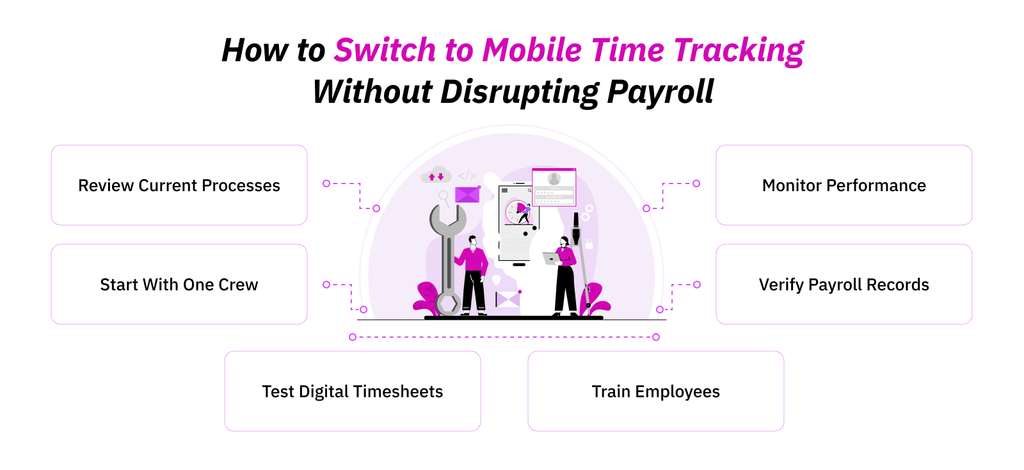
Switching to mobile jobsite time tracking for construction teams doesn’t have to disrupt your existing payroll process. However, I’ve found that the transition usually goes more smoothly when contractors address their current timekeeping issues before introducing new software.
Rather than changing everything at once, I prefer a gradual transition that gives both field supervisors and payroll staff enough time to adjust.
1. Understand Your Existing Timekeeping Process First
If supervisors are already submitting timesheets late or assigning hours to incorrect projects, simply moving those records into an app won’t solve the underlying problems.
That’s why I prefer looking at how hours currently move from the jobsite to payroll. Who records them? When are they reviewed? How are missed entries corrected? And does the payroll team receive everything it needs?
Once these responsibilities are clear, it’s easier to configure employee details, project assignments, work categories, and payroll information around the company’s actual operations.
2. Start With One Crew Before Expanding
I wouldn’t recommend switching every crew at once.
During one rollout, I started with eight workers assigned across two projects. This gave me an opportunity to test clock-ins, project changes, timesheet corrections, and payroll exports while keeping the existing process in place.
The trial also revealed where employees needed additional guidance. Some workers were comfortable recording their hours but struggled when switching project assignments.
Rather than putting everyone through lengthy software training, we focused on the situations they were most likely to encounter during a normal shift. Supervisors received additional guidance on reviewing exceptions and approving corrections before payroll deadlines.
3. Compare Digital Records Before Making the Switch
For me, the most important part of the transition is making sure the new records produce accurate payroll information.
During the trial, we compared digital entries against the existing timesheets, checking regular hours, overtime, breaks, pay classifications, and project assignments.
Any discrepancies needed to be resolved before the new system became the primary source of payroll data. Otherwise, the company risked replacing familiar paperwork problems with a different set of payroll errors.
4. Keep Reviewing the Process After Implementation
Even after switching, I would continue monitoring missed entries, approval delays, and employee feedback.
If workers repeatedly struggle with a particular feature, the issue may be unclear instructions or a workflow that doesn’t fit their daily responsibilities.
It’s also worth maintaining a fallback process for lost devices, internet interruptions, or application problems so employees can still report their hours accurately.
Ultimately, the goal isn’t to make every employee adopt a new process overnight. It’s to move from one reliable payroll cycle to the next without losing track of the hours your crews have already worked.
Final Thoughts
Contractors aren’t switching to mobile time tracking simply to eliminate paperwork. They’re looking for a more reliable way to manage labor hours, prepare payroll, and understand where project costs are accumulating before those costs affect budgets and schedules.
From my experience, the biggest difference comes from having accurate information available when you need it, rather than spending days collecting and reconciling timesheets. However, that improvement depends on choosing a system that fits how your crews work and establishing a consistent process for recording and approving hours.
If you’re still relying on paper timesheets, it’s worth examining how much administrative time they consume and whether delayed labor records are affecting your project decisions. A gradual transition to mobile tracking can help you address those gaps without disrupting payroll or day-to-day construction operations.
FAQs
Do construction workers need their own smartphones to track time?
Not always. Some time tracking applications support company-owned devices, shared kiosks, or supervisor-managed time entry. The right arrangement depends on the crew size, work environment, and software capabilities. For smaller teams, individual mobile access may be convenient. Larger crews may benefit from a shared device or an approved supervisor-led process. However, if employees are expected to use personal phones, you should establish a clear policy covering device usage, privacy, data requirements, and any applicable reimbursement obligations.
Can construction workers track hours without internet access?
Yes, provided the application supports offline time recording. Offline-capable systems store entries on the device and synchronize them once connectivity becomes available. TimeBee, for instance, documents offline time capture and subsequent synchronization.
Is digital time tracking legally required for construction companies?
No. U.S. federal law does not generally require construction companies to use digital timekeeping. Under the Fair Labor Standards Act, covered employers may use different timekeeping methods as long as they maintain complete and accurate records. Digital tracking can simplify record organization and retrieval, but it doesn’t eliminate an employer’s legal responsibilities.
What happens if a construction worker forgets to clock in or out?
The missed entry should be corrected through a documented process that establishes the employee’s actual working hours. Depending on the application, the worker may submit a correction request with the relevant date, time, assignment, and explanation. An authorized supervisor can then review the information and approve the necessary adjustment.
TimeBee provides a manual time request workflow for this purpose.
Can mobile time tracking handle different pay rates for the same worker?
Some systems can support multiple pay rates or adjustments, but the exact functionality varies.
Construction employees may perform work under different job classifications, projects, or compensation arrangements during the same pay period. Accurate payroll requires the relevant hours to be associated with the correct rates and applicable overtime rules. TimeBee’s payroll contains hourly rates and options for making adjustments.
TimeBee: Know Who Worked, Where, and for How Long
Try TimeBee



Daniel Mercer
Member since November 16, 2026
Daniel Mercer
Member since November 16, 2026
Daniel Mercer is a Construction Systems and Field Performance Consultant with over 17 years of experience across commercial buildings, residential developments, industrial facilities, renovations, and civil works.
He holds a Bachelor of Science in Building Construction from Virginia Tech and the Certified Professional Constructor credential from the American Institute of Constructors.
He has also completed Construction Cost Estimating and Cost Control from Columbia University, BIM Fundamentals for Engineers from National Taiwan University, and Contract Law and Construction Documents from the University of Alberta.
After his academic and professional education, he began his career in field operations and later served as a Site Superintendent, Constructability Lead, and Regional Operations Manager. These roles involved working directly with general contractors, trade contractors, estimators, schedulers, safety teams, design consultants, developers, and project owners.
Through his work, Daniel now aims to help construction businesses understand how decisions made during design, procurement, preconstruction, and field execution affect delays, quality, cash flow, profit margins, and client relationships.
His guidance is intended for contractors, developers, construction executives, superintendents, estimators, field leaders, and operations teams seeking practical improvements across the full construction lifecycle.