

Toggl Track vs TimeBee: Which One Came Out on Top in Our Testing
By Jacob Tyler
August 24, 2026 16 min readTime tracking, while seemingly a straightforward thing, can easily become more complicated when there is a missed entry to manage or unclear records for which you require more context. At that point, the quality of a time-tracking platform depends on more than how quickly you can start a timer.
But the question of which platform handles these challenges better remains unanswered. To find out, we conducted a Toggl Track vs. TimeBee comparison and tested both apps for four weeks with a four-person review group.
Toggl Track vs. TimeBee in 90 Seconds
| Comparison Area | Toggl Track | TimeBee |
| Core purpose | User-directed time capture, project reporting, billing, and profitability | Workforce time and activity management connected to attendance, cost, payroll, and profitability |
| Tracking approach | Timer, manual entry, calendar, private Timeline, browser extension, and reminders | Timer Time, Manual Time, inactivity handling, weekly timesheets, CSV imports, and approvals |
| Activity visibility | Timeline data is private to the individual user | Permitted activity information can be reviewed according to organizational roles |
| Forgotten-time recovery | Calendar events, Timeline, manual entries, idle prompts, and Auto-track rules | Manual Time, weekly corrections, imports, activity records, and approval routing |
| Financial context | Five billable-rate levels, labor costs, invoices, revenue, and profitability | Employee rates, client rates, payroll, project costing, billing, and profitability |
| Workforce management | Projects, tasks, workspaces, approvals, required fields, and reports | Teams, attendance, leave, kiosks, platform permissions, payroll, ratings, and audit records |
| Free access | Free plan for a limited number of users | 14-day free trial |
| Best for | Freelancers, consultants, small teams, and organizations prioritizing low-friction timekeeping | Remote, hybrid, agency, hourly, and managed teams requiring structured oversight |
| Main limitation | Broader workforce evidence and attendance may require separate software | More configuration and employee communication are required |
Our Testing Framework for Toggl Track and TimeBee
Our four-person testing group included a B2B technology reviewer, an operations manager, an agency account lead, and a freelance consultant.
This mix allowed us to examine both platforms from the perspectives of people who configure tracking rules, record daily work, review team performance, manage client projects, and prepare time data for billing or payroll.
Over four weeks, we created six test users, five projects, 14 tasks, and three client accounts in each platform. We reviewed both trackers by using their desktop apps, mobile applications, and even web extensions.
Time Capture Reliability and Data Recovery — 30%
We assessed whether each product consistently started, stopped, saved, dated, categorized, and synchronized recorded time.
The category also covered duplicated records, missed periods, manual corrections, offline sessions, and movement between devices. It received the highest weighting because incomplete records can affect client invoices, employee pay, project costs, and management reporting.
Automated Tracking and Workflow Continuity — 25%
Secondly, we also examined how much work each platform could organize without requiring users to rebuild their day from memory.
For Toggl Track, this included calendar events, private Timeline activity, browser-extension timers, idle prompts, Auto-track rules, and manual entries. For TimeBee, we tested persistent project and task timers, inactivity alerts, automatic stopping, Timer Time and Manual Time, weekly corrections, imports, and approval routing.
Reporting Depth and Decision Usefulness — 20%
It was also important for us to know how easily a reviewer could move from a total-hours figure to information that explained what had happened.
This factor was included because time tracking is not only about recording hours, but also about interpreting them later for decisions such as billing, workload assessment, and project review. If a tool makes this step difficult, it reduces the practical value of the data it collects.
To test this, we designed eight real-world scenarios that reflect common review tasks. These included identifying over-budget projects, investigating unusual entries, preparing client summaries, reviewing billable work, calculating labor costs, locating missing hours, comparing team activity, and checking attendance patterns.
Administration, Permissions, and Record Control — 15%
Throughout this comparison, we noticed the effort required to add users, establish project access, assign approvers, configure data collection, and control who could see workforce information.
This was important because setup complexity directly affects how quickly a team can start using a time-tracking system in real workflows, and how much ongoing effort is needed from administrators to maintain accurate and controlled data.
Usability, Role Fit, and Commercial Value — 10%
Finally, we assessed how quickly administrators, managers, employees, and independent professionals could understand each platform.
To do this, we observed how new users interacted with core workflows such as starting a timer, selecting or creating projects, entering time manually, reviewing activity, and submitting or correcting records. Each tester was asked to complete the same set of tasks without prior training beyond basic onboarding.
We then measured the time taken for each platform to become usable in a real working context, focusing on how easily users could move from setup to completing everyday tracking actions.
This approach allowed us to compare how quickly Toggl Track and TimeBee could be understood in practice, rather than in theory.
Toggl Track Overview
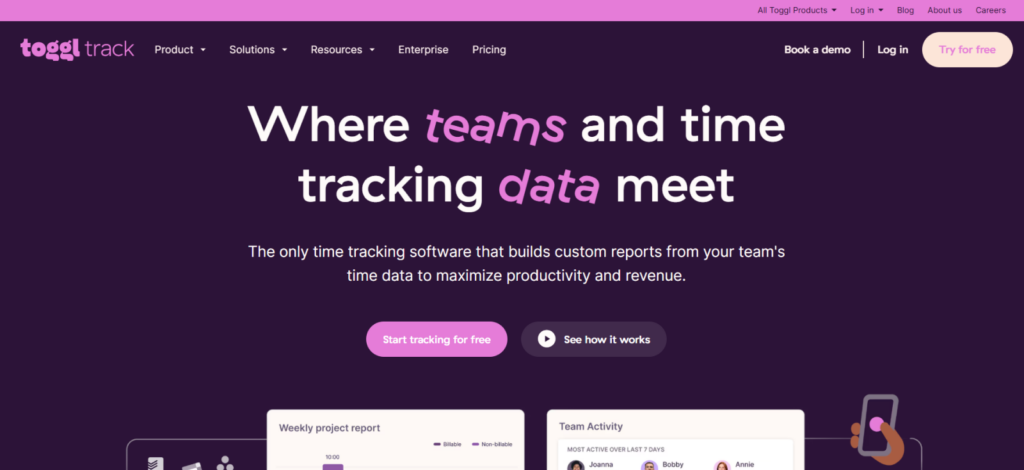
Toggl Track is a time-tracking and project-reporting tool for individuals and teams.
It works across web, desktop, mobile apps, and browser extensions, and supports timers, manual entries, and calendar-based tracking.
Its Timeline feature records local app and website activity, but this data remains private to the user and is not visible to administrators.
The platform also supports projects, clients, billable rates, reporting, invoicing, and time audits, depending on the plan.
TimeBee Overview
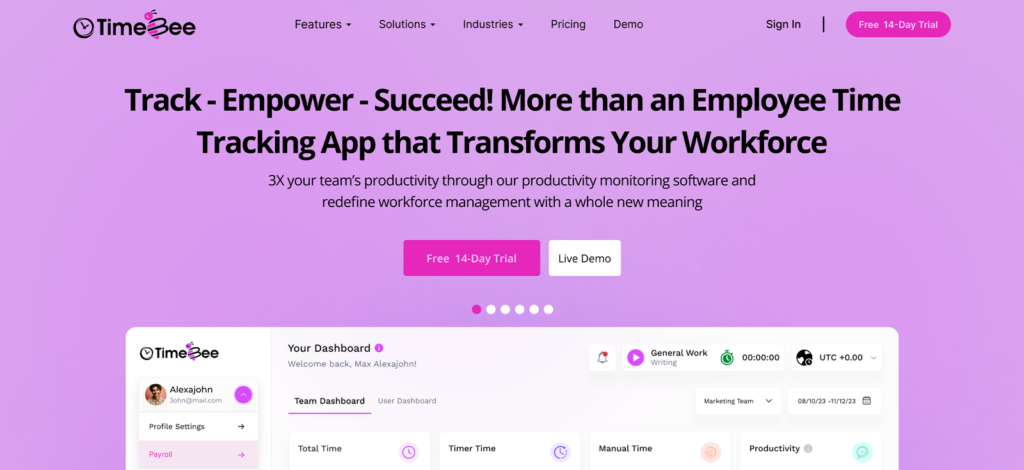
TimeBee is a workforce time and activity tracking platform built for organizations that need more than basic timers.
It includes time tracking, timesheets, screenshots, activity monitoring, attendance, payroll, project costing, and reporting tools.
Its key strength is connecting all recorded work into a single system, where time data flows into attendance, payroll, billing, and profitability reports.
Because of this broader visibility, administrators must define clear rules for tracking, access, and monitoring to ensure appropriate use.
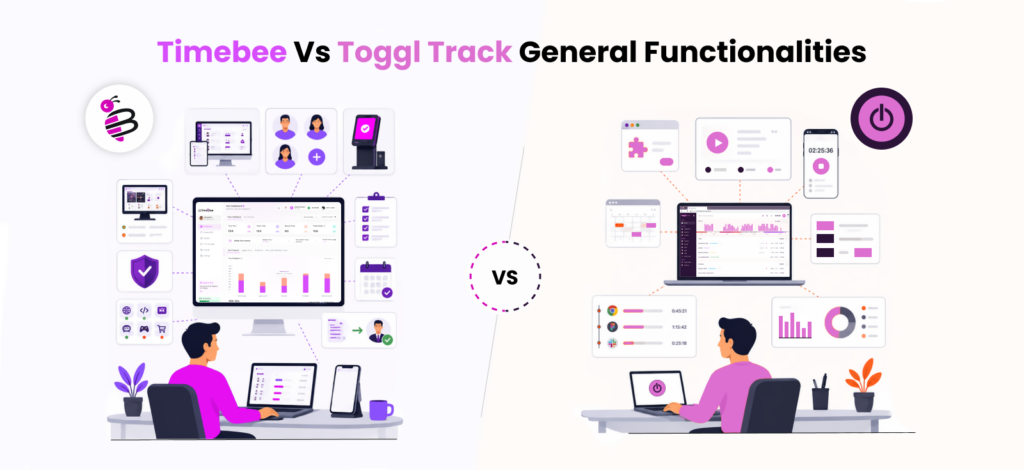
TimeBee vs Toggl Track General Functionalities
Compatibility
Toggl Track
Toggl Track is available through its web application, Windows and macOS desktop apps, iOS and Android mobile apps, and browser extensions for Chrome and Firefox.
During testing, we used Toggl Track on Windows, macOS, Chrome, iOS, and Android. All five environments allowed us to start or review time entries, although the functionality available on mobile was more limited than on the desktop and web versions.
The browser extension was particularly useful because it added timer controls to other tools. In 20 extension-based timer tests, the control appeared correctly in 19 cases. One page needed to be refreshed before the timer button became visible.
TimeBee
TimeBee supports Windows, macOS, Linux, iOS, Android, Chrome, web browsers, mobile tracking, and shared kiosk environments.
Its administrators can also control which platforms individual users are permitted to use. Therefore, an organization can allow desktop tracking for one group while limiting another group to mobile or kiosk access.
We tested TimeBee on Windows, macOS, Chrome, iOS, and Android. The timer remained accessible across all five environments.
Across 20 cross-device checks, 19 records appeared with the correct project and duration without requiring a correction. One mobile record initially displayed an earlier project until the application was refreshed.
Verdict
TimeBee, due to vast platform coverage, as it also offers Linux OS and kiosk tracking.
Timer Launch
Toggl Track
Toggl Track provides several ways to begin tracking. You can start a new timer, resume a previous entry, select a favorite, launch tracking from a calendar event, or use its browser extension inside another work application.
This flexibility reduced the number of steps required during everyday work.
Across 30 timer-launch tests, Toggl Track started an existing project entry in an average of seven seconds. Creating a new description and assigning it to a project took 11 seconds on average.
The timer also remained easy to access after switching between pages. Our testers successfully launched the intended entry on their first attempt in all of the 30 tests.
TimeBee
TimeBee uses a persistent project- and task-based timer. Before starting work, users can select the relevant project, task, and billing context.
Starting an existing task took 4-5 seconds on average during our 30 tests, since the selection drop-down is placed right at the top of the timer. Furthermore, creating or selecting a new project and task combination took approximately 15 seconds.
The additional time resulted mainly from the structured task selection. Nevertheless, once the timer started, the resulting record already contained the information needed for timesheets, project reporting, and financial calculations.
The intended entry was launched correctly on the first attempt all of those tests.
Verdict
This round is a draw. Toggl Track launches faster, while TimeBee captures richer context that carries into its reports and dashboards.
Inactivity and Idle Time
Toggl Track
Toggl Track’s desktop application can detect when the user has been inactive and display an idle-time prompt.
The user can then decide whether to retain the inactive period, remove it, or record it separately. This gives the individual control over how the interruption is reflected in the final time entry.
We conducted 12 idle-time tests lasting between five and 18 minutes. Toggl Track detected the inactive period in all 12 cases.
Ten prompts appeared within 15 seconds of activity resuming. The remaining two appeared after approximately 22 and 27 seconds. In every case, the user still had to decide how the idle period should be handled.
TimeBee
TimeBee allows administrators to set an inactivity duration. When the system detects no mouse or keyboard activity for that period, it displays a distraction alert for one minute.
If the user does not respond, TimeBee can stop the timer automatically.
Across the same 12 scenarios, TimeBee detected all 12 inactive periods. Moreover, all of the timers stopped instantly after the alert period ended.
Verdict
TimeBee wins for preventing extended idle time from entering work records.
Task Categorization
Toggl Track
Toggl Track organizes time through clients, projects, tasks, descriptions, tags, users, and billable status.
This structure worked well for our agency and freelance scenarios because the same client could contain several projects, while individual time entries could be separated through descriptions or tasks.
We created 14 tasks across five projects and then recorded 40 entries against them. Thirty-eight were assigned correctly on the first attempt.
Two entries were placed under the correct client but the wrong project because the project names were similar. After renaming them more clearly, the same testers categorized ten further entries without an error.
TimeBee
TimeBee also organizes tracked time through projects and tasks. However, these records can connect with team assignments, billable status, hourly rates, project contribution, and approval information.
In addition, TimeBee categorizes website and application activity as Productive, Unproductive, Neutral, or Unrated.
These activity ratings can be applied globally or adjusted at the organization, team, and user level. As a result, the same application can carry a different classification depending on the employee’s role.
Across 40 project and task entries, all were categorized correctly on the first attempt. We also classified 20 websites and applications as productive or unproductive, with each appearing alongside screenshots and time-spent context.
Verdict
TimeBee wins for organizational categorization, while Toggl Track is easier for straightforward client and project tracking.
Time Recovery
Toggl Track
Toggl Track helps users recover missed time through its calendar integrations, manual entries, tracking reminders, and private Timeline.
The Timeline records recently used applications and websites, so the user can identify work that may not have been formally tracked. However, Timeline activity does not automatically become a time entry. The user must select the relevant period and add the appropriate project or description.
We deliberately omitted 20 periods from the timer.
Toggl Track helped us identify 17 through calendar events or Timeline activity. Fifteen were recreated with the correct date and project on the first attempt. Two required a second edit because the calendar description did not match the project name.
TimeBee
TimeBee separates captured records into Timer Time and Manual Time.
Missed periods can be entered through the weekly timesheet, added as Manual Time, corrected directly, or imported through a CSV file. Organizations can also require manual entries to pass through an approver before they are accepted.
TimeBee helped us reconstruct all the missing periods. However, when adding manual time, we found it hard to actually find the feature as it was embedded within the time import window.
Verdict
Toggl Track is effective when an individual wants to privately reconstruct a forgotten period. TimeBee is better when recovered time must also pass through project, billing, and approval controls.
TimeBee: See What Tracked Time Actually Tells You
Learn More
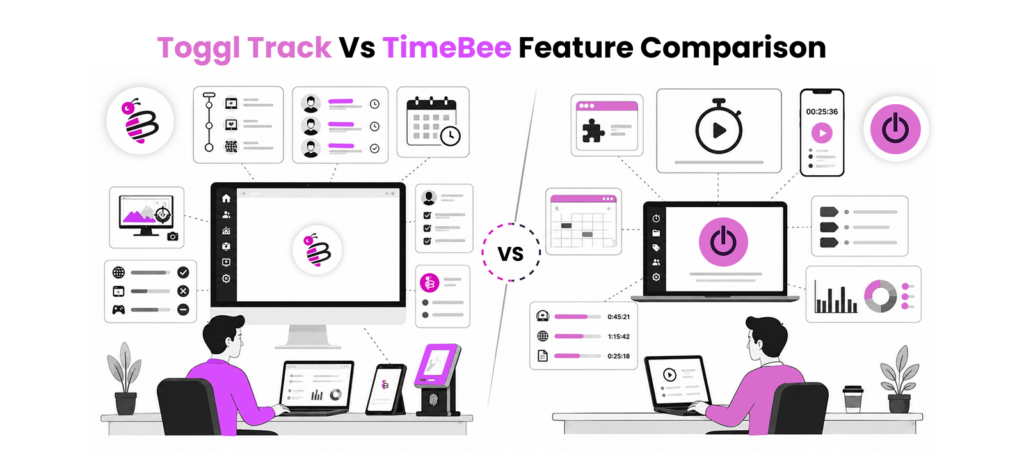
Toggl Track vs TimeBee Feature Comparison
Activity Timeline
Toggl Track
Toggl Track’s Timeline records the applications and websites used. An activity generally needs to remain active for more than 10 seconds before it appears.
However, the Timeline is private. Workspace administrators cannot access it, and its data does not automatically become part of the formal timesheet.
Across 24 work periods, Toggl Track gave us enough Timeline information to reconstruct 21. The remaining three involved brief application changes that did not produce enough useful context.
TimeBee
TimeBee places recorded activity within a manager-visible timeline. Depending on the organization’s settings, it can show websites, applications, screenshots, time spent, and keyboard or mouse activity.
We classified 20 websites and applications as productive or unproductive. Each appeared with screenshots and time-spent context, making it easier to understand how the tracked period had been used.
Verdict
TimeBee wins for activity visibility. Toggl Track helps individuals reconstruct their work privately, while TimeBee provides richer context that carries into management reports and graphs.
Attendance Reports
Toggl Track
Toggl Track’s Weekly and Detailed reports can show how many hours each person recorded over a selected period. You can also filter the data by user, project, task, and billing status.
However, these are time reports rather than dedicated attendance reports. They do not automatically explain whether someone arrived late, left early, met their required hours, or was on approved leave.
We tested ten attendance scenarios. Toggl Track displayed the correct recorded hours in all ten, but six required us to compare the report with a separate work schedule before determining the person’s attendance status.
TimeBee
TimeBee connects tracked hours with working days, required hours, shift times, lateness margins, early-departure margins, and leave records.
We created ten attendance scenarios covering late starts, early departures, missing hours, approved leave, and individual schedule exceptions. Once the relevant attendance rules were configured, TimeBee classified all ten correctly.
The resulting Attendance Report showed the recorded time alongside the applicable schedule, reducing the need for a separate comparison.
Verdict
TimeBee wins, as it displays clear attendance sheets with relevant tags to add more context about whether an employee arrived late, left early, did overtime, short hours, etc.
Billable and Non-Billable Hours
Toggl Track
Toggl Track allows entries to be marked as billable or non-billable. Billable rates can be applied at five levels: workspace, workspace member, project, project member, and task.
The platform can also prevent users from adding non-billable entries to billable projects when the relevant workspace rule is enabled. Billable totals and amounts then appear throughout its reports.
We created 30 entries across five projects. Toggl Track applied the correct billing status to all 30 and used the intended rate in ten scenarios containing project or task-level exceptions.
TimeBee
TimeBee also separates billable and non-billable time at the project and task level.
Across the same 30 entries, all billing statuses were reflected correctly in the timesheets. They also carried into project costing, client billing, payroll, and profitability reports without requiring us to classify the records again.
This made the billable designation useful beyond the initial timesheet because it affected several connected financial views.
Verdict
This round is a draw. Toggl Track offers more granular rate controls, while TimeBee carries the billing context into a broader set of financial reports.
Productivity Analysis
Toggl Track
Toggl Track analyses productivity through recorded time. Its reports show how hours are distributed across users, projects, tasks, and billable work.
During testing, we reviewed 40 entries across five projects. Toggl Track accurately showed where time was spent, but it did not classify the related websites or applications as productive or unproductive.
TimeBee
TimeBee combines tracked hours with website and application activity. Administrators can classify activity as Productive, Unproductive, Neutral or Unrated.
We classified 20 websites and applications. All appeared with their time spent, activity context, and available screenshots, while the classifications carried into TimeBee’s dashboards and productivity reports.
Verdict
Toggl Track explains where recorded hours went, while TimeBee adds activity-level context that supports deeper productivity analysis.
Incomplete or Conflicting Records
Toggl Track
Toggl Track can use required fields to prevent users from submitting entries without essential information. Its higher plans also include Time Audits, which can identify unusually short or long records, missing projects, and entries that fall outside selected cost or revenue thresholds.
We created 16 deliberately incomplete records. These included missing projects, blank descriptions, overlapping periods, unusually long entries, and incorrect billing selections.
Toggl Track identified them without manual line-by-line review. Required-field controls blocked five before they were saved, while audit filters located all the others.
TimeBee
TimeBee validates manual and imported entries before adding them to the timesheet. When imported time overlaps an existing record, the platform blocks it and displays an Invalid Entry pop-up.
Of the 16 incomplete or conflicting records we tested, TimeBee identified all 8 invalid ones during entry. The remaining 8 required manual review before being reflected in the total time.
Verdict
This round is a tie. TimeBee prevents conflicting imports before they enter the timesheet, while Toggl Track uses required fields and audits to identify incomplete or unusual records.
Toggl Track vs TimeBee User Experience
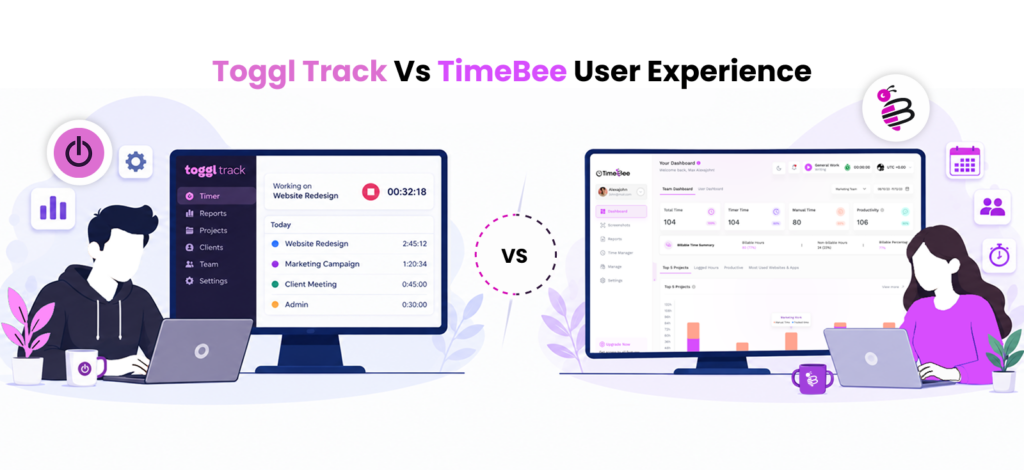
Interface and Visual Hierarchy
Toggl Track
Toggl Track follows a straightforward flow from time capture to project organization and reporting. Users record work first, assign it to the relevant project or task, and then review the resulting data through reports.
The interface displays entry descriptions, durations, projects, billing status, and recent records without adding broader workforce information. During testing, four of five first-time users moved from a time entry to its related project and reported without assistance.
TimeBee
TimeBee’s interface follows a broader data flow. Tracked time appears in timesheets and dashboards before feeding into activity, attendance, project-costing, payroll and profitability reports.
This places more information on screen, but it also allows users to move from a recorded period to its supporting context. Four of five testers followed this flow without help after completing the initial setup.
Verdict
This round is a draw. Toggl Track presents a clearer time-to-report hierarchy, while TimeBee connects each record with a wider range of operational information.
Settings Navigation
Toggl Track
Toggl Track keeps workspace rules inside its Settings area. Projects and members are managed through separate pages, while approval configuration has its own section.
We asked four testers to change a billable setting, restrict project access, assign an approver, and update a member role. They completed 13 of the 16 tasks on their first attempt.
The three unsuccessful attempts occurred when testers expected member permissions and approval settings to appear within the main workspace settings.
TimeBee
TimeBee gives administrators control over organization rules as well as individual exceptions. These include allowed platforms, inactivity settings, attendance requirements, hourly rates, and activity classifications.
The same testers completed 16 of 16 tasks on their first attempt. Most errors occurred when a user-specific rule overrode the wider organisation setting.
TimeBee allowed us to configure more workforce policies without leaving the platform.
Verdict
TimeBee wins, as Toggl Track has fewer workforce settings, while TimeBee provides more control over organisation-wide rules and individual exceptions.
Managerial Flow
Toggl Track
Toggl Track directs managers to its Summary and Detailed reports when they need to review team time. The reports can be filtered by properties such as user, project, task, and billing status. Approvals and workspace administration remain separate from the reporting area.
We gave managers eight review tasks. These included finding an unusually long entry and checking the billable total for a project.
They completed all eight. Questions about time and billing were straightforward, although wider attendance or activity context was unavailable.
TimeBee
TimeBee allows managers to move from tracked hours into activity, screenshots, attendance, project costs, and payroll information according to their permissions.
Managers completed the same eight tasks relatively quickly. The broader context made investigations faster.
Verdict
TimeBee wins. Toggl Track provides an efficient reporting flow for time and billing. TimeBee reduces the need to consult separate records when a managerial question also involves activity, attendance, or cost.
Employee Flow
Toggl Track
Toggl Track keeps the employee workflow close to the time entry. Users can start a timer and then edit its project, task, description, billing status, or duration from the List view.
Across 30 task-switch tests, users selected the correct project on their first attempt 28 times. Starting an existing entry took seven seconds on average.
Corrections were also direct because users could edit the relevant field without opening a separate record-management area.
TimeBee
TimeBee asks employees to select the project and task that provide context for the tracked session. They can then review their own time and submit manual corrections or relevant requests through the platform.
Users can also delete timelines from their timesheets, given that the admin has allowed them.
Verdict
This round is a draw, since both time trackers allow users to manage their timesheets and switch between different projects and tasks.
Toggl Track vs TimeBee Pricing
When we compared TimeBee vs Toggl Track, pricing made a huge difference for us.
Toggl Track:
Toggl Track currently offers:
- Free: $0 for up to five users
- Starter: $9 per user per month annually or $12 monthly
- Premium: $18 per user per month annually or $20 monthly
- Enterprise: Custom pricing
TimeBee
TimeBee offers:
- Free trial: 14 days.
- Paid plans: Custom pricing based on the organization.
Toggl Track vs TimeBee Pros and Cons
Toggl Track Pros and Cons
| Pros | Cons |
| Fast timers and low-friction daily use | Users must still remember to start, stop, or reconstruct formal entries |
| Strong visual calendar workflow | Manager-visible work evidence is intentionally limited |
| Private activity Timeline | Advanced approvals, audits, and profitability require higher plans |
| More than 100 browser-extension integrations | Paid plans charge according to retained licenses |
| Five levels of billable rates | Attendance and payroll are not its central purpose |
| Strong invoices and project reporting | Complex workforce oversight may require additional software |
TimeBee Pros and Cons
| Pros | Cons |
| Connects time with activity, attendance, payroll, cost, and profitability | |
| Supports manager-facing screenshots and web/app information | More initial configuration is required |
| Organization defaults can include individual exceptions | Public fixed pricing is unavailable |
| Structured manual-time and approval workflows | May be excessive for freelancers or lightweight teams |
| Internal and external rates provide financial context | Employee monitoring requires transparent governance |
| Broader role-based operational reporting |
TimeBee vs Toggl Track: Who Are They Suitable For?
When comparing TimeBee vs Toggl Track, we also reviewed them to see how they fit within different teams:
- Solo Freelancers: Toggl Track is generally the better fit. Its lightweight timer, free access, calendar connections, private Timeline, project organization, and billable reporting provide what most freelancers need without introducing workforce administration.
- Consultants and Professional-Service Teams: Toggl Track is particularly effective when your priorities are granular rates, invoices, client reports, and simple adoption. TimeBee becomes more relevant when the same organization also needs to calculate staff cost, prepare payroll, evaluate supporting work activity, or manage distributed contractors.
- Remote and Hybrid Teams: TimeBee is better suited to managed remote and hybrid teams when leaders need structured attendance, activity context, individual policies, and project-cost information. Toggl Track is preferable when the organization only needs employees to submit accurate project-time records.
- Agencies: Both products can support agency work. Choose Toggl Track when calendar-led tracking, integrations, client billing, and rate flexibility are most important. Choose TimeBee when you need to connect client work with employee cost, attendance, screenshots, payroll, and project profitability.
- Hourly or Shift-Based Workforces: TimeBee is the stronger option. Its working-day rules, minimum hours, shift timing, lateness, early-departure margins, leave, and payroll context make it more suitable for structured hourly work.
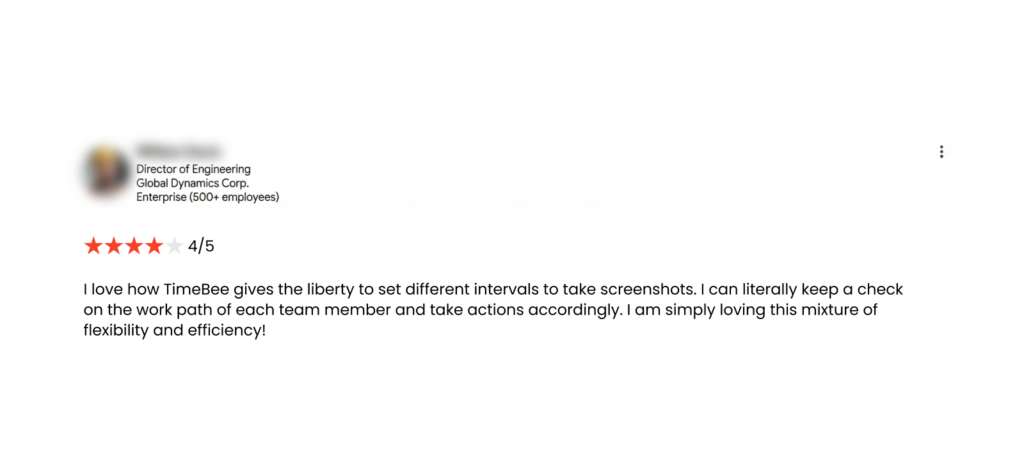
What Real Users Say About Toggl Track and TimeBee
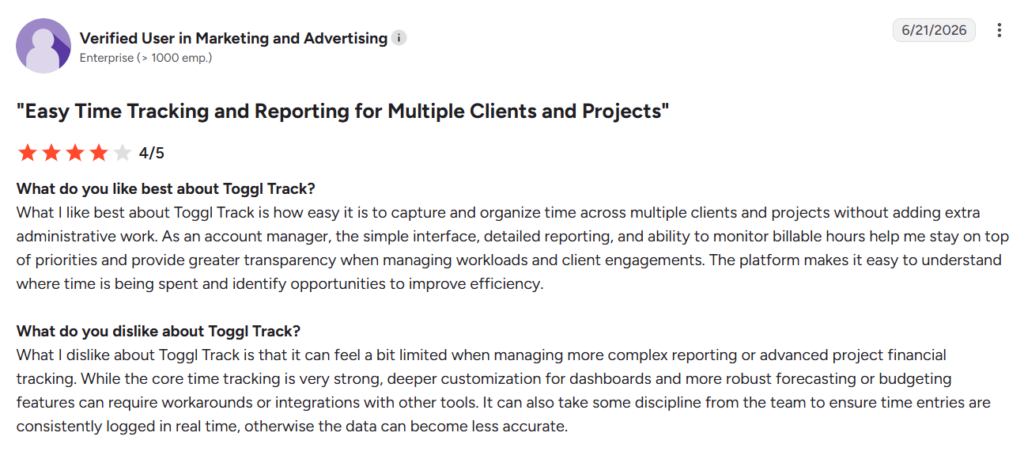
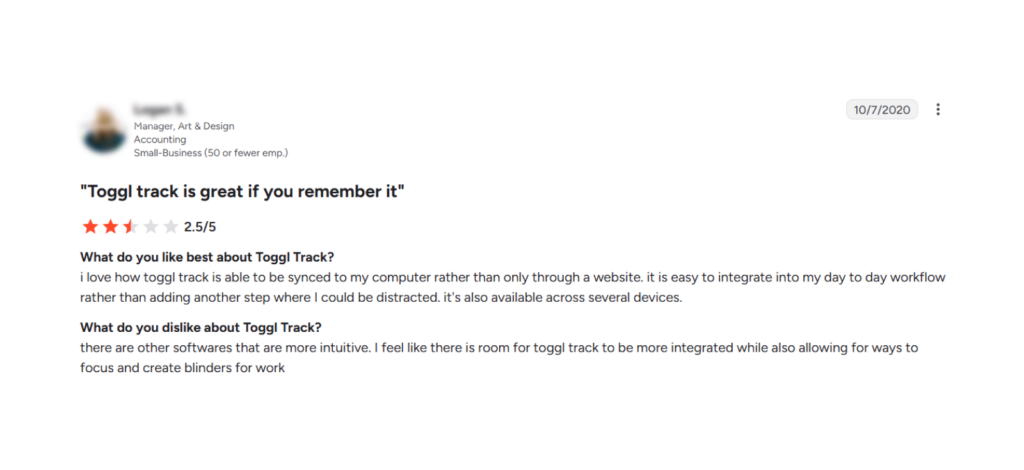
Toggl Track
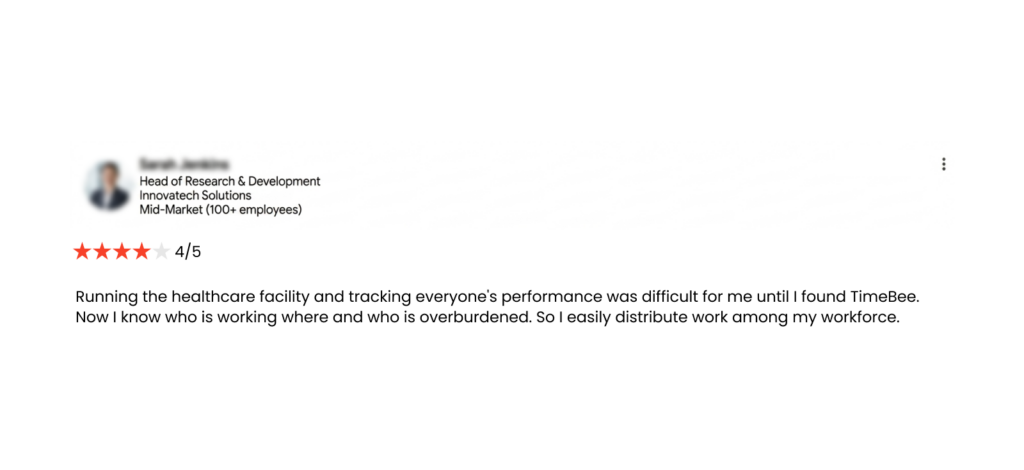
TimeBee
Final Verdict
TimeBee came out on top for managed teams because it connects tracked time with activity, attendance, project costs, payroll, and profitability. This broader context makes it easier for managers to review work without combining data from several tools.
Toggl Track remains the stronger choice for freelancers and privacy-focused teams that value faster setup, simpler tracking, broad integrations, and user-controlled activity data.
FAQs
Can Toggl Track or TimeBee replace project-management software?
Not completely. Both platforms organize time by project and task, but they do not replace dedicated tools for dependencies, collaboration, sprint planning, or complex delivery workflows. Toggl Track is better suited to project time and billing, while TimeBee adds activity, attendance, cost, and workforce reporting.
Does Toggl Track record screenshots?
No. Toggl Track does not capture employee screenshots. Its optional Timeline records websites and applications to help users reconstruct their day, but this information remains private and is not visible to workspace administrators. TimeBee can capture screenshots at configured intervals when the organization enables the feature.
Can employees see what TimeBee records about them?
Yes. Employees can review their own tracked time and related activity data, while managers and administrators receive access according to their assigned roles. Organizations should clearly explain what is collected, why it is needed, and who can view it before enabling monitoring features.
Which product is better for recovering forgotten time?
Both products perform well. Toggl Track helps users reconstruct missed time through calendars and its private Timeline. TimeBee adds structured corrections that retain project, task, billing, and approval details. You can import Timesheets in TimeBee and even send manual time requests.
Is it possible to export time tracker data for payroll or accounting?
Yes. Toggl Track allows time and report data to be exported for further billing, payroll, or accounting work. TimeBee exports reports in CSV and PDF formats. Its payroll and costing reports also connect tracked hours with employee rates, adjustments, client charges, and project costs.
Turn Tracked Hours Into Clearer Workforce Insights with TimeBee
Try Out TimeBee
Jacob Tyler
Member since July 2, 2026
Jacob Tyler
Member since July 2, 2026
Jacob Tyler is a B2B technology journalist specializing in workplace software, employee monitoring platforms, productivity technology, HR systems, data privacy, and the changing role of technology in modern organizations.
He holds an MSc in Information Systems from the University of Manchester. His professional qualifications include the CompTIA Data+ certification.
With more than 10 years of experience covering B2B software and digital transformation, Jacob focuses on translating complex product capabilities into clear guidance for business readers.
His work examines how software functions in practice, which operational problems it is designed to address, what data it collects, and what organizations should consider before implementation.
Through his writing, Jacob helps HR leaders, operations teams, founders, managers, and IT decision-makers understand workplace technology and make informed purchasing decisions.