

Jibble vs TimeBee: We Tested Both to Settle the Debate
By Jacob Tyler
September 28, 2026 16 min readJibble and TimeBee both record employee work hours, but that overlap can make them look more similar than they actually are.
After working with both platforms, we found Jibble to be primarily an attendance-oriented software, with stronger capabilities around clock-ins, kiosks, facial verification, GPS, and geofencing.
TimeBee, on the other hand, takes a broader workforce-visibility approach, connecting tracked time with screenshots, web and app usage, project costs, payroll, profitability, and management reporting.
After testing the two platforms, our conclusion is straightforward. Jibble makes more sense when attendance verification is the priority, while TimeBee is the stronger overall option when you also need to understand how tracked time relates to operational performance.
Jibble vs TimeBee: Everything You Need to Know at a Glance
Comparison Jibble TimeBee Best for Attendance-led and field teams Remote, hybrid, agency, and productivity-led teams Core time tracking Attendance-first punch tracking across multiple clock-in methods Project/task timer, manual time, and structured timesheets Attendance verification Facial recognition, GPS, geofencing, kiosk, NFC Attendance rules, GPS/location records, kiosk, photo verification Employee monitoring Screenshots with comparatively limited activity context Screenshots, activity, web/app usage, productivity classifications Project & billing Projects, activities, clients, billable data Projects, tasks, costing, billable hours, profitability, invoices Reporting Attendance and tracked-time reports with XLS/CSV exports Eight report families spanning time, activity, attendance, cost, and profitability Integrations Stronger payroll/accounting connectivity Broader workplace-tool connectivity, including browser-based workflows Ease of use Faster for basic attendance; more fragmented as controls expand More setup upfront, but more centralized for complex administration Pricing/value Free plan is the clear entry-level advantage 14-day trial followed by custom-priced paid plans Overall Better specialist choice for attendance and field verification Better overall choice for workforce, project, and productivity visibility
How We Tested Jibble and TimeBee for a Fair Comparison
Our comparative testing period covered nine days, using five test users across two teams and three client/internal projects.
We reviewed the web dashboards alongside Windows 11, macOS 15, Android 15, and iOS 18 where supported.
Workflow Reliability – 30%
First, we checked whether routine time-management actions could be completed without losing records or requiring unnecessary corrections.
Our common workflow involved adding users, creating projects, starting and stopping work, creating manual entries, triggering inactivity, and reviewing the resulting records.
Management Visibility – 25%
Rather than simply counting dashboards, we looked at whether the system could answer practical questions such as:
- Who is working?
- Where is time going?
- Which projects consume the most hours?
- Is recorded activity productive, unproductive, neutral, or idle?
- Who is late or short on required hours?
- What does the recorded labor cost?
- Is client work profitable?
Administrative Control – 20%
We then assessed how much control managers receive over the organization.
That included organization settings, user-level overrides, role visibility, teams, approval structures, and monitoring settings.
Data Usability – 15%
Next, we looked at report structure, filter depth, project attribution, financial context, export options, and how easy it is to turn tracked data into management information.
Operational Fit – 10%
Finally, we considered whether additional functionality actually improved the intended workflow.
More monitoring did not automatically receive a higher assessment, nor did more attendance controls.
Jibble Overview
Jibble is fundamentally a time-and-attendance platform with an unusually capable free core.
Using the platform, employees can record hours through web, desktop, mobile, a browser extension, shared kiosks, manual entries, facial recognition, PINs, NFC, and location-controlled workflows.
Its main differentiator is therefore the number of ways an organization can verify when and where someone started work, particularly without immediately paying for every employee.
However, our testing also showed that feature availability and operational reliability should be treated separately.
TimeBee Overview
TimeBee is a workforce time and activity management platform designed around managed teams.
Its core timer records work against projects and tasks, after which those hours can flow into timesheets, attendance, productivity analysis, project costing, payroll calculations, profitability reports, and invoices.
The bigger difference shows up in monitoring, since TimeBee can link tracked sessions to detailed activity records while also letting administrators configure organization defaults and user-specific settings.
That density means TimeBee requires more deliberate setup than a lightweight time clock. However, it also means managers can answer substantially more operational questions without exporting basic hours into several additional systems.
Jibble vs TimeBee General Functionalities
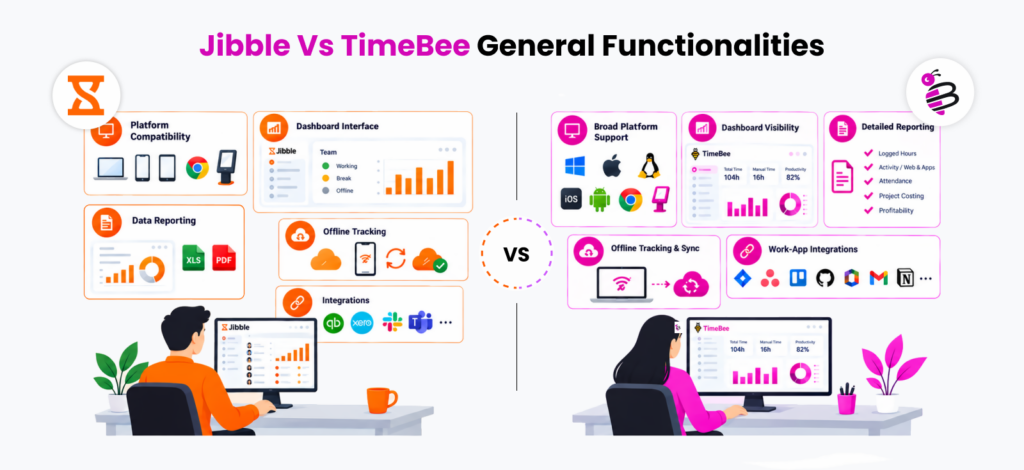
Before comparing individual features, we looked at how Jibble and TimeBee handle the everyday workflows.
Platform Compatibility
Jibble
Jibble gives employees numerous ways to record time. Its clock-in surfaces include web, desktop, iOS/Android mobile apps, browser tracking, and shared kiosks.
That flexibility works particularly well when a workforce is mixed. An office employee can use the web app while a technician clocks in by phone and warehouse employees share a kiosk.
Our main reservation, however, is consistency. That is because, during testing, we encountered mobile setup difficulties on test phones and significant battery impacts when always-on location was used.
The existence of multiple apps therefore does not automatically establish feature parity among them.
TimeBee
TimeBee supports Windows, macOS, Linux, iOS, Android, web browser, browser extension, and kiosk.
The organization can also control which platforms individual employees are allowed to use.
Our review confirmed these platform surfaces and permissions, although we did not establish full runtime parity across every operating system.
While Linux, mobile, macOS, and Chrome options appeared in the relevant download areas, not every workflow was repeated on every platform.
Verdict
TimeBee wins narrowly for platform breadth and administrator-level platform controls, although teams should validate the exact operating systems they intend to deploy before rollout.
Dashboard Interface
Jibble
Jibble’s dashboard is strongest when the manager’s first question is, “Who is currently working?”
Day, week, and month views can surface tracked hours, employees who are working, people who are out or on break, projects, activities, upcoming time off, and locations.
However, deeper configuration is less consistent since, during our tests, activities, clients, and projects were not always immediately intuitive.
Therefore, for a simple time clock, this is manageable, but for a more complex deployment, those extra navigation steps accumulate.
TimeBee
TimeBee separates the dashboard into team dashboard and user dashboard views.
Both expose total time, manual time, productivity, web and app activity, projects, and work breakdown.
We found the information density higher than Jibble’s, but the interface followed a fairly predictable left-navigation and hub-to-detail pattern.
Verdict
This is a tie. Jibble provides the cleaner dashboard for quickly checking attendance, while TimeBee is stronger when managers need more visibility.
Data Reporting
Jibble
Jibble can produce useful tracked-time, timesheet, attendance, and time-off information, with filters that include employee, schedule, project, client, location, and activity.
Moreover, its CSV and XLS exports are particularly relevant for organizations that intend to move the results into payroll software.
However, the reporting model can feel fragmented. During our use, we noticed that some reports sit inside the feature they relate to rather than in a single reporting hub. Likewise, we believe the reports would have been more helpful if they had direct PDF output, clearer project totals, and more customization.
Given this evidence, preparing reports for a larger number of employees can become a cumbersome, recurring administrative task.
TimeBee
In our TimeBee review, we found eight separate report families, i.e., logged hours, activity summary, web and apps, attendance, project costing, project progress, quarterly performance, and profitability.
Therefore, using these reports, managers can not only confirm that an employee worked 42 hours, but also examine what portion of tracked activity was categorized as productive, how those hours were allocated, what the labor cost was, and how client pricing affected profitability.
Lastly, these reports can also be downloaded as CSV and PDF.
Verdict
TimeBee wins reporting because it gives managers a broader path from raw hours to operational and productivity analysis.
Offline Tracking
Jibble
Jibble supports offline time capture across relevant mobile, kiosk, and desktop workflows, with locally stored information intended to synchronize after the connection returns.
However, in one instance during the testing period, we saw a mobile punch appear quickly on the web, while in the other 3 attempts the punches did not become visible until we refreshed.
TimeBee
TimeBee’s offline tracking is available across its platforms, and the collected data synchronizes when the internet connection returns.
The desktop timer can also continue recording if connectivity disappears after a session has begun.
In testing, we disconnected each platform for 20 minutes across 5 sessions and got 4 sessions synchronized almost immediately upon internet return, while the last one required a refresh to sync.
Verdict
TimeBee wins narrowly for offline tracking because while both platforms preserved offline records, TimeBee synchronized more consistently after reconnecting.
Integrations
Jibble
Jibble’s integration layer includes several connections that are particularly useful for HR and payroll teams.
Platforms include Xero, QuickBooks Online, Deel, Slack, Microsoft Teams, Asana, Zapier, and API-based workflows.
However, we must mention that when we tried integrating QuickBooks, the connection took hours of troubleshooting without a successful resolution.
Moreover, some workflows we tested depended on Zapier rather than a direct connection.
TimeBee
TimeBee’s connectivity covers common work systems such as Asana, Jira, Trello, ClickUp, Monday.com, Microsoft 365 applications, Outlook, Microsoft To Do, GitHub, GitLab, Bitbucket, Basecamp, Notion, Airtable, Wrike, Teamwork, Gmail, and HubSpot.
We tested 8 integration workflows covering project management, development, communication, and document-based work. These included Jira, Asana, Trello, GitHub, Microsoft 365, Outlook, Gmail, and Notion, with each workflow tested 3 times.
Across 24 total integration tests, 19 surfaced the expected work context without requiring additional troubleshooting. The remaining 5 tests exposed the main limitation we found: not every supported platform behaves like a deep native integration.
For example, Jira and Asana provided a more direct project-oriented workflow, while Notion and Gmail relied more heavily on TimeBee’s browser-based tracking layer.
Verdict
Jibble wins for the currently better payroll/accounting integration workflows.
TimeBee vs Jibble Feature Comparison
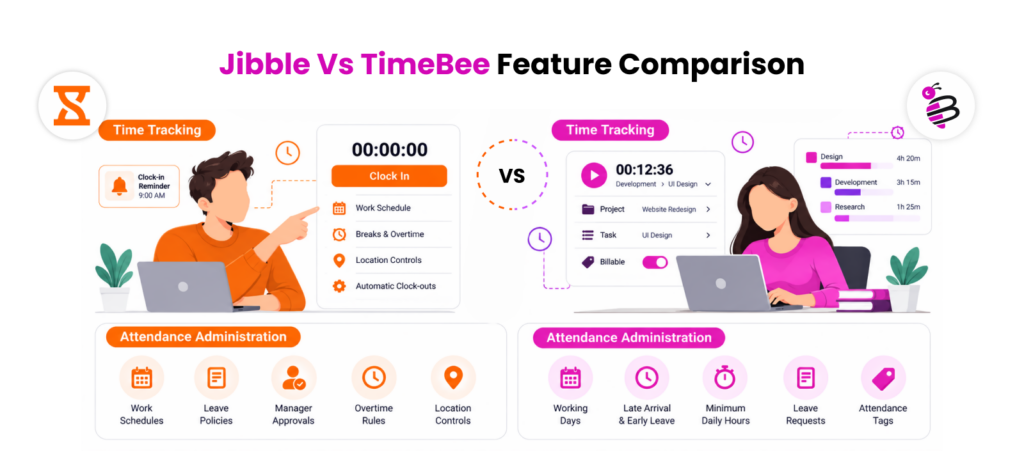
We also tested the features that most clearly separate the two platforms, from time and project tracking to billing workflows.
Time Tracking
Jibble
Jibble approaches time tracking primarily through clock-in and clock-out events. That model is effective for work where attendance itself matters.
To further improve attendance accuracy and reduce forgotten punches, Jibble also offers reminders and automatic clock-outs.
Across 15 controlled clock-in/out tests involving our five test users, Jibble recorded the expected punch without intervention in 13 cases. In the other two tests, the new records took longer to sync.
We also deliberately created five missed-punch scenarios, one for each test user, to see how corrections worked.
All five could be repaired through manual time entry, although the longer correction flows took around 8-10 interactions.
The functionality is therefore there, but repeated corrections can introduce noticeable friction.
TimeBee
TimeBee records live time against a selected project and task.
To test its time tracking, we ran 15 controlled timer sessions, giving each test user a session against each of the three projects.
The selected project and task remained attached to the resulting time record in 14 of the 15 sessions.
In the remaining test, we deliberately changed work without switching the selected task, so the time continued accumulating against the previous task until we corrected it.
Users can subsequently adjust time through direct manual entries or CSV imports, which we tested by creating seven manual-entry tests, including two deliberately overlapping entries.
Validation caught the two conflicting entries, while the other five could be assigned to the intended project, task, and billable status.
Verdict
TimeBee wins general time tracking for project-based and knowledge-work teams. However, Jibble remains the better fit when your primary requirement is a straightforward attendance punch.
Attendance Administration
Jibble
Attendance is one of Jibble’s strongest areas.
Organizations can combine time records with work schedules, breaks, overtime rules, automatic clock-outs, clock-in restrictions, location controls, leave policies, reminders, and manager approvals.
Employees can also submit leave themselves, while managers can approve requests through mobile in supported workflows.
The principal caution is complexity at the edge since we noticed rigid break configurations, PTO accrual limitations in certain deployments, and a distinction between work schedules and true shift-scheduling functionality.
Still, Jibble’s overall product architecture remains strongly attendance-oriented.
TimeBee
TimeBee’s attendance settings let administrators define working days, minimum daily hours, expected shift start/end, late-arrival margins, and early-leave margins.
During our review, we found the setup fairly structured because organization-level attendance rules could flow down to individual employees, while custom settings allowed exceptions where required.
The resulting attendance records also made deviations relatively easy to identify through their tags, including short hours, late arrival, early leave, and absence, alongside clock-in, clock-out, and total tracked time.
Moreover, we found the leave workflow straightforward for basic requests, since employees could submit the leave type, dates, approver, and description within the same environment.
However, the system appeared better suited to operational attendance management than complex HR leave administration, as we did not establish the depth of a full leave-accrual and policy engine.
Verdict
Jibble wins attendance administration because attendance verification and time-clock control are more central to the product.
Project Tracking
Jibble
Jibble can associate recorded hours with projects, activities, and clients.
That supports useful scenarios such as separating customer work from internal work, filtering recorded hours, and exporting billable-rate information.
For testing, we used the project setup to assign recorded time across different projects and activities, then reviewed the resulting totals.
During our attempts, we could categorize time correctly, but the hierarchy created more friction than we expected.
In particular, distinguishing between projects, activities, and clients was not immediately intuitive, and getting to a clear project-level total required more navigation than we expected.
Jibble can therefore categorize work effectively, but project analysis is not its strongest differentiator.
TimeBee
TimeBee gives projects and tasks a more central role in the tracking workflow.
Across the three projects, we created six tasks and moved recorded work between them throughout the test.
Project and task attribution remained intact in 13 of 15 project-session checks, while the two corrections we made came from leaving the previous task selected after the work had already changed.
Project-level information further showed us total organizational time, task-level allocation, and each user’s contribution.
Once hourly rates were applied, TimeBee also calculated project labor cost from the recorded hours.
Verdict
TimeBee wins project tracking because it made projects more integral to the workflow, with tracked hours feeding directly into reporting.
Use TimeBee and Get More Context Within a Single System
Explore TimeBee
Activity Screenshots
Jibble
Jibble can capture blurred employee screenshots while desktop tracking is active.
For teams that need a light accountability layer, that may be enough. However, screenshot reliability was one concern that surfaced during our review.
Across our five-user test setup, we checked whether screenshots continued appearing alongside active desktop time.
Most captures appeared as expected, but two users’ timelines showed a noticeable gap even though the employees remained clocked in, so we had to verify whether tracking had stopped or only screenshot capture had been interrupted.
TimeBee
TimeBee gives screenshots substantially more context.
When we reviewed captures across different work sessions to see whether screenshots remained connected with the surrounding activity, it consistently showed the employee, capture time, and associated website or app.
We further tested multiple screen captures and found that TimeBee can take screenshots of up to three connected screens.
We could also configure screenshot frequency and filter the captures by team, project, date, and other criteria.
Verdict
TimeBee wins screenshot monitoring since it provides substantially more context around the screens we reviewed.
Website and App Monitoring
Jibble
This is where the two products diverge considerably.
In our testing, we could not find an equivalent Jibble workflow for reviewing structured website and application usage or productivity classifications.
So while Jibble can provide limited activity context through screenshots, it does not offer the same depth of native web and app monitoring.
TimeBee
TimeBee records website and desktop-application usage with duration.
To see how it worked, we ran 25 monitored work sessions involving common browser and desktop applications. In all the sessions, the expected website or application appeared correctly in the activity records with its associated duration.
Moreover, newly encountered sites and tools initially appeared as unrated until we assigned a productivity classification, i.e., productive, unproductive, and neutral.
Not only that, but we could also scope the classifications by organization, team, or user, which was far more useful than a simple usage list.
Verdict
TimeBee wins decisively for structured usage records, duration data, and configurable productivity classifications that Jibble did not offer at an equivalent level.
GPS and Geofencing
Jibble
Jibble provides GPS clock-in information, live location, geofencing, and automatic geofence-based clock-in/out in supported configurations.
Across 15 clock-in attempts across three geofences, 13 registered without noticeable delay. The other two took longer to establish the employee’s location, which raised GPS-locking concerns.
Other concerns also included stale positioning, weaker performance in rural areas, and one instance where a worker inside one authorized geofence could select a project associated with another.
TimeBee
TimeBee supports GPS clock-in/out, location history, configurable updates, and map views, but does not support geofencing.
Across 15 GPS clock-in/out tests, location was recorded correctly in 14, while the last one took almost 40 minutes to appear in the dashboard.
We also confirmed that location records stopped accumulating after the employee clocked out.
Verdict
Jibble wins GPS and geofencing. While both can attach location data to attendance records, Jibble adds actual geofence-based restrictions and automation.
Payroll and Invoicing
Jibble
Jibble primarily prepares time data for external payroll rather than processing payroll itself.
Using our test setup, we exported tracked hours and billable data for payroll review. The records were usable, but calculations still had to continue through tools such as Xero, QuickBooks Online, or Deel.
TimeBee
TimeBee keeps more of the workflow inside the application by combining tracked hours, hourly rates, adjustments, project costs, client rates, payroll calculations, and invoicing.
We tested payroll calculations across the five users and created three different invoices tied to our test projects. In each case, recorded hours carried through to the expected payroll and billing calculation after internal and external rates were applied, respectively.
For example, when we entered 8 tracked hours with 6 marked billable, TimeBee used the employee rate and client rate to calculate labor cost, billable value, and invoice data from the same time record.
Verdict
TimeBee wins payroll and invoicing. Jibble is better suited to exporting payroll-ready hours into another system, while TimeBee connects tracked time directly with client billing and invoices.
Jibble vs TimeBee: Ease of Use and Setup
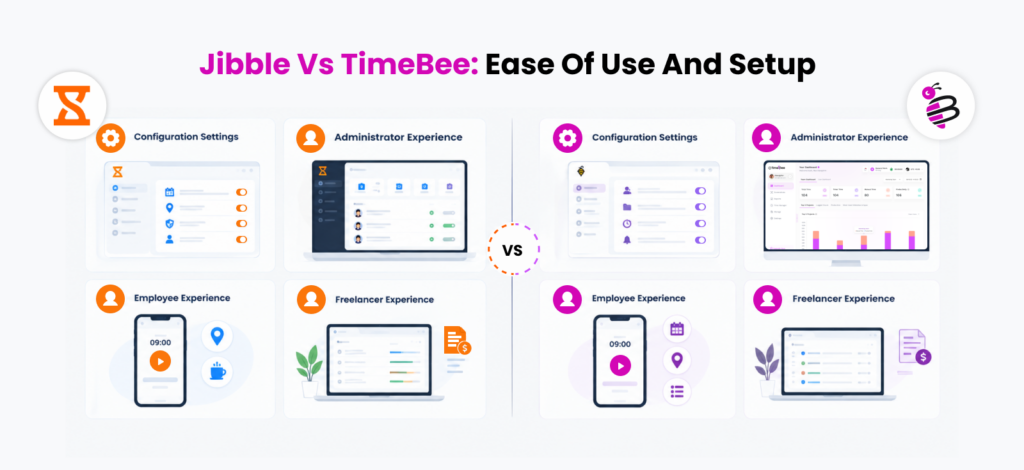
Feature depth matters only if administrators and employees can configure and use it efficiently, so we compared both platforms across setup and day-to-day workflows.
Configuration Settings
Jibble
Jibble is quick to configure for basic attendance, but its setup becomes more fragmented as you add more controls.
Key settings include:
- Schedules, breaks, and overtime
- Projects, activities, and clients
- GPS/geofencing and biometric controls
- PTO, approvals, and clock-in restrictions
In our setup, basic time tracking was ready in about 20 minutes, but configuring the more advanced attendance controls required moving between several areas of the interface.
TimeBee
TimeBee requires more upfront configuration, but we found its structure more systematic.
Administrators can configure:
- Teams, projects, roles, and hourly rates
- Attendance and idle rules
- Platform and monitoring permissions
- Retention, productivity ratings, and notifications
Overall, our setup took about 40 minutes. While it was slower initially, organization-level defaults reduced repeated configuration for individual users.
Verdict
TimeBee wins complex configuration because its settings scale more systematically across teams and users.
Administrator Experience
Jibble
Jibble works well for routine attendance administration, but we found that some management tasks required more navigation than expected.
Across 10 common admin tasks, including reviewing attendance, correcting time, approving leave, and checking project records, 7 were completed without backtracking.
However, timesheet corrections and locating deeper project information caused most of the extra navigation.
For smaller attendance-focused teams, that friction is manageable, but it becomes more noticeable as administrative needs broaden.
TimeBee
TimeBee felt more centralized during day-to-day administration.
Using the same 10 admin tasks, we completed 9 without leaving the expected workflow. Live user status, project/task information, attendance records, and related management data were generally easier to trace from one area to the next.
The main drawback was information density since finding the right control took longer initially until we became familiar with the interface.
Verdict
TimeBee wins the administrator experience. Jibble handles routine attendance management effectively, but TimeBee requires less backtracking.
Employee Experience
Jibble
Jibble is straightforward when employees only need to clock in, take a break, and clock out.
For all five users, basic punching was generally easy to complete without assistance.
However, friction appeared once we added location controls, project selection, and missed-punch corrections, with the longer corrections requiring around 8-10 interactions.
That makes Jibble a better employee experience when attendance rules remain simple.
TimeBee
TimeBee asks employees to work within a project-and-task structure from the start.
Across the same five users, employees could start, pause, and stop project-based sessions without difficulty.
The main issue appeared during task switching since in 2 of 15 project-session checks, users continued recording against the previous task.
The workflow is therefore slightly heavier than a basic punch clock, but more useful for employees whose time needs to remain tied to specific work.
Verdict
Jibble wins for simple attendance workflows, while TimeBee is stronger for project-based employees.
Freelancer Experience
Jibble
Jibble works well for freelancers who mainly need to record hours against projects or clients, especially given its free tier.
In our three-project freelancer-style test, the hours were easy to record and categorize, but calculating client value and preparing invoices still required work outside Jibble.
TimeBee
Using the same three projects, TimeBee carried tracked hours into billable time, project cost, client rates, and profitability.
We also created three invoices from the test projects, with recorded hours and rates feeding into the billing workflow.
The additional structure is unnecessary for someone who only needs a stopwatch, but considerably more useful when client work needs to be tracked through to billing for freelancers.
Verdict
TimeBee wins for freelancers and consultants with structured billable work.
TimeBee vs Jibble Pricing
Pricing differs considerably between the two platforms; find the breakdown below.
Jibble
Pricing is one of Jibble’s clearest advantages.
- Free trial: 14 days.
- Free: $0; unlimited users.
- Premium: $4.49/user/month annually.
- Ultimate: $7.99/user/month annually.
- Enterprise: Custom pricing.
TimeBee
TimeBee has:
- Free trial: 14 days.
- Paid subscription: Custom pricing based on organizational requirements.
Jibble vs TimeBee Pros and Cons
Our testing revealed meaningful strengths and limitations on both sides, which we have condensed below into the factors most likely to affect an actual buying decision.
Jibble Pros and Cons
| Pros | Cons |
| Free time-and-attendance core supports unlimited users | Reliability evidence includes tracker stoppages and clocking inconsistencies |
| Very broad attendance methods including mobile, kiosk, PIN, facial verification, NFC, GPS, and geofencing | Facial recognition and GPS performance should be independently validated before deployment |
| Useful payroll/accounting connections such as Xero and QuickBooks | No equivalent depth of website/application productivity monitoring |
| Strong fit for onsite and field attendance workflows | Reporting and configuration can become fragmented and multi-step |
| Multiple leave, schedule, break, overtime, and attendance controls | Advanced paid features can become significantly more expensive as team size grows |
TimeBee Pros and Cons
| Pros | Cons |
| Connects time with screenshots, web/app activity, productivity, projects, payroll, billing, and profitability | Considerably more configuration than a basic timer |
| Eight report families provide broad operational and financial visibility | Detailed monitoring may be disproportionate for teams that only need attendance |
| Strong project costing, client-rate, payroll, profitability, and invoicing workflows | Public paid pricing requires a custom quote |
| Organization defaults, user overrides, platform controls, audit records, and scoped productivity ratings provide strong administrative depth | Employee adoption depends on transparent, proportionate monitoring configuration |
| Supports remote, hybrid, computer-based, and field workflows through multiple tracking surfaces | – |
TimeBee vs Jibble for Different Teams: Which Should You Choose?
| If You Are… | Choose | Why |
| Construction/field team | Jibble | Its attendance-first design, geofencing, live location, mobile tracking, and broad kiosk/verification methods fit site-based work particularly well. |
| Retail/hospitality team | Jibble | Shared kiosks, clock-ins, schedules, breaks, overtime, and attendance controls are more immediately relevant than detailed desktop activity monitoring. |
| Remote agency | TimeBee | Project/task tracking, screenshots, web/app analysis, billable time, project cost, profitability, and client-oriented workflows provide more useful remote-work context. |
| Software/IT team | TimeBee | Project-level records plus application/website activity and integrations with tools such as Jira, GitHub, and GitLab are better aligned with computer-based project work. |
| Professional services firm | TimeBee | Time can flow from projects into cost, client pricing, profitability, payroll, and invoices. |
| Freelancer/consultant | TimeBee | Better for billable work, multiple clients, costing, profitability, or invoicing matters. |
| Attendance-heavy SMB | Jibble | Free unlimited-user timekeeping and strong attendance controls create a compelling value proposition. |
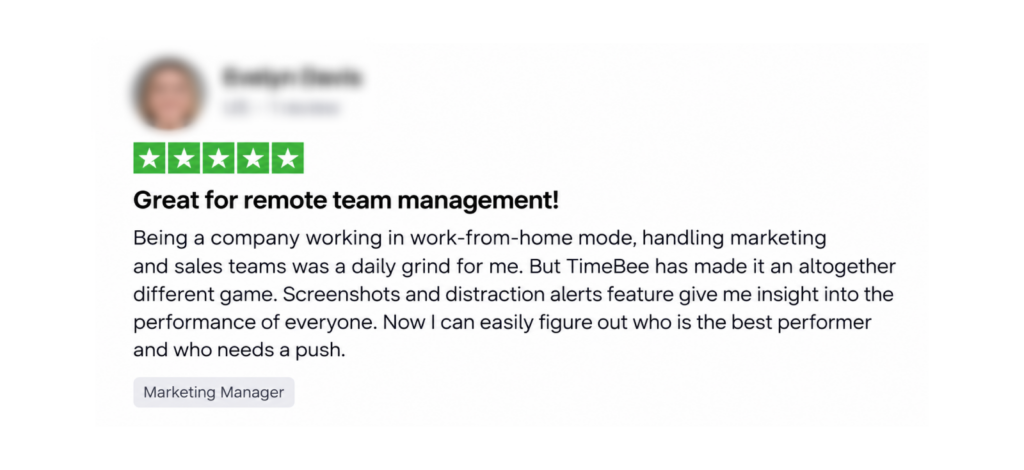
What Jibble and TimeBee Users Say
Find reviews of Jibble and TimeBee below.
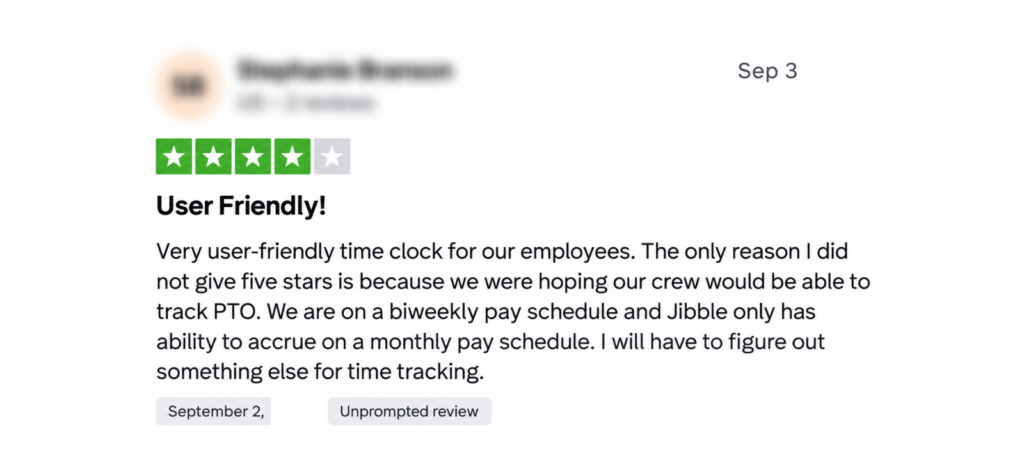
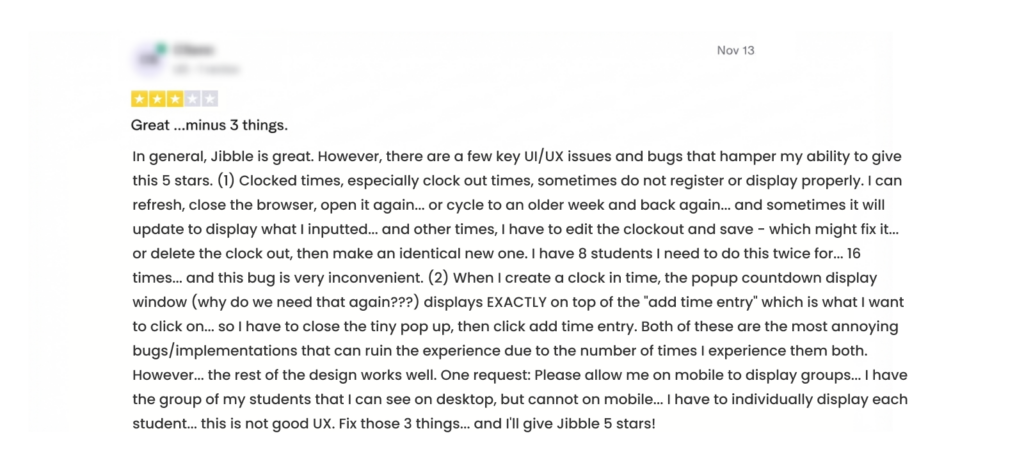
Jibble
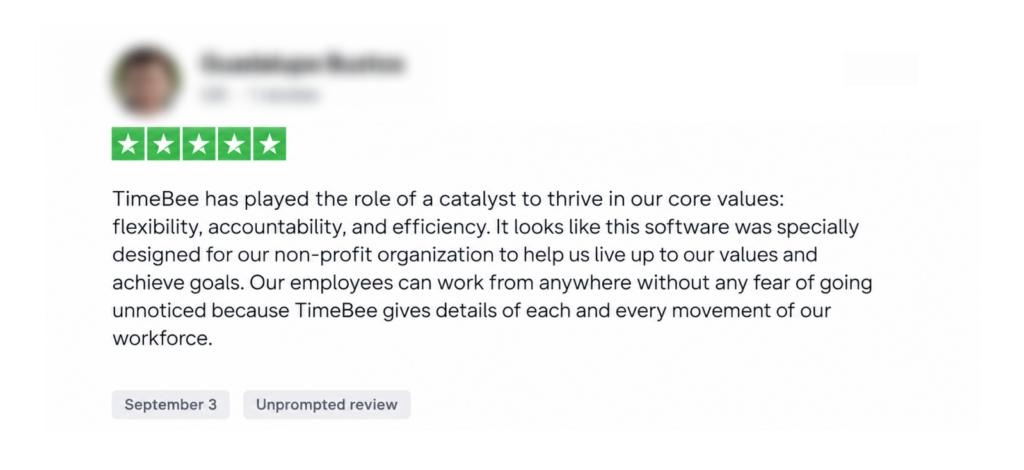
TimeBee
Final Verdict
After comparing both products, TimeBee is our overall choice for organizations that need more than attendance, because it connects recorded time with overall employee activity inside one management system.
Jibble remains the stronger specialist option when low-cost attendance verification is the main requirement. We believe its free unlimited-user core, geofencing, facial recognition, GPS, kiosks, and numerous clock-in methods give it a compelling role in field and shift-based operations.
So the deciding question is simply about what your exact needs are.
FAQs
When does TimeBee make more sense than using Jibble alone?
TimeBee makes more sense when recording attendance is only the beginning of your workflow. If managers also need screenshots, website/application usage, productivity classifications, project costs, payroll calculations, client pricing, profitability, or invoices, TimeBee keeps more of that analysis in one system.
Can you migrate your existing timesheets from Jibble to TimeBee or from TimeBee to Jibble?
There is no one-click Jibble-to-TimeBee or TimeBee-to-Jibble migration workflow. However, Jibble supports CSV/XLS time-data exports, while TimeBee supports CSV-based manual time import and validation, along with CSV and PDF data export. That creates a potential migration path.
Which app is better for remote and hybrid teams?
TimeBee is generally better for remote and hybrid teams that need more visibility. It combines time tracking with screenshots, website/app usage, project reporting, costs, and productivity analysis. Jibble can still work well for distributed teams, particularly when location-aware attendance and simple clock-ins matter.
Can Jibble or TimeBee replace dedicated payroll software?
Neither should automatically be treated as a complete replacement for dedicated payroll software. Jibble primarily prepares payroll-ready time data and connects with external payroll/accounting systems, while TimeBee goes further by calculating pay. TimeBee can therefore reduce payroll preparation work, while a dedicated payroll system may still be required for actual payroll processing.
Which has better customer support, Jibble or TimeBee?
TimeBee provided a better support experience because it offered multiple communication channels, including phone, email, and live chat, and we received prompt responses when we reached out. Jibble also provides established support channels, but we faced delayed responses to unresolved integration and API problems, and some difficulty reaching an effective human escalation. While this experience was not universal, it indicated less consistent support responsiveness.
Need More Than Attendance Tracking? Get TimeBee
Try TimeBee Free
Jacob Tyler
Member since July 2, 2026
Jacob Tyler
Member since July 2, 2026
Jacob Tyler is a B2B technology journalist specializing in workplace software, employee monitoring platforms, productivity technology, HR systems, data privacy, and the changing role of technology in modern organizations.
He holds an MSc in Information Systems from the University of Manchester. His professional qualifications include the CompTIA Data+ certification.
With more than 10 years of experience covering B2B software and digital transformation, Jacob focuses on translating complex product capabilities into clear guidance for business readers.
His work examines how software functions in practice, which operational problems it is designed to address, what data it collects, and what organizations should consider before implementation.
Through his writing, Jacob helps HR leaders, operations teams, founders, managers, and IT decision-makers understand workplace technology and make informed purchasing decisions.