

Best Project Management Software for Accountants: 7 We’d Keep After Testing 20+ Tools
By Morgan Ellis
November 10, 2026 14 min readAccounting firms rarely struggle to identify what needs to be done. The real challenge is keeping dozens of client engagements moving without losing track of deadlines, responsibilities, or the hours spent on each project.
A bookkeeping task that takes twice as long as expected can affect the next assignment. An unresolved client query can hold up a tax return. And when these issues accumulate across multiple engagements, even a well-organized team can struggle to keep work on schedule.
That’s where the best project management software for accounting firms becomes useful. However, not every tool handles accounting workflows equally well.
To make the differences in functionality easier to assess, we’ve compared seven applications using the same accounting-firm scenarios, looking at how their capabilities address everyday project management problems and where their limitations become relevant.
Quick Shortlist of the Best Accounting Project Management Tools
- TimeBee: Best for automatically tracking employee hours against accounting projects and understanding how recorded time affects labor costs.
- Financial Cents: Best for small accounting firms that need to organize recurring client engagements without repeatedly setting up the same workflows.
- Karbon: Best for accounting teams that need better collaboration as client assignments move between employees throughout an engagement.
- TaxDome: Best for tax-practicing accountants looking to automate client-facing workflows and reduce the administrative work involved in preparing returns.
- Harvest: Best for accounting firms that want to monitor billable project hours and prevent client engagements from exceeding their budgets.
- Hubstaff: Best for remote accounting teams that need visibility into employee work patterns and the time spent on assigned projects.
- Teamwork: Best for accounting and advisory firms managing complex projects that involve multiple stages of work and interdependent deadlines.
How We Tested to Choose the Best Project Management Applications for Accountants
Accounting project management involves more than assigning tasks and checking them off. For example, a monthly bookkeeping engagement may require transaction categorization, reconciliation, review, client clarification, and final reporting.
Each stage depends on the previous one, and the time spent completing the work affects the engagement’s profitability. We therefore built a standardized evaluation around an eight-person accounting firm managing 12 clients and 36 active engagements. These included monthly bookkeeping, quarterly tax preparation, and advisory work, with payroll processing incorporated into the bookkeeping workflows.
Across those engagements, the model included 108 tasks, three recurring deadline cycles, and different employee responsibilities. We also considered how each product would support work performed on Windows and macOS workstations, with mobile access for managers and clients where available.
We divided the assessment into four weighted categories:
Accounting Project Management Fit — 30%
We assigned the highest weight to project management capabilities because accounting firms need to keep multiple client engagements moving without losing track of individual assignments.
To evaluate this, we created separate client projects and assigned tasks to different team members. We then checked how easily managers could follow each engagement’s progress and identify unfinished work.
Moreover, we also examined whether the applications could accommodate recurring bookkeeping assignments and more complex advisory projects.
Workflow Automation and Client Coordination — 25%
Accounting teams perform many of the same activities across different clients, making workflow automation important for reducing repetitive administrative work.
We evaluated this by configuring recurring bookkeeping workflows and testing whether tasks could be generated automatically for subsequent periods. We also examined how each application handled client information requests and work awaiting approval. Other than this, we paid particular attention to whether these processes could continue without managers repeatedly intervening.
Project Visibility, Time, and Cost Control — 25%
Project visibility matters because completing an engagement on schedule doesn’t necessarily mean the firm has used its resources efficiently.
We assessed how effectively each application connected project progress with the time employees spent completing assignments. Using the same client engagement scenario, we examined whether managers could identify work exceeding its estimated hours and calculate associated labor costs. Our team also checked how clearly each platform presented this information for management decisions.
Ease of Adoption and Integrations — 20%
Even capable software can create additional administrative work if employees struggle to use it or it doesn’t fit their existing accounting systems.
We evaluated the setup process by examining how much configuration was required before a team could begin managing client projects.
Our evaluations also included checking how easily employees could navigate their assigned work and whether the software connected with commonly used accounting applications such as QuickBooks Online and Xero. This helped us assess the practical effort involved in introducing each platform to an established accounting firm.
After Testing 20+ Project Management Tools for Accountants, We Picked These 7
| App Name | Starting Price | Compatibility | Best For | Main Limitation |
| TimeBee | Custom pricing; 14-day trial | Web, Windows, macOS, Linux, iOS, Android, Chrome | Project time, costs, and employee activity | Manual selection or task/project required |
| Financial Cents | $19/month for Solo, billed annually | Web-based; mobile access | Small accounting and bookkeeping firms | Advanced dependencies and profitability reports require higher plans; Less flexible for complex advisory workflows |
| Karbon | $59/user/month, billed annually | Web, iOS, Android | Collaborative accounting workflows | Advanced automation requires Business or higher plans |
| TaxDome | $800/user/year with a one-year commitment | Web, Windows app, iOS, Android | Tax workflows and client collaboration | Significant configuration and annual commitment |
| Harvest | Free; Teams from $9/seat/month annually | Web, Windows, macOS, iOS, Android | Billable projects and invoicing | Limited task dependencies; usage-based charges |
| Hubstaff | $4.99/seat/month annually | Web, Windows, macOS, Linux, iOS, Android | Remote accounting teams | Project tasks and advanced controls depend on plan |
| Teamwork | Free; Basics from $9.99/user/month annually | Web, desktop, iOS, Android | Advisory projects and budgets | Advanced financial controls require higher plans |
7 Best Project Management Software for Accounting Firms
An accounting project rarely exists in isolation. Employees may work on several clients during the same day, while managers need to coordinate deliverables and deadlines while also understanding whether the time being spent is commercially sustainable.
The following applications approach those responsibilities differently. We examined their project structures, automation capabilities, financial controls, and practical limitations against the same accounting-firm model.
1. TimeBee — Best for Accounting Project Time, Costs, and Productivity Visibility
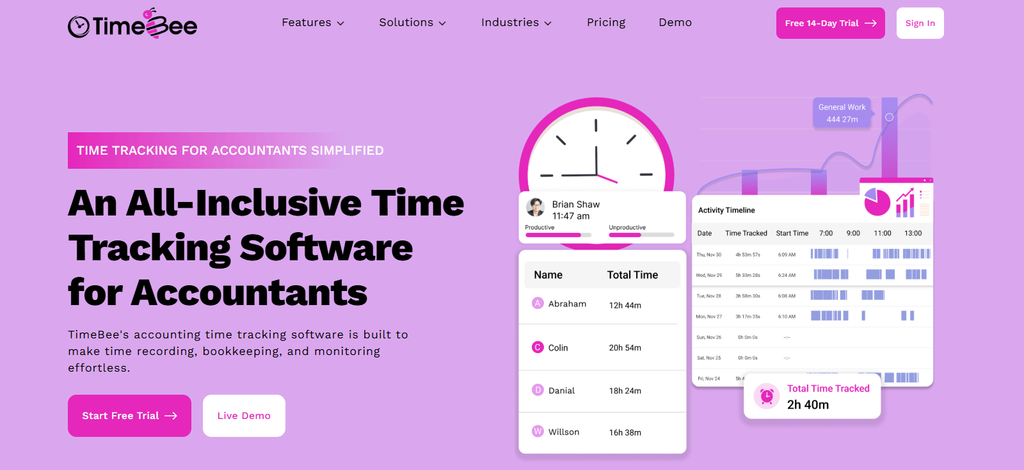
TimeBee combines task scheduling with automatic time recording. This approach allows accounting firms to monitor project effort without manually reconstructing employee timesheets. It also connects recorded hours with labor costs, which makes it useful for evaluating fixed-fee client engagements.
We modeled a reconciliation project involving three employees with different hourly rates. After assigning the project tasks, we allocated 7.5 hours across the team against an original estimate of six hours. The resulting calculation showed $367.50 in labor costs and a 25% time overrun.
The results highlighted that TimeBee’s project costing and progress reports can present that information against the relevant tasks. This functionality is particularly important as it can help managers identify where an engagement consumed more effort than expected.
Next, we examined a 45-minute session assigned to the wrong client. TimeBee’s Time Manager allows authorized corrections, while its split-time function can redistribute a session without deleting the original record.
Furthermore, we also assessed offline tracking using a 30-minute interruption scenario. TimeBee supports continued recording after connectivity drops, with the captured session synchronized when the connection returns.
What stood out was how these records feed into project reporting without employees calculating totals manually. However, when it comes to recording time against a particular project or task, employees must still manually select the correct project before starting their timers.
TimeBee Pricing
- Free trial: 14 days.
- Paid plans: Custom pricing.
TimeBee Compatibility
TimeBee supports Windows, macOS, and Linux desktop environments, alongside web-based administration and mobile access through iOS and Android. Furthermore, TimeBee also supports offline recording.
TimeBee Pros and Cons
| Pros | Cons |
| Supports live project visibility, allowing managers to see which assignments employees are currently working on. | Accurate project attribution requires correct task selection. |
| Automatically calculates project labor costs from tracked hours. | Pricing is not publicly available |
| Supports time corrections without rebuilding entire timesheets. | |
| Preserves working time during connection interruptions. |
Verdict
TimeBee suits accounting firms that need accurate visibility into project hours and labor costs without manually consolidating timesheets. Its automated calculations simplify cost tracking and help managers identify projects consuming more time than expected. However, accurate reporting depends on employees selecting the correct project before tracking their work.
TimeBee: Know Where Every Client Project’s Hours and Costs Go
Learn More
2. Financial Cents — Best for Small Accounting and Bookkeeping Firms
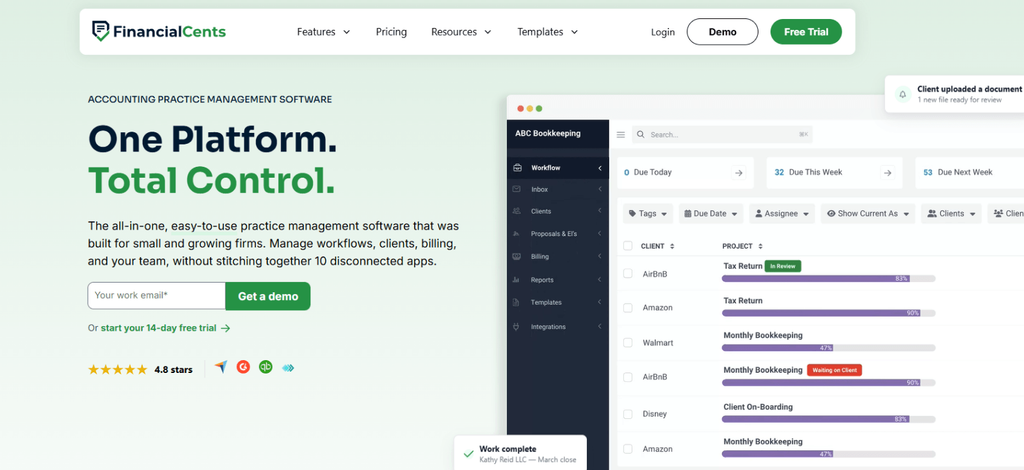
Financial Cents focuses on recurring accounting workflows, making it particularly relevant to firms that repeat the same bookkeeping processes across multiple clients.
We evaluated its recurring-project functionality using 12 bookkeeping engagements. Each engagement contained three assigned tasks, and we extended the schedule across three monthly cycles.
The resulting workload represented 36 project instances containing 108 tasks. Financial Cents supports recurring project generation that allows subsequent engagements to inherit the established workflow rather than requiring manual recreation.
We then introduced two clients with outstanding bank statement requests. The client request functionality allowed those engagements to remain distinguishable from work awaiting internal completion.
This was particularly useful for identifying why a bookkeeping project had stopped progressing. Managers could follow outstanding requests instead of contacting individual employees for updates.
However, we also identified a scheduling consideration. Financial Cents’ default recurrence behavior depends on project completion or overdue status, while more specific scheduling requirements may need custom configuration.
Financial Cents Pricing
- Solo: $19/month, billed annually.
- Team: $49/user/month, billed annually.
- Scale: $69/user/month, billed annually.
- Enterprise: Custom pricing.
Financial Cents Compatibility
Financial Cents operates primarily through a web-based platform, accessible on Windows and macOS through supported browsers.
Financial Cents Pros and Cons
| Pros | Cons |
| Recurring workflows reduce repetitive project setup. | Custom recurrence rules require additional configuration. |
| Client requests clarify outstanding engagement requirements. | Advanced automation requires higher subscription tiers. |
| Templates maintain consistent bookkeeping processes. | Less flexible for complex advisory project dependencies. |
Verdict
Financial Cents is especially suitable for small firms managing repetitive bookkeeping work. Its workflow structure reduces administrative setup, although firms with complex approval requirements should consider the Scale plan.
3. Karbon — Best for Collaborative Accounting Practice Workflows
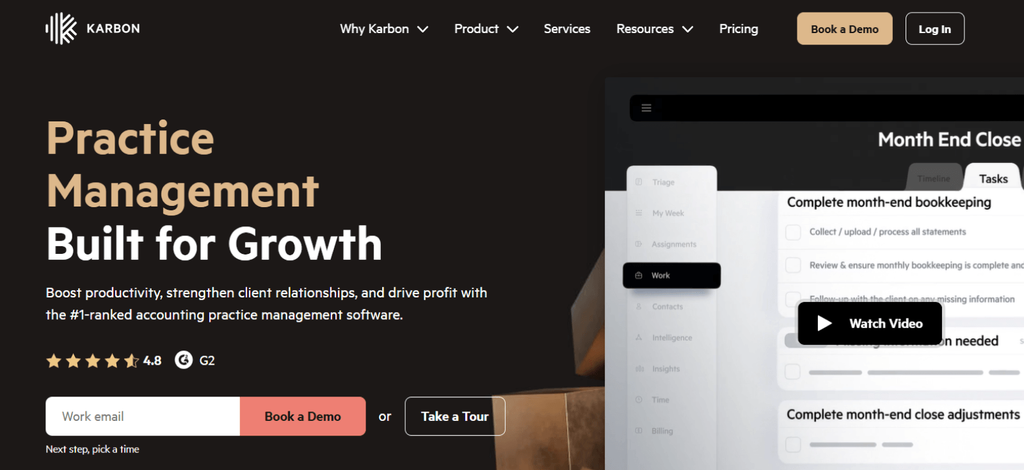
Karbon connects accounting workflows with client communication. Through this approach, firms maintain continuity when engagements pass between different employees.
We evaluated its collaboration capabilities using 12 accounting engagements. Each project involved a preparer, a senior reviewer, and a final approver.
We mapped the workflow so employees could follow their assigned responsibilities while retaining access to the engagement’s communication history. Resultantly, we found out that Karbon’s work items and integrated email functionality allow the next employee to review relevant correspondence without reconstructing previous discussions.
Next, we introduced an unresolved client request into one engagement. In our modeled workflow, 11 projects satisfied their advancement requirements, while the remaining project stayed blocked.
Karbon’s automation functionality can advance eligible work through configured actions, while incomplete requirements remain visible to the responsible team.
We also examined recurring engagement creation through its Work Scheduler. This supported the reuse of established assignments, although the firm’s templates and automation rules needed to be configured beforehand.
The main distinction was that Karbon addresses collaborative workflow continuity, rather than simply displaying individual task completion.
Karbon Pricing
- Team: $59/user/month, billed annually.
- Business: $89/user/month, billed annually.
- Enterprise: Custom pricing.
Karbon Compatibility
Karbon supports browser-based access alongside iOS and Android mobile applications.
Karbon Pros and Cons
| Pros | Cons |
| Shared work context improves employee handoffs. | Effective adoption requires standardized workflows. |
| Client communication remains connected to engagements. | Advanced automation requires Business. |
| Recurring scheduling supports repeatable accounting services. | Higher per-user costs can affect growing firms. |
Verdict
Karbon fits accounting firms where several employees contribute to the same client engagement. Its collaboration capabilities are particularly useful during review handoffs, although the additional configuration may be unnecessary for very small teams.
4. TaxDome — Best for Tax Preparation and Client-Facing Project Workflows
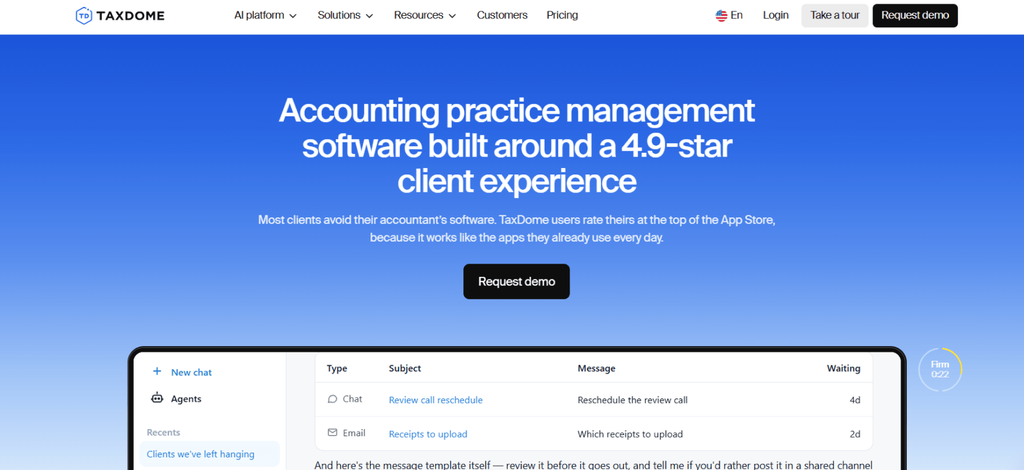
TaxDome organizes accounting engagements through pipelines, making it particularly useful when project progress depends on clients completing required actions.
We evaluated a five-stage tax preparation workflow involving 12 client jobs. The process began with document collection before moving into preparation and review. We modeled nine clients completing their information requests, while three left their organizers unfinished.
With TaxDome’s Automove functionality enabled, nine jobs qualified to advance, while the remaining three stayed at their current stage until their requirements were met. This demonstrated how the platform can separate work ready for preparation from engagements awaiting client information.
Next, we examined automated task distribution. TaxDome can create assigned tasks when jobs enter designated pipeline stages, allowing the next accountant to receive their responsibilities without the manager recreating the assignment.
However, these actions depend on correctly configured pipeline conditions. An incomplete requirement can prevent a job from advancing, even when other activities have been completed.
TaxDome Pricing
- Essentials: $800/user/year, restricted to solo practitioners.
- Pro: $1,000/user/year.
- Business: $1,200/user/year.
TaxDome Compatibility
TaxDome supports web access and mobile applications for iOS and Android. Its Windows desktop application supports document handling, while macOS users access the platform through a browser.
TaxDome Pros and Cons
| Pros | Cons |
| Pipelines make outstanding client actions visible. | Automation requires careful stage configuration. |
| Jobs can advance automatically after required actions are completed. | Annual subscription commitments reduce flexibility. |
| Client portals support document collection. | Less suited to detailed advisory resource planning. |
Verdict
TaxDome suits tax practices where engagements regularly depend on client submissions. Its automated pipelines reduce repetitive coordination, although the initial configuration requires more effort than a basic task management application.
5. Harvest — Best for Billable Accounting Projects and Client Invoicing
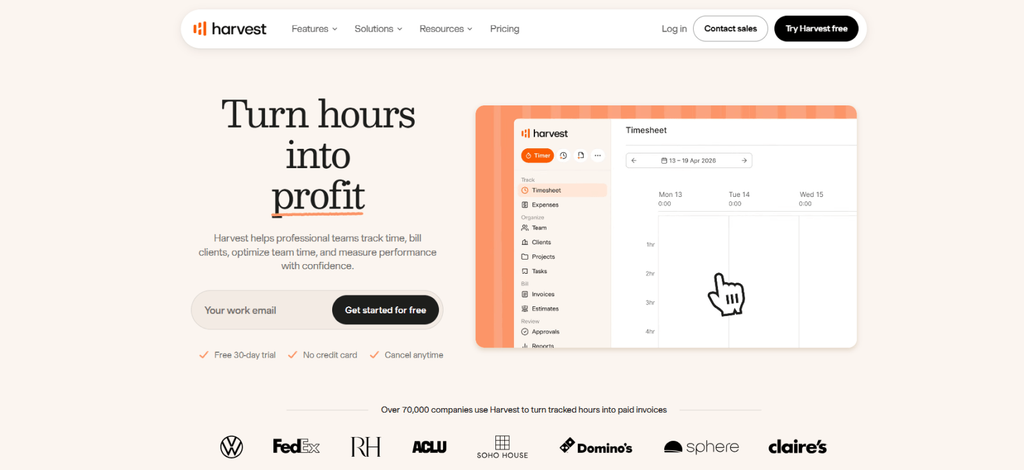
Harvest concentrates on the financial management of client projects. This functionality makes the app relevant to accounting firms that need to control billable hours against project budgets.
We assessed its budget tracking using a 40-hour advisory engagement. After allocating 31.5 hours of work, the project had consumed 78.75% of its time budget.
Harvest’s budget reports can show this remaining allowance. This, in turn, allows managers to assess whether unfinished deliverables can be completed within the available hours.
We then classified 27 hours as billable at $120 per hour. The modeled invoice value came to $3,240. These results demonstrated how Harvest can convert recorded billable time into client invoices.
However, its project structure offers limited dependency management, which makes it less suitable for complex accounting workflows requiring sequential approvals.
Harvest Pricing
- Free: $0 for one user and two projects.
- Teams: From $9/seat/month, billed annually.
- Enterprise: From $14/seat/month, billed annually.
Harvest Compatibility
Harvest supports Windows and macOS desktop applications, alongside web access and iOS and Android apps.
Harvest Pros and Cons
| Pros | Cons |
| Connects billable hours with project budgets. | Limited workflow dependency management. |
| Generates invoices from recorded time. | Usage-based charges complicate cost estimates. |
| Integrates with QuickBooks Online and Xero. | Not designed for tax engagement pipelines. |
Verdict
Harvest works best for accounting firms prioritizing billable project management. Its financial controls are useful, but detailed engagement coordination may require another platform.
6. Hubstaff — Best for Managing Remote Accounting Teams and Project Budgets

Hubstaff combines project time tracking with workforce monitoring, which makes it relevant to firms employing distributed accounting teams.
We evaluated a project with a $1,000 labor budget and an internal rate of $50 per hour. After allocating 15 working hours, the modeled project had consumed $750, or 75% of its budget.
With a 70% budget alert configured, Hubstaff was able to notify us before the project exhausted its allocation.
Next, we examined task assignments through Hubstaff Tasks. Its Kanban-based structure allows employees to track assigned work while connecting recorded time with their projects.
This adds useful context to timesheets, although we found an important limitation in interpreting activity data. Keyboard and mouse percentages cannot establish whether accounting work has been completed accurately.
Hubstaff Pricing
- Starter: $4.99/seat/month, billed annually.
- Grow: $7.50/seat/month, billed annually.
- Team: $10/seat/month, billed annually.
- Enterprise: $25/seat/month, billed annually.
Hubstaff Compatibility
Hubstaff supports Windows, macOS, Linux, iOS, and Android, alongside browser-based tracking. However, monitoring functionality varies across platforms.
Hubstaff Pros and Cons
| Pros | Cons |
| Budget alerts support early cost intervention. | Full task functionality requires Grow or an add-on. |
| Connects employee hours with assigned projects. | Activity metrics don’t measure accounting accuracy. |
| Supports distributed workforce management. | Monitoring requires clear privacy policies. |
Verdict
Hubstaff suits remote accounting teams that need stronger project cost oversight. Its workforce features add visibility, but managers should evaluate completed work separately from employee activity measurements.
7. Teamwork — Best for Collaborative Advisory Projects and Project Budgets
Teamwork provides structured project management for accounting firms delivering complex advisory assignments.
When it came to the testing of this tool, we evaluated an eight-task advisory workflow containing three tasks dependent on an earlier financial analysis.
After introducing a two-day delay into the initial analysis, we examined Teamwork’s dependency-based scheduling. Its linked timeline functionality can adjust affected downstream dates, preventing subsequent tasks from retaining unrealistic deadlines.
We then allocated 32 working hours against a 40-hour project budget. The modeled engagement had consumed 80% of its estimated time, leaving eight hours for unfinished deliverables.
Teamwork’s time budgeting capabilities support this comparison, although more advanced financial controls require higher subscriptions.
The evaluation highlighted its suitability for managing interdependent advisory work rather than routine bookkeeping assignments.
Teamwork Pricing
- Free: $0.
- Basics: $9.99/user/month, billed annually.
- Accelerate: $24.99/user/month, billed annually.
- Optimize: Custom pricing.
- Enterprise: Custom pricing.
Teamwork Compatibility
Teamwork supports web-based access, desktop applications, and mobile apps for iOS and Android.
Teamwork Pros and Cons
| Pros | Cons |
| Task dependencies improve schedule management. | Recurring accounting workflows require customization. |
| Project budgets support effort monitoring. | Advanced financial controls require higher plans. |
| Multiple project views support complex engagements. | More configuration than specialist bookkeeping tools. |
Verdict
Teamwork is suitable for accounting and advisory firms handling multi-stage projects. Its scheduling capabilities provide more flexibility than basic workflow tools, although accounting-specific processes require additional setup.
Best Project Management Software by Accounting Firm’s Scale of Operations
An application that works well for a solo bookkeeper may become restrictive when several accountants need to coordinate client work. Similarly, an extensive practice management platform may be unnecessarily expensive for someone managing only a handful of engagements.
Firm size therefore matters, but the type of services you deliver is equally important.
Best for Solo Accountants and Bookkeepers
Solo accountants generally need clear client organization without spending too much time administering the software itself.
- Financial Cents is a suitable choice when you manage recurring bookkeeping assignments, client requests, and deadlines. Its Solo plan also gives single-user firms access to a broad set of accounting practice management features.
- TimeBee becomes more relevant when your main concern is recording time accurately across different client projects and understanding how that effort translates into costs.
- Harvest’s free plan may also be enough if you mainly need a small number of projects and straightforward invoicing, as long as its two-project limit fits your workload.
Best for Small Accounting and Tax Firms
Small accounting practices usually need to distribute work between employees while ensuring client deadlines are not overlooked.
- Financial Cents offers a balanced combination of recurring workflows, task ownership, and client collaboration for bookkeeping-oriented firms.
- TaxDome is more suitable when tax preparation, document requests, signatures, and client communication dominate the workload.
- Hubstaff can provide additional visibility into project hours, labor costs, and distributed team assignments for a small practice where most employees work remotely.
Best for Mid-to-Large CPA and Advisory Firms
Larger firms usually need to manage more dependencies, employee responsibilities, and project costs.
- Karbon is particularly relevant when accounting teams need shared client communication, standardized engagement workflows, and cross-team visibility.
- Teamwork is better suited to firms managing complex advisory assignments with milestones, resource planning, and financial budgets.
- TimeBee can support firms that already have established engagement processes but need more detailed visibility into employee effort and project labor costs.
Final Verdict
The best project management software for accountants depends on which part of the engagement process your firm finds most difficult to control.
If you can organize client work but struggle to understand how employee hours affect project costs, TimeBee offers a useful combination of time capture, scheduled tasks, costing, and reporting. Its limitation is that it doesn’t replace every function of a specialized accounting practice management system.
For recurring bookkeeping engagements, Financial Cents provides a more accounting-specific workflow environment, while Karbon offers stronger coordination between team members, clients, and communication.
TaxDome is particularly relevant to tax-focused firms, whereas Harvest concentrates on billable time and invoicing. Hubstaff fits distributed teams needing project and workforce visibility, and Teamwork provides more extensive planning controls for complex advisory assignments.
Before selecting a platform, identify whether your biggest problem is missed deadlines, incomplete client information, inconsistent time records, poor collaboration, or project budgets. That distinction will tell you more about the right software than the number of features on its pricing page.
FAQs
How can small accounting firms choose the right project management software for their workflow?
Small accounting firms should choose project management software based on their daily workflows, team size, and client management needs. Look for features such as task scheduling, deadline tracking, automated reminders, time tracking, and document sharing. The right software should also integrate with existing accounting tools, offer an intuitive interface, and fit the firm’s budget. Prioritize a solution that simplifies collaboration, keeps client projects organized, and helps the team meet important tax and reporting deadlines.
What is the difference between accounting practice management and project management software?
Project management software organizes work into tasks, assignments, deadlines, milestones, and budgets. On the other hand, accounting practice management software covers those functions alongside broader firm operations such as client records, engagement management, document collection, communication, billing, and recurring accounting workflows. The categories overlap, but practice management platforms generally address more of the client relationship and administrative process.
Which project management software helps accountants manage recurring client deadlines?
Financial Cents, Karbon, and TaxDome are well suited to recurring accounting workflows because they support reusable work structures and automation. Financial Cents is particularly relevant to monthly bookkeeping, Karbon to coordinated team workflows, and TaxDome to recurring tax engagements. TimeBee also supports monitoring deadlines via time tracking and project progress visibility.
Can accounting firms use general project management software instead of accounting-specific platforms?
Yes. General project management applications can work well when an accounting firm’s requirements are primarily task assignments, project schedules, collaboration, and budget monitoring. However, a general-purpose platform may require additional configuration or integrations for tax pipelines, recurring bookkeeping engagements, client document requests, and engagement billing.
How does project management software help accountants track project costs and profitability?
Project management software can connect recorded work hours with employee labor rates, project budgets, and client billing information. For example, if an engagement requires 7.5 hours at a combined labor cost of $367.50 and generates $937.50 in revenue, the difference is $570 before overhead and other expenses. However, not every platform calculates full engagement profitability. Some focus on labor costs or time budgets, while others support broader revenue, expense, and margin reporting.
TimeBee: Bring Project Hours, Team Progress, and Client Costs Into One View
Try TimeBee



Morgan Ellis
Member since October 30, 2026
Morgan Ellis
Member since October 30, 2026
Morgan Ellis is a Certified Public Accountant and Senior Accounting Consultant with expertise in financial accounting, auditing, management accounting, internal controls, and financial management.
With more than 14 years of experience in public accounting, corporate finance, and business advisory, Morgan has helped organizations improve internal controls and establish more effective accounting practices.
He holds a Bachelor of Science in Accountancy and a Master of Accounting Science from the University of Illinois Urbana-Champaign’s Gies College of Business.
He also earned the Certified Management Accountant (CMA) designation from the Institute of Management Accountants and the Certified Internal Auditor (CIA) certification from the Institute of Internal Auditors.
Drawing on this academic and professional background, his writing translates complex accounting concepts into clear, practical guidance for business owners and finance professionals.