

7 Hubstaff Alternatives That Impressed Us in Real-World Testing (2026 Picks)
By Jacob Tyler
September 21, 2026 16 min readHubstaff is a cloud-based time-tracking and workforce management platform that has worked for thousands of businesses to date, including IT, construction, consulting, BPO, and virtual assistant industries.
Although the app is commonly known for time tracking, it now combines timers, activity monitoring, GPS geofencing, and payroll automation into one product to support multiple niches.
This is the main reason that businesses with remote and field staff prefer it. However, those same businesses have raised concerns about the app, pushing them to look for alternatives that deliver value and help them streamline operations more efficiently.
To help organizations with this dilemma. We spent weeks testing the strongest contenders side by side with Hubstaff to see which ones actually deliver where it matters.
During our evaluation, we found that different platforms solve very different operational problems. Some prioritize workforce intelligence. Others make time capture almost invisible. A few deliberately remove surveillance from the equation. So, what are the best Hubstaff alternatives? Let’s dig in to find out.
Top Alternatives to Hubstaff: A Quick Overview
- Hubstaff combines time tracking, activity monitoring, screenshots, GPS, geofencing, payroll, and project controls in one workforce-management platform, but some teams may need a more specialized tool for analytics, privacy, automation, or cost.
- TimeBee combines time tracking with granular monitoring, screenshots, application and website activity, project costing, billing workflows, offline tracking, and configurable controls for different teams and users.
- Insightful turns employee activity into workforce intelligence through productivity analytics, behavioral patterns, configurable monitoring, and workspace-security controls.
- ActivTrak focuses on behavioral workforce analytics, helping managers assess productivity, workload distribution, utilization, and workforce capacity.
- Toggl Track offers privacy-first time tracking with simple timers, billable rates, project reporting, and private automatic activity capture controlled by the user.
- DeskTime automatically records applications, websites, work periods, and idle time in the background to reduce manual timekeeping and missed entries.
- Time Doctor combines productivity monitoring with distraction controls, project tracking, Wellness Reminders, and Work-Life Balance metrics for remote and knowledge-based teams.
- Clockify provides timers, timesheets, Auto Tracker, project reporting, offline tracking, and broad device support at a low entry cost, including a free plan for small teams.
Why Do Businesses Look for Hubstaff Competitors?
While Hubstaff is a competent app, it has a few gaps. For example, if a business needs a more specialized approach to workforce data, they would look beyond its core functionality. Below are a few other reasons to consider Hubstaff alternatives.
1. Limited Native Project Management
Hubstaff tracks time and activity well, but it isn’t built to manage projects on its own. Still, it offers several project-management features, such as Kanban boards and roadmaps. So, teams that are already committed to another PM system, they don’t require extra layer.
2. Need for Stricter Oversight
When it comes to surveillance and monitoring, almost every organization has diverse needs. Some organizations want deeper analytics without surveillance and others need lighter timers with stronger billing workflows. The possibilities are many, and sometimes Hubstaff bundles don’t meet the requirements.
3. UI/UX Complexity
Hubstaff’s UI/UX is rather complex, especially given the range of employees covered in its bundles. This complexity surfaces during onboarding. Beyond that, it has a steeper learning curve for admins during configuration. That is not necessarily a flaw. It is the trade-off that comes with a broader workforce platform.
4. Some Teams Need Simpler Time Tracking
Not every business wants activity levels, and not every company wants GPS. For example, agencies and small teams often just want a clean timer and clear reports, without paying for or explaining away surveillance features that they might never use. Similarly, freelancers don’t want extensive productivity features.
5. Rigid Billing and Subscription Terms
Hubstaff uses per-seat billing on its standard paid plans and charges a minimum of two seats. On monthly subscriptions, newly added members are charged for the full month rather than prorated.
Also, removing a member mid-cycle does not generate a refund or credit for that term. This structure usually doesn’t work for organizations that are constantly going through changes workforce-wise.
How We Evaluated the Best Alternatives to Hubstaff
Not every organization runs into the challenges above. Most issues stem from the inevitable, ever-changing atmosphere within organizations, which is exactly why choosing the right alternative requires going in-depth rather than settling for surface-level comparisons.
To keep this comparison fair and genuinely valuable for organizations, we assembled a team that used and thoroughly tested each app rather than relying on spec sheets alone.
Our six-week evaluation involved QA specialists, B2B application developers, UX researchers, product analysts, and HR technology consultants.
We configured 7 accounts, created three internal projects plus four client projects, and assigned work across them. Our main goal was to see how each platform behaved once time-activity data and administrator settings began accumulating, not just how it performed in a clean demo environment.
Time Tracking and Monitoring Accuracy 30%
We weighted this category highest because unreliable work data can affect every decision built on top of it.
To check the accuracy, we ran timers across overlapping projects, deliberately triggered idle periods, and let automatic capture run unattended for full workdays. We then checked how much manual correction each platform’s admin had to make before the data could be trusted
Integrations and Customization 25%
This category measured how easily each platform slotted into a stack we already used, rather than forcing teams to change how they worked.
We connected each tool to our existing project management, communication, and billing tools, plus several other niche tools like drives, automation, accounting, etc., then noted where syncing broke down or needed workarounds.
Reporting and Analytics 20%
Here we assessed whether the reports actually helped a manager make a call, not just generate more data to sift through.
Our product analysts and HR consultants reviewed each platform’s default dashboards and custom report builders, then timed how long it took to answer a real staffing or budget question from the numbers alone.
Cost and Scalability 15%
We looked past the advertised entry price to how costs actually moved as our test teams grew from four users to larger simulated headcounts.
This meant checking free-tier limits, feature gating between plans, and whether upgrading felt proportional to the value gained.
Configurations and Ease of Use 10%
Finally, configuration and ease of use represented 10%. The strongest product wasn’t always the one with the most features, so this category tracked how quickly non-technical staff got comfortable.
We had HR, finance, operations, and technical testers each set up the tool independently and noted where they got stuck or needed documentation.
What Are The Best Hubstaff Alternatives?
| Tool | Rating | Pricing | Main Strength | Better Than Toggl At | Main Limitation |
| TimeBee | 4.8/5 | 14-day trial; custom paid pricing | Granular monitoring with flexible controls, costing, billing, and offline tracking. | Employee monitoring, screenshots, productivity analytics, GPS, and workforce oversight. | No advertised Linux desktop app and no transparent fixed pricing. |
| Insightful | 4.6/5 | From $8/seat/month annually | Workforce analytics combine productivity patterns with useful security context. | Behavior monitoring, security controls, capacity insights, and employee oversight. | Advanced security and monitoring capabilities can require additional paid add-ons. |
| ActivTrak | 4.5/5 | Free; paid plans from $10/worker/month | Behavioral analytics reveal capacity, workload distribution, and productivity patterns. | Workforce planning, utilization analysis, behavioral insights, and capacity management. | Less suitable for billing-heavy workflows and full Linux desktop monitoring. |
| Toggl Track | 4.5/5 | Free; Starter from $9/license/month annually | Privacy-first tracking makes project time capture simple for knowledge workers. | Baseline tool; strongest here for privacy-first, low-friction time tracking. | Limited employee monitoring, screenshots, GPS, and strict accountability controls. |
| DeskTime | 4.4/5 | From $6.42/user/month annually | Automatic background tracking reduces forgotten timers and incomplete timesheets. | Hands-off activity capture, productivity classifications, screenshots, and automatic attendance. | Automatic monitoring may be excessive for simple trust-based tracking needs. |
| Time Doctor | 4.4/5 | From $8/user/month | Accountability tools combine productivity monitoring with work-life balance signals. | Distraction controls, activity monitoring, wellness reminders, and accountability reporting. | Detailed monitoring can feel excessive for autonomy-focused knowledge-work teams. |
| Clockify | 4.3/5 | Free for five users; paid from $3.99/seat/month annually | Affordable core time tracking with broad device and platform support. | Lower-cost administration, broader platform coverage, and expandable workforce controls. | Workforce analytics and monitoring remain lighter than specialized monitoring platforms. |
7 Best Hubstaff Alternatives Based on Our Testing
The following are the most competent alternatives to Hubstaff.
1. TimeBee — Best Overall Hubstaff Alternative
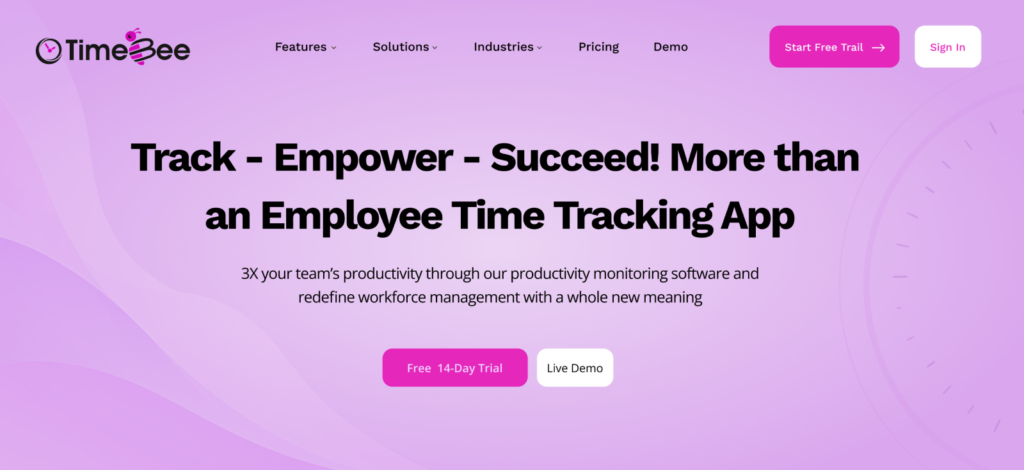
TimeBee was the closest overall match when we wanted substantial employee monitoring alongside accurate time capture, project costing, and billing workflows.
Its customization controls were particularly useful. We could apply productivity classifications across the organization or change them for individual groups and users. Screenshot intervals and idle-time controls also gave admins room to adjust how closely different roles were monitored.
From the start, the UI was easier for our admins to navigate. Projects and tasks remained focused on assigning tracked hours rather than trying to replace our project-management stack.
TimeBee currently advertises 60+ integrations. We connected common project and communication tools during testing, and the broader integration layer made it easier to preserve existing workflows.
The reporting layer also required less manual interpretation. Logged hours, screenshots, productivity classifications, and application or website activity gave us enough context to identify patterns without reviewing screenshots individually.
We also tested inconsistent connectivity. Offline tracking continued to capture work locally and synchronized it after testers reconnected, which reduced manual corrections.
Billing flexibility was another advantage. TimeBee documents prorated charges when users are added during a billing period, while Hubstaff’s monthly plans charge the full monthly amount for seats added mid-cycle.
TimeBee has also expanded into GPS-based tracking and geofencing, so its current scope is wider than desktop monitoring alone.
TimeBee Compatibility
TimeBee currently supports Windows and macOS desktop environments. Its main product pages do not currently list a Linux desktop application.
TimeBee Pricing
- Free trial: 14 days
- Paid plans: Customized according to organizational requirements
TimeBee Pros and Cons
| TimeBee Pros | TimeBee Cons |
| Granular monitoring rules at organization, group, and user levels | No Linux desktop application is currently advertised |
| Offline time tracking with automatic synchronization | Public fixed per-user pricing is not clearly listed |
| 60+ integrations across common business tools | Extensive monitoring controls require more initial configuration |
| Project costing, invoicing, GPS, and productivity monitoring in one platform | Monitoring depth may be unnecessary for basic timesheet use |
Where TimeBee Offers Better Value Than Hubstaff
TimeBee is the direct Hubstaff competitor because we wanted greater control over how monitoring rules changed between teams and individuals. Its productivity classifications and other features gave us more flexibility during configuration.
For businesses that want detailed monitoring without sacrificing project and billing workflows, it was the strongest overall alternative we tested.
Discover How TimeBee Pulls Ahead of Hubstaff
Learn More
2. Insightful — Privacy-First, Analytics-Driven Coaching
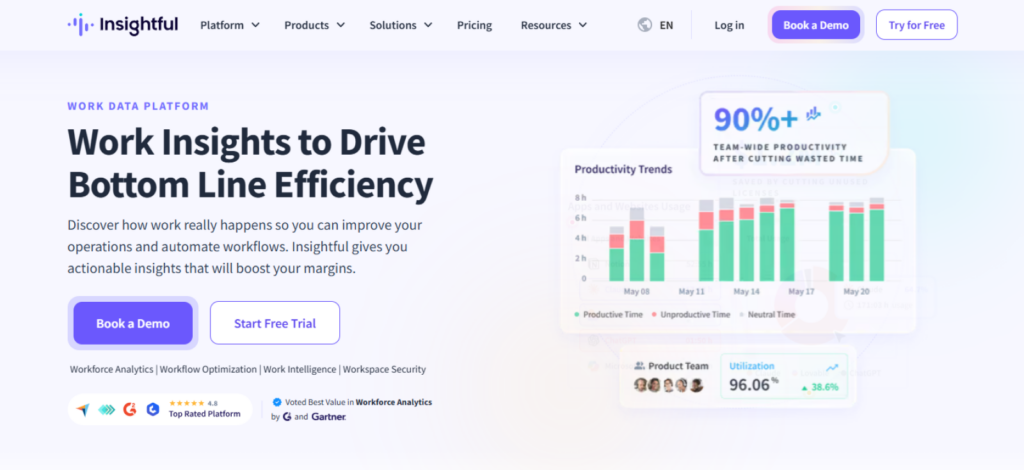
Insightful approaches workforce monitoring differently, especially when we compare apps like Hubstaff. It combines time and attendance data with productivity analysis, workflow intelligence, and workspace-security controls.
What stood out in our test was how quickly activity data became management information. Instead of forcing us to interpret raw logs first, the platform placed more emphasis on productive time and behavioral patterns.
Insightful worked best when we moved beyond checking whether employees were active and focused on what their work patterns meant. We assigned the same internal and client projects used in our Hubstaff tests, then compared productive time and team-level activity patterns.
Privacy controls also worked well. We adjusted monitoring settings for different teams and users, which made administration easier. However, this alone was not what made Insightful distinctive.
Security was the stronger differentiator. Insightful’s Workspace Security add-on includes insider-threat detection and activity logs. It also lists Shadow AI detection among its security capabilities. This gave our IT testers a practical use for workforce data beyond ordinary productivity reviews.
Overall, Insightful offered more value when managers needed workforce analytics to support decisions, not just verify hours. This makes it particularly relevant to BPOs, software businesses, remote operations, and larger knowledge-work teams.
Insightful Compatibility
Insightful supports Windows 10+, macOS 11+, Ubuntu/Mint 20.04+, and Fedora 32+. It does not support employee tracking on Chromebooks or mobile devices.
Insightful Pricing
- Workforce Analytics: $8/seat/month, billed annually
- Workflow Optimization: $12/seat/month, billed annually
- Combo Plan: $16/seat/month, billed annually
- Workspace Security: $4/seat/month add-on
Insightful Pros and Cons
| Insightful Pros | Insightful Cons |
| Clear productivity and capacity analytics | Workspace Security carries an additional per-seat cost |
| Monitoring controls for different workforce groups | Screen recording is also sold as an add-on |
| Insider-threat and activity-log capabilities | No employee tracking on mobile devices or Chromebooks |
| Native support for Windows, macOS, and Linux environments | Workflow Optimization requires a separate or combined package |
Where Insightful Offers Better Value Than Hubstaff
Insightful worked best when workforce data needed to support security and management analysis at the same time. Its capacity information and Workspace Security controls gave us more context around employee behavior. That makes it a better specialist option when work intelligence matters more than broad workforce administration.
3. ActivTrak — Behavioral Workforce Analytics
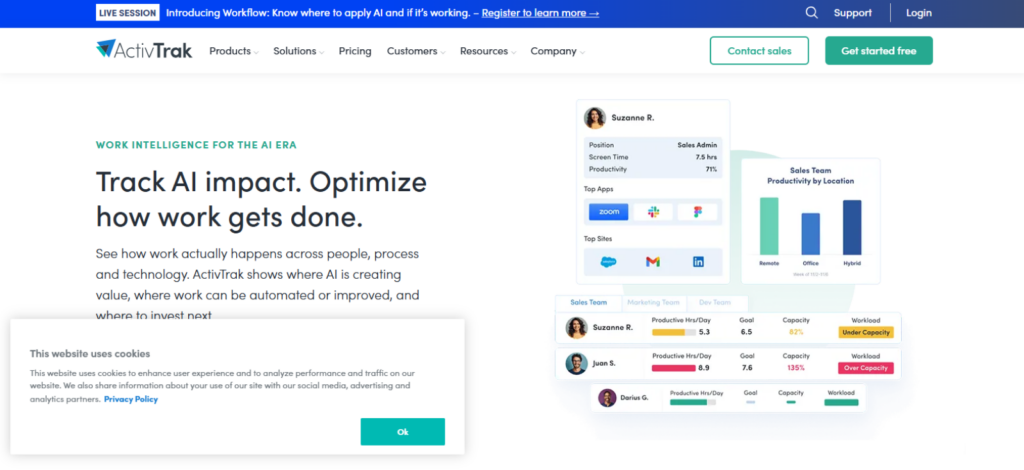
In our Hubstaff alternatives comparison, we found that ActivTrak is more of a workforce analytics platform than a traditional timer. It converts digital activity into information about productivity, utilization, workload, and capacity.
We deployed it across several employee groups, allowed activity data to accumulate under normal workloads, then compared behavioral patterns rather than judging employees by tracked hours alone.
This changed what our analysts looked for. Instead of asking only how long someone worked, we could examine whether workload distribution appeared sustainable and where available capacity existed.
The distinction became clearer when we shifted toward workforce planning. If one team appeared consistently overloaded while another had unused capacity, ActivTrak gave managers data that could support a staffing or workload decision.
That is its strongest advantage. Hubstaff provides workforce data, but ActivTrak structures more of its product around work intelligence and productivity optimization.
It therefore fits knowledge-heavy organizations particularly well. Software companies, BPOs, professional-services firms, and hybrid businesses can use the data to support capacity and process decisions.
ActivTrak Compatibility
ActivTrak provides Windows, macOS, and ChromeOS agents. Linux users can collect Chrome activity through its ChromeOS agent, but this does not provide the same full-device coverage as the native Windows or macOS agents.
ActivTrak Pricing
- Free: $0
- Work Activity Tracking: $10/worker/month
- Workforce Management: $15/worker/month
- Productivity Optimization: $17/worker/month
ActivTrak Pros and Cons
| ActivTrak Pros | ActivTrak Cons |
| Strong productivity and behavioral analytics | Linux coverage is browser-based rather than a full native agent |
| Useful workforce-capacity visibility | More advanced workforce intelligence requires higher-tier plans |
| Automatic background activity collection | The analytics-first interface can be excessive for simple timesheet needs |
| Free tier for basic work visibility | Less focused on client billing and payroll workflows than operations-first platforms |
Where ActivTrak Offers Better Value Than Hubstaff
ActivTrak performed better when tracked activity needed to inform workforce planning. Its capacity and productivity analytics helped us identify workload imbalances rather than simply verify hours. For knowledge-work organizations, that deeper behavioral context is the main reason to choose it over Hubstaff.
4. Toggl Track — Freelancers and Knowledge Workers
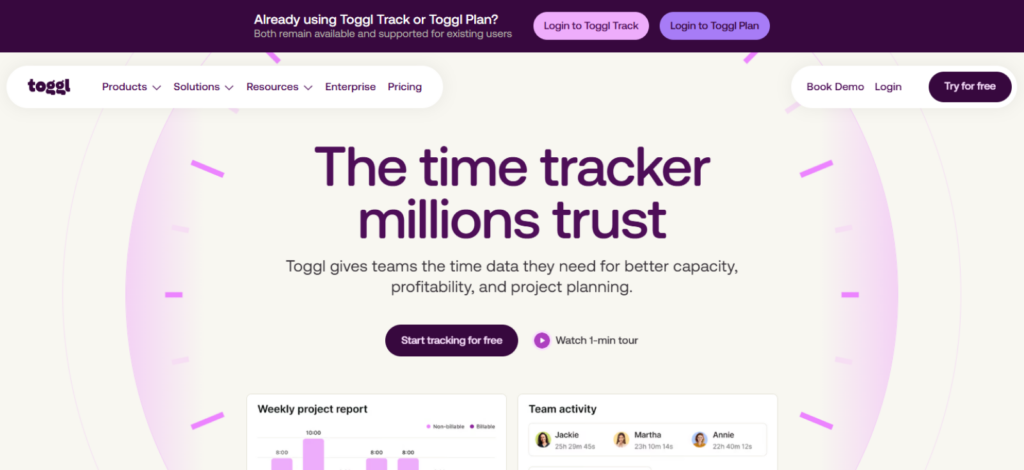
Toggl Track gave us the cleanest experience when monitoring was not part of the requirement. Its core value lies in accurate time capture, client billing, project economics, and reporting, which suited freelancers and knowledge workers particularly well.
We gave testers the same client and project structure used elsewhere in our evaluation, then asked them to track work without screenshots or activity scores.
Adoption was noticeably easier because the workflow stayed centered on the timer. Testers started an entry, assigned it to a project, and continued working with little setup.
When someone forgot to start a timer, Toggl’s automated desktop tracking recorded application and website activity in a private Timeline. The employee decides which activity becomes an actual time entry.
That privacy model was its strongest point. Managers still received the project-time data needed for reports, while employees retained control over the activity history used to reconstruct missed time.
We then tested estimates, billable rates, and project reporting. These tools made more sense for agencies and professional-services businesses than detailed employee monitoring would have.
Toggl Track Compatibility
Toggl Track is available on the web, Windows, macOS, Android, and iOS, with Chrome and Firefox extensions.
Toggl Track Pricing
- Free: $0 for a limited number of users
- Starter: $9/license/month, billed annually; $12 monthly
- Premium: $14/license/month for the first annual term; standard annual renewal is $18
- Enterprise: Custom pricing
Toggl Track Pros and Cons
| Toggl Track Pros | Toggl Track Cons |
| Very low-friction timer workflow | No screenshot-based employee-monitoring model |
| Private automated activity Timeline | Free plan supports only a limited number of users |
| 100+ integrations through its browser extension | Profitability and approval features require higher tiers |
| Strong billable-rate and profitability capabilities on paid plans | Less suitable for organizations that require strict proof-of-work controls |
Where Toggl Track Offers Better Value Than Hubstaff
Toggl Track was better when accurate time data mattered, but surveillance did not. It ranked higher in our Hubstaff alternatives comparison because its private automatic Timeline helped employees reconstruct missed entries without exposing raw activity to managers. That balance makes it particularly strong for freelancers, agencies, consultants, and other autonomy-focused knowledge workers.
5. DeskTime — Automatic, Rule-Based Time Capture With Minimal Setup
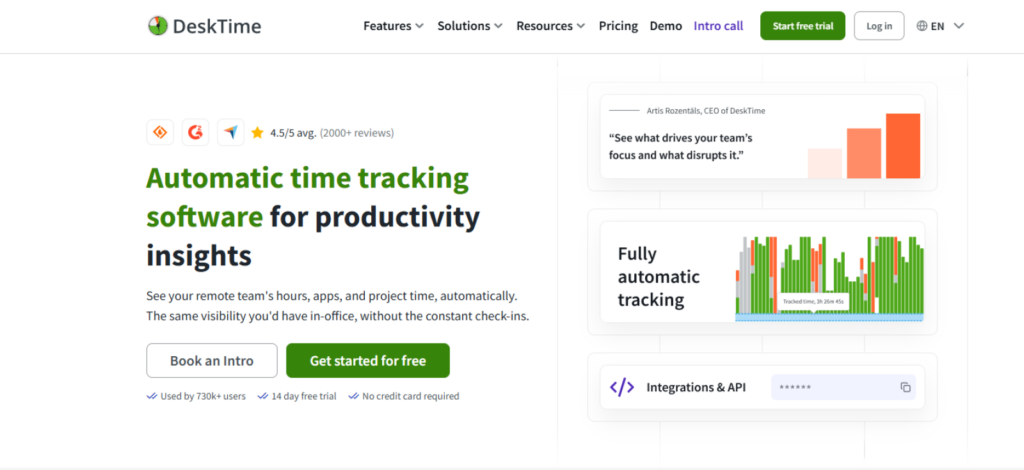
DeskTime worked best when we wanted time tracking to happen with as little employee input as possible.
Instead of depending on repeated start-and-stop actions, the desktop app automatically recorded active applications, websites, work periods, and idle time in the background.
We found this particularly useful because forgotten timers became less of a problem. Once we configured the tracking rules, employees could largely work as normal while DeskTime generated the activity record.
That was the clearest difference in our testing. DeskTime felt more deliberately centered on automatic capture and daily productivity visibility than on building a broad workforce-management stack.
We also tested application and website classifications, optional screenshots, and timesheet reporting. Managers could review where time went without asking employees to manually reconstruct their days.
Our UX researchers found the desktop agent straightforward, while the manager dashboard made routine reviews easy to follow. This suited agencies, professional-services teams, support departments, and remote knowledge workers particularly well.
DeskTime Compatibility
DeskTime supports Windows 10+, macOS 10.15+, and supported Ubuntu Linux environments.
DeskTime Pricing
- Pro: $6.42/user/month, billed annually
- Premium: $9.17/user/month, billed annually
- Enterprise: Custom pricing for 200+ users
- Free trial: 14 days
DeskTime Pros and Cons
| DeskTime Pros | DeskTime Cons |
| Automatic background time capture | Screenshots require the Premium tier |
| Useful application and website productivity classifications | Integrations and API access also sit on Premium |
| Optional screenshot monitoring | Automatic monitoring can be excessive for basic timesheet users |
| Native Windows, macOS, and Linux support | Linux URL tracking can require additional browser configuration |
Where DeskTime Offers Better Value Than Hubstaff
DeskTime performed better when our priority was reducing manual timekeeping. Once installed, it captured work activity with little employee intervention, which reduced missed timers and incomplete records. For desk-based teams that want automatic time data first and management complexity second, its workflow felt more natural.
6. Time Doctor — High Accountability And Wellness-Focused Productivity
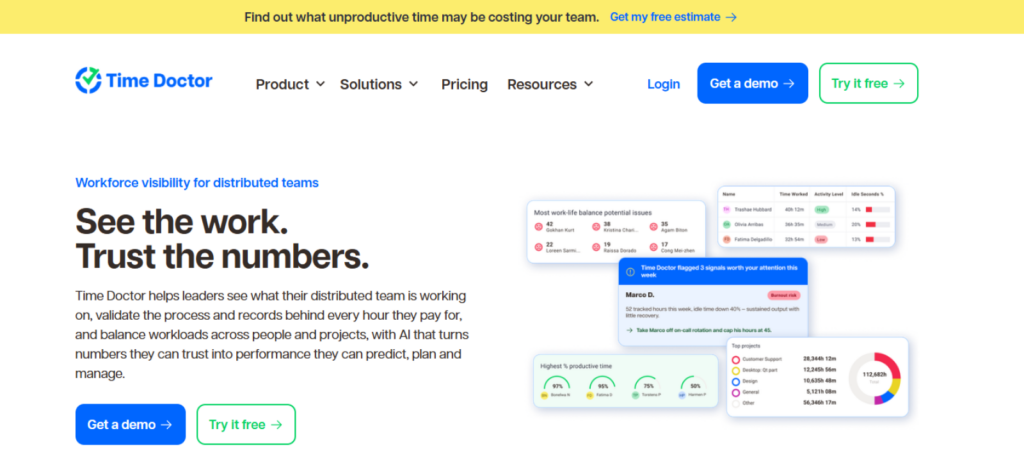
Time Doctor combines productivity tracking with distraction controls and work-life balance signals that can help managers respond to both lost focus and excessive workloads. It is one of the apps like Hubstaff, but it works best when productivity monitoring needs to go beyond recording activity.
We tested it across remote, desk-based teams and focused on whether its reports and reminders could support daily management decisions. The most significant difference was the balance between accountability and employee wellness.
We enabled Wellness Reminders from Company Settings and adjusted the uninterrupted-work period used to trigger break prompts. Time Doctor currently makes this feature available across its subscription plans.
We also reviewed its Work-Life Balance metrics. These can surface patterns such as long workdays, late hours, weekend work, and work outside scheduled shifts. Instead of assuming that longer hours always represented higher productivity, we could use repeated issues as a reason to review workloads.
Time Doctor also worked well for client projects. We enabled Projects & Tasks, assigned testers to client work, then reviewed how many hours each employee recorded against those projects.
Its Hours Tracked and Projects & Tasks reports made it easier to separate internal and client time, while tracked-hour data could also support payroll or invoicing workflows.
Overall, Time Doctor offered better value when structured accountability needed to sit alongside greater visibility into work-life balance.
Time Doctor Compatibility
Time Doctor supports Windows, macOS, and specified Ubuntu Linux environments through its desktop tracking options.
Time Doctor Pricing
- Basic: $8/user/month or $6.67/user/month with annual billing
- Standard: $14/user/month or $11.67/user/month with annual billing
- Premium: $20/user/month or $16.70/user/month with annual billing
- Enterprise: Custom pricing
- Free trial: 14 days
Time Doctor Pros and Cons
| Time Doctor Pros | Time Doctor Cons |
| Wellness Reminders support scheduled breaks during extended work | Work-Life Balance metrics require Standard or higher |
| Work-Life Balance metrics add context around excessive working patterns | Advanced analytics are concentrated in higher-priced plans |
| Detailed productivity and activity reports | Every login, including admins and managers, counts as a paid seat |
| Strong project, attendance, and payroll capabilities on appropriate plans | Detailed monitoring may be excessive for autonomy-focused teams |
Where Time Doctor Offers Better Value Than Hubstaff
Time Doctor worked well when productivity data needed to support both accountability and workload decisions.
Wellness Reminders and Work-Life Balance metrics gave managers context that raw activity figures alone could not provide. For remote knowledge teams, that combination was its strongest advantage.
7. Clockify — Best Free Hubstaff Alternative
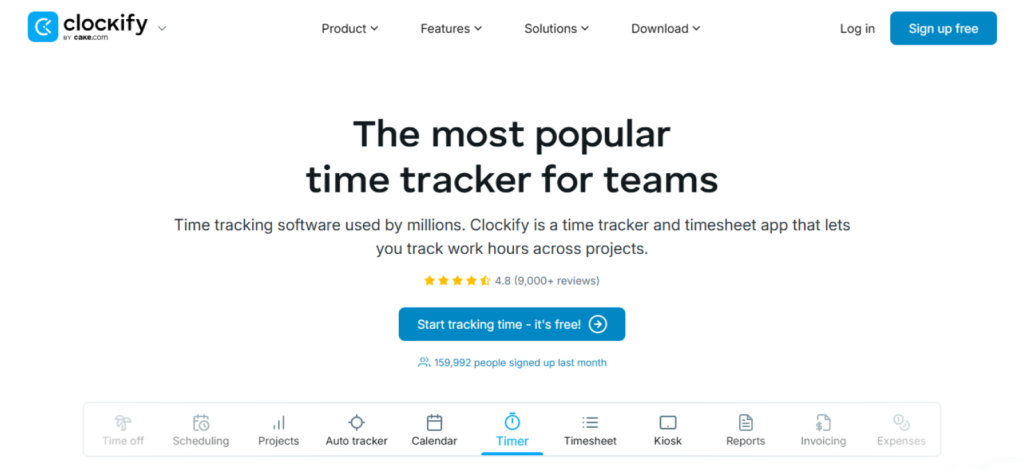
Clockify is one of the most useful free Hubstaff alternatives because it covers the core time-tracking workflow at a much lower entry point. Its current free plan supports five total users with unlimited time tracking, timesheets, Auto Tracker, idle detection, team activity, and reporting.
We recreated our internal and client projects on the free plan, assigned tasks, and asked testers to switch between timer-based entries and weekly timesheets. The setup was straightforward. Managers could see where project hours were going without first configuring a detailed employee-monitoring environment.
We also tested Auto Tracker on desktop. Clockify recorded applications used in the background, which testers could later use to reconstruct and create time entries. The feature was particularly helpful when somebody forgot to start the timer.
For client work, we created separate projects and then examined how the workflow expanded through paid features. Paid plans introduce more administrative, billing, approval, and project controls as requirements become more complex.
Clockify therefore offered the strongest value when the requirement remained straightforward: capture hours accurately, organize them by project, and produce usable reports without paying immediately for a broad monitoring stack.
Clockify Compatibility
Clockify supports Windows, macOS, Linux, Android, iOS, Chrome, Firefox, and Edge.
Clockify Pricing
- Free: $0 for up to 5 users
- Basic: Starts at $3.99/seat/month with annual billing
- Higher tiers: Add administration, approvals, profitability, and enterprise controls
- Paid-feature trial: 7 days
Clockify Pros and Cons
| Clockify Pros | Clockify Cons |
| Free core tracking for up to five users | Free plan is capped at five total users |
| Unlimited time tracking on the free tier | More advanced administrative controls require paid tiers |
| Broad desktop, mobile, and browser support | Higher-level profitability and approval workflows require upgrades |
| Auto Tracker and offline tracking reduce missed work records | Core positioning is time tracking rather than deep workforce intelligence |
Where Clockify Offers Better Value Than Hubstaff
Clockify was the better choice when cost-efficient timekeeping was the actual requirement. We could track projects, review hours, and manage a small team without paying for the core platform. For startups and smaller teams that do not need extensive monitoring, that simplicity delivers clearer value.
Final Verdict
Hubstaff is an efficient time-tracking and workforce management platform, especially for businesses that need monitoring, GPS, and project visibility in one system. However, specific teams may get better value from alternatives that focus more deeply on analytics, automation, privacy, wellness, or cost.
Before choosing any time tracker, organizations should first define what they actually need from the software. Consider team structure, monitoring requirements, reporting depth, integrations, pricing, and ease of use. Once those priorities are clear, compare the tools against those requirements and choose the platform that best supports your day-to-day operations.
FAQs
What should businesses look for in a time-tracking platform?
Businesses should start with operational requirements rather than feature count. Important factors include tracking accuracy, monitoring depth, reporting, integrations, pricing, scalability, and ease of configuration.
Teams should also decide whether they need simple time capture, workforce analytics, employee monitoring, billing support, or location tracking before comparing platforms.
Is automatic time tracking better than manual time tracking?
Automatic tracking is useful when teams want to reduce forgotten timers and incomplete timesheets. Manual tracking gives employees more control over what gets recorded. The better approach depends on workflow and culture.
Desk-based teams may prefer background capture, while freelancers and autonomy-focused teams may favor manual entries with optional automatic assistance.
How much employee monitoring does a business actually need?
The right level of monitoring depends on risk, compliance requirements, team structure, and management goals. Some organizations need screenshots, application activity, or productivity classifications, while others only need reliable timesheets.
Monitoring should solve a defined operational problem rather than exist by default, especially when lighter tracking can provide enough information.
How do workforce analytics help with capacity planning?
Workforce analytics can reveal whether teams are overutilized, underutilized, or unevenly loaded.
Managers can compare working patterns, active time, project allocation, and utilization data before making staffing decisions. This makes capacity planning more evidence-based and can help organizations redistribute work before automatically increasing headcount.
How should businesses compare the cost of time-tracking tools?
Businesses should evaluate more than the advertised starting price. Compare free-tier limits, minimum seat requirements, add-ons, billing terms, feature restrictions, and how costs change as headcount grows.
A cheaper platform is not automatically better if essential reporting or monitoring requires upgrades, while a broader platform may be unnecessary for simpler workflows.
TimeBee: Track Smarter, Deliver Better
Try Now
Jacob Tyler
Member since July 2, 2026
Jacob Tyler
Member since July 2, 2026
Jacob Tyler is a B2B technology journalist specializing in workplace software, employee monitoring platforms, productivity technology, HR systems, data privacy, and the changing role of technology in modern organizations.
He holds an MSc in Information Systems from the University of Manchester. His professional qualifications include the CompTIA Data+ certification.
With more than 10 years of experience covering B2B software and digital transformation, Jacob focuses on translating complex product capabilities into clear guidance for business readers.
His work examines how software functions in practice, which operational problems it is designed to address, what data it collects, and what organizations should consider before implementation.
Through his writing, Jacob helps HR leaders, operations teams, founders, managers, and IT decision-makers understand workplace technology and make informed purchasing decisions.