

Hubstaff vs TimeBee: We Found a Clear Winner After Testing Both Time-Tracking Software
By Jacob Tyler
September 14, 2026 16 min readHubstaff and TimeBee solve the same core problem: turning work hours into usable business records. But almost every time-tracking platform promises added value and near-perfect accuracy.
The real differences usually show up in day-to-day use. So the question is not which tool has more features, but which one actually gives a business more value and what trade-offs come with it.
That is the crux of this comparison. To keep the assessment authentic and balanced, we evaluated Hubstaff and TimeBee using the same practical approach and applied the same testing criteria to both platforms.
Hubstaff vs TimeBee: Our Quick Take
| Comparison Area | Hubstaff | TimeBee |
| Core purpose | Tracks time while supporting payroll, billing, productivity, and workforce administration. | Tracks time while emphasizing productivity visibility, attendance, and project performance. |
| Tracking approach | Project-based timers, timesheets, manual entries, approvals, offline tracking, and schedules. | Project-based tracking with timers, offline capture, corrections, breaks, and timesheets. |
| Activity visibility | Detailed screenshots, activity percentages, applications, URLs, and configurable monitoring controls. | Screenshots, activity percentages, apps, websites, plus flexible productivity classification controls. |
| Forgotten-time recovery | Employees submit manual time for approval before records become payable hours. | Missed-time requests retain project and task context after manager approval. |
| Financial context | Reports cover budgets, invoices, payments, expenses, payroll, and billable work. | Profitability reports connect hours, labor costs, client rates, and project margins. |
| Workforce management | Strong scheduling, attendance, permissions, payroll connections, and Job Site controls. | Flexible attendance rules, monitoring policies, employee dashboards, and performance reporting. |
| Free access | Offers a fourteen-day free trial before requiring a paid subscription. | Offers a fourteen-day free trial; paid plans require custom pricing. |
| Best for | Teams needing deeper administration, payroll connectivity, reporting, and field automation. | Teams prioritizing flexible monitoring, employee visibility, attendance, and profitability insights. |
| Main limitation | Advanced features can require higher plans, add-ons, and more setup effort. | GPS focuses more on verification. |
Our Testing Framework for TimeBee vs Hubstaff Comparison
We tested both platforms under the same conditions for four weeks. We created seven test users, six projects, 17 tasks, and four client accounts in each platform. We then used the desktop apps, mobile apps, and browser-based tracking options to see how the same records behaved across different environments.
Our team included a QA specialist, HR technology consultant, B2B application developer, and Chief IT specialist. This gave us different perspectives on data accuracy, system behavior, administration, employee use, and technical reliability.
We followed a scenario-based methodology for this comparison. Instead of awarding points just because a feature appeared on a pricing page, we followed work records from the moment they were captured to when managers used them for operational decisions.
Time Tracking Accuracy and Data Reliability — 30%
We tested project- and task-based timers, manual entries, idle-time handling, offline tracking, timer interruptions, project switching, and synchronization between devices. We also checked whether edited or delayed records retained the correct project, task, and employee context.
When records were incomplete or conflicting, we assessed how clearly each platform surfaced the problem and how much manual work it required to correct it.
Administrative Controls — 25%
We looked at how much control administrators had without making routine management unnecessarily difficult.
We tested user onboarding, account access, roles, permissions, approval rules, tracking policies, and user-level exceptions. Additionally, we checked how easily settings could be customized for individual employees, teams, projects, and tasks.
Reports and Analytics Usability — 20%
We tested how quickly managers move from a high-level dashboard to the record behind a number. This included employee hours, project time, activity data, attendance, costs, and billable work.
We also looked at how these datasets connected and supported decision-making.
Integrations — 15%
We looked at how each platform exchanged projects, tasks, employee data, time records, accounting information, and payment-related data with third-party systems. We also assessed whether integrations reduced duplicate work and kept records consistent across connected tools.
Interface, Setup, and Ease of Use — 10%
Finally, we looked at how much effort the software required from employees and managers.
Employees were assessed on routine actions such as finding assigned work, starting or stopping a timer, changing tasks, and reviewing records.
For managers, we looked at navigation, configuration, approvals, and how quickly they find information. Advanced controls were useful only when they remained understandable.
Hubstaff Overview
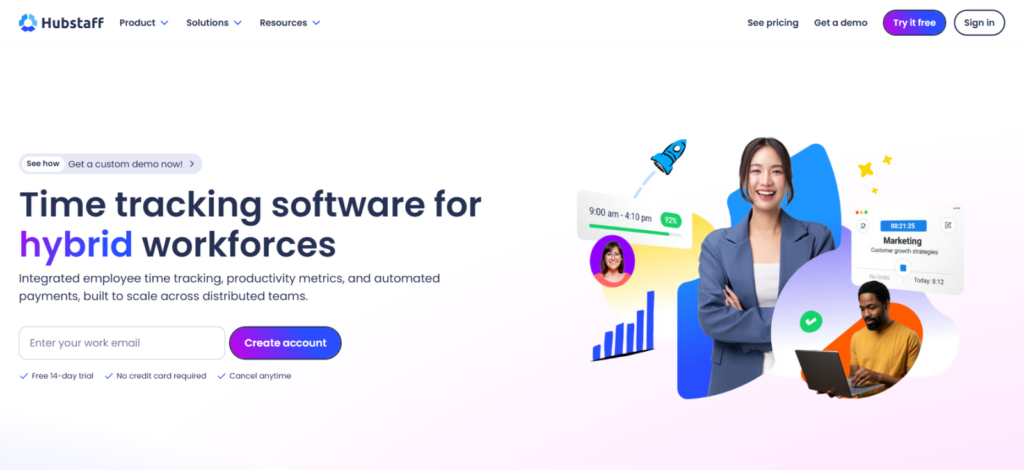
Hubstaff is a workforce time-tracking platform built around projects, timesheets, employee activity, and operational oversight. Its desktop software can record screenshots, application usage, URLs, and keyboard or mouse activity while an employee actively tracks time. Its mobile apps shift the focus toward time and GPS location.
The platform also extends tracked hours into reporting, attendance, invoicing, and payments. This makes Hubstaff particularly relevant to remote teams and field operations. However, some advanced capabilities depend on higher plans or paid add-ons.
TimeBee Overview
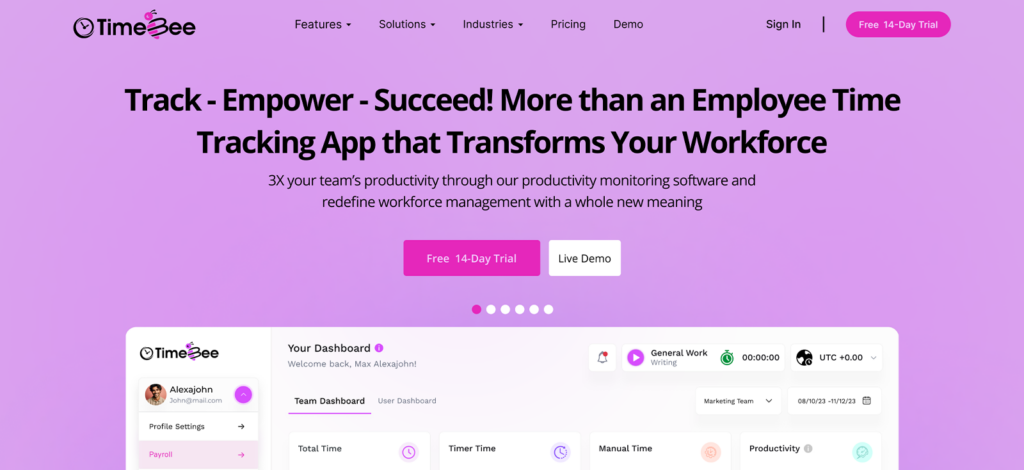
TimeBee takes a broader workforce-management approach to time tracking. Employees can record hours against projects and tasks, while managers can connect those records with screenshots, activity levels, attendance, project costs, payroll calculations, and client billing.
Its main strength is the continuity between these records. Time does not stop at the timesheet. The same underlying hours can contribute to attendance analysis, project costing, payroll calculations, and profitability reporting. That depth creates more initial configuration, but it reduces the need to rebuild the same context later.
Hubstaff vs TimeBee General Functionalities
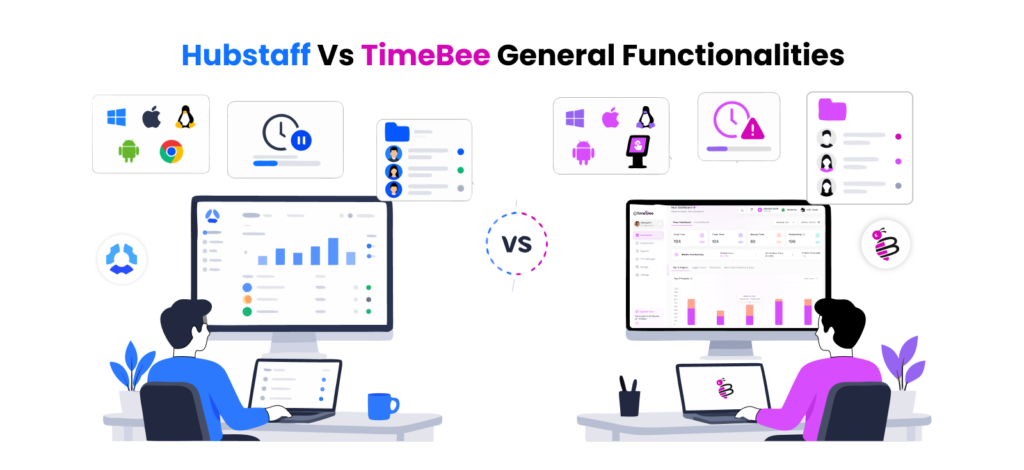
Before moving into feature sets, here’s how the general functionalities that ensure the accuracy and efficacy of both apps work.
Compatibility
Hubstaff
Hubstaff supports Windows, macOS, Linux, iOS, Android, a Chrome extension, and a web timer. Across these options, we found that the experience changes depending on how time is recorded.
The desktop apps provide the deepest tracking, while the web timer records time only. Mobile apps focus on time and GPS, without screenshots or keyboard and mouse activity. That flexibility is useful, but when someone switches devices, the amount of data attached to the entry also changes.
TimeBee
TimeBee supports desktop, browser, mobile, and kiosk-based workflows. We found the experience more consistent across the environments we used, particularly when moving between desktop and mobile tracking.
It also supports Linux and shared kiosk setups, which gives teams more flexibility when employees do not work from individual computers.
Verdict
TimeBee was slightly ahead in deployment flexibility, particularly where shared kiosks are required. Hubstaff remains strong across conventional desktop and mobile.
App Usability
Hubstaff
Hubstaff keeps the employee experience fairly simple. When we assigned projects and tasks in the app, they appeared directly in the timer, so employees knew what their time was being tracked against without navigating through the main admin dashboard.
Additionally, moving between desktop, web, and mobile was seamless because assigned work remained available across them.
The main difference was the data each app collects. Employees review their tracked hours and, depending on permissions, activity data and screenshots. The mobile app also provides access to weekly and time-and-activity reports.
TimeBee
TimeBee follows a similar assignment-based approach. We added multiple projects and tasks in the app, and users were able to start the timer against the tasks and projects they were assigned.
Only the relevant users and admins see those assignments, which kept the timer focused and easy to operate for every user.
The employee dashboard provided more context around the workday. Users review hours, projects, tasks, activity levels, idle time, screenshots, and app or website usage.
This made it easier for employees to understand not only what had been recorded, but also what managers see.
Verdict
TimeBee offers more visibility, which helps employees manage and understand what they are working on, regardless of their roles.
Inactivity and Idle Time
Hubstaff
Hubstaff’s inactivity warning defaults to five minutes without keyboard or mouse input. Its settings include 5, 10, and 20 minutes, a custom interval, or the option to disable the timeout. The feature works through the desktop app and Chrome extension.
When our test users returned after an idle period, Hubstaff surfaced the inactive time and let them keep it, discard it, reassign it to another project, or stop the timer. Admin settings also allowed us to always keep or discard idle time based on individual employee requirements, although this option is available only on supported plans.
TimeBee
TimeBee lets admins set the inactivity threshold to 2, 3, 5, 10, 15, or 20 minutes, with different settings available for individual users.
When the threshold was reached, we received a one-minute warning before the timer stopped. We also noticed the reverse safeguard: if the timer was stopped but the employee became active again, TimeBee prompted them to resume tracking. This helps prevent both idle time and legitimate working time from being recorded incorrectly.
Verdict
We would treat this as a draw. Hubstaff gives admins and employees more control over what happens to detected idle time, while TimeBee takes a more proactive approach to keeping the timer aligned with actual activity.
Project-Level Categorization
Hubstaff
Hubstaff structures tracked time around clients, projects, and tasks. During our tests, we created different project settings and requirements and assigned them to the same users. For example, some projects had different pay and bill rates.
Budgets and billable status also varied. We kept switching between projects to ensure accuracy, and the app came through. As long as we recorded time against the correct project, the resulting data stayed accurate.
TimeBee
TimeBee follows a similar hierarchy of clients, projects, and tasks. We restrict projects to selected users, and the app lets us set individual project settings.
TimeBee kept employee pay amounts and client billing amounts separate, without confusing management. This data later comes in handy for accurate profitability reports, billable hours, payroll, and projected costs. This made project categorization useful beyond basic time allocation.
Verdict
This round is a draw. Both handle project categorization well; Hubstaff is strong on budgets and billing controls, while TimeBee makes project cost and profitability easier to follow.
TimeBee vs Hubstaff Feature Comparison
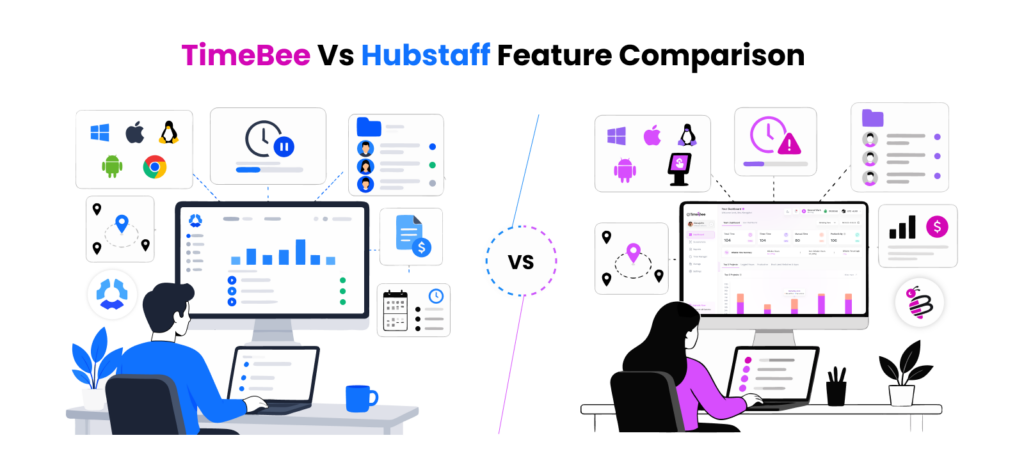
For the main features, we looked beyond whether a capability was available. What mattered more was how well it worked in practice, how easy the resulting data was to use, and whether it actually improved the wider process of tracking and evaluating work.
Time Tracking
Hubstaff
Starting with the basics, Hubstaff keeps time tracking structured around projects and tasks. As we moved between active tracking, offline work, and interrupted sessions, the correct project and task generally stayed focused on the recorded hours.
Reviewing that time was also easy. Daily and weekly timesheets gave us a clear view of recorded hours, while employees submitted missed or manual time for approval before it became payable. Hubstaff also supports weekly, bi-weekly, twice-monthly, and monthly approval periods, so there is a clear checkpoint before hours move any further.
The only thing that required a little more attention was timer discipline. Closing the browser does not automatically stop Hubstaff’s web timer, which means an employee can accidentally continue recording time if they forget to end the session.
TimeBee
TimeBee follows much the same project-and-task structure, although we found corrections slightly easier to handle. We submitted missed-time requests for meetings, client calls, and other work completed away from the computer, and each request still had to be assigned to the relevant project and task.
Offline tracking was similarly reliable. Time stayed stored locally until the connection returned, and breaks and idle periods remained easy to identify when reviewing the final timesheet.
More importantly, correcting an entry did not strip away its context. The approved time still belonged to the right employee, project, and task, which made the final records easier to understand.
Verdict
TimeBee has a slight edge here. Both handled everyday tracking well, but TimeBee made missed-time corrections and final timesheet review a little easier.
Track Smarter With TimeBee, Work Better Every Day
Learn More
Activity and Productivity Monitoring
Hubstaff
Hubstaff provides a detailed activity view through its desktop tracker. Throughout our review, screenshots, keyboard and mouse activity, applications, URLs, projects, and the time associated with each period were captured accurately.
Screenshots are optional and can be taken up to three times per active monitor every 10 minutes. Blurring controls were useful, and we also adjust monitoring policies for individual users or teams instead of applying the same level of tracking to everyone.
That flexibility matters once different types of work enter the picture. Someone reading, researching, or sitting through a call can naturally show less keyboard and mouse activity.
So while Hubstaff gives managers plenty of visibility, its activity percentages still need some human context before they are treated as a performance signal.
TimeBee
TimeBee provides similar visibility through screenshots, keyboard and mouse activity, and app or website usage. What stood out more was how much control we had over the way that monitoring was applied.
Screenshot intervals can be set as low as two minutes or switched off entirely. Apps and websites can also be classified differently for an individual, a group, or the whole organization. Even websites we opened only briefly appeared correctly in the activity records.
Mouse and keyboard activity sits alongside the screenshots, so it was easy to see how active someone had been during a specific period. The Quarterly Performance report added another useful layer because it moved the conversation beyond isolated activity percentages and gave us a broader view of employee progress over time.
Verdict
There is no clear win here. Hubstaff goes slightly deeper on monitoring, while TimeBee gives managers more flexibility in how that monitoring is configured and interpreted.
Reports, Analytics, Payroll, and Billing
Hubstaff
Hubstaff gives managers a large reporting library. We filter records by employee, project, client, team, or date and review everything from time and activity to attendance, expenses, budgets, invoices, and payments.
Having that much detail is useful, but it also took a little time to learn where everything lived. If we wanted to understand a project from several angles, for example, we sometimes had to move between its time, budget, invoice, and payment reports rather than seeing everything in one place.
On the financial side, though, Hubstaff felt mature. Employee pay rates were separate from client bill rates, and approved hours moved into payroll or invoicing. It also connects with Wise, PayPal, Payoneer, Bitwage, Deel, and Gusto, which reduces the amount of payroll data managers need to transfer manually.
TimeBee
TimeBee has fewer report categories, but we found the financial picture easier to follow. Once rates were assigned to our projects, the reports made it fairly simple to see how tracked hours translated into employee cost, client value, and project profitability.
The profitability report was the clearest example. Instead of working out those relationships separately, we see worked hours, internal labor cost, billable value, and project margin together.
Payroll follows naturally from there. Employee rates and tracked hours determine the amount due, adjustments can be made where necessary, and the final payroll data can be exported as a CSV. Billable hours can also be used for client invoices.
Verdict
This one depends on the priority. TimeBee makes project costs, billing, and profitability easier to understand together, and there are fewer chances of errors
GPS Tracking
Hubstaff
This is one area where Hubstaff quickly showed its strength. Its mobile app can record locations, routes, and timestamps, but Job Sites make that information much more useful than a simple GPS history.
After creating geofenced locations, we were able to control what happened when a user entered or left them. Hubstaff can start the timer on arrival, stop it on departure, send reminders, or prevent tracking from starting outside an approved area.
That changes the role of GPS quite significantly. Instead of checking location only after a shift has happened, managers can use it to shape how the time record is created in the first place.
TimeBee
TimeBee covers the verification side well. We created approved locations, restricted clock-ins outside those zones, and then reviewed location history and timestamps by employee, date, and location.
For day-to-day checks, that was easy enough to follow. If we wanted to confirm whether someone had started work from the correct place, the necessary location record was readily available.
Where Hubstaff goes further is automation. TimeBee is very good at confirming where a clock-in happened, while Hubstaff can make entering or leaving a location affect the timer automatically.
Verdict
Hubstaff wins this round. TimeBee handles location verification well, but Job Sites give Hubstaff a stronger GPS workflow overall.
Clock-In and Attendance
Hubstaff
Hubstaff compares actual tracked hours with scheduled shifts rather than presenting managers with a basic list of clock-ins and clock-outs.
To see how well that worked, we created shifts with different start times, minimum-hour requirements, and grace periods. Once time started coming in, the attendance statuses made it easy to tell an on-time shift from one that was late, missed, or abandoned.
Grace periods can start at five minutes and extend to 10, 15, 20, or 30 minutes. If an employee genuinely worked but missed part of the original tracking session, a manual correction can also update the resulting attendance record.
For teams with fairly structured schedules, we found the final attendance view easy to interpret without having to inspect every individual time entry.
TimeBee
TimeBee felt a little more adaptable when schedules differed from one employee to another. We changed minimum working hours, expected start and end times, and late or early margins across different user accounts rather than forcing everyone into the same attendance rules.
Once those differences were in place, exceptions were easy to spot. Late arrivals, early departures, short hours, absences, and approved leave appeared as distinct situations rather than simply showing up as fewer worked hours.
That made the attendance data more useful because managers quickly understood why a day didn’t match the expected schedule.
Verdict
The difference here is small. Hubstaff suits more structured shift schedules, while TimeBee feels more flexible when attendance rules vary across employees.
Hubstaff vs TimeBee User Experience
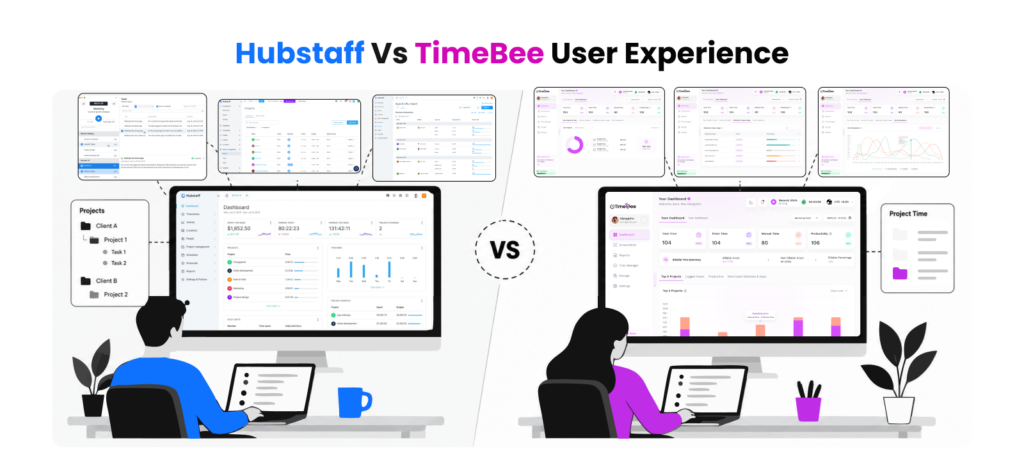
The feature set only tells part of the story. Once we had spent more time moving between employee and manager accounts, differences in navigation and day-to-day flow became easier to notice.
Interface and Visual
Hubstaff
Hubstaff puts a lot of information on the manager dashboard, including worked hours, activity, project data, costs, attendance, and live employee status. The widgets can also be rearranged or removed, which helped once we knew which information we actually wanted to see regularly.
The trade-off is density. At first, the interface can feel busy because Hubstaff is trying to surface several workforce functions at once.
TimeBee
TimeBee felt cleaner when moving from a general dashboard into one employee’s activity. Charts for productive, unproductive, neutral, idle, project, and application time make the page fairly easy to scan without opening every report separately.
Verdict
TimeBee felt easier on first use, while Hubstaff became more useful once we customized the dashboard around the information we needed, which took extended time and was a bit difficult for employees.
Settings Navigation
Hubstaff
Hubstaff’s settings are extensive, and that is both a strength and a learning curve. Activity tracking, timesheets, limits, payments, privacy controls, members, and other policies sit in their own areas.
Once we became familiar with the structure, the logic made sense. Still, changing several policies for the same employee means moving between different settings pages.
TimeBee
TimeBee felt more direct for routine workforce configuration. User Management brings all configurations and account status into the same area, while broader policies can be handled at the organization level.
That made smaller changes quicker, although the number of configurable options still means initial setup deserves some attention.
Verdict
TimeBee has a slight usability advantage here. Hubstaff offers deeper controls, but TimeBee made common user-level settings quicker to reach.
Managerial Flow
Hubstaff
Once everything was configured, Hubstaff gave managers several ways to move from a problem to the underlying record.
For example, a low-activity employee, unapproved timesheet, late shift, or project approaching its budget can surface on the dashboard and then lead into the relevant report.
TimeBee
TimeBee’s managerial flow felt more linear. Starting with a user or team view, we moved into performance records without losing sight of whose work we were reviewing. Its user dashboard follows the same pattern from summary metrics into increasingly detailed activity records.
Verdict
TimeBee requires less navigation to understand an individual employee’s workday.
Employee Flow
Hubstaff
For employees, Hubstaff is much simpler than its manager interface. Users mainly deal with assigned projects and tasks, the timer, their own timesheets, schedules, and time-off requests. Standard users do not see the wider administrative and billing controls available to managers.
That separation keeps routine tracking relatively uncluttered.
TimeBee
TimeBee gives employees more visibility into what has been recorded about them. From the user dashboard, they can review worked hours, idle periods, activity levels, projects, tasks, apps, websites, and other productivity information.
We liked that transparency because employees did not have to guess what their activity record looked like from the manager’s side.
Verdict
TimeBee has the edge for employee visibility, while Hubstaff keeps the everyday tracking workflow particularly focused.
Hubstaff vs TimeBee Pricing
Hubstaff
- Starter: $4.99 per seat/month with annual billing
- Grow: $7.50 per seat/month with annual billing
- Team: $10 per seat/month with annual billing
- Enterprise: $25 per seat/month with annual billing
- Monthly billing: Starter, Grow, and Team increase to $7, $9, and $12 per seat/month
- Minimum seats: Starter, Grow, and Team require at least two seats
- Free trial: 14 days
Worth noting: Features such as approvals, payroll, attendance, unlimited screenshots, Insights, integrations, and Locations depend on the selected plan or add-on
TimeBee
TimeBee offers:
- Free trial: 14 days.
- Paid plans: Custom pricing based on the organization.
Hubstaff vs TimeBee Pros and Cons
Hubstaff Pros and Cons
| Pros | Cons |
| Mature time tracking and timesheet workflow | Manager interface can feel dense at first |
| Detailed screenshots and activity monitoring | Related data may sit across several reports |
| Strong GPS and Job Site automation | Some useful features require higher plans or add-ons |
| Broad reporting options | Activity percentages need context |
| Payroll and payment integrations | Monitoring can feel intrusive if poorly communicated |
| Public pricing | |
| Granular roles and permissions |
TimeBee Pros and Cons
| Pros | Cons |
| Clean employee and team dashboards | Monitoring depth may be unnecessary for teams that only need basic time tracking |
| Flexible screenshot, idle, and productivity settings | Fewer payment-provider integrations |
| Easy-to-follow activity data | GPS focuses more on verification than advanced automation |
| Strong project-cost and profitability reporting | |
| Flexible attendance rules | |
| Good employee visibility | |
| Supports desktop, mobile, web, Linux, and kiosk workflows |
TimeBee vs Hubstaff: Who Are They Suitable For?
- Solo Freelancers: Hubstaff suits simple tracking and invoicing, while TimeBee fits freelancers who also want deeper activity visibility.
- Professional-Service Teams: Hubstaff works well for approvals and billing; TimeBee is stronger for project cost and profitability analysis.
- Remote and Hybrid Teams: Hubstaff offers deeper monitoring, while TimeBee gives more flexibility in how activity is tracked and reviewed.
- Agencies: Hubstaff fits more complex payroll and reporting needs, while TimeBee makes project margins and performance easier to follow.
- Hourly and Shift-Based Teams: Hubstaff suits structured schedules, while TimeBee handles different employee attendance rules more flexibly.
- Field and Mobile Teams: Hubstaff is stronger for geofenced Job Site automation, while TimeBee works well for GPS verification and restricted clock-ins.
- Teams With Different Monitoring Needs: Hubstaff provides detailed oversight, while TimeBee makes screenshot, idle-time, and productivity policies easier to customize.
- Performance-Focused Managers: Hubstaff offers broader workforce reporting, while TimeBee makes employee and project performance easier to interpret.
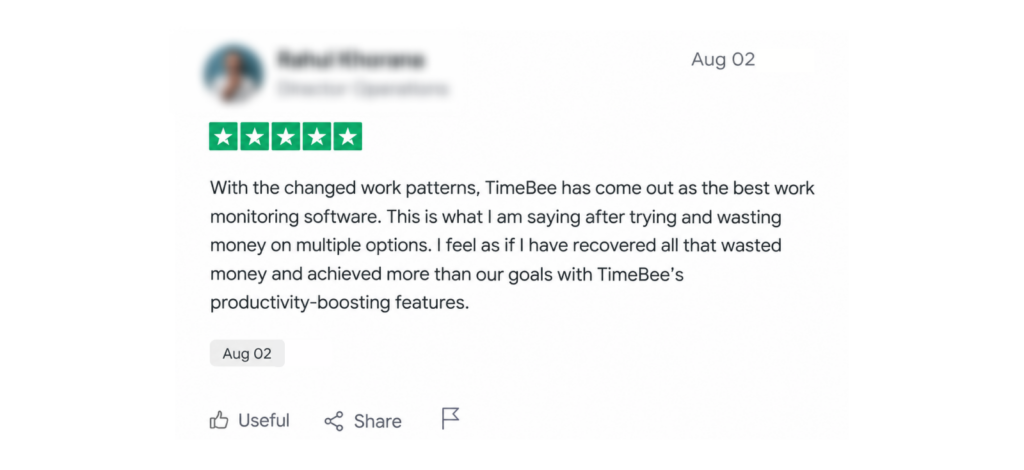
What Real Users Say About Hubstaff and TimeBee?
Hubstaff
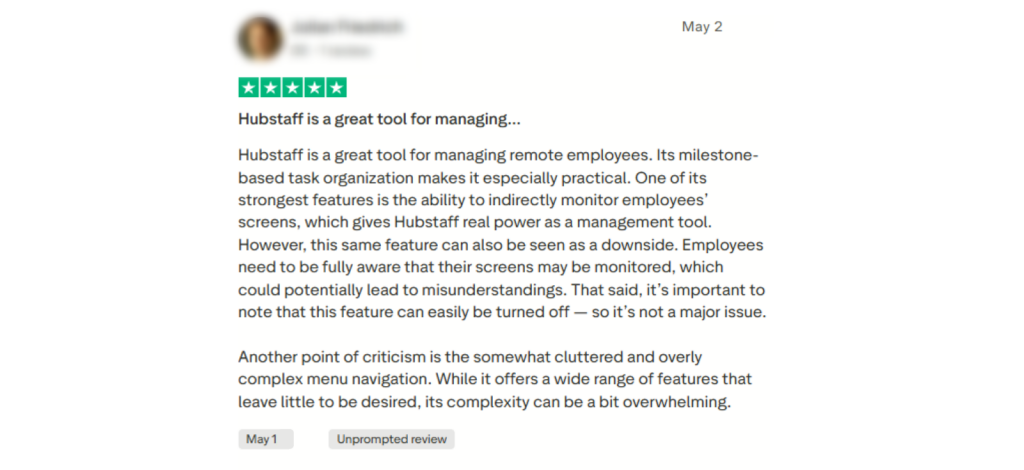
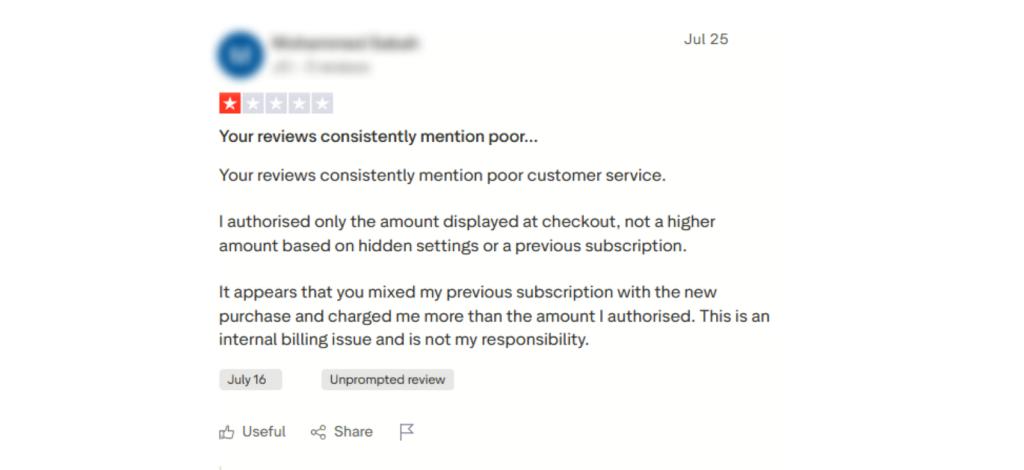
TimeBee
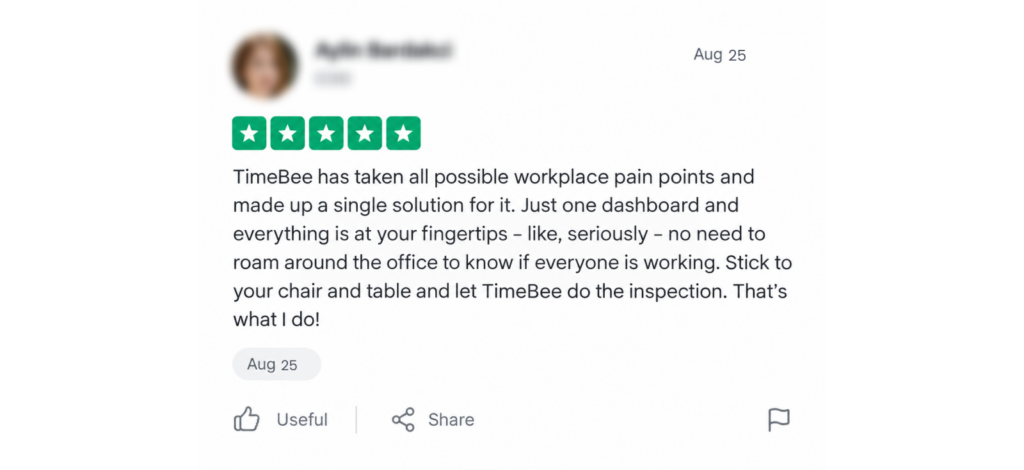
Final Verdict
Hubstaff offers a mature time-tracking system with strong payroll connectivity, reporting depth, attendance controls, and advanced GPS automation for field teams.
TimeBee, meanwhile, stands out for ease of use, flexible monitoring, clearer employee visibility, and connected performance insights. For companies with varied roles that need to track different types of employees, TimeBee can be easier to manage and can provide more useful context for streamlining operations.
Ultimately, the better choice depends on what the business actually needs. Before choosing either platform, evaluate your workforce structure, reporting needs, privacy requirements, and operational workflows.
Overall, time trackers can improve visibility and productivity. The best option is the one that delivers the most practical value for your business.
FAQs
What data should companies export before switching from one time tracking platform to another?
Before switching platforms, companies should export timesheets, project and task records, employee profiles, pay and bill rates, attendance history, invoices, payroll records, expenses, approvals, and activity reports.
It is also worth saving client information, custom tags, leave balances, and historical reports. Keeping CSV or PDF copies helps preserve audit trails, supports payroll reconciliation, and reduces the risk of losing historical workforce data during migration.
How often should businesses review their time tracking and employee monitoring policies?
Businesses should review tracking and monitoring policies at least once a year and whenever regulations, workforce structure, software settings, or monitoring practices change. Reviews should cover what data is collected, who can access it, how long it is retained, and whether employees are properly informed.
More frequent reviews may be appropriate for regulated industries, international teams, or organizations using screenshots, GPS tracking, or detailed productivity monitoring.
What happens to Hubstaff records when an employee, project, or client is archived?
Archiving generally removes the item from active use without immediately deleting its historical records. Hubstaff states that archived projects retain historical time in reports and timesheets, although screenshots, app, and URL activity may become hidden until the project is restored. You can also restore archived clients later without losing their information.
Are time trackers better for businesses with strict employee privacy requirements?
Time trackers can work well for privacy-conscious businesses, but only when monitoring is configurable and proportionate. Employers should look for role-based access, optional screenshots, data-retention controls, encryption, audit trails, and clear employee visibility into collected information. The software itself is only part of the equation. Privacy also depends on internal policies, employee notice or consent requirements, local employment laws, and limiting monitoring to information genuinely required for business purposes.
Can TimeBee track time across multiple devices without duplicating hours?
TimeBee can be installed and used across different devices, but it does not recommend active simultaneous use of one account on multiple systems. Users should log out of one system before using another, and TimeBee recommends using one account per device at a time to avoid sync issues or inaccurate timesheets. Employees can still use the same invitation credentials when moving between their permitted devices.
Make Every Work Hour Count With TimeBee
Sign Up Now
Jacob Tyler
Member since July 2, 2026
Jacob Tyler
Member since July 2, 2026
Jacob Tyler is a B2B technology journalist specializing in workplace software, employee monitoring platforms, productivity technology, HR systems, data privacy, and the changing role of technology in modern organizations.
He holds an MSc in Information Systems from the University of Manchester. His professional qualifications include the CompTIA Data+ certification.
With more than 10 years of experience covering B2B software and digital transformation, Jacob focuses on translating complex product capabilities into clear guidance for business readers.
His work examines how software functions in practice, which operational problems it is designed to address, what data it collects, and what organizations should consider before implementation.
Through his writing, Jacob helps HR leaders, operations teams, founders, managers, and IT decision-makers understand workplace technology and make informed purchasing decisions.