

Clockify vs TimeBee: Which One Earned Our Recommendation After Testing?
By Jacob Tyler
August 7, 2026 18 min readRecording hours is easy. Turning those hours into dependable information about projects and team performance is where time-tracking platforms begin to separate themselves.
Which is why we went through a three-week elaborate testing process for a detailed TimeBee vs Clockify comparison.
It was only after a four-person testing group used both platforms across desktop, browser, mobile, offline, administrative, and reporting workflows that we found a clear difference between the two platforms.
While Clockify impressed us with its lighter setup and straightforward approach to everyday tracking, TimeBee provided broader reporting and visibility.
Overall, in this comparison, you will find out which platform fits you better based on your needs.
Clockify Versus TimeBee at a Glance
| Comparison Area | Clockify | TimeBee |
| Core Purpose | Straightforward time tracking, timesheets, client work, and billing | Workforce time, activity, attendance, project, cost, and payroll management |
| Compatibility | Web, browser extension, Windows, macOS, Linux, iOS, and Android | Desktop, web, browser extension, kiosk, and mobile; downloads for Windows, macOS, Linux, iOS, Android, and Chrome |
| Setup Time | 18 minutes for five users and three projects; 41 minutes with advanced controls | 46 minutes for five users, two teams, three projects, rates, permissions, and attendance rules |
| Installation Complexity | Low for basic tracking; increases as more administrative functions are added | Moderate due to organization policies, team structures, permissions, schedules, and user-level settings |
| Free Trial | Free plan for up to five active users | 14-day free trial |
| Pricing | Published free and paid per-user plans | Custom pricing |
| Real-Time Syncing | Occasional delays when mobile tracking is used | Real-time syncing, with delays only happening when internet is disconnected |
| Best For | Solo freelancers, consultants, and small teams with straightforward tracking needs | Remote, hybrid, hourly, agency, and operations-led teams requiring detailed workforce oversight |
| Not Ideal For | Complex organizations needing centralized workforce data and policy controls | Solo users who only need a simple timer and basic client records |
How We Tested and Compared Clockify and TimeBee
Our four-person testing group included Jacob Tyler as the lead B2B technology reviewer, an operations manager, a team lead, and a freelance consultant.
Using this mix, we could examine each platform from the perspectives of the people who configure the software, review team data, record daily work, and bill clients independently.
Over the period of three weeks, we created users, teams, clients, projects, and tasks before recording time through desktop, browser, mobile, manual-entry, and offline workflows for testing.
Not only that, but for more detailed findings, we also reviewed dashboards, reports, corrections, activity records, attendance, billing context, and administrative settings.
Operational Reliability and Data Integrity — 30%
We looked at how consistently each platform recorded, saved, dated, synchronized, and corrected time. This received the highest weighting because incorrect entries can flow directly into invoices, employee pay, project costs, and client reports.
Workforce Visibility and Reporting — 25%
We assessed how easily managers could move from a total-hours figure to the underlying users, projects, tasks, websites, applications, activity categories, costs, and attendance records.
Administration and Governance — 20%
We compared organization settings, user permissions, approval controls, notifications, and audit history. The purpose was to determine how much control each system gives you after more employees join the workspace.
Usability and Role Fit — 15%
We evaluated the daily experience for administrators, managers, employees, and freelancers. This included setup effort, navigation, common actions, correction workflows, and the number of steps required to find useful information.
Platform Coverage and Commercial Value — 10%
Finally, we considered desktop, browser, extension, mobile, kiosk, and offline access alongside plan pricing and feature availability.
Clockify Overview
Clockify is a time tracker and timesheet platform for individuals and teams.
Within the app, you can record hours with a timer, add entries manually, categorize work by client or project, and review recorded time through reports.
To add features such as billable rates, approvals, attendance, invoicing, scheduling, GPS, screenshots, labor costs, and audit logs, you can also switch to a paid plan.
TimeBee Overview
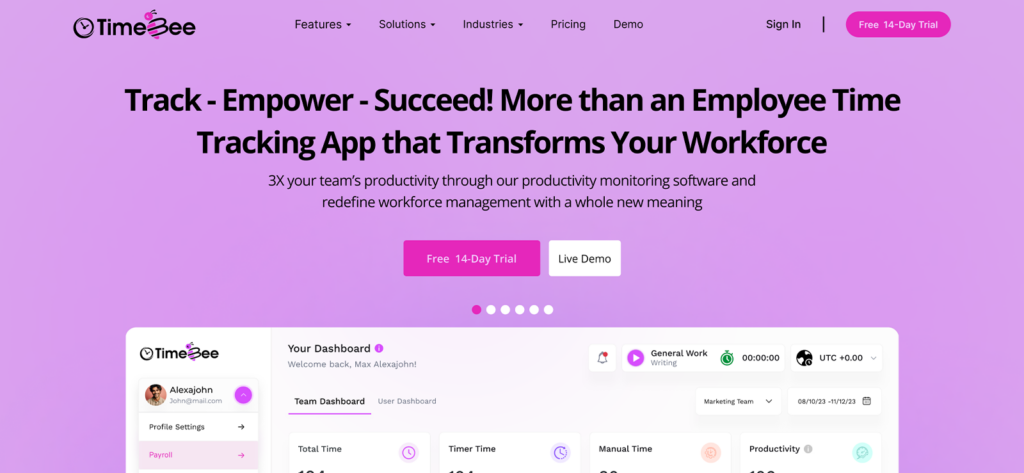
TimeBee is a time and productivity monitoring platform. Its web dashboard brings together live tracking, manual adjustments, screenshots, web and app activity, attendance records, project costing, employee pay, and management reports.
During testing, we found that TimeBee categorizes users’ total time into timer time and manual hours for easier data analysis. Moreover, all its reports are also accessible on both an individual and team level.
1. TimeBee vs Clockify General Functionalities
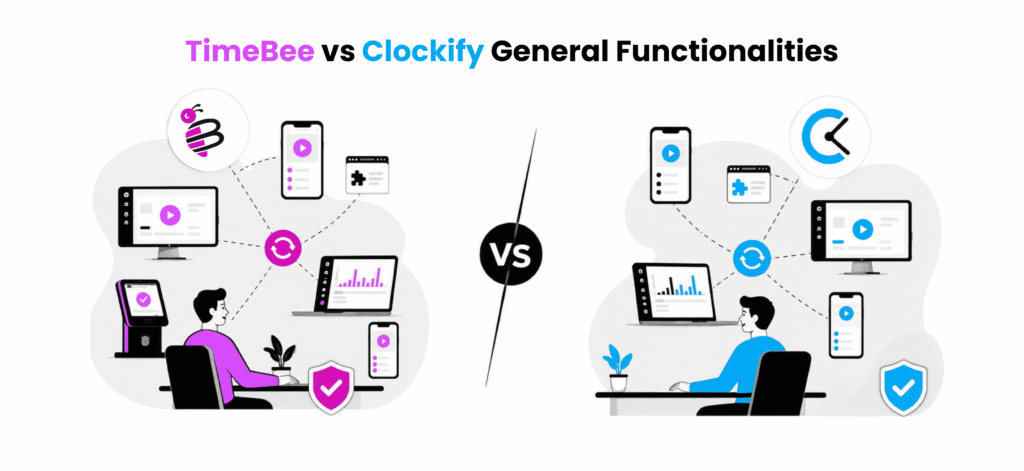
Everyday reliability depends on how well each app handles syncing, inactivity, offline work, and corrections. Therefore, we tested these workflows to see which platform required less manual intervention.
Cross-Device Synchronization
Clockify
Clockify can be used through its web app, browser extension, desktop apps, and mobile apps, which we believe gives freelancers and employees several ways to start a timer.
Overall, we found its browser workflow to be the strongest because all the reports and options remain close together.
However, inconsistencies were visible when the same timer was used between desktop, mobile, widgets, and browser sessions.
In 20 cross-device tests, Clockify synchronized 16 entries within 15 seconds, while three took between almost 60 seconds and one required the mobile app to be refreshed for syncing.
Other than delayed updates, some of the issues included duplicated entries, timers continuing on another device, and time appearing under the wrong date. Therefore, teams that regularly switch devices need to review their daily entries before approving them.
TimeBee
TimeBee supports time logging through desktop, web browser, browser extension, kiosk, and mobile.
Upon using the app, we found that administrators can decide which of these methods are available across the organization and then narrow the permissions for individual users.
Its Downloads page also provided six platform options: Windows, macOS, Linux, iOS, Android, and Chrome.
Overall, we discovered that time logged through the permitted platforms synchronized consistently with the central dashboard.
For example, in 20 cross-platform synchronization tests, TimeBee displayed 19 entries on the dashboard within 15 seconds. The remaining entry was recorded through the mobile app and took 42 seconds to appear because the phone’s internet connection was delayed.
Once the connection stabilized, the mobile entry synchronized automatically without requiring a refresh.
Verdict
TimeBee wins because its platform permissions and persistent session view create a more controlled cross-device workflow for teams.
Idle Time and Inactivity
Clockify
Clockify detects inactivity through its supported desktop apps and browser extension. Once the user becomes active again, the app provides three options: remove the idle period, remove it and begin a new timer, or keep it as recorded time.
Upon testing the feature, we found that this approach gives employees direct control over whether inactive minutes remain in their timesheets.
However, idle detection mainly works as a personal correction tool because administrators cannot view the employee’s idle prompt.
In 10 inactivity tests lasting between 5 and 12 minutes, Clockify displayed the expected idle prompt eight times. In the remaining two tests, the prompt appeared only after we returned to the application where the timer had originally been started.
TimeBee
TimeBee records idle time when it detects no keyboard or mouse activity on the employee’s device.
Administrators can set a separate inactivity threshold for each user, which gives organizations control over how long the timer continues before the employee is treated as inactive.
Once the configured threshold is reached, TimeBee generates a distraction alert on the employee’s device. If activity does not resume within the following minute, the active timer stops automatically.
The inactive period is then added to idle time, allowing managers to see why the recorded session ended and how much of the workday contained no device activity.
Overall, we found that this approach reduced the risk of timers continuing unattended. It also provided more context than simply removing the inactive period, as idle time remained visible alongside other recorded hours.
In 10 controlled inactivity tests, TimeBee generated the distraction alert after the user-specific threshold in all 10 cases. In eight tests, the timer stopped one minute later and assigned the inactive period to idle time. In two tests, activity resumed during the warning period, so the timer continued without interruption.
Verdict
TimeBee wins because it uses administrator-defined inactivity thresholds, warns employees before taking action, and automatically stops unattended timers while preserving the inactive period.
Offline Time Tracking
Clockify
Clockify supports offline time tracking through its Windows, macOS, Linux, iOS, and Android applications.
In addition to that, we found a Force Offline option on Windows too. This functionality was helpful when the connection was available but unstable. Until the stability was recovered, instead of repeatedly trying to connect to the server, we were able to remain offline using the option.
Overall, in 10 offline tracking tests, Clockify synchronized nine sessions automatically within one minute of reconnecting. The remaining session appeared after we refreshed the desktop app, and none of the recorded durations required manual correction.
TimeBee
TimeBee continues recording an active session when the target device loses internet access. Once the connection returns, the stored time synchronizes with the central dashboard and becomes part of the employee’s timesheet, project totals, attendance data, and cost reports.
During testing, the offline entry remained associated with the selected project and task, which meant the user did not need to recreate the session after reconnecting.
Additionally, across 10 offline sessions, TimeBee restored eight entries automatically within one minute while one entry took 49 seconds to appear. The last entry, however, synchronized after the desktop was reopened.
Verdict
Clockify wins because it supports offline tracking across five operating systems and provides a dedicated Force Offline option for unstable connections.
Automatic Tracking and Manual Corrections
Clockify
Upon using Clockify’s auto tracker, we found that it recorded activity taking place on Windows, macOS, and Linux.
The data collected, however, remained private until we selected a period and converted it into a formal time entry.
We also observed that the tracker recorded activities that remained open for more than 10 seconds by default. Nonetheless, it still sometimes omitted brief activities when we moved quickly between websites or applications.
To put it into perspective, during 20 automatic-tracking tests, Clockify displayed 17 activities correctly in the timeline, while three did not appear at all.
Overall, we found the auto tracker most useful for reviewing the workday and recovering time that we had forgotten to record. However, it did not automatically turn the captured activity into an approved company timesheet.
We still had to select the relevant periods, assign them to a project or task, and create the final entries ourselves.
TimeBee
Upon testing TimeBee, we found that it combined live tracking with weekly timesheets, timeline corrections, direct manual entries, and CSV imports.
The live timer captured time for the selected project and task automatically, without requiring any interaction.
Moreover, when we added missed hours manually, we could associate the entry with a specific project and task before marking it as billable or non-billable.
As a result, manually added time retained the same project and billing context as time recorded through the live timer.
We also tested the timesheet import workflow by uploading a CSV to the dashboard and validating it.
During approval testing, we observed that manual-time entries, imported timesheets, and leave requests could be assigned to a selected approver. The approver could then review the request and either approve or reject it from the dashboard.
Overall, we found that TimeBee required less manual reconstruction after time had been missed.
Verdict
TimeBee wins because our testing showed that it combines live tracking, manual corrections, CSV imports, and dashboard approvals in one connected workflow.
2. Clockify vs TimeBee Feature Comparison
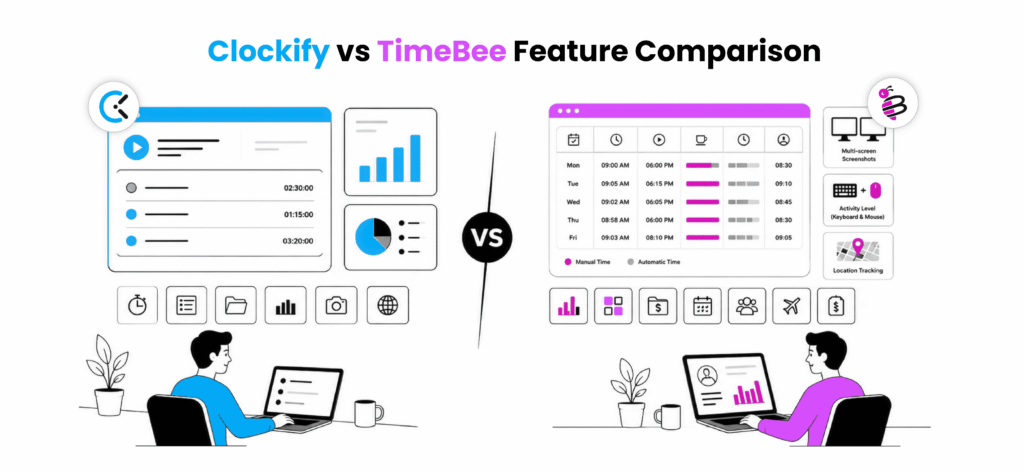
We further compared how each platform handles time data and various reports in day-to-day use.
Time Tracking and Timesheets
Clockify
Clockify’s timer was straightforward since we just had to select a project or task, start the timer, and stop it when the work ended. We could also add time manually, duplicate previous entries, organize recorded hours with tags, and switch between daily and weekly timesheet views.
We believed that this simplicity could make Clockify particularly easy to use for freelance and client-based work.
However, during repeated use, we encountered delays, missing logs, duplicated entries, and misplaced data.
TimeBee
TimeBee’s timesheet provided a more detailed record of the employee’s week. It displayed each date and day alongside the session’s start and end time, total worked hours, and the active and inactive periods recorded throughout the day.
Moreover, the weekly layout made it easier for us to review when work started, when it ended, and the total recorded hours.
Each timesheet entry also provided access to its supporting activity data. From the entry, we could review the websites and applications used during the session, open the associated screenshots, and check the recorded location.
We also observed that users could add manual time directly from the timesheet and edit existing entries.
Lastly, TimeBee kept the manual time and automatic time separated to help us identify how time was captured.
Verdict
TimeBee wins because its weekly timesheet combines active and inactive time and overall activity evidence in one place.
Screenshots and Activity Levels
Clockify
Upon using Clockify, we found that screenshots were available on the Pro and Enterprise plans.
Once the feature was enabled, the desktop app captured employee screens while the timer was running.
Overall, we found Clockify’s screenshot feature suitable for teams that need occasional visual confirmation without making screenshots and activity monitoring central to the wider tracking workflow.
TimeBee
TimeBee’s screenshots section supported both team-wide and individual-user views. Using it, we could also review captures from multiple screens, which made it easier to follow work completed across more than one monitor.
Each screenshot included the employee’s name, the website or application in use, the exact capture time, keyboard activity, and mouse activity.
TimeBee also allowed administrators to set the screenshot frequency and the keyboard or mouse activity threshold across the entire organization.
During testing, we found that these defaults could then be adjusted for individual employees, allowing teams to apply a general monitoring policy while accommodating different roles and working patterns.
Across 30 scheduled screenshot intervals, TimeBee captured 29 images at the configured frequency. The remaining screenshot appeared in the next capture cycle after the employee switched between two monitors.
Verdict
TimeBee wins because it offers multi-screen capture, team and individual views, detailed activity measures, and screenshot settings.
Website and Application Usage
Clockify
When we used the app, Clockify recorded the applications and websites used during the workday, along with the page titles and total duration.
The recording threshold could also be adjusted to prevent very brief web or app activity from appearing in the timeline.
For added autonomy, we were able to turn off website URL capture to prevent individual pages from being recorded.
All in all, across 20 website and application sessions, Clockify recorded 18 correctly and did not capture two brief sessions which fell below the configured activity threshold.
TimeBee
As per our experience, TimeBee took a more centralized approach with website and application usage recorded as part of the employee’s tracked session.
The collected activity was grouped into four categories: productive, unproductive, neutral, and unrated. We could review all activity together or filter the report into four individual classifications.
We also found three rating levels, i.e., organization, teams, and users, within the settings, which allowed us to adjust ratings according to usage.
For example, a social platform could remain unproductive by default while being marked productive for a marketing team.
As far as the reports themselves are concerned, each entry displayed the website or application name, tracked time, and then individual page/window titles.
Verdict
TimeBee wins for its detailed reporting and configuration settings.
Project Costing and Profitability
Clockify
Clockify gave us several ways to structure project finances within the dashboard. We could assign work to a client, project, or task, set billable status, add hourly rates, and compare tracked time with project estimates and budgets.
On paid plans, the same workflow also included labor costs, expenses, budget alerts, forecasting, and profit calculations.
However, the costing process became less direct as we added more clients, tasks, rates, and reporting filters, since we had to switch between project settings and reports constantly.
TimeBee
TimeBee’s projects and tasks section allowed us to separate internal organization and client projects, review their status, access the associated tasks, and edit each project.
After the settings were properly configured and each project was assigned to the relevant users, we moved on to the project costing.
Within the report, we were able to access each project’s tracked time, its monetary cost (using internal user rates), and its progress. Moreover, within the projects, we were able to see task-level breakdown and the contribution of each assigned employee to it.
Contrarily, the profitability report extended this analysis by showing worked hours, local price, client price, and profit.
Verdict
Clockify wins for adding direct forecasting and budget alerts to its costing tools.
Attendance, Leave, and Payroll
Clockify
During testing, we found that managers could compare recorded hours with expected working time, review attendance, approve time-off requests, and lock completed timesheets. However, these controls were spread across separate sections, so attendance, leave, scheduling, and payroll preparation did not feel like one continuous workforce-management process.
Overall, we reviewed 20 employee attendance records covering full shifts, late arrivals, early departures, and short working days. Clockify classified 16 records as expected, while four required us to compare the timesheet with the employee’s schedule manually before confirming the attendance result.
On the other hand, leave management handled straightforward requests more effectively. Employees could submit time off for approval, and managers could review the request before it affected availability.
Overtime was also easier to review at the daily level than across longer payroll periods. Clockify could show the difference between recorded and expected hours, but cumulative overtime across a week, month, or custom pay cycle required additional calculation.
However, we found its scheduling to be the clunkiest since it covered basic assignments and planned work, but not rotating shifts. Not only that, but daily recurring shifts, automatic scheduling, shift swaps, and stronger availability warnings were also limited, which increased the amount of manual administration.
Overall, Clockify covered the main attendance and leave functions required by a small team. However, the extra work involved in cumulative overtime, detailed leave rules, rotating schedules, and payroll reconciliation made it less complete as a workforce-management system.
TimeBee
TimeBee treated attendance, leave, and payroll as connected parts of workforce management. From the organization settings, we could define working days, minimum required hours, shift start and end times, and separate margins for late arrivals and early departures.
These settings flowed into the attendance report, where each employee appeared against the relevant calendar dates. Within the report, we could see tracked hours and tags such as Early Leave, Short Hours, and Absent, while the detail view included check-in and check-out times.
We also found that the organization-wide attendance policy could be applied to all employees and then adjusted for individual users when one employee followed a different schedule.
Leave requests followed a similarly structured workflow since we could select the leave type, date range, approver, and submit the request from the dashboard.
The payroll section then connected these attendance and time records with employee pay. Within the section, we found columns for the employee list, total time, the currency they are paid in, payroll adjustments, hourly rates, and total pay, all automatically calculated.
Lastly, we could also download attendance and payroll records as either CSV or PDF files.
Verdict
TimeBee wins because attendance, leave, hourly rates, adjustments, and total pay are more closely connected.
TimeBee Brings Every User’s Activity into One Connected Workspace
Learn More
3. TimeBee vs Clockify User Experience
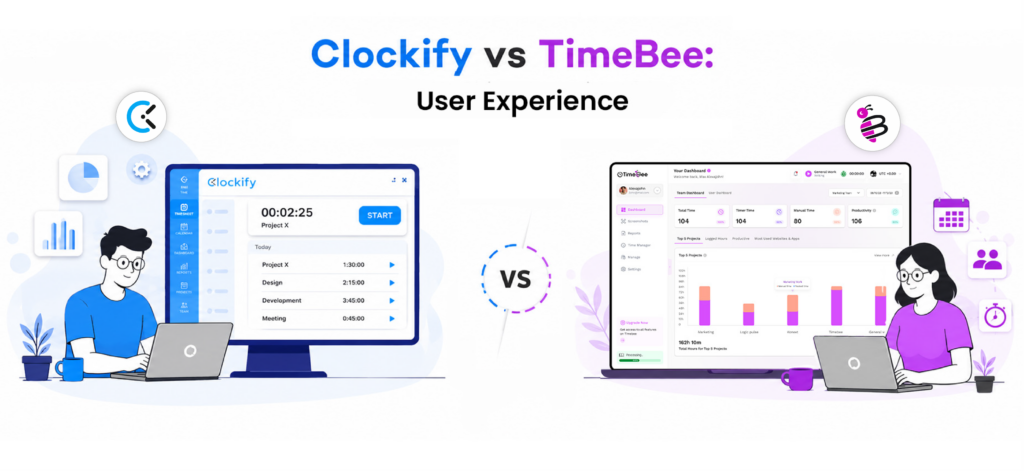
Lastly, we looked at how quickly different users could learn each platform, configure settings, navigate the interface, and complete the tasks most relevant to their roles.
Configuration Settings
Clockify
We found Clockify quick to set up for basic tracking since users, clients, and projects could be added without working through many administrative settings.
However, the setup became more fragmented after we introduced rates, approvals, attendance, invoicing, expenses, and scheduling, as these controls were spread across different workspace areas.
For example, a five-user workspace with three projects took us 18 minutes to configure, while adding rates, approvals, attendance, and invoicing increased the total to 41 minutes.
TimeBee
TimeBee required more initial configuration, but its settings were organized around the wider workforce. For starters, as administrators, we had to define company details, currency, timezone, permitted tracking platforms, attendance rules, user roles, hourly rates, and user-specific permissions.
Organization defaults could also be adjusted for individual employees, which helped us manage teams with different schedules without creating separate workspaces.
Overall, setting up five users across two teams, with three projects, rates, permissions, and attendance rules, took us 46 minutes, with no further configuration required.
Verdict
TimeBee wins for organizations managing different teams, roles, schedules, and tracking policies, while Clockify remains faster for basic setup.
Administrator Experience
Clockify
Clockify administrators can manage users, projects, rates, approvals, attendance, invoices, and other workspace functions. While its familiar project-and-timesheet structure was easy to learn for a small team, administrators had to move between more sections to review information and adjust settings once the workspace grew.
TimeBee
TimeBee grouped its main controls into five modules: dashboard, screenshots, reports, time manager, and settings. This created a consistent path between employee administration, projects, clients, policies, and reporting.
We also found that teams could represent different departments, client groups, or working arrangements within one organization. Moreover, filters for users, teams, projects, status, and dates remained consistent across the main screens.
Verdict
TimeBee wins because its workforce, project, policy, and reporting controls are more centralized.
Employee Experience
Clockify
Clockify offered a lighter employee experience, with clear leeway to correct entries and choose which time to include in the final timesheet. Not only that, but its auto tracker also gave users more control over their own activity records.
Overall, the learning curve was not monumental, and we observed that five first-time users completed its basic tracking workflow in an average of seven minutes.
TimeBee
TimeBee provided a more structured experience to employees since they could record time, review their workday, submit corrections, and send leave or timesheet requests for approval from the same account.
Nonetheless, the additional monitoring and attendance context created a longer learning curve for first-time users.
Overall, of the five new users, four understood the main time, correction, and request workflow within 10 minutes, while the last averaged around 14 minutes.
Verdict
Clockify wins for employees who prefer lightweight tracking, while TimeBee is better for teams that need a more structured work record.
Freelancer Experience
Clockify
Clockify is a better fit for most solo freelancers because its free plan supports up to five active users and includes unlimited time tracking, clients, projects, and basic reports.
TimeBee
TimeBee becomes more useful when a freelancer begins managing contractors or operating like an agency. It is also helpful that teams, roles, client projects, rates, approvals, and profitability analysis can all be managed within the same organization.
However, for an individual freelancer, this may be more administration than necessary.
Verdict
Clockify wins for solo freelancers, while TimeBee is better suited to freelancers managing contractors or distributed teams.
4. Clockify vs TimeBee Pricing
Below, you will find a breakdown of both platforms’ price plans.
Clockify
Clockify currently offers the following plans:
- Free: $0 for up to five active users.
- Basic: $3.99 per seat/month when billed annually.
- Standard: $5.49 per seat/month annually.
- Pro: $7.99 per seat/month annually.
- Enterprise: $11.99 per seat/month annually.
- Productivity Suite: $12.99 per seat/month annually.
TimeBee
TimeBee pricing includes:
- Free trial: 14 days.
- Paid plans: Custom pricing based on the organization.
5. TimeBee vs Clockify Pros and Cons
Evidently, each software comes with its own share of advantages and disadvantages. We have discussed both in detail.
Clockify Pros and Cons
| Pros | Cons |
| Basic setup is fast. | Setup becomes fragmented once more features are added. |
| Its project-and-timesheet structure is easy for small teams to understand. | The lighter workflow provides less structure for organizations that need centralized workforce oversight. |
| Employees have clear control over correcting entries and deciding which time appears in the final timesheet. | Its employee-focused controls are less suited to teams that require a manager-facing work record. |
| The auto tracker gives users more control over their own activity records. | More advanced administrative features take longer to configure and manage. |
| The learning curve is relatively short. |
TimeBee Pros and Cons
| Pros | Cons |
| Organization and user settings are broad and cater to diverse team structures. | Initial setup requires more decisions than a basic time-tracking platform. |
| Workforce, project, policy, and reporting controls are centralized. | The broader feature set creates a longer learning curve for first-time users. |
| Teams can represent different departments, client groups, schedules, or working arrangements within one organization. | Employees who only need lightweight time tracking may find the workflow more structured than necessary. |
| Employees can record time, review their workday, submit corrections, and send leave or timesheet requests from the same account. | Solo freelancers may not need its workforce-management and administrative depth. |
| It is well suited to freelancers operating like agencies. |
6. How Do TimeBee and Clockify Perform for Different Team Structures
Given the level of configuration and detail provided by TimeBee and Clockify, they cater to different groups.
- Remote teams: TimeBee is better suited because administrators can apply shared policies while adjusting schedules, rates, and tracking permissions for individual employees.
- Distributed agencies: TimeBee is better suited because departments and client accounts can be organized as separate teams with their own members, roles, projects, rates, and schedules.
- Solo freelancers: Clockify is better suited because it requires fewer administrative decisions and provides a simpler way to organize hours by client, project, task, or tag.
- Small organizations: TimeBee is better suited when employees have different roles, schedules, or working arrangements. Organization defaults can be adjusted at the user level, while managers receive a more complete view of time, attendance, activity, and project performance.
- Hourly teams: TimeBee is better suited because administrators can configure working days, minimum hours, and hourly rates. Its records also connect scheduled time with attendance and payroll context.
- Field teams: TimeBee is better suited because administrators can control whether employees log time through mobile, kiosk, desktop, browser, or browser extension. The resulting records provide more context than a basic mobile timer by linking time with the employee, project, attendance, and location.
- Operations-led organizations: TimeBee is better suited because policies, team structures, permissions, schedules, rates, and individual overrides can be managed centrally. Its more detailed reporting also gives operations managers a clearer view of workforce and performance.
7. What Real Users Say About TimeBee and Clockify
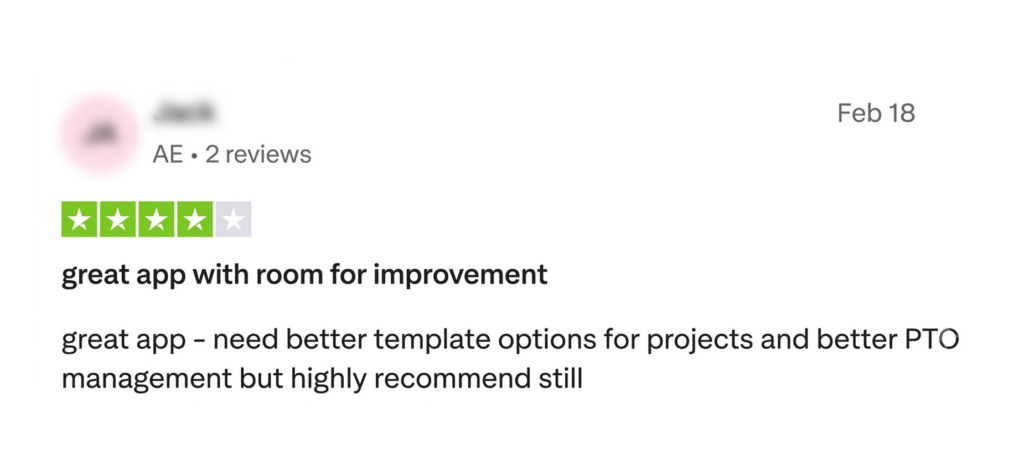
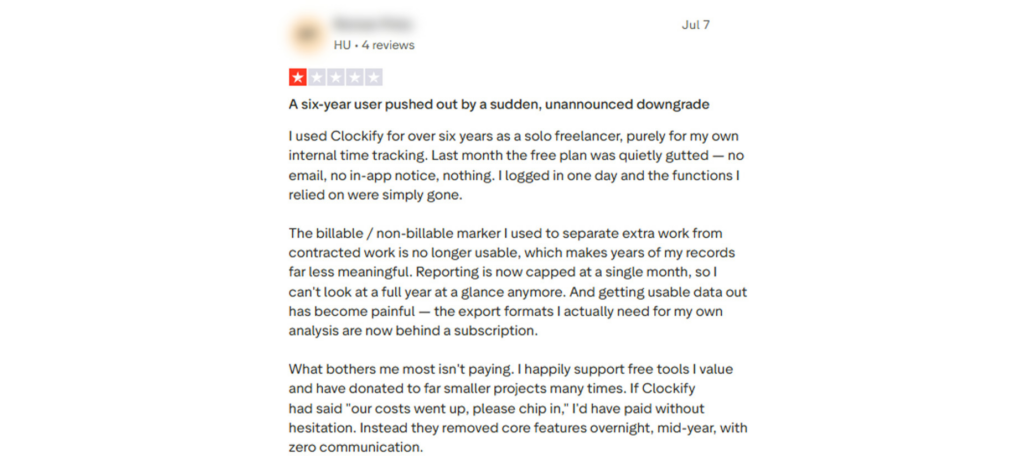
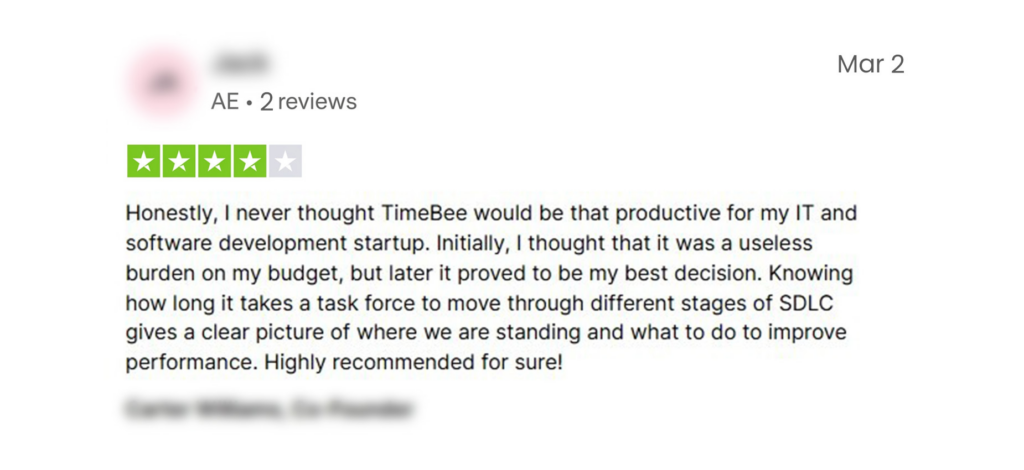
Find real reviews of Clockify and TimeBee below.
Clockify
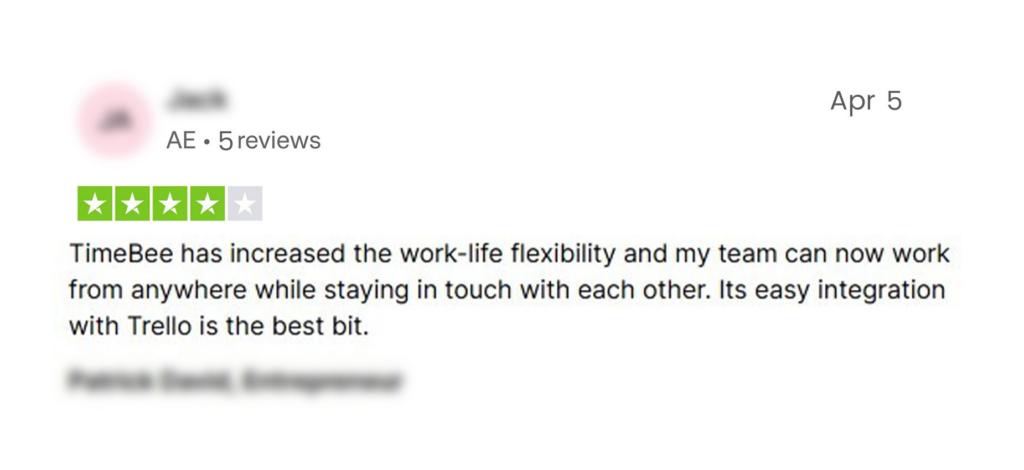
TimeBee
Final Verdict
To be honest, there is no universal winner here even after the whole discussion because the right choice depends on the kind of work you are trying to manage.
As far as Clockify is concerned, it makes more sense when you want a lighter system for recording hours and producing straightforward reports without adding too much administrative weight.
TimeBee, on the other hand, becomes the stronger option when you need a more detailed picture of how time connects with attendance, activity, projects, approvals, payroll, and operational performance.
However, the real question is not which platform tracks more, but how much visibility your team genuinely needs.
Therefore, whichever tool you choose, treat the data with care.
FAQs
What are the main differences between Clockify and TimeBee?
Clockify focuses on straightforward time recording, client work, timesheets, and basic reporting. However, TimeBee connects tracked time with workforce activity, attendance, approvals, project costs, payroll, and profitability. The key difference between the two is that Clockify is simpler for individual use, while TimeBee provides more detailed administrative control and reporting for managed teams.
Which tool is better for freelancers: Clockify or TimeBee?
Clockify is better for most solo freelancers because its lighter setup suits client- and project-based time tracking. TimeBee, on the other hand, is more useful when a freelancer manages contractors, separate client teams, different projects, etc.
Which tool offers more detailed app and website usage tracking?
TimeBee provides the more detailed organizational, team, and user activity view by classifying websites and applications as productive, unproductive, neutral, or unrated. Moreover, using the app, managers can review usage duration, page or window titles, and related screenshots.
Do Clockify and TimeBee support GPS and location tracking?
Yes. Clockify records location through its mobile tracking workflow, while TimeBee connects location data from mobile and kiosk to clock-ins, clock-outs, and individual work sessions. TimeBee is therefore better aligned with managed field teams, whereas Clockify suits users who mainly need mobile timer-based location records.
Is it easy to switch from Clockify to TimeBee or from TimeBee to Clockify?
Yes, since the learning curve for both platforms’ basic features is manageable, users can usually navigate timers, projects, timesheets, and reports without extensive training. However, migration still requires organized user, project, task, and time data. For new data records, TimeBee supports CSV imports with validation and mapping, making the transition easier once the records are prepared.
Explore TimeBee to See Whether It Fits Your Team
Try Out TimeBee
Jacob Tyler
Member since July 2, 2026
Jacob Tyler
Member since July 2, 2026
Jacob Tyler is a B2B technology journalist specializing in workplace software, employee monitoring platforms, productivity technology, HR systems, data privacy, and the changing role of technology in modern organizations.
He holds an MSc in Information Systems from the University of Manchester. His professional qualifications include the CompTIA Data+ certification.
With more than 10 years of experience covering B2B software and digital transformation, Jacob focuses on translating complex product capabilities into clear guidance for business readers.
His work examines how software functions in practice, which operational problems it is designed to address, what data it collects, and what organizations should consider before implementation.
Through his writing, Jacob helps HR leaders, operations teams, founders, managers, and IT decision-makers understand workplace technology and make informed purchasing decisions.