

8 Clockify Alternatives That Outperformed It in Our Tests (2026 List)
By Jacob Tyler
August 5, 2026 17 min readA time tracker can look complete on a pricing page and still fail when accuracy matters most. That is the problem we set out to test with Clockify.
Therefore, when looking into the tool, we focused less on how many features it advertises and more on whether those features held up across real workflows.
The result was not a simple verdict that Clockify is “bad.”
Instead, we found out that its browser-based timer can still work well for small teams, but once time data starts affecting payroll and client bills, small inconsistencies can become operational risks.
So, to find other reliable options, we tested eight Clockify competitors as potential alternatives and have dwelled on our findings below.
The Best Alternatives to Clockify at a Glance
- Organizations may need alternatives for Clockify when they require more dependable mobile tracking, cross-device synchronization, advanced reporting, workforce administration, and privacy controls.
- TimeBee connects time records with attendance, workforce activity, project costs, payroll calculations, profitability, approvals, and client billing.
- TimeCamp supports unlimited users and projects on its free plan while offering automatic activity capture and keyword-based project assignment.
- Harvest moves approved time and expenses directly into client invoices, making it suitable for agencies and service businesses.
- Everhour places timers inside project-management tools such as Asana, ClickUp, and GitHub.
- Timesheet provides offline mobile tracking with geofence, Wi-Fi, and NFC-based automation.
- Apploye combines time tracking with screenshots, application usage, website records, attendance, and employee activity monitoring.
- Toggl Track provides private activity reconstruction without screenshots or administrator-visible application histories.
- My Hours connects tracked hours with budgets, labor costs, billable rates, expenses, revenue, and project profitability.
Why You Need to Consider Other Apps like Clockify Before Choosing
Clockify’s primary limitation is not the absence of features; instead, it is the gap between having a feature and delivering a dependable end-to-end workflow.
1. Time-Tracking Accuracy Requires Verification
Clockify’s basic timer can work well for straightforward browser-based use since it supports live timers, manual entries, weekly timesheets, repeated entries, and project allocation.
However, we found the following concerns upon testing the app:
- Missing, duplicated, and delayed entries
- Records appearing under the wrong date
- Billable work appearing as non-billable
- Timers remaining active on another device
- Inflated mobile-widget durations
- Entries requiring repeated submission
- Weak overlap detection
While these findings do not prove that every Clockify record is inaccurate, they show that billing- or payroll-sensitive teams should reconcile important entries.
2. Mobile and Cross-Device Workflows Are Inconsistent
Clockify is available through web, desktop, mobile, browser extensions, and widgets.
Now, platform availability is a legitimate advantage, but it does not guarantee the same core features and user experience across them.
When testing the app, we noticed evident mobile synchronization delays, missing entries, login loops, crashes, incomplete reporting, unreliable notifications, and unpredictable behavior under limited connectivity.
Overall, our experience told us that Clockify may remain adequate when mobile tracking is occasional; however, it is far less suitable when the phone is the primary timekeeping device.
3. Dashboard Provides Basic Visibility
Clockify can show time by user, client, project, task, and date, plus its dashboard is useful for understanding basic time allocation.
Nonetheless, it is less effective as an operational-control center.
For example, departmental comparisons, workflow-stage visibility, payroll-specific analysis, advanced audits, and customized management views may require manually configured reports.
To add to the problem, Clockify’s current free plan limits reports to a one-month range, supports only five users, allows only PDF exports, and excludes billable rates and decimal-hour formatting.
4. Project Organization Becomes Harder at Scale
During our testing, it was evident that Clockify’s client-project-task hierarchy worked well for uncomplicated workspaces. However, as the number of clients and projects increased, reports became more cluttered.
5. Automation Still Leaves Manual Work
Clockify provides calendar connections, automatic activity capture, reminders, templates, integrations, and recurring functions on selected plans.
However, when we reviewed its workflow, it still relied heavily on manual corrections, repeated setup, report comparisons, and missed-entry reconstruction.
How We Tested the Clockify Alternatives
We created comparable workspaces and completed the same workflow in each product to test each Clockify alternative.
This included inviting users, configuring permissions, creating clients and projects, tracking and editing time, testing available automation, using mobile and offline functions, and generating reports.
For each app, we first examined their free plans and then the lowest paid plan required for the product’s defining use case.
1. User Experience – 30%
We assessed how quickly users could set up the tool, understand the interface, start tracking, select tasks, and correct entries. This factor matters because complicated workflows reduce adoption and increase inaccurate timesheets.
2. Time-Tracking Capabilities – 25%
We tested timers, manual entries, timesheets, billable time, idle handling, offline capture, synchronization, and corrections. Tools scored higher when they supported different work habits while keeping records consistent and easy to fix.
3. Reporting Depth – 20%
We reviewed dashboards, filters, exports, budgets, profitability data, and team summaries to assess whether managers could answer practical questions without rebuilding reports in spreadsheets.
4. Automation and Accuracy – 15%
For automation and accuracy, we focused more on automatic capture, reminders, timer triggers, idle detection, synchronization, and overlap handling. Automation received credit only when it reduced manual work without creating delayed, duplicated, or misclassified records.
5. Team Management and Privacy Controls – 10%
We assessed permissions, approvals, attendance, employee visibility, screenshots, app tracking, and administrator controls. Higher scores went to tools that balanced effective oversight with transparency, limited data collection, and employee privacy.
A Quick Look at the 8 Clockify Competitors that Delivered the Best Results in Our Tests
| Clockify alternative | Overall Score | Pricing | Best for | Where it beat Clockify | Main limitation |
| TimeBee | 9.1/10 | Custom paid pricing | Best overall | Connected activity, attendance, costing, payroll, and billing data | Public pricing is unavailable |
| TimeCamp | 8.6/10 | Starting from $3.99/month | Best free alternative | Unlimited free users and projects | Editing and platform consistency vary |
| Harvest | 8.4/10 | Starting from $9/month | Agencies and client billing | More coherent time-to-invoice workflow | Limited free plan and variable usage charges |
| Everhour | 8.2/10 | Starting from $8.50/month | Automatic task-based tracking | Embedded project-tool workflow | Paid plan has a five-seat minimum |
| Timesheet | 8/10 | Starting from $5/month | Mobile time tracking | Offline-first capture and mobile triggers | Free plan has no web or team access |
| Apploye | 7.8/10 | Starting from $4.50/month | Employee monitoring | Screenshots and activity visibility on its free plan | Privacy and trust risks |
| Toggl Track | 7.5/10 | Starting from $9/month | Privacy-conscious teams | No screenshot or manager-visible activity monitoring | Synchronization and data-trust concerns |
| My Hours | 7.2/10 | Starting from $4/month | Invoicing and profitability | Focused project-accounting workflow | Advanced processes remain manual |
8 Best Alternatives to Clockify That Impressed Us in Testing
Below, we examine eight apps like Clockify and explain how each performed in its strongest use case. Every breakdown covers our test results, compatibility, pricing, advantages, limitations, and the specific workflow where the app outperformed Clockify.
1. TimeBee — Best Overall Clockify Alternative
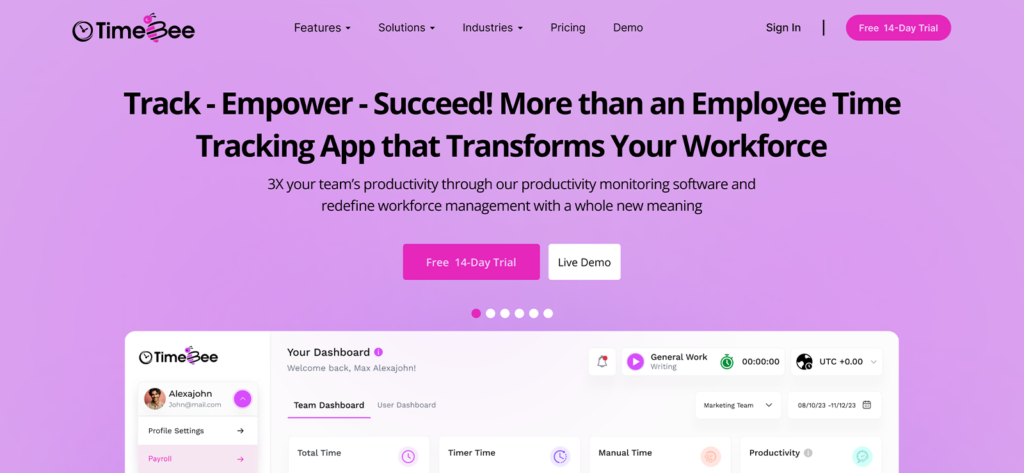
We tested TimeBee for three weeks with a four-person review group covering administration, operations, team management, and freelance work.
For starters, setting up five users, two teams, three projects, rates, permissions, and attendance rules took us almost 46 minutes.
It was evident from the get-go that TimeBee required more initial configuration than a basic tracker since the app connected time records with attendance, activity monitoring, project costs, approvals, payroll calculations, and profitability reports.
The first thing we took note of was how reliably TimeBee synchronized. In 20 cross-platform tests, 19 entries appeared on the dashboard within 15 seconds, while one mobile entry took 42 seconds because of a delayed connection but synchronized automatically afterward.
Idle controls also worked consistently. During testing, TimeBee displayed the configured warning in all 10 inactivity tests. Not only that, but eight unattended timers also stopped automatically after one minute, while two continued because activity resumed during the warning.
Moreover, across 10 offline tests, TimeBee synchronized 8 entries immediately after reconnection, one appeared after 49 seconds, and one synchronized after reopening the desktop app.
We also found out that its manual entries and CSV imports could be validated and assigned to an approver before affecting reports.
For an overall report, the weekly timesheet separated timer and manual time while displaying start times, end times, active periods, inactivity, projects, and tasks.
Lastly, TimeBee also captured 29 of 30 scheduled screenshots at the configured interval. And for added depth, website and application usage could be classified at organization, team, or user level as productive, unproductive, neutral, or unrated.
TimeBee Compatibility
TimeBee collects time and other records through Windows, macOS, Linux, Android, iOS, Chrome, web browsers, mobile apps, and browser-based kiosks.
TimeBee Pricing
- 14-day free trial
- Custom paid pricing
TimeBee Pros and Cons
| Pros | Cons |
| 1. Reliable, real-time cross-platform synchronization for new entries 2. Proper idle time detection and distinction within the time entries 3. Connects time with attendance, costing, profitability, and payroll 4. Supports manual entry and CSV validation before approval 5. Offers organization-, team-, and user-level configuration | 1. Initial workspace configuration takes a while 2. Monitoring features require transparent privacy and retention policies 3. Public pricing is unavailable |
How TimeBee Outperformed Clockify
In comparison with all Clockify alternatives, TimeBee delivered a more unified post-tracking workflow, where recorded time automatically flowed into other reports like attendance, activity, project costing, profitability, etc., without requiring additional reconstruction.
2. TimeCamp — Best Free Clockify Alternative
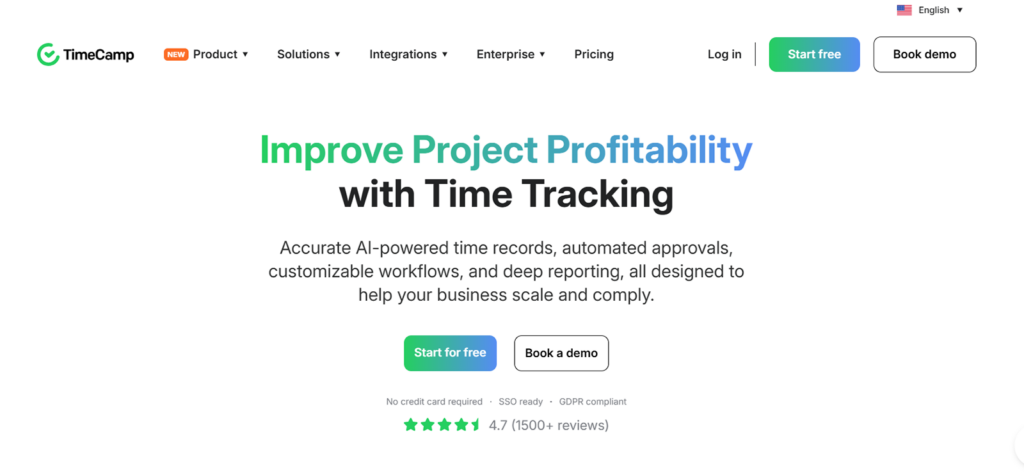
While testing, TimeCamp stood out primarily because its free plan supported our full test team without imposing Clockify’s five-user limit.
Over three weeks, our four reviewers used it across browser, desktop, and mobile workflows while testing manual timers, automatic capture, projects, reports, and corrections.
To begin the process, we created five users, three projects, client records, tags, and automatic tracking rules, which took 32 minutes.
Moving forward, automatic tracking was one of its stronger areas. For example, across 20 tests, TimeCamp assigned 17 activities to the expected project, while three needed manual reclassification. It also excluded periods when the computer was suspended, which helped prevent inactive device time from being counted as work.
However, performance across devices was less consistent. In 20 synchronization tests, 15 entries updated within 15 seconds, three took almost a minute, and two appeared only after a refresh.
From all the devices we tested, the browser app provided the most reliable experience for editing timesheets and reviewing reports.
Entry correction was also uneven. Of 15 editing tests, 11 changes worked immediately while the remaining four involved cursor jumps, delayed duration calculations, and errors when moving records.
Not only that, but limited bulk-editing controls also made larger corrections more repetitive.
TimeCamp Compatibility
TimeCamp can record user activity through web browsers, Windows, macOS, Linux, Android, iOS, and browser extensions.
TimeCamp Pricing
- Free: $0
- Starter: $3.99 per user/month annually
- Premium: $6.99 per user/month annually
- Ultimate: $9.99 per user/month annually
- Enterprise: Custom pricing
TimeCamp Pros and Cons
| Pros | Cons |
| 1. Unlimited free users and projects available 2. Automatic and keyword-based tracking is helpful 3. Detailed activity reconstruction 4. API and export options included within the dashboard | 1. Manual editing can behave unpredictably 2. Cross-device synchronization varies 3. Report filtering and sorting are limited |
How TimeCamp Outperformed Clockify
TimeCamp’s clearest advantage over Clockify was its free-plan capacity. It allowed us to add the entire test team and create unlimited projects without upgrading, while Clockify Free was restricted to five active users.
Its automatic activity capture and keyword rules also made it easier to reconstruct forgotten work, although important records still required review before billing or payroll.
3. Harvest — Best for Agencies and Client Billing
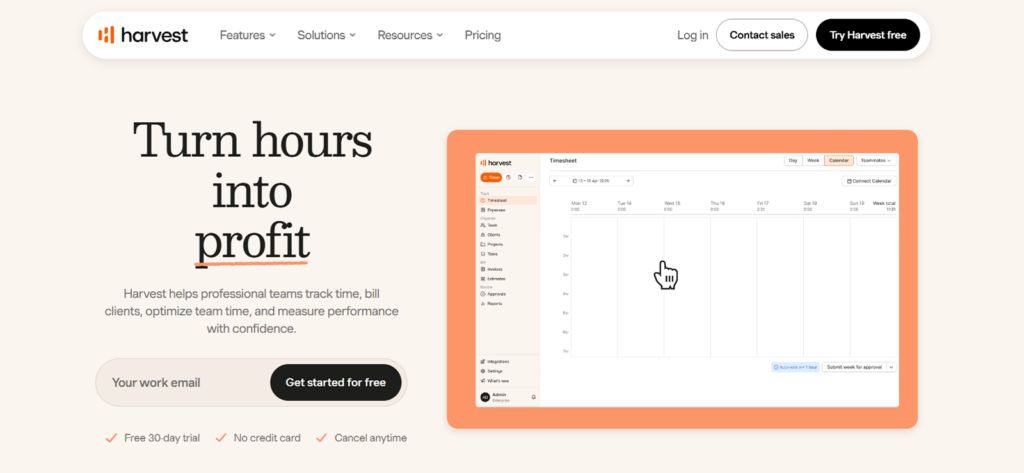
We tested Harvest around an agency workflow, i.e., record time, approve it, add expenses, apply rates, create an invoice, and prepare it for payment.
Overall, to begin, setting up five users, four clients, six projects, and person- and project-level rates took us almost 29 minutes.
Then, the first thing we noticed was how straightforward timer entry was through Harvest, although billing accuracy still depended on users choosing the correct project and stopping timers on time.
Of 20 tests, 18 records reached approval without changes, while one needed to be amended because its timer had been left running and another entry was assigned to the wrong project.
However, the strongest results came after the time entries had been approved. Upon testing, we were able to convert 12 time entries and six expenses into three different client invoices without rebuilding the records.
All in all, its reports covered time, clients, projects, and budget usage, but were less useful for deeper utilization analysis.
Harvest Compatibility
Harvest supports its functions through web, Windows, macOS, iPhone, Android, and extensions for Chrome, Edge, and Firefox.
Harvest Pricing
- Free: One person and two active projects
- Teams: From $9 per seat/month annually or $11 monthly
- Enterprise: From $14 per seat annually or $17.50 monthly
Harvest Pros and Cons
| Pros | Cons |
| 1. Connects time tracking directly with expense logging and invoice generation 2. Supports both person-level and project-level billing rates 3. Includes structured timesheet approval workflows before billing 4. Users can create recurring invoices and duplicate existing ones | 1. The free plan is highly restrictive, supporting only a single user 2. Reporting depth is limited compared to more analytics-focused tools 3. Permission controls and audit trails are relatively basic |
How Harvest Outperformed Clockify
Harvest produced a cleaner agency-billing sequence, with approved hours, expenses, rates, invoices, and payment handoff staying connected, without restructuring records before billing clients. In contrast, Clockify often requires additional steps to convert tracked time into a billing-ready format.
4. Everhour — Best for Automatic Time Tracking
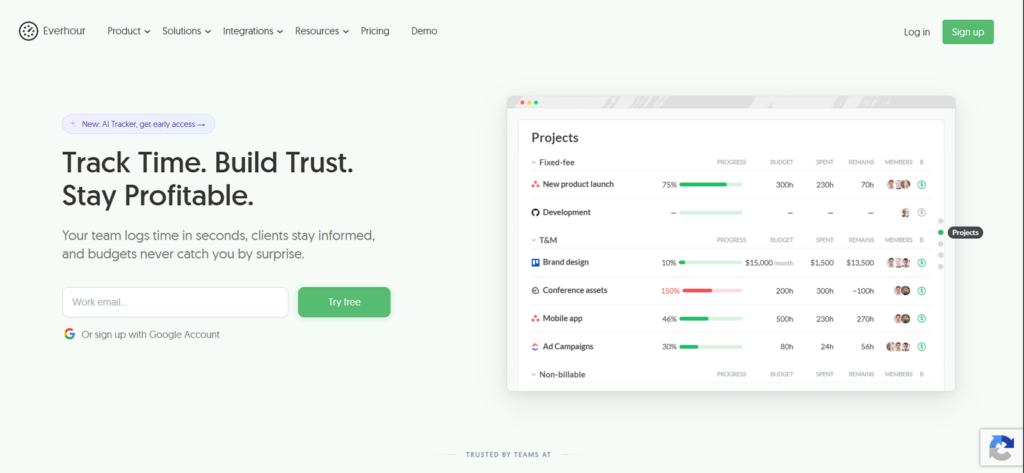
Everhour approached automation differently from the other tools we tested.
Rather than monitoring computer activity in the background, it placed timers inside project-management systems where work was already organized.
Initially, connecting five users and three projects across Asana, ClickUp, and GitHub took 34 minutes. Once synchronized, we were able to start tracking directly from an existing task instead of finding and recreating it inside Everhour.
Across 20 embedded-timer tests, 17 started from the connected task without leaving the project platform, while three ClickUp tests required the integration to be refreshed before the timer appeared.
Overall, testing showed us that Asana and GitHub produced the most consistent results when relying on Everhour.
But note that even when the timer started immediately, synchronization was not as quick. For example, of the 20 entries, sixteen updates appeared in Everhour within five minutes, while four took between 15 and 28 minutes.
Everhour Compatibility
Everhour works through its web application, browser extension, and desktop and mobile access.
Everhour Pricing
- Free: Up to five users with limited features
- Team: $8.50 per seat/month annually or $10 monthly
- Minimum: Five paid seats
- Custom: Quote-based for 50 or more seats
Everhour Pros and Cons
| Pros | Cons |
| 1. Embeds timers directly inside existing project tasks 2. Connects tracked time with budgets, approvals, reports, and invoices 3. Supports configurable reminders and automatic timer-stop rules 4. Offers both person-level and project-level hourly rates | 1. Integrations may synchronize with noticeable delays 2. Work must be structured in advance before tracking can begin 3. Offline and mobile workflows are more limited than desktop use |
How Everhour Outperformed Clockify
Everhour reduces the distance between completing a task and recording its time. Moreover, since the timer appears inside the project tool, the project and client context are already attached to each time entry.
Use TimeBee to View Every User’s Activity in One Centralized Dashboard
Learn More
5. Timesheet — Best Mobile Clockify Alternative
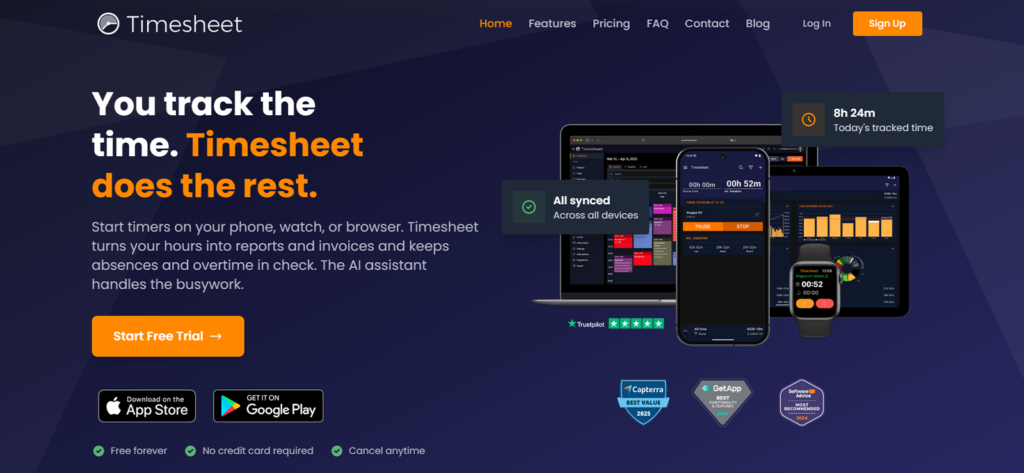
To test Timesheet, we used a phone as the primary tracking device rather than a companion to a browser workspace.
The overall phone setup took 17 minutes, including the creation of six projects and the addition of custom rates, breaks, expenses, and automation rules.
On the basic plan, we found that it did not require an account, so we could begin tracking immediately with data stored locally on the device.
Moving on, across 20 Android automation tests, geofence, Wi-Fi, and NFC triggers started or stopped the correct timer 18 times. We noticed that only one geofence event was delayed until location accuracy improved, while one Wi-Fi rule required the app’s battery restrictions to be adjusted.
Nonetheless, its offline performance produced the strongest result. We completed 10 sessions without connectivity, including manual entries, breaks, expenses, and project changes. While the device was offline, all 10 entries remained available locally, and the six sessions tested on a paid account synchronized after the connection returned.
Timesheet Compatibility
Timesheet has Android and iOS applications, with web access beginning on the Pro plan. As far as the mobile app is concerned, it supports offline tracking, while paid plans add cloud synchronization and multi-device access.
Timesheet Pricing
- Basic: Free
- Plus: $5 per month
- Pro: $10 per user/month
- Business: $20 per user/month
- Enterprise: $35 per user/month
Timesheet Pros and Cons
| Pros | Cons |
| 1. Strong offline mobile tracking that works reliably even without connectivity 2. Supports geofence, Wi-Fi, and NFC automation for hands-free time logging 3. Free plan includes unlimited projects for unrestricted personal tracking 4. Provides local storage with backup options and easy Excel and CSV export | 1. Basic data remains stored on a single device unless upgraded 2. Cloud synchronization is only available starting from the Plus plan 3. Higher-tier team plans can become relatively expensive 4. Some mobile automation features require additional device permission configuration |
How Timesheet Outperformed Clockify
Timesheet performed better as a phone-first tracker when compared to Clockify. Within the mobile functionality, its free plan combines offline local storage, unlimited projects, exports, and location- or device-triggered automation without relying on a central web workspace.
6. Apploye — Best for Employee Monitoring
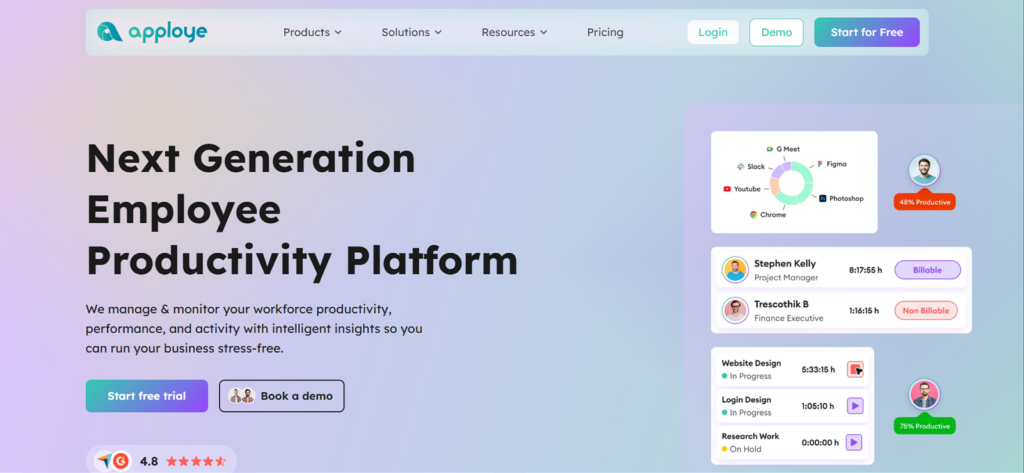
When we started with Apploye, setting up the test workspace with eight users, three projects, screenshot rules, activity settings, approval controls, and individual idle thresholds took 38 minutes.
However, the setup felt more fragmented than expected.
That is because projects, reports, permissions, and manual entries were managed through the web portal, while timers, screenshots, and deeper activity tracking depended mainly on the desktop app.
Therefore, having to switch between the two interfaces added friction whenever we needed to correct or investigate a record.
As far as its screenshots are concerned, during 30 scheduled screenshot intervals, Apploye captured 28 images at the expected time. One of the remaining screenshots appeared after the desktop data synchronized, and another was not captured at all.
Its application and website monitoring also provided more context than the timer alone. Across 20 sessions, 18 displayed the expected applications, URLs, durations, and activity percentages.
However, two records reached the web dashboard several minutes later during a busy synchronization period, making the live view less dependable for immediate supervision.
Idle controls were also not as reliable since, out of the 10 tests we ran, one reviewer reading a document was classified as inactive due to little keyboard and mouse input. We therefore treated activity percentages as evidence requiring context, not as a direct productivity score.
Timesheet correction was another limitation. Administrators could approve or reject records, but editing an employee’s existing entry was not always straightforward and could require rejecting and replacing various logs.
Apploye Compatibility
Apploye functions well on Windows, macOS, Linux, Android, iOS, web, and Chrome extension. Overall, the desktop provides the deepest screenshot, idle, application, and URL monitoring functions.
Apploye Pricing
- Starter: Free for up to 10 users
- Elite: $4.50 per user/month annually
- Power: $8 per user/month annually
- Enterprise: Custom pricing
Apploye Pros and Cons
| Pros | Cons |
| 1. Provides detailed activity evidence to visually verify work sessions 2. The free plan allows up to 10 users with monitoring features enabled 3. Supports offline desktop and mobile capture 4. Includes attendance and timesheet approval workflows | 1. Reporting and dashboard customization are limited 2. Administration is divided across multiple applications and interfaces, which creates friction 3. Synchronization delays affect live visibility |
How Apploye Outperformed Clockify
Apploye included screenshots and limited app and URL monitoring on its free 10-user plan while Clockify Free supports five users and reserves screenshots for its Pro and Enterprise tiers.
This gave Apploye the stronger no-cost monitoring workflow, although it also required stricter employee notice and retention controls.
7. Toggl Track — Best for Privacy-Conscious Teams
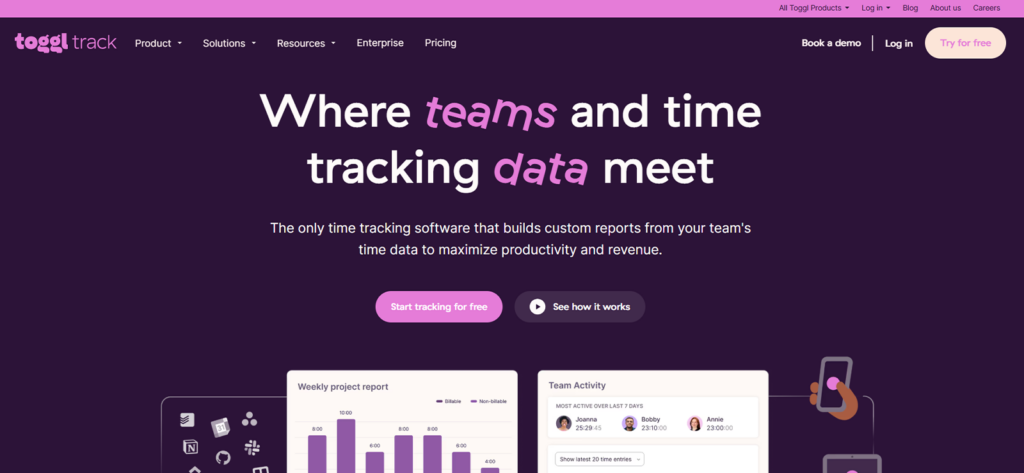
We tested Toggl Track with five users across browser, desktop, mobile, and extension workflows. Overall, creating four clients, six projects, rates, reminders, and reporting views took 24 minutes.
In our experience, while the basic tracking was quick, the experience varied between platforms.
For example, in 20 cross-device tests, 16 entries synchronized within 15 seconds, but three took close to a minute, and one Android entry appeared after reopening the app.
In addition to this, Toggl’s main distinction was its private Timeline since it remained private to the account holder, without letting workspace administrators access it.
Not only that, but when we further tested its app and web monitoring across 15 desktop sessions, it recorded all applications and websites used for more than 10 seconds. However, short entries were difficult to reconstruct.
Overall, Toggl Track reports covered project, client, user, and period totals, with CSV exports.
However, it is worth noting that its billing-status controls were incomplete, and we constantly observed synchronization and record-preservation concerns.
Toggl Track Compatibility
Web, Windows, macOS, Android, iOS, Chrome, Firefox, Edge, calendar connections, and more than 100 browser-extension integrations are supported by Toggl Track.
Toggl Track Pricing
- Free: Up to five users
- Starter: $9 per user/month annually
- Premium: $18 per user/month annually
- Enterprise: Custom pricing
Toggl Track Pros and Cons
| Pros | Cons |
| 1. Provides a private automatic Timeline that remains visible to the account holder 2. Supports multiple tracking methods to facilitate various workflows 3. Has broad platform coverage for consistent access across different work environments | 1. Occasionally has inconsistent synchronization across devices 2. The Timeline adjustments do not behave consistently 3. The system has incomplete controls for billed-time management |
How Toggl Track Outperformed Clockify
Toggl Track has a clearer privacy boundary in comparison to all other alternatives to Clockify since its Timeline helps individuals reconstruct work without sharing their behavioral data with managers.
8. My Hours — Best for Invoicing and Project Profitability
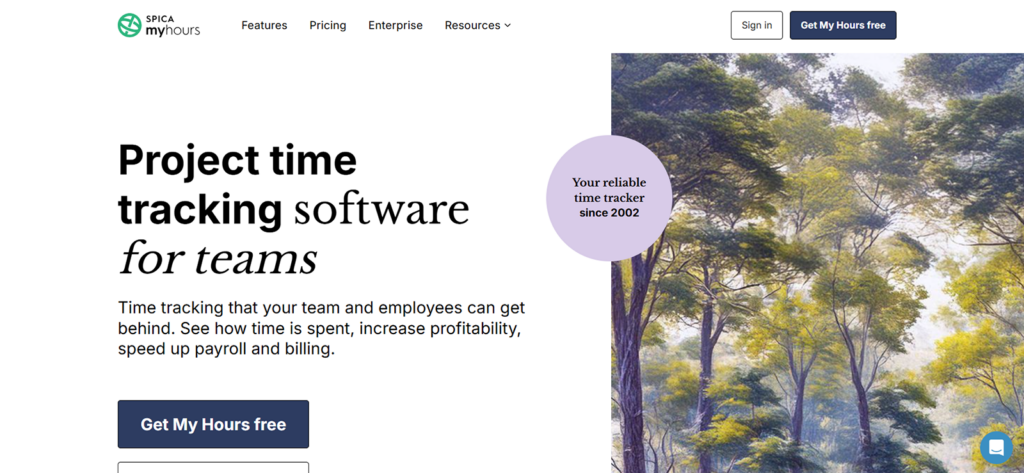
Setting up My Hours took us 31 minutes, and once the workspace was configured, the financial workflow was easy to follow.
For example, we recorded 24 billable and non-billable entries, compared actual hours against estimates, applied internal labor costs and client rates, added project expenses, and reviewed the final margin.
As a result, twenty-two entries produced the expected cost and billable values immediately. However, two required rate corrections because the wrong task-level setting had been applied.
This exposed one of the platform’s main limitations, i.e., the profitability reports are useful, but only when projects, tasks, and rates are configured carefully from the beginning.
The Economy report also brought the figures together more clearly than Clockify’s standard project reports.
However, My Hours became less efficient when the work did not fit a simple project structure.
We noticed that one session could not be divided automatically between several clients, subtasks were limited, and shared project changes had to be repeated manually. Delayed search controls also erased recently entered text in two of our tests.
My Hours Compatibility
The tool is compatible with web, Android, iOS, Chrome, and Edge. Overall, the web application provides the most complete experience for managing projects, reviewing profitability, approving timesheets, and creating invoices.
My Hours Pricing
- Basic: $4 per user/month annually or $5 monthly
- Pro: $8 per user/month annually or $9 monthly
- Trial: 14 days of Pro
My Hours Pros and Cons
| Pros | Cons |
| 1. Connects project hours with labor costs, billable value, expenses, and profit 2. Supports hourly and financial project budgets 3. Allows rates to be assigned by user, task, or project 4. Converts approved billable records into basic client invoices | 1. Mobile tracking is unreliable without an internet connection 2. Time cannot be divided automatically across multiple clients or projects 3. Bulk task and project changes require repetitive manual work |
How My Hours Outperformed Clockify
My Hours made the financial outcome of tracked work easier to understand. Instead of stopping at hours and billable totals, it connected time with internal costs, expenses, revenue, and projected profit. In comparison, Clockify remained the broader workforce platform.
Where Clockify Still Makes Sense
Clockify remains a practical choice, but for a narrower use case than its feature list might imply.
As per our experience, we believe it is best suited to solo professionals, freelancers, consultants, and small desk-based teams that:
- Primarily track through a browser
- Use a simple project structure
- Need conventional timers and timesheets
- Review entries before billing or payroll
- Do not depend on advanced offline or mobile tracking
- Can choose a paid plan based on exact feature requirements
- Maintain independent exports of important data
Overall, for teams moving away from spreadsheets and calendar-based estimates, Clockify provides an accessible starting point.
We say so because its core timer is easy to understand and its ability to organize entries by client, project, task, and billable status can reveal work that was previously forgotten or underreported.
However, these strengths should not be interpreted as evidence of seamless synchronization, advanced project management, specialist payroll functionality, or automatically reliable data.
Remember that Clockify still requires user review and careful plan selection.
Final Verdict
There is no single Clockify alternative that will be best for every team. Instead, the right choice depends on what operational risk an organization wants to address.
Now, if a business needs time records connected with attendance, workforce activity, payroll calculations, project costs, profitability, and client billing, it will evaluate these tools differently from a freelancer who only needs a reliable timer.
In the first case, TimeBee provides the most complete overall workflow, while in the second, a lighter and more specialized product may be the better decision.
The same distinction applies across the rest of the list.
The final decision should therefore begin with the use case and your specific need, not the product name.
FAQs
What is the best alternative to Clockify?
TimeBee is our best overall Clockify alternative because it connects time tracking with workforce activity, attendance, project costs, payroll calculations, profitability, and client billing. By contrast, TimeCamp is a more viable option when free team capacity matters most.
Which Clockify alternative is free for unlimited users?
TimeCamp currently offers a free plan with unlimited users and unlimited projects, while Clockify’s free plan supports up to five users.
Which tool has the best mobile app?
Timesheet is the best mobile Clockify alternative in this comparison. It works offline, stores records locally, supports unlimited projects, and can automate tracking through geofence, Wi-Fi, and NFC triggers.
Is Clockify still worth using in 2026?
Clockify can still be worthwhile for individuals and small teams with straightforward browser-based tracking needs. However, it is less suitable for businesses that rely on mobile capture, cross-device accuracy, long-range free reporting, complex payroll rules, sophisticated scheduling, or predictable access to historically available functions.
How difficult is it to switch from Clockify?
A basic migration involves exporting time records, recreating users and projects, and importing compatible data into the new platform. On the other hand, a complex migration may also require rebuilding:
- Rates and billability rules
- Tags and task structures
- Approval workflows
- Attendance settings
- Invoices and expenses
- Scheduled reports
- Integrations and automations
To begin switching to a new tool, export all available Clockify records, test a small date range first, reconcile totals, and keep the original account available until one complete billing or payroll cycle has been validated.
See How Well TimeBee Fits into Your Existing Workflows
Try TimeBee

Jacob Tyler
Member since July 2, 2026
Jacob Tyler
Member since July 2, 2026
Jacob Tyler is a B2B technology journalist specializing in workplace software, employee monitoring platforms, productivity technology, HR systems, data privacy, and the changing role of technology in modern organizations.
He holds an MSc in Information Systems from the University of Manchester. His professional qualifications include the CompTIA Data+ certification.
With more than 10 years of experience covering B2B software and digital transformation, Jacob focuses on translating complex product capabilities into clear guidance for business readers.
His work examines how software functions in practice, which operational problems it is designed to address, what data it collects, and what organizations should consider before implementation.
Through his writing, Jacob helps HR leaders, operations teams, founders, managers, and IT decision-makers understand workplace technology and make informed purchasing decisions.