

9 Best Legal Project Management Software We Tested Beyond the Sales Pitch
By Jacob Tyler
November 26, 2026 18 min readA litigation matter rarely moves in a straight line. One attorney is preparing a filing, another is reviewing evidence, a paralegal is waiting for document approval, and the client expects an update. Meanwhile, a changed deadline can affect several people and tasks at once.
Managing that work requires more than a shared calendar since you need a clear view of responsibilities, matter progress, deadlines, documents, and the hours being spent.
However, not every legal software platform handles those requirements in the same way. Some organize complete matters, others coordinate tasks across existing systems, and a few specialize in tracking the time and costs behind the work.
To identify the best software for legal project management for different legal teams, we examined nine platforms against comparable legal workflows. In this guide, you will find how those options compare.
Quick Shortlist of the 9 Best Legal Project Management Tools
- Clio Manage: Brings legal matters and billing into one workspace, though complex reporting requires additional effort.
- Filevine: Handles complex litigation projects and customizable workflows, with deadline coordination and setup demanding closer attention.
- TimeBee: Simplifies legal task scheduling, work tracking, and project costing without replacing dedicated case management software.
- Actionstep: Automates recurring legal tasks and workflows, while more complex configurations require technical expertise.
- 8am MyCase: Combines everyday matter management with client communication, but some friction remains in document syncing and payment handling.
- PracticePanther: Keeps routine legal tasks and timekeeping straightforward, though billing accuracy and case progress require closer checks.
- HighQ: Supports secure collaboration on large legal projects, with additional configuration needed for document trackers and approvals.
- Lupl: Connects legal tasks and client collaboration across existing tools, while synchronization and access permissions need occasional attention.
- Asana: Offers flexible project views and task coordination, but shared assignments and large schedule changes involve extra manual work
How We Chose the Best Software for Legal Project Management
Legal project management is not limited to software marketed under that exact label. As the American Bar Association explains, it involves applying project management principles to the planning, organization, execution, and monitoring of legal work.
Therefore, we considered whether each platform could help us organize a legal matter, assign responsibilities, coordinate deliverables, monitor deadlines, and understand the resources required.
We assessed each platform over four weeks against relevant legal workflows, using product-specific scenarios to evaluate its capabilities, limitations, and suitability for different legal teams.
To evaluate performance across devices, the test environment used a Windows 11 laptop, a macOS laptop, an iPhone, and an Android handset.
We then evaluated each platform using four weighted criteria.
The final score is calculated as:
Overall score = (Legal workflow fit × 35%) + (Deadline reliability × 30%) + (Security and integrations × 20%) + (Ease and value × 15%)
Legal Workflow and Matter Management Fit — 35%
Our highest-weighted criterion examined how well each platform represented actual legal work.
We looked at matter or project creation, task assignments, recurring processes, document coordination, and the ability to identify the person responsible for each deliverable.
The central question was whether the structure reduced coordination work or simply moved that work into another application.
Deadline Reliability and Project Visibility — 30%
Next, we examined whether you could identify upcoming work, overdue responsibilities, and changes to a project’s schedule.
We also assessed how easily a supervising attorney or operations manager could inspect progress without opening every task individually.
Security and Integration Depth — 20%
Legal teams frequently work with confidential client information, making access controls particularly important.
Therefore, we examined permission settings, external sharing, audit functionality, document handling, and available integrations.
This criterion also reflected the professional obligation to protect client information. For example, ABA Model Rule 1.6 (c) requires lawyers to make efforts to prevent unauthorized access or disclosure.
Ease of Adoption and Overall Value — 15%
Finally, we considered how much effort teams would need to put into setup and everyday use.
We examined project creation, navigation, task updates, reporting, administrator requirements, and the pricing conditions attached to relevant functionality. Lastly, we considered the total cost of ownership.
After Testing the Best Project Management Software for Lawyers, These 9 Ranked the Highest
The comparison below brings together each product’s primary use case, published pricing position, supported access methods, and most consequential limitation.
| App Name | Pricing | Compatibility | Best For | Main Limitation |
| Clio Manage | From $49/user/month | Web, iOS, Android | Overall legal matter and practice management | Matter-specific client conversations and complex reporting require additional coordination |
| Filevine | Custom quote | Web, mobile access | Complex litigation and customizable matter workflows | Deadline synchronization, document processing, and configuration require manual oversight |
| TimeBee | 14-day free trial; custom paid pricing | Web, Windows, macOS, Linux, iOS, Android, Chrome | Legal project scheduling, real-time tracking, and resource-cost visibility | Lacks specialized court-rule docketing and comprehensive legal matter management |
| Actionstep | Custom quote | Web, iOS, Android | Automated legal workflows and matter progression | Workflow configuration and complex financial reconciliation require additional attention |
| 8am MyCase | From $50/user/month, billed annually | Web, iOS, Android | Small-firm matter coordination and client communication | Message routing, document synchronization, and multi-matter payments create administrative work |
| PracticePanther | From $49/user/month, billed annually | Web, iOS, Android | Straightforward legal matter and task management | Billing-rate consistency, case-stage visibility, and integrations require verification |
| HighQ | Custom quote | Web, iOS, Android; desktop document workflows | Secure enterprise legal project collaboration | iSheets configuration, document references, and calendar synchronization increase administrative effort |
| Lupl | From $29/user/month, billed annually | Web; iOS availability to confirm | Legal project coordination across existing systems | Cross-system updates and external-user permissions require additional verification |
| Asana | Free for up to two users; paid from $10.99/user/month annually | Web, Windows, macOS, iOS, Android | Flexible legal task and project coordination | Shared task ownership and large-scale rescheduling need manual adjustments |
9 Best Project Management Software for Law Firms and Legal Teams
We evaluated nine platforms based on their capabilities, ease of use, and limitations to help you identify the best legal project management software for your firm’s needs. Here’s the breakdown.
1. Clio Manage — Best Overall for Legal Matter and Practice Management (9.1/10)
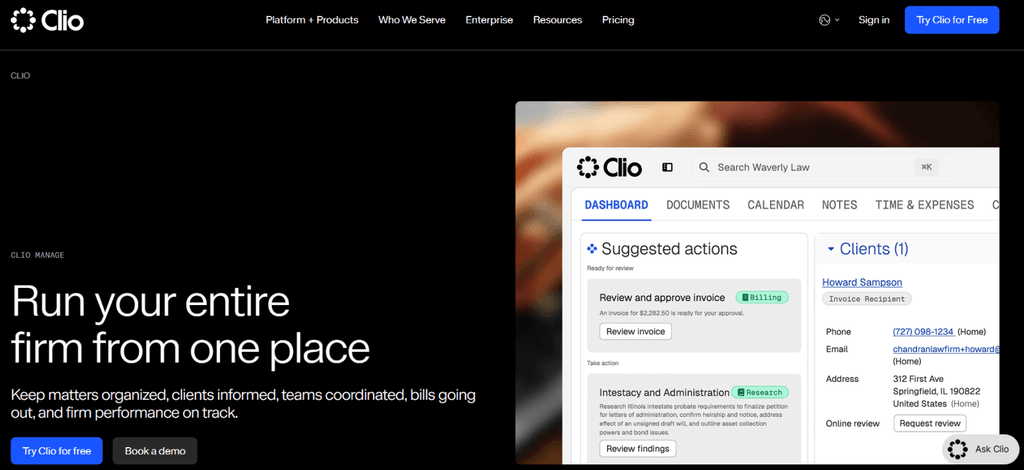
Clio Manage organizes tasks, deadlines, files, and billing records around individual legal matters, making it easier to coordinate several cases for the same client.
We evaluated this setup across three client matters, 12 assigned tasks, and 18 time entries.
For starters, its matter-linked time tracking worked well, allowing us to record drafting, research, and administrative hours directly against the relevant cases.
Clio Manage also connected timekeeping with invoicing and electronic payments, allowing recorded billable hours to flow into invoices.
We also found its centralized calendars and task assignments useful for keeping attorneys and paralegals aligned on upcoming deadlines and responsibilities.
However, complications emerged when we examined workflows spanning multiple matters. For instance, Clio’s matter-specific client portal fragmented conversations across cases.
That is why during our six-message test across three matters, two messages required switching between matter contexts to locate the complete conversation.
Moreover, while Clio Manage provided preset and custom reports, its handling of specialized firm-wide analysis was less straightforward. During testing, three of our ten report-generation checks required additional spreadsheet reconciliation, particularly when examining custom fields, multi-user totals, and migrated financial information.
On the other hand, its document management offered very useful centralized storage and version history but introduced another consideration. Clio Manage required additional steps to move files between folders and work through cloud-drive connections.
Moreover, connection interruptions and delayed synchronization further disrupted document workflows.
Clio Manage Pricing
- Starter: $49 per user/month.
- Core: Request current pricing.
- Signature: Request current pricing.
- Elite: Request current pricing.
- Free trial: Available.
Pricing becomes more consequential when a firm needs advanced permissions, reporting, matter-stage functionality, or additional licensed users. Before committing, confirm whether your preferred plan contains the exact controls your firm requires.
Clio Manage Compatibility
Clio Manage operates primarily through a web browser and supports iOS and Android applications.
Clio Manage Pros and Cons
| Pros | Cons |
| Matter-linked tasks and centralized calendars help attorneys and paralegals coordinate deadlines and responsibilities | Clients with multiple matters need separate portal conversations |
| Straightforward time tracking connects billable hours with invoicing and electronic payment collection | Custom reports, multi-user totals, and migrated financial records require spreadsheet reconciliation |
| Centralized document storage and version history keep matter files organized | File movement between folders requires additional steps, while synchronization delays disrupt workflows |
Verdict
Clio Manage’s matter-centered approach and everyday timekeeping are compelling. Yet firms with complicated client relationships, extensive financial history, or demanding reporting requirements should test those exact processes instead of assuming that centralization makes every workflow straightforward.
2. Filevine — Best for Complex Litigation and Matter Workflows (8.8/10)
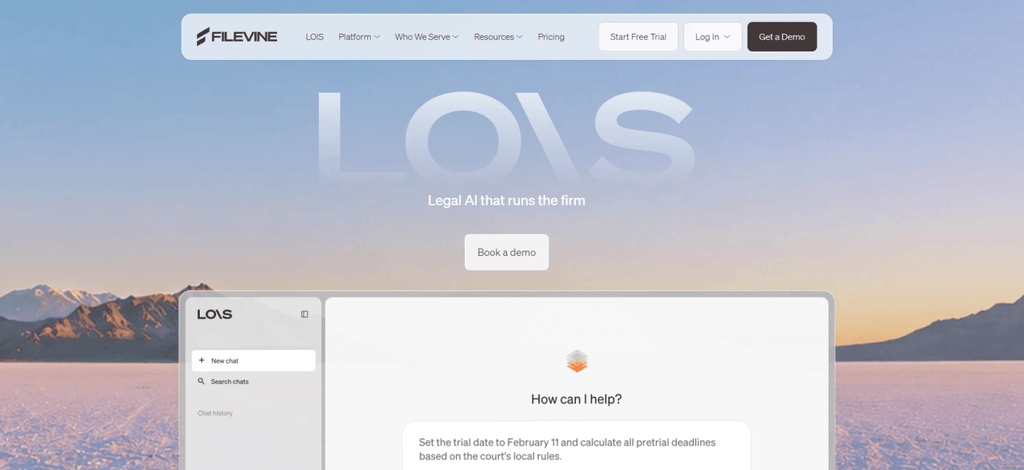
Filevine offers customizable legal project management for litigation teams handling complex cases with multiple stages, deadlines, and contributors.
Its project-based structure brings tasks, documents, communications, and important dates into one workspace. We particularly liked its custom sections, which let firms organize personal injury matters around medical treatment, investigation, demand preparation, and settlement rather than relying on separate checklists.
Filevine also supports recurring workflows and task automation, although deadline management proved less consistent.
During our 10 deadline-chain exercises, we changed triggering events and linked tasks, but three configurations needed manual adjustments to produce the expected dates or notifications.
External calendar changes also did not always synchronize with their associated cases.
Document management showed similar trade-offs. While matter-specific storage kept pleadings and discovery files organized, two of 10 mixed-orientation PDFs required Bates-stamp corrections.
Additionally, four of 10 large-file retrieval attempts exceeded our three-second responsiveness threshold, slowing document-heavy work.
Reporting introduced another layer of complexity. Although Filevine provides configurable dashboards, cross-case analysis can require additional field mapping, while changes to custom fields may affect related templates and reports.
Filevine Pricing
- Subscription: Request a quotation.
Filevine Compatibility
Filevine offers cloud-based access through web browsers and supports mobile use.
However, the functionality available in a browser does not guarantee identical editing, document processing, or case-management behavior on every device.
Filevine Pros and Cons
| Pros | Cons |
| Customizable project sections help organize complex litigation stages and case-specific information | Deadline chains and external-calendar synchronization require manual corrections |
| Recurring workflows and task automation support repeatable legal processes | Bates stamping can require corrections, while large-file retrieval may experience delays |
| Matter-linked tasks, documents, and communications keep litigation work organized | Custom field changes can require additional reporting, template, and configuration work |
Verdict
Filevine is best suited to litigation firms with established workflows and dedicated configuration support. Its flexibility is valuable for complex cases, but deadline corrections, document processing, and ongoing maintenance can make it demanding for smaller teams.
3. TimeBee — Best for Legal Project Tracking and Billable Work Visibility (8.6/10)
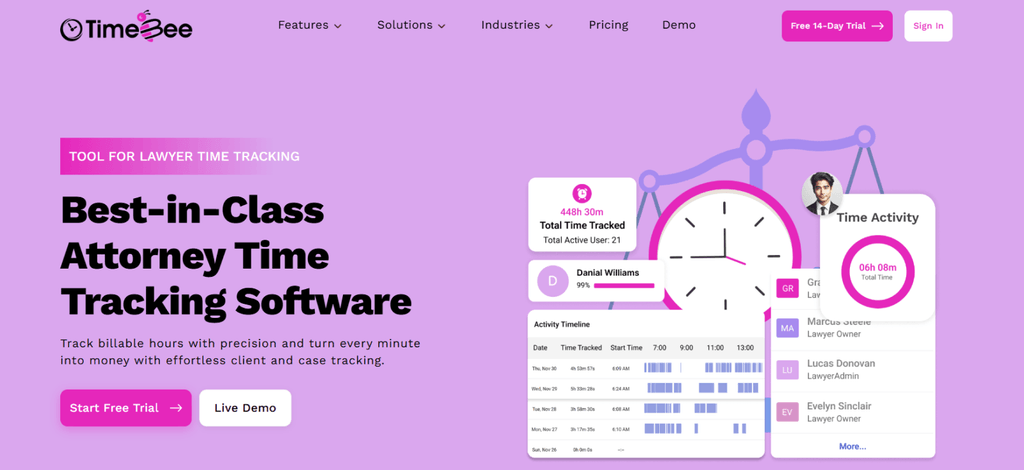
TimeBee helps legal teams plan assignments, monitor deadlines, and understand how much work individual projects consume. Its strength lies in connecting scheduled tasks with real-time tracking and resource costs.
We evaluated this setup across three client projects, 12 scheduled tasks, and 30 time entries, organizing document reviews, contract approvals, and client deliverables with different deadlines, priorities, and estimated hours.
Its Schedule feature provided weekly and monthly calendar views, making it easier to identify upcoming responsibilities and distinguish planned work from unscheduled assignments.
Then, to examine changing priorities, we moved three task deadlines, updated two priorities, and scheduled two previously unplanned assignments. The changes remained visible within their respective projects, while task-level visibility controls let us restrict selected assignments to relevant team members.
TimeBee’s real-time tracking added another layer of oversight since all 30 entries appeared under their assigned projects, and Live Preview showed active users, current tasks, and session durations.
This helped us see which assignments were receiving attention, although confirming a legal deliverable’s completion still required task-status updates and attorney review.
The relationship between planned and actual effort became clearer during our project-costing assessment. A document-review task estimated at six hours ultimately consumed seven: four associate hours at $120 and three paralegal hours at $45.
TimeBee calculated $615 in labor costs, revealing a 16.7% overrun against the original estimate. This comparison was particularly useful for identifying resource demands that might otherwise go unnoticed across recurring legal assignments.
We also examined timesheet accuracy. Its manual entries, session splitting, and adjustment options accommodated work spanning multiple tasks.
These records fed into project progress and profitability reports, helping us review contributor-level hours, costs, and financial performance. Invoice autofill further connected tracked work to client billing.
TimeBee also offers integrations, task visibility controls, and audit logs, although its optional employee-monitoring features require appropriate permissions and transparent workplace policies.
However, its primary limitation is legal specialization. While TimeBee handles project scheduling, task visibility, and resource tracking, it does not replace court-rule docketing, litigation document management, or trust accounting.
TimeBee Pricing
- Free trial: 14 days.
- Paid plans: Custom pricing.
TimeBee Compatibility
TimeBee supports Windows, macOS, Linux, iOS, Android, browser-based access, and a Chrome extension.
Offline time capture is supported, with records synchronizing after connectivity returns.
TimeBee Pros and Cons
| Pros | Cons |
| Task scheduling, calendar views, and priority settings simplify legal project planning and workload coordination | Lacks specialized court-rule docketing and comprehensive legal matter management |
| Real-time tracking and Live Preview provide visibility into active assignments and contributor workloads | Task activity and recorded hours do not independently confirm legal deliverable completion |
| Project costing, profitability reports, and timesheet validation connect planned work with actual effort and costs | Optional employee monitoring requires clear privacy policies and appropriate access controls |
Verdict
TimeBee is one of the best project management software for law firms that need clearer project-hour records, billable-work visibility, and labor-cost analysis. It is particularly relevant when matter information is already managed elsewhere. But note that firms needing court deadline calculations and legal document management should use an appropriate legal-specific system alongside it.
Keep Your Law Firm Ahead of the Workload With TimeBee
Learn More
4. Actionstep — Best for Customizable Legal Workflow Automation (8.3/10)

Actionstep helps law firms automate recurring legal processes, from document requests and internal approvals to task assignments and matter progression.
Rather than recreating the same checklist for every case, you can configure workflows using triggers, actions, and matter-specific fields.
We particularly liked how completing one stage could initiate the next set of responsibilities, keeping work moving without repeated manual assignments.
To assess how reliably these handoffs worked, we configured two matter types with four workflow stages and eight automated handoffs.
While the automation offered useful flexibility, three of eight handoffs required adjustments to custom fields or trigger settings before the expected tasks appeared.
This need for precise configuration became even more important when we examined billing and trust-related workflows. During ten invoice-and-retainer reconciliation checks, two transactions required additional review of payment allocations.
Moreover, checking financial balances across multiple matters belonging to one client involved opening individual matter records, adding steps to firm-wide reconciliation.
Actionstep Pricing
- Software licensing: Custom per-user pricing with an annual commitment, plus implementation fees.
Actionstep Compatibility
Actionstep operates through a cloud-based browser interface and supports iOS and Android mobile access.
Actionstep Pros and Cons
| Pros | Cons |
| Triggers and actions automate recurring legal workflows and task handoffs | Custom fields and trigger settings require adjustments to ensure workflows operate correctly |
| Matter-specific configurations keep successive tasks and responsibilities connected | Retainer allocations, posting dates, and financial balances across multiple matters need additional verification |
| Customizable workflows accommodate different legal practice processes | Complex implementation, staff training, and ongoing maintenance demand technical expertise |
Verdict
Actionstep makes sense for firms willing to invest in structured legal workflow automation. However, complex financial operations and implementation requirements make careful testing essential, especially for firms with multiple billing arrangements or intricate matter structures.
5. 8am MyCase — Best for Small Firms Managing Matters and Client Communication (8.1/10)
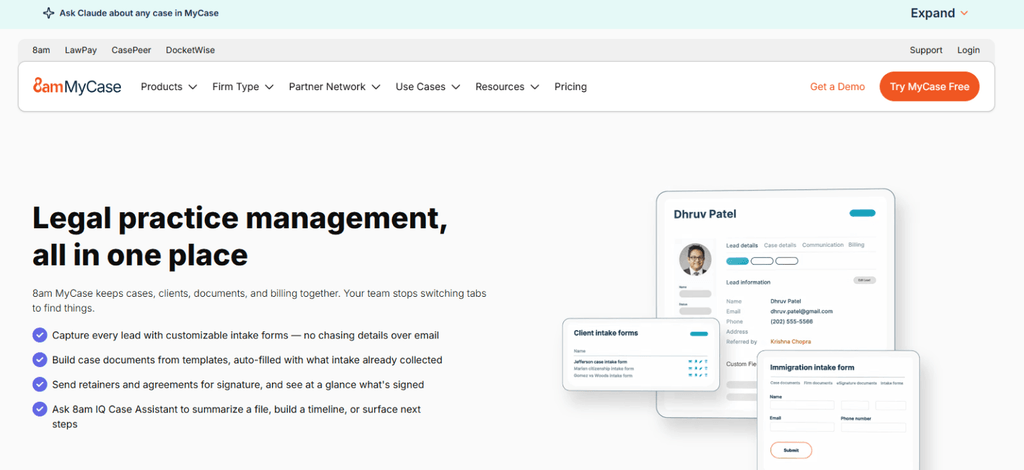
8am MyCase brings case management and client communication into one workspace, making it particularly useful for smaller firms handling frequent client updates, document requests, and routine legal tasks.
During testing, we found that its client portal connected messages and shared files to their respective matters. Integrated calendars, time tracking, and billing also supported routine administration.
However, managing a higher volume of client interactions introduced some friction.
To examine this, we worked with 20 messages and six documents across two matters, and five messages required additional navigation or reassignment before reaching the intended team member. This became more concerning when those communications involved revised documents.
Although MyCase supports centralized file sharing, synchronization delays complicated version control during our ten document edit-save-attach test cycles.
Financial coordination presented another limitation, particularly when one client had several active matters since linking payments to the correct case and reviewing individual balances required additional attention.
8am MyCase Pricing
- Basic: $50/user/month annually, or $60 monthly.
- Pro: $100/user/month annually, or $120 monthly.
- Advanced: $130/user/month annually, or $150 monthly.
- Free trial: 10 days.
8am MyCase Compatibility
8am MyCase supports web browsers and mobile applications for iOS and Android.
8am MyCase Pros and Cons
| Pros | Cons |
| Centralizes matter information, tasks, and client communication | High client-message volumes create additional routing and reassignment work |
| Client portal connects document sharing and communication with individual matters | File synchronization delays complicate document version control and attachment selection |
| Integrated calendars, time tracking, and billing simplify everyday case administration | Payment allocation across multiple matters requires additional reconciliation |
Verdict
8am MyCase is particularly suitable for small firms wanting case management and client communication in one environment. However, those exchanging many documents or managing complicated client balances should give file-version accuracy and payment allocation particular attention.
6. PracticePanther — Best for Straightforward Legal Matter Management (7.9/10)
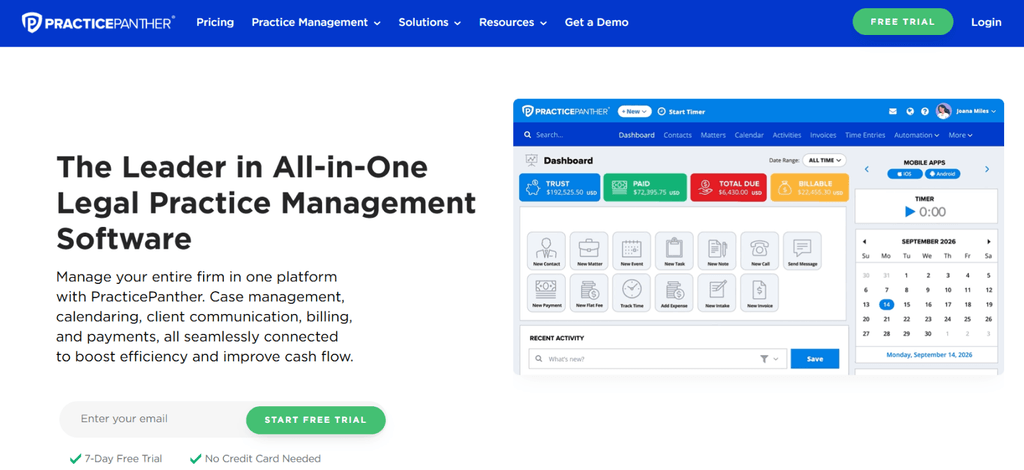
PracticePanther by Paradigm simplifies everyday legal work by keeping client matters, assigned tasks, calendars, time entries, and billing records in one workspace.
During testing, its straightforward matter setup and timekeeping made it easier for us to organize four matters across three staff members without extensive configuration.
We also liked that attorneys could review case activity, track upcoming responsibilities, and record billable hours against the relevant matters.
However, billing accuracy became a concern when we introduced different hourly rates across cases. For example, during a test, two of ten billing entries across two matters required manual corrections because the matter-specific rate reverted to the default rate.
This also highlighted the importance of tracking overall matter progress, not just individual assignments.
Although PracticePanther displayed tasks and reminders, we found four of 15 task updates needing additional checks to identify the current case stage or the person responsible for the next step.
Integration reliability added another consideration. While PracticePanther connects with Outlook, Box, Google services, and QuickBooks, synchronization inconsistencies complicated connected workflows.
PracticePanther Pricing
- Solo: $49/user/month annually.
- Essential: $69/user/month annually.
- Business: $89/user/month annually.
- Business Pro: $114/user/month annually.
PracticePanther Compatibility
PracticePanther provides browser-based access and mobile applications for iOS and Android.
PracticePanther Pros and Cons
| Pros | Cons |
| Straightforward matter setup and time tracking keep everyday legal work organized | Matter-specific hourly rates revert to default rates, requiring manual billing corrections |
| Matter-linked tasks and reminders help attorneys track upcoming responsibilities | Limited stage-level visibility requires additional checks to identify case progress and the next responsible person |
| Integrations with Outlook, Box, Google services, and QuickBooks support connected workflows | Calendar and document synchronization inconsistencies require manual reconciliation |
Verdict
PracticePanther is a reasonable option for smaller law firms with straightforward matter and billing workflows. But firms with complicated rate arrangements, recurring multi-stage processes, or heavy reliance on external synchronization should test those areas before migrating.
7. HighQ — Best for Secure Enterprise Legal Project Collaboration (7.8/10)
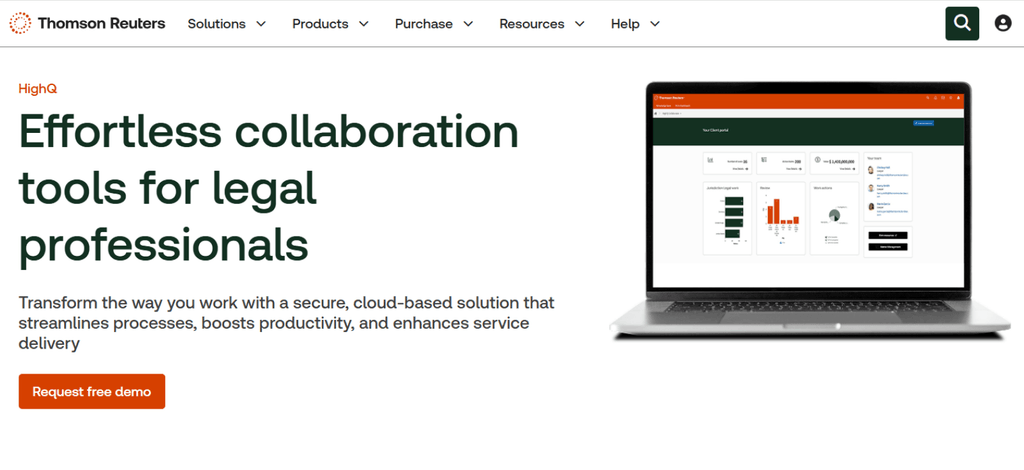
Thomson Reuters’ HighQ helps legal teams coordinate confidential documents, tasks, and approvals through secure workspaces shared with internal counsel, external advisers, and clients.
To assess its collaboration capabilities, we created a transaction workspace with 40 files, three access groups, and eight document requests. Its permission-based access kept different participants within their assigned workspaces, while iSheets helped organize document requests, contract details, and project progress in structured trackers.
However, configuring these trackers required additional effort since, out of the ten iSheets layout and filtering checks, three needed adjustments before the required fields appeared together.
Document indexing introduced another concern. Although automatic numbering helped organize transaction files, deleting documents affected existing references. We reached this conclusion when, during ten file-delete-and-restore exercises, two required manual verification of document numbering.
Beyond document handling, HighQ’s shared calendars and task tracking supported project coordination, but task dates did not consistently synchronize with Outlook in some configurations.
Complex approval workflows also required additional rule configuration and ongoing maintenance.
HighQ Pricing
- Pricing: Custom quote.
Storage allocations, external-user entitlements, and optional capabilities affect total cost.
HighQ Compatibility
HighQ offers browser-based access, mobile applications, and supported desktop-related document workflows.
HighQ Pros and Cons
| Pros | Cons |
| Permission-based workspaces support confidential collaboration between internal counsel, external advisers, and clients | iSheets configuration requires additional field, column, and layout adjustments |
| Structured iSheets trackers and automatic document indexing keep transaction files and requests organized | File renumbering requires manual reference checks, while long folder paths complicate workspace exports |
| Shared calendars, task tracking, and approval workflows help coordinate multi-party legal projects | Inconsistent task-date synchronization with Outlook and complex approval rules increase administrative work |
Verdict
HighQ is particularly suitable for enterprise legal teams managing confidential, multi-party projects. Its controlled collaboration and structured tracking are valuable, although iSheets configuration, document indexing, and calendar synchronization introduce administrative work.
8. Lupl — Best for Coordinating Legal Projects Across Existing Systems (7.5/10)
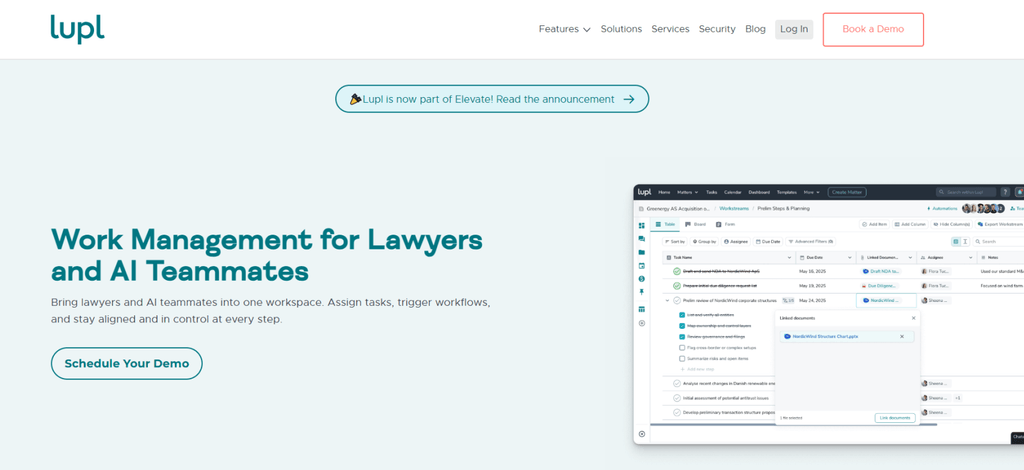
Lupl by Elevate helps legal teams coordinate matters across existing applications without replacing their document repositories, calendars, or communication tools.
To see how this worked in practice, we organized a matter involving six tasks, three deadlines, and two external participants.
All six assignments remained visible within the matter, while both external participants could follow their respective deliverables without switching between separate email threads. This made Lupl particularly useful for coordinating work between internal counsel and clients.
However, the experience became less consistent when we examined connected-system updates since only seven of ten changes synchronized correctly.
Of the three exceptions, two were delayed, and one required manual correction, which meant the shared matter view did not always reflect the latest deadline immediately.
Access management presented a similar trade-off. While four of five external-user permission changes worked as expected, one required an administrator adjustment before the intended restriction took effect.
Lupl’s newer AI-assisted workflows also raised questions about how automated actions are approved before changing matter information or communicating with clients. Consequently, firms should establish where human oversight applies before introducing these capabilities into sensitive legal processes.
Furthermore, following Lupl’s acquisition by Elevate in August 2026, current licensing terms and product continuity deserve confirmation.
Lupl Pricing
- Team plan: $29 per user/month, billed annually.
- Larger teams and customized plans: Request a quote.
Lupl Compatibility
Lupl provides web access and has offered an iOS application.
Lupl Pros and Cons
| Pros | Cons |
| Shared matter spaces keep tasks, deadlines, files, and discussions organized in one place | Cross-system synchronization delays and manual corrections disrupt information consistency |
| Client collaboration gives external participants visibility into assigned tasks and outstanding deliverables | External-user permission changes require additional administrative adjustments |
| Coordinates legal projects without replacing existing document repositories or communication tools | AI approval controls lack clarity, while post-acquisition licensing arrangements remain uncertain |
Verdict
Lupl is worth evaluating when your organization wants better legal project coordination without replacing its established systems. Nevertheless, enterprise integrations, access controls, and automation should be proven through a structured pilot before the platform becomes central to critical workflows.
9. Asana — Best for Flexible Legal Task and Project Coordination (7.2/10)

Asana provides a flexible way for legal teams to organize tasks, deadlines, and responsibilities through List, Board, Calendar, and Timeline views. This makes it particularly useful for coordinating contract reviews, internal investigations, and regulatory projects.
To test Asana, we started by organizing 20 legal tasks across four workflow stages, where creating tasks and assigning individuals was straightforward.
However, Asana’s single-primary-assignee structure complicated shared responsibilities. For example, of the ten jointly owned assignments, four required additional tasks or subtasks to represent separate attorney and paralegal responsibilities.
Although its dependencies and timelines helped visualize work sequences, managing changes across larger projects proved less convenient. That is because, out of ten rescheduling scenarios involving 200 tasks, four required manual adjustments to downstream dates or task relationships.
Moreover, while Asana’s rules, templates, and custom fields supported repeatable processes, two of five rule-update exercises required project-by-project adjustments in our configuration.
Lastly, Asana lacks built-in legal matter management, trust accounting, and jurisdiction-specific docketing, meaning firms need separate systems for those functions.
Asana Pricing
- Personal: Free for up to two users.
- Starter: $10.99/user/month, billed annually.
- Advanced: $24.99/user/month, billed annually.
- Enterprise and Enterprise+: Custom pricing.
Paid seat minimums, seat blocks, and advanced-feature entitlements should be included in the total-cost calculation.
Asana Compatibility
Asana supports web browsers, Windows and macOS desktop applications, and iOS and Android mobile applications.
However, complex project configuration and advanced reporting may be easier to manage through the full desktop interface.
Asana Pros and Cons
| Pros | Cons |
| Straightforward task creation and multiple project views simplify legal task coordination | Single-primary-assignee structure requires additional tasks or subtasks for shared legal responsibilities |
| Dependencies and timelines help organize project stages, deadlines, and related work | Large-scale rescheduling requires manual adjustments to dependent tasks and deadlines |
| Rules, templates, and custom fields support repeatable legal workflows | Automation updates require project-by-project adjustments, while seat-based pricing increases subscription costs |
Verdict
Asana is a practical option for legal teams focused on task ownership, project visibility, and internal coordination. But for complicated litigation scheduling, multi-owner work, or integrated legal practice administration, specialized alternatives will usually require less adaptation.
Best Project Management Software for Attorneys by Work Setup: Solo Firms, Litigation Teams, and In-House Counsel
Here are our strongest picks for three common legal work setups.
Best for Solo Practitioners and Small Law Firms
- Clio Manage: When a small team handles several matters without dedicated administrative support, switching between task lists creates unnecessary work. Clio Manage keeps these activities connected to individual matters, helping attorneys stay organized while managing both legal and administrative responsibilities.
- 8am MyCase: Small firms often spend considerable time answering client questions, requesting documents, and sharing case updates. MyCase’s client portal brings these exchanges into the relevant matter, making it easier to manage communication.
Best for Litigation-Heavy and Workflow-Intensive Law Firms
- Filevine: Litigation matters rarely follow a simple checklist, as investigations, discovery, document preparation, and settlement activities involve different contributors and deadlines. Filevine’s customizable case stages help teams organize these connected activities around each matter.
- Actionstep: When a firm handles similar matters repeatedly, manually assigning the same tasks at every stage becomes inefficient. Actionstep’s workflow triggers help move responsibilities between attorneys and support staff as matters progress, making it valuable for standardized legal processes.
Best for In-House Legal Departments and Enterprise Legal Teams
- TimeBee: In-house legal departments often manage several contract reviews, compliance projects, and internal requests simultaneously, making it difficult to judge where team capacity is being consumed. TimeBee connects task schedules with real-time work tracking and project costs, helping legal managers assess workloads, allocate resources, and identify assignments taking longer than planned.
- HighQ: Corporate legal projects often involve internal counsel, business departments, and external advisers who need different levels of access to sensitive information. HighQ’s permission-based workspaces let these participants collaborate on documents and approvals without giving everyone unrestricted access.
Final Verdict
The best project management software for lawyers makes everyday legal work easier to track and manage.
But choosing one that works for you starts with understanding your team’s existing workflows and identifying where better coordination and deadline visibility would make the greatest difference.
Before committing, test shortlisted platforms using realistic legal matters to assess their performance within your existing systems.
Once selected, introduce the software gradually, address configuration needs, and gather staff feedback to ensure a smooth deployment without disrupting ongoing work.
FAQs
What happens to client data when a law firm switches software providers?
Law firms typically export client records, documents, billing information, and matter histories before migrating to another platform. However, data portability depends on the provider. Firms should verify export formats, contractual retention periods, backup deletion policies, and the accuracy of transferred records before terminating their existing subscription.
How do you calculate the ROI of legal project management software?
Calculate ROI by subtracting total software costs from the financial value of time saved, administrative work reduced, and billing improvements. Divide the result by total costs and multiply by 100. Include subscription fees, implementation, migration, and training expenses for an accurate assessment.
How much does legal project management software cost?
Entry-level paid plans typically start at approximately $10.99-$50 per user/month, depending on the platform and billing terms. Enterprise solutions often require custom quotes. Additional expenses may include implementation, data migration, integrations, extra users, and advanced functionality.
What features should lawyers look for in legal project management software?
The best project management software for attorney workflows should include matter-linked tasks, deadline tracking, document coordination, access controls, and progress reporting. Reliable integrations are equally important, while time tracking and project-cost analysis help firms monitor workloads and resource utilization.
What is the difference between legal project management and case management software?
Legal project management software focuses on planning work, assigning responsibilities, monitoring deadlines, and tracking progress. Case management software covers broader matter administration, including client records, documents, communication, and billing. Some legal platforms combine both functions, although their capabilities and specialization differ.
How secure is cloud-based legal project management software?
Security depends on the provider’s safeguards and the firm’s configuration. Reputable platforms typically offer encryption, access controls, multifactor authentication, and audit logs. Law firms should also verify data residency, backup procedures, security certifications, and breach notification policies before storing confidential client information.
TimeBee: Everything You Need to Turn Busy Workdays Into Measurable Progress
Try for Free


Jacob Tyler
Member since July 2, 2026
Jacob Tyler
Member since July 2, 2026
Jacob Tyler is a B2B technology journalist specializing in workplace software, employee monitoring platforms, productivity technology, HR systems, data privacy, and the changing role of technology in modern organizations.
He holds an MSc in Information Systems from the University of Manchester. His professional qualifications include the CompTIA Data+ certification.
With more than 10 years of experience covering B2B software and digital transformation, Jacob focuses on translating complex product capabilities into clear guidance for business readers.
His work examines how software functions in practice, which operational problems it is designed to address, what data it collects, and what organizations should consider before implementation.
Through his writing, Jacob helps HR leaders, operations teams, founders, managers, and IT decision-makers understand workplace technology and make informed purchasing decisions.