

8 Best Legal Time and Billing Software: Our Take on Each Option
By Jacob Tyler
November 4, 2026 17 min readThere’s a difference between knowing your lawyers were busy and knowing exactly what you can bill for. Calendars show meetings, document histories reflect drafting work, and emails capture client conversations, but bringing all that activity together into an accurate, matter-specific billing record is where things get complicated.
Some hours may belong to different client matters, others may be non-billable, and a few short activities might never make it onto a timesheet.
That’s where the best law firm time and billing software becomes useful. The right platform helps you connect recorded work to specific matters, apply billing rates, prepare invoices, and identify hours that would otherwise remain unbilled.
To understand which options handle these responsibilities best, we compared eight platforms against common law firm workflows to examine their timekeeping and billing controls.
Quick Shortlist of the 8 Best Time and Billing Software for Lawyers
- TimeBee: Best for law firms prioritizing automated time tracking, billable-hour visibility, and productivity insights alongside invoicing.
- Clio Manage: Best for firms wanting timekeeping, legal billing, accounting, and practice management in one platform.
- MyCase: Best for small law firms that need matter-based time tracking, client management, and billing.
- Harvest: Best for firms wanting straightforward time tracking, invoicing, and client payment integrations.
- TimeSolv: Best for law firms handling detailed billing requirements, different attorney rates, and complex invoices.
- Bill4Time: Best for solo attorneys and small firms seeking straightforward legal timekeeping and billing.
- Clockify: Best for budget-conscious practices needing billable-hour tracking, approvals, and invoicing.
- Smokeball: Best for law firms wanting automated activity capture connected directly to legal matters.
How We Chose the Best Time Tracking and Billing Software for Lawyers
The main challenge with evaluating these applications was that recording an hour and billing that hour were two different responsibilities. A timer might accurately measure a drafting session, but the firm still needs to associate that time with the right matter, apply the agreed rate, review its billing status, and include it on an invoice.
We, a team of three, including a tech journalist, a legal operations manager, and a product reviewer, therefore compared the eight platforms against three core workflows:
- recording attorney activity
- preparing matter-based bills
- reviewing the financial information produced by those records.
We also considered desktop workflows on Windows and macOS, alongside iOS and Android access where available.
Our assessment followed four weighted criteria.
Legal-Specific Time and Billing Fit — 30%
Legal timekeeping requires more than attaching a timer to a generic project. We placed the greatest weight on whether a platform could associate recorded work with individual clients and matters while accommodating different billing arrangements.
We assessed attorney-specific rates, matter-level rates, hourly and fixed-fee work, billing increments, expense allocation, and invoice adjustments.
We also considered specialized requirements such as LEDES invoicing, UTBMS task codes, retainer management, and trust accounting.
These distinctions matter because a general-purpose time tracker may calculate a bill accurately without supporting the accounting controls or electronic billing formats required by a law firm.
Billing & Integration Reliability — 25%
Next, we examined what happens after an attorney finishes recording time.
Our assessment focused on the steps required to review billable entries, apply rates, prepare invoices, and record payments. We also considered whether the software supports approvals, write-downs, batch billing, outstanding balances, and connections to accounting or payment platforms.
A particularly important distinction was whether the software could generate invoices from recorded time or merely export timesheets for processing elsewhere.
Accuracy — 25%
We looked at how each platform records work when attorneys move between client matters throughout the day.
This included manual timers, activity-assisted tracking, automatic capture, missed-time recovery, entry corrections, and idle-time handling.
For our billing scenarios, we considered how interruptions, overlapping sessions, and incorrectly assigned entries could affect chargeable time.
Ease of Adoption — 20%
Finally, we considered how easily a law firm could configure the software and incorporate it into daily work.
The main considerations included creating clients and matters, assigning billing rates, managing permissions, navigating timesheets, and preparing invoices.
We also assessed platform compatibility, reporting accessibility, and the configuration required to introduce automated tracking.
After Comparing the Best Time and Billing Software for Attorneys, We Picked These 8
| App Name | Pricing | Compatibility | Best For | Main Limitation |
| TimeBee | 14-day free trial; custom paid pricing | Web, Windows, macOS, Linux, iOS, Android, Chrome extension | Automated time tracking, billing visibility, and invoicing | Requires manual project and task selection when switching between client matters |
| Clio Manage | From $49/user/month | Web, iOS, Android; Windows/macOS desktop app | Integrated legal practice management and billing | AI-assisted desktop timekeeping is still in pilot; advanced automation requires higher-tier plans |
| MyCase | From $50/user/month, billed annually | Web; iOS and Android apps on Pro/Advanced | Matter-based tracking and client billing | Smart Time Finder and native mobile apps require Pro or Advanced |
| Harvest | Free; Teams from $9/seat/month, billed annually | Web, Windows, macOS, iOS, Android | Time tracking, invoicing, and payments | No built-in legal trust accounting |
| TimeSolv | Pro and Legal plans; contact sales for pricing | Web, iOS, Android | Detailed legal time and billing workflows | LEDES billing and trust accounting require the Legal plan |
| Bill4Time | From $39/user/month, billed annually | Web, iOS, Android | Straightforward legal time and billing | Trust accounting and LEDES require Legal Pro or higher |
| Clockify | Free; invoicing from $5.49/seat/month, billed annually | Web, Windows, macOS, Linux, iOS, Android | Affordable billable-hour tracking and invoicing | Expense tracking requires Pro; no native legal trust accounting |
| Smokeball | From $149/month; final pricing by quote | Web; Windows desktop for Grow/Prosper+; mobile apps | Automated matter-based legal time capture | AutoTime requires Prosper+ or a paid add-on on Grow |
8 Best Time and Billing Software for Law Firms
The eight platforms below approach legal time and billing differently. Some focus on recording billable work with minimal manual effort, while others connect timekeeping to legal case management and payment collection.
We considered how each platform handles the transition from attorney activity to billable records and, ultimately, client invoices.
1. TimeBee — Best Time and Billing Software for Lawyers Needing Automated Visibility
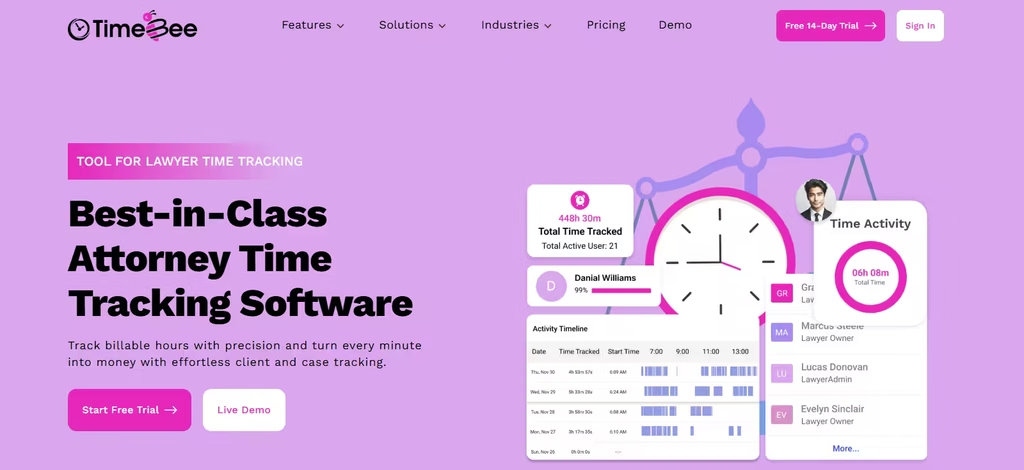
TimeBee combines project-based time tracking with activity monitoring, timesheets, project costing, profitability reporting, and invoice generation. Its main advantage is that once you start a project or task timer, the application records the session’s duration and activity data without requiring continuous manual timesheet entries.
For a law firm, this provides a practical way to monitor how much work individual employees complete for different clients.
We evaluated TimeBee’s timekeeping workflow using three employee profiles assigned to four client matters, including contract drafting, legal research, consultations, and internal administration.
We started with 15 controlled timer sessions to check whether recorded hours remained attached to the selected project and task. In 14 sessions, the correct assignments were retained. During the remaining session, we deliberately switched matters without changing the active task, and TimeBee continued recording against the previous assignment.
This showed us that TimeBee automated session recording, but accurate matter allocation still depended on selecting the correct task.
Next, we submitted seven manual time entries, including two deliberately overlapping records. Both conflicting entries were flagged during validation, while the other five could be assigned to their intended projects and billing categories.
For billing, we used an 18-hour workload containing 14.5 billable and 3.5 non-billable hours. Applying three attorney and staff rates produced $2,530 in chargeable time. TimeBee’s invoice workflow supported client-based Auto Fill, rate calculations, billing adjustments, and approval before downloading an invoice.
The profitability reports added another useful perspective by separating employee costs from client charges.
However, we found that its optional screenshot controls warranted particular attention in legal environments.
TimeBee Pricing
- Free Trial: 14 days.
- Paid Plans: Custom pricing based on organizational requirements.
TimeBee Compatibility
TimeBee supports Windows, macOS, and Linux desktop applications, along with web-based administration and tracking.
Mobile access is available on iOS and Android, while a Chrome extension provides additional browser-based functionality.
TimeBee Pros and Cons
| Pros | Cons |
| Automatically records active sessions against selected projects and tasks | Matter switching requires manual project/task selection |
| Flagged both conflicting entries in the controlled validation tests | Screenshot monitoring needs careful confidentiality controls |
| Supports time splitting, manual corrections, and billing calculations | Paid pricing requires a quote |
| Connects recorded hours with project costs and profitability reports |
Verdict
TimeBee is suitable for firms that primarily need better visibility into how employee hours are distributed across client matters. Its combination of automatic session recording, manual corrections, billing calculations, and project reporting reduces dependence on manually reconstructed timesheets.
Keep Every Hour Connected to Client Work With TimeBee
Learn More
2. Clio Manage — Best for Integrated Legal Practice Management and Billing

Clio Manage approaches timekeeping as part of the larger legal practice management process. We structured our Clio Manage evaluation around three timekeepers working on the same litigation matter, with different hourly rates and a partner responsible for approving the final invoice.
Our first test scenario contained 12 time entries distributed among the senior attorney, associate, and paralegal. We applied the firm’s default rates and then introduced matter-specific rates to examine how conflicting billing configurations were resolved.
The rate hierarchy followed a defined priority, with matter-specific rates taking precedence over user defaults. This mattered because changing a rate configuration could affect several entries without changing their recorded durations.
For our 14.5-hour billing scenario, the expected charge was $2,530 before expenses. We also examined how a different matter rate would affect that amount, confirming that billing accuracy depended on correct rate configuration as much as accurate timekeeping.
Next, we assessed Clio’s invoice approval process. The workflow distinguished draft bills from those awaiting approval and finalized unpaid invoices. Once approved, the underlying activities became locked against ordinary editing.
This gave us a clearer understanding of Clio’s main strength: it connected time records with billing controls and matter-level financial information rather than treating invoicing as a separate administrative task.
However, configuring the matter hierarchy, billing rates, user permissions, and approval settings required more attention than setting up a standalone tracker.
We also found that Clio’s desktop application did not replace the web interface for complete practice administration.
Clio Manage Pricing
- Starter: From $49/user/month.
- Higher Plans: Pricing depends on the selected subscription.
Clio Manage Compatibility
Clio supports web, iOS, Android, and a Windows/macOS desktop application for selected functions.
Clio Manage Pros and Cons
| Pros | Cons |
| Connects timekeeping directly with matter records and invoices | Initial rate and matter configuration requires attention |
| Supports multiple billing-rate levels and priorities | Higher-tier functionality increases subscription costs |
| Provides draft, approval, and finalized billing stages | Requires more administration than a standalone tracker |
| Locks underlying entries after invoice approval | Desktop functionality does not replace the full web application |
Verdict
Clio Manage was one of the best time tracking and billing software for lawyers as it offered one of the strongest fits when billing needed to remain connected with legal case management.
We considered its rate hierarchy and invoice approval controls particularly useful for firms with several attorneys contributing to the same matter. However, smaller firms that already have case management software may find its broader functionality unnecessary.
3. MyCase — Best for Matter-Based Time Tracking and Client Billing
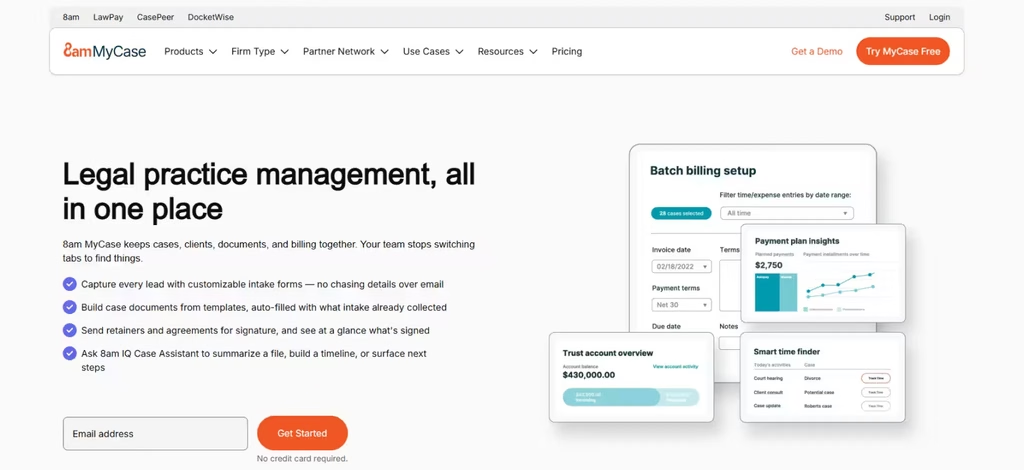
We focused our MyCase evaluation on missed billable activity, since Smart Time Finder was one of the platform’s most relevant features for attorneys handling frequent case-related tasks.
Our scenario included nine activities: three completed tasks, two logged calls, two saved notes, one lead-related activity, and one document uploaded through drag-and-drop.
Seven activities fell within Smart Time Finder’s supported tracking categories. The lead-related activity was excluded, while the drag-and-drop upload fell outside its supported document-upload method.
This helped us understand the tool’s biggest limitation: it could identify supported activity within MyCase, but it was not a universal tracker for everything attorneys did on their computers.
We then examined duplicate prevention by introducing a time entry for an activity that had already been recorded. Smart Time Finder’s workflow prompted us to review existing entries for the same day and case before adding another.
Consequently, it could help attorneys recover overlooked work without automatically converting every activity into a billable charge.
For invoicing, we used the same 14.5-hour workload with separate attorney and paralegal rates. MyCase supported matter-based time and expense entries, allowing those records to be prepared for client billing.
However, our comparison revealed a significant subscription difference. Basic included conventional timekeeping and invoicing, whereas Smart Time Finder required Pro or Advanced.
Advanced also introduced split billing, which mattered when an invoice needed to be divided between multiple paying parties.
MyCase Pricing
- Basic: $50/user/month (billed annually)
- Pro: $100/user/month (billed annually)
- Advanced: $130/user/month (billed annually)
MyCase Compatibility
MyCase supports web access and native iOS and Android applications on eligible subscription plans.
MyCase Pros and Cons
| Pros | Cons |
| Identifies supported case activities that may need time entries | Does not capture every application or document activity |
| Provides duplicate-checking prompts before adding entries | Smart Time Finder requires Pro or Advanced |
| Connects matter records with invoicing and payments | Suggested activities still require attorney review |
| Supports legal case management and client communication | Split billing is limited to Advanced |
Verdict
MyCase is particularly useful for small and growing law firms that want their time entries connected directly to daily case activity. Smart Time Finder provides a practical way to identify work that may have been missed, although firms must select a higher plan and continue reviewing time before billing.
4. Harvest — Best for Time Tracking, Invoicing, and Client Payments
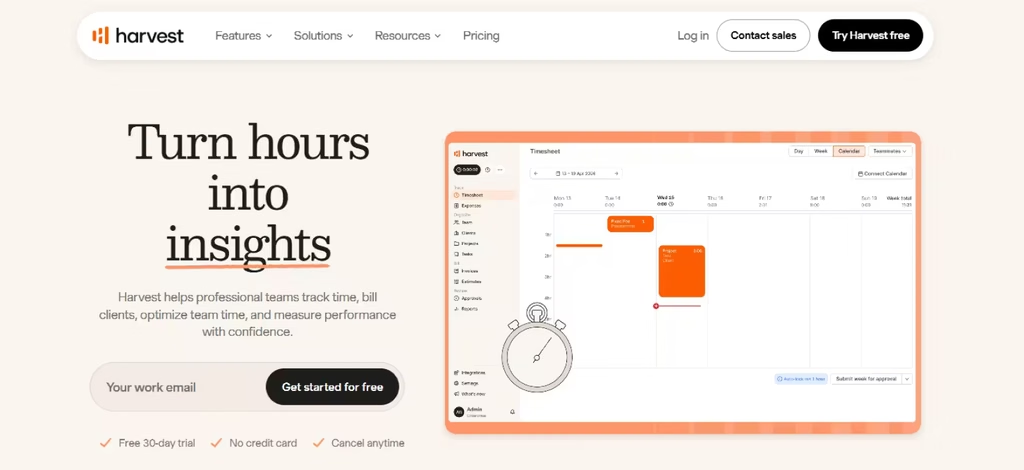
Harvest is a general-purpose time tracking and invoicing platform that works particularly well for client-service businesses. For law firms, its main appeal is a relatively straightforward workflow for recording hours, applying rates, and converting billable work into invoices.
We examined Harvest through two common legal billing arrangements: an hourly advisory matter and a fixed-fee contract review.
First, we created a Time & Materials project containing six recorded activities. Three hours were designated billable at $175 per hour, producing an expected client charge of $525.
The workflow associated time entries with project billing rates and allowed the corresponding amount to appear as uninvoiced work before billing.
Next, we modeled a fixed-fee contract review worth $1,200. We compared eight hours of recorded work with a second scenario containing twelve hours. Although the agreed client fee remained $1,200, the effective revenue per worked hour fell from $150 to $100.
This distinction helped us understand Harvest’s main advantage for smaller legal practices. Its reports could support profitability analysis even where clients were not billed directly for every recorded hour.
However, we noticed an important difference in how fixed-fee projects appeared in reporting. Their uninvoiced monetary value was based on the agreed project fee rather than multiplying recorded hours by hourly rates.
We also examined the invoicing workflow and found that previously billed time could be marked as invoiced to prevent it from remaining in the uninvoiced total.
The limitation became clearer when considering client retainers and accounting requirements.
Although Harvest supported retainers and invoice payments, it did not provide a legal-specific trust-accounting ledger or specialized electronic billing controls.
Harvest Pricing
- Free Plan: Available.
- Teams: From $9/seat/month, annually.
- Enterprise: From $14/seat/month, annually.
Harvest Compatibility
Harvest supports web, Windows, macOS, iOS, and Android.
Harvest Pros and Cons
| Pros | Cons |
| Supports hourly, fixed-fee, and non-billable projects | Time recording depends mainly on user-operated timers |
| Separates fixed-fee revenue from recorded working hours | No dedicated legal trust-accounting ledger |
| Tracks uninvoiced work and supports invoice generation | Limited specialist legal billing functionality |
| Connects with accounting and payment services | Additional usage can increase subscription costs |
Verdict
Harvest was most suitable for law firms with straightforward hourly and fixed-fee engagements. Its project-based approach helped connect recorded work with client billing, although specialist legal accounting would still require separate software.
5. TimeSolv — Best for Detailed Legal Time and Billing Workflows
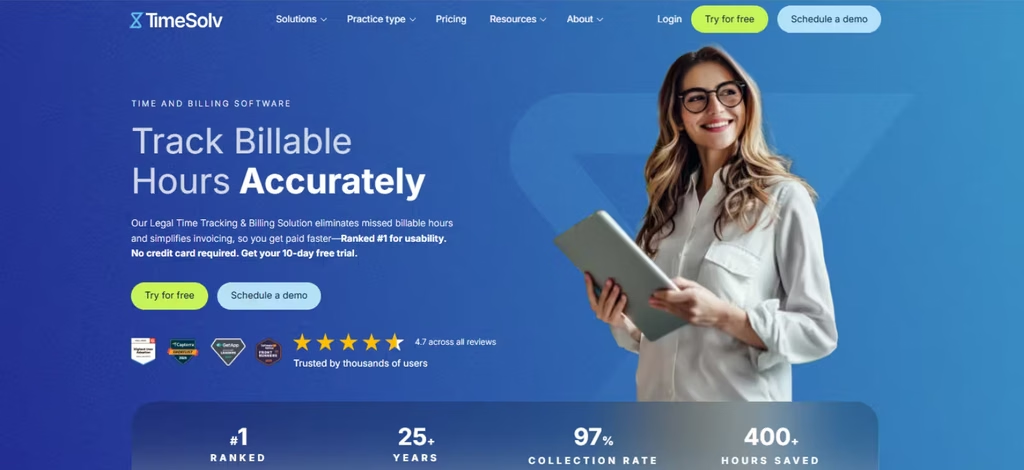
TimeSolv was yet another one of the best time and billing software for attorneys. We concentrated our TimeSolv evaluation on invoice corrections, as many law firms adjust client charges without wanting to erase the work originally performed.
Our billing scenario contained 14.5 chargeable hours worth $2,530. We then applied a $120 write-down, reducing the intended invoice value to $2,410. The important distinction was whether that adjustment also needed to change the associate’s original time record.
TimeSolv’s draft-invoice editing workflow allowed the billing adjustment to be handled separately from the original entry. This meant the firm could preserve the work recorded internally while preparing a reduced client invoice.
The resulting calculation represented a billing realization rate of approximately 95.3%.
We also examined how firms could prepare different invoice formats. TimeSolv supported flexible billing templates, while its Legal plan added specialized capabilities such as LEDES and trust accounting.
However, we found that configuring billing rates, invoice layouts, and matter-specific requirements involved more preparation than a conventional time-tracking application.
TimeSolv Pricing
- Pro: Pricing by quote.
- Legal: Pricing by quote.
- Free Trial: 10 days.
TimeSolv Compatibility
TimeSolv provides cloud-based web access and a mobile application for recording time and managing supported workflows. It also supports connections with several accounting, payment, and productivity platforms.
TimeSolv Pros and Cons
| Pros | Cons |
| Supports detailed pre-bill corrections | More initial billing configuration is required |
| Can preserve original time records after invoice adjustments | LEDES and trust accounting require the Legal plan |
| Provides configurable invoice templates and rates | Less emphasis on passive activity capture |
| Supports specialized legal billing arrangements | Subscription pricing requires confirmation |
Verdict
TimeSolv is particularly suitable for law firms that need detailed control over recorded time, billing adjustments, electronic invoices, and client payments. It is less compelling as a passive time capture solution, but its billing-specific functionality is well suited to practices handling complex client arrangements.
6. Bill4Time — Best for Straightforward Legal Time and Billing
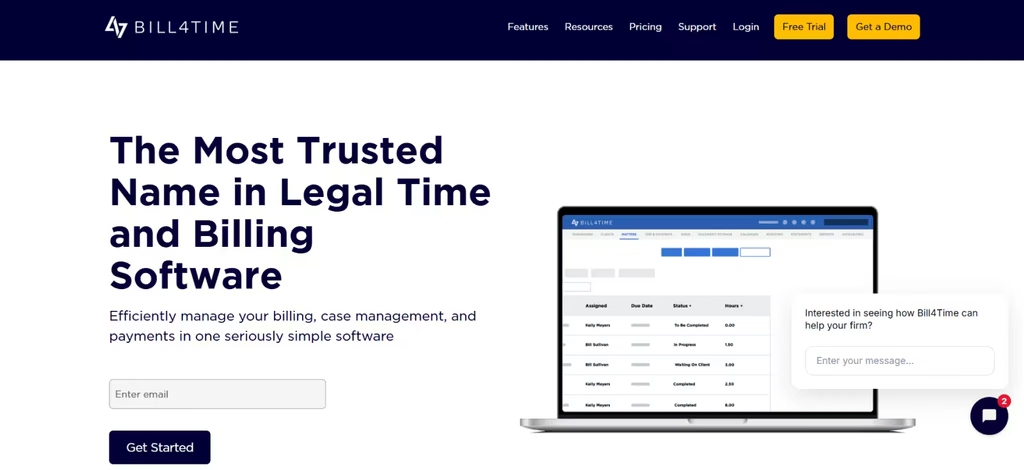
Bill4Time is built around the everyday relationship between recorded hours, client expenses, invoices, and payments. It provides time tracking and billing functionality without requiring every firm to adopt an extensive practice management environment.
We evaluated Bill4Time around a solo attorney handling three client activities: 90 minutes of drafting, 45 minutes of consultation, and 30 minutes of follow-up work. The recorded duration totaled 2.75 hours, representing $495 at an hourly rate of $180.
We examined how these entries could be associated with a client matter and transferred into the invoicing workflow.
We also checked the implications of billing increments. Two separate four-minute activities, billed in six-minute increments at $180 per hour, would represent $36 rather than the $24 calculated from their unrounded duration.
This showed us why correct billing-increment configuration mattered for legal practices.
Bill4Time provided matter-based timers, manual entries, invoice preparation, and payment functionality.
However, its subscription structure introduced an important distinction: trust accounting, UTBMS codes, and LEDES export were reserved for its legal plans.
Bill4Time Pricing
- Time & Billing: From $39/user/month (billed annually)
- Legal Pro: From $59/user/month (billed annually)
Bill4Time Compatibility
Bill4Time operates through a cloud-based web interface, with mobile applications available for iOS and Android. It also supports integrations with QuickBooks and selected document management services.
Bill4Time Pros and Cons
| Pros | Cons |
| Connects matter-based entries with invoices | Relies mainly on timers and manual entries |
| Supports billing increments and different rates | Trust accounting requires legal-specific plans |
| Provides expense tracking and payment processing | LEDES is not included in the entry-level plan |
| Offers batch invoicing and time reports | Advanced customization requires higher tiers |
Verdict
Bill4Time is a good fit for solo practitioners and small firms wanting a conventional legal time and billing system with room to adopt more specialized functionality. Its main advantage is the balance between straightforward time entry and legal billing features, although firms should check the plan requirements before committing.
7. Clockify — Best for Affordable Billable-Hour Tracking and Invoicing
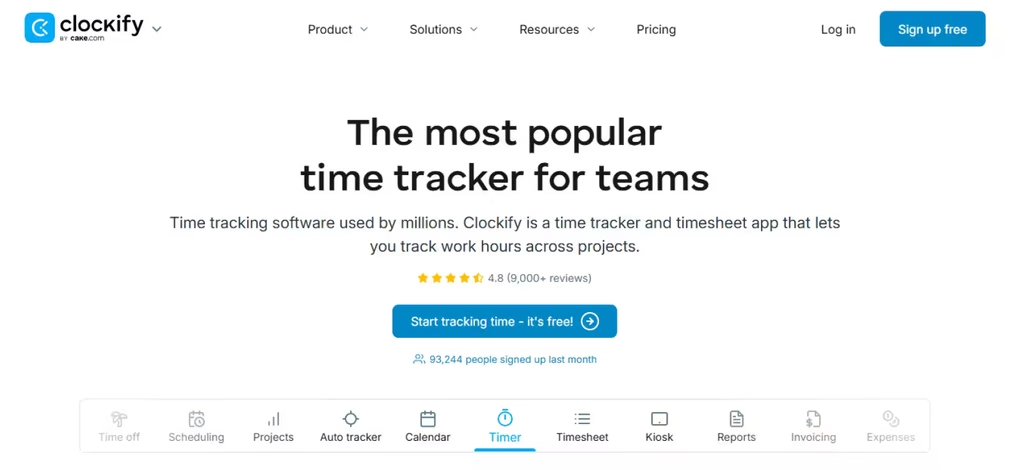
Clockify offers a relatively inexpensive way to record employee hours, manage client projects, and generate invoices. It is particularly relevant to smaller law firms that want to improve billable-time visibility without paying for a complete practice management system.
We tested Clockify through 42 timed sessions across desktop, web, and mobile workflows, alongside manual entries, project-rate configurations, and invoice generation.
During six invoice tests, two totals differed slightly from their corresponding reports because Clockify rounded individual time entries differently from aggregated reports.
To understand the discrepancy, we examined three separate 20-minute entries at $100 per hour. Together, they totaled one hour and $100. However, displaying each entry as 0.33 hours created three $33 invoice lines, totaling $99.
This highlighted an important billing consideration: small decimal differences could affect invoices when entries are imported individually.
We also completed eight offline tracking sessions. The recorded entries synchronized after connectivity returned, although project assignments still required checking.
Clockify handled ordinary project tracking well, but invoicing required Standard and expenses required Pro.
Clockify Pricing
- Free: $0.
- Standard: From $5.49/seat/month.
- Pro: From $7.99/seat/month.
Clockify Compatibility
Clockify supports Windows, macOS, and Linux desktop applications, along with web-based tracking and browser extensions. Furthermore, mobile applications are available for iOS and Android.
Clockify Pros and Cons
| Pros | Cons |
| Supports multiple time-entry methods | Invoice rounding can create small discrepancies |
| Offers affordable billable-hour tracking | Invoicing requires Standard |
| Synchronizes offline entries after reconnection | Expense management requires Pro |
| Provides project rates, approvals, and reports | No native legal trust accounting |
Verdict
Clockify performed well for general billable-hour tracking, but our invoice checks showed why firms needed to review decimal rounding and invoice grouping before finalizing client charges.
8. Smokeball — Best for Automated Matter-Based Legal Time Capture
When it comes to the best time and billing software for law firms, one cannot deny the importance of Smokeball. It combines legal practice management with automated activity capture through AutoTime. Unlike general-purpose timers, its tracking workflow is designed around the applications and matter-related activities attorneys use throughout the working day.
We focused our Smokeball evaluation on automatic activity capture, particularly how brief email interactions could affect billable time. Our testing scenario involved opening the same client email three times in New Outlook, with each viewing lasting slightly longer than ten seconds.
Under Smokeball’s New Outlook tracking behavior, each qualifying viewing produced a one-minute activity record. Consequently, three short visits could create three minutes of recorded activity.
This was important because the recorded duration could exceed the actual time spent reading the email.
We also examined AutoTime’s conversion process. Supported document, email, task, and matter activity could be converted into editable time entries, which attorneys could review before including them on invoices.
The system’s overnight processing meant captured activity did not immediately become finalized client charges.
However, our comparison revealed that automatic time capture wasn’t included in every Smokeball subscription. AutoTime was available as an add-on with Grow and included with Prosper+.
Smokeball Pricing
- Published starting configurations: From $149/month.
- Grow and Prosper+: Pricing by quote.
Smokeball Compatibility
Browser-based access, Windows desktop functionality on eligible plans, and mobile applications.
Smokeball Pros and Cons
| Pros | Cons |
| Captures supported matter-related activity automatically | AutoTime requires an eligible plan or add-on |
| Converts activity into editable time entries | New Outlook may overstate short email-viewing durations |
| Connects timekeeping with legal matters and billing | Desktop configuration requirements vary by plan |
| Supports activity review before invoicing | Automatic entries still need billing verification |
Verdict
Smokeball was particularly relevant for firms seeking automatic capture of document and email activity. However, the New Outlook tracking behavior showed why automatically generated entries still needed careful review before billing clients.
The Best Law Firm Time and Billing Software by Practice Size
The right time and billing software depends on more than the number of attorneys in your firm.
A solo practitioner may need a dependable way to record billable hours and send invoices, while a growing practice may require billing approvals, matter-level permissions, and coordinated financial management.
Larger firms may also need customized billing rates, LEDES invoices, trust-account controls, and greater visibility into work in progress.
Best for Solo Attorneys and Small Practices
- TimeBee: Suitable for firms that want automatic timer-based tracking, project-level billable hours, invoice calculations, and visibility into employee productivity. Its strongest fit is where the primary challenge involves recording work consistently.
- Bill4Time: A practical option for solo attorneys and small firms that need conventional time entry, client invoicing, expense tracking, and access to legal-specific billing features on higher plans.
- Clockify: Appropriate for budget-conscious practices that already manage their matters and accounting elsewhere. Its Standard plan provides time-to-invoice functionality at a comparatively low per-user cost.
Best for Small and Growing Law Firms
- MyCase: Well suited to firms that want timekeeping connected directly to case activity, client communications, and invoicing. Smart Time Finder can also help identify potentially overlooked work on eligible plans.
- TimeBee: Suitable for growing law firms managing multiple attorneys and client matters. Its automated time tracking, project-level billing, manual-time approvals, and profitability reports help teams monitor billable work and employee costs without relying entirely on manually maintained timesheets.
- Clio Manage: Useful for growing teams that need centralized matter management, billing-rate controls, financial oversight, and a coordinated process for preparing and collecting client invoices.
- Harvest: A reasonable choice for smaller commercial or advisory practices that mainly need project-based time tracking, client billing, and payment integrations without replacing their existing case management tools.
Best for Mid-to-Large Firms with More Complex Billing Needs
- TimeSolv: Suited to firms managing several timekeepers, configurable billing arrangements, split bills, LEDES requirements, and partner-level invoice adjustments.
- Clio Manage: Appropriate for firms needing connected legal operations, matter-based financial controls, billing permissions, and broader reporting.
- Smokeball: Particularly relevant where automated capture of document, email, and matter activity is a priority, provided the firm has the appropriate plan and implementation environment.
Final Verdict
The best legal time and billing software is the one that handles the gap between completed work and accurate client charges.
If your main problem is inconsistent time recording, TimeBee provides automated session tracking, manual corrections, project costing, and invoice calculations without relying entirely on manually assembled timesheets.
On the other hand, Clio Manage and MyCase offer deeper connections between case management and billing, while TimeSolv is better suited to detailed invoicing requirements and legal-specific billing controls.
Bill4Time offers a more straightforward legal billing environment. Meanwhile, Harvest and Clockify are practical alternatives for firms whose accounting and matter management requirements are already covered elsewhere.
Smokeball takes a different approach by connecting automatic activity capture to legal matters, although its setup and subscription requirements deserve attention.
Ultimately, the right choice depends on whether your firm needs better time capture, more efficient invoice preparation, or a complete legal financial workflow.
FAQs
How can law firms track billable hours accurately across different client matters?
Law firms can improve billing accuracy by recording time against individual matters rather than maintaining one general daily timesheet. Each entry should identify the client, matter, activity, timekeeper, duration, and billing status. Where relevant, firms should also use standardized task codes and agreed billing increments. Automatic tracking and activity-assisted tools can reduce missed work, but attorneys still need to check matter assignments and correct entries before invoicing.
Can a legal time and billing tool automatically generate invoices?
Yes. Many legal time and billing applications can generate invoices from recorded hours, configured billing rates, and eligible expenses. Some tools, such as TimeBee, can populate billing rows from selected users or clients and calculate invoice amounts. Others, including Clio Manage and TimeSolv, provide additional controls for approvals, billing adjustments, and more complex legal billing arrangements. However, automated invoice generation should not be confused with automatic time capture.
What is the difference between legal time tracking software and legal billing software?
Legal time tracking software records how long attorneys and legal staff spend working on particular activities or client matters. On the other hand, legal billing software takes those records further by applying hourly rates, adding expenses, preparing invoices, and managing client charges.
Do legal time and billing tools support trust accounting, retainers, and LEDES billing?
Some do, but these capabilities vary considerably between products and subscription plans.
Legal-specific platforms such as Clio Manage, TimeSolv, Bill4Time, and Smokeball offer relevant trust-accounting or specialized billing functionality, subject to their available configurations. LEDES billing supports standardized electronic invoice formats commonly required by corporate legal departments and other institutional clients. Trust accounting, meanwhile, concerns the separate handling, recording, and reconciliation of money held on behalf of clients.
Can law firms use the best time and billing software for lawyers to bill flat-fee or contingency cases?
Yes. Time tracking remains useful even when a firm doesn’t charge clients by the hour.
For fixed-fee matters, recorded hours help determine whether the agreed fee adequately covers the work performed. However, for contingency cases, recording time can help measure labor costs, monitor matter profitability, and support any time-based calculations required by applicable agreements or legal rules.
TimeBee: Track Billable Hours Automatically and Simplify Client Billing
Try TimeBee


Jacob Tyler
Member since July 2, 2026
Jacob Tyler
Member since July 2, 2026
Jacob Tyler is a B2B technology journalist specializing in workplace software, employee monitoring platforms, productivity technology, HR systems, data privacy, and the changing role of technology in modern organizations.
He holds an MSc in Information Systems from the University of Manchester. His professional qualifications include the CompTIA Data+ certification.
With more than 10 years of experience covering B2B software and digital transformation, Jacob focuses on translating complex product capabilities into clear guidance for business readers.
His work examines how software functions in practice, which operational problems it is designed to address, what data it collects, and what organizations should consider before implementation.
Through his writing, Jacob helps HR leaders, operations teams, founders, managers, and IT decision-makers understand workplace technology and make informed purchasing decisions.