

8 Best Construction Time and Attendance Software We Put Through the Same Tests
By Jacob Tyler
October 2, 2026 18 min readA construction worker can start the morning at one job site, move to another after lunch, change tasks twice, lose cellular reception in between, and still need one accurate timesheet by the end of the day.
Multiply that across several crews, and a basic clock-in record tells only part of the story.
Construction time and attendance software instead has to establish more than when someone started and stopped working.
You also need to know whether the worker was at the right site, which project received the labor hours, and whether the final record can move directly into payroll.
Therefore, to find the eight best construction time and attendance platforms, we tested them against the same core job site workflows over six weeks. Here is what we found.
Quick Shortlist of the Best Construction Time and Attendance Tools
- TimeBee: Best overall for contractors wanting one system for job site attendance, offline tracking, projects, approvals, payroll, and office-side administration.
- Workyard: Strongest for GPS-verified labor, mileage, cost codes, and multi-site job costing, though location automation and mobile reliability had limitations.
- BusyBusy: Best suited to construction-specific labor costing, crew supervision, equipment tracking, and detailed project/cost-code allocation.
- ClockShark: A practical contractor-focused option for offline time capture, CrewClock, jobs, GPS verification, and payroll-connected field workflows.
- Timeero: Best for mobile crews moving between job sites, particularly where GPS, mileage, geofencing, and location automation matter.
- Jibble: A strong free option for basic construction attendance, kiosk clocking, GPS, offline use, and biometric verification.
- Connecteam: Better for contractors wanting time tracking alongside scheduling, forms, communication, tasks, and wider workforce management.
- TimeCamp: Best for mixed field-and-office teams needing project time tracking, reporting, billing, and broader work-time analysis.
How We Chose the Best Time and Attendance Software for Construction Teams
We tested all eight products over six weeks, using comparable construction scenarios.
Our test environment used six workers, one supervisor, and one payroll administrator across three simulated job sites.
For mobile workflows, we used an iPhone 15 and Samsung Galaxy A54, alongside an iPad 10th generation for kiosk tests and a Windows 11 laptop for administration and payroll review.
Across 96 structured test runs, we:
- Clocked workers in at job sites,
- Moved them between locations,
- Changed projects during active shifts,
- Disabled network connectivity,
- Recorded breaks and overtime,
- Created missed punches,
- Corrected existing records, and
- Followed those hours into reporting workflows.
Our product analyst handled the core configuration and repeat testing, while an operations reviewer assessed field usability and construction fit. Lastly, our payroll workflow reviewer followed records through timesheet and payroll-related steps.
We then scored every product from 1 to 10 against four criteria and applied the following weighting.
Construction-Specific Fit — 30%
Construction-specific fit measures how naturally the software accommodates the way contractors actually organize labor.
To determine this, we looked at whether workers, supervisors, job sites, projects, and labor records fit together without forcing a contractor to rebuild field workflows inside a generic employee timer.
Field Reliability — 25%
Field reliability measures whether crews can depend on the system when working conditions are less predictable.
We tested what happened when connectivity disappeared, workers changed locations, mobile signal conditions varied, records had to synchronize later, and an employee relied on the application for an extended field shift.
Time & Attendance Accuracy — 25%
This criterion measures how trustworthy the final attendance record is.
Our core concern was, “Can a manager reasonably establish who worked, when they worked, and whether the resulting hours are defensible?”
We therefore looked at punch behavior, missed entries, corrections, location verification, overtime treatment, employee controls, and approval histories.
Ease of Adoption — 20%
A construction time clock can be technically capable and still fail if workers avoid using it.
Therefore, we assessed:
- How easily a field worker could understand the clock,
- How many steps routine actions required,
- Whether a supervisor could manage employees efficiently, and
- How much configuration was required.
We also looked at correction workflows because forgotten punches are inevitable.
After Testing the Best Time and Attendance Apps for Construction, We Picked These 8
| App Name | Pricing | Compatibility | Best For | Main Limitation |
| TimeBee | 14-day free trial; paid pricing by quote | Web, Windows, macOS, Linux, iOS, Android, Chrome, kiosk | Contractors wanting a smooth time-and-attendance workflow across field and office teams | Less construction-specific equipment and specialized job-cost depth |
| Workyard | Starting from $6/month | Web, iOS, Android; kiosk on supported plans | GPS-verified job site time, cost codes, mileage, and construction labor costing | Automatic clock-in can produce false punches; GPS accuracy and mobile reliability can vary |
| BusyBusy | Free; Paid starting from $9.99/month | Web, iOS, Android, kiosk | Construction labor, crews, cost codes, equipment, and job-cost tracking | Job-cost accuracy still depends heavily on workers selecting the correct project and cost code |
| ClockShark | Paid starting from $9/month | Web, iOS, Android, kiosk | Contractors needing offline field time, crew clocking, jobs, and GPS | GPS is not continuously precise, and leaving a geofence does not guarantee automatic clock-out |
| Timeero | Paid starting from $5/month | Web, iOS, Android, kiosk | Mobile crews moving frequently between job sites and needing mileage/location automation | Less construction-native cost-code and equipment depth; GPS depends on device and permissions |
| Jibble | Free; Paid starting from $4.49/month | Web, desktop, iOS, Android, Chrome, kiosk | Budget-conscious contractors needing attendance, kiosk, GPS, and identity verification | Construction-specific job costing is limited, while biometric and location accuracy require careful validation |
| Connecteam | Free small-business option; Paid starting from $29/month | Web, iOS, Android, kiosk | Contractors wanting time tracking alongside scheduling, forms, tasks, and communication | Standard field clocking depends on connectivity, and construction job costing is shallow |
| TimeCamp | Free; Paid starting from $3.99/month | Web, desktop, iOS, Android | Mixed field-and-office teams needing project time, reporting, billing, and analysis | More horizontal than construction-specific, with weaker field-operation depth |
8 Best Construction Time and Attendance Apps for Job Sites and Field Crews
1. TimeBee — Best Overall for Construction Time and Attendance (9.0/10)
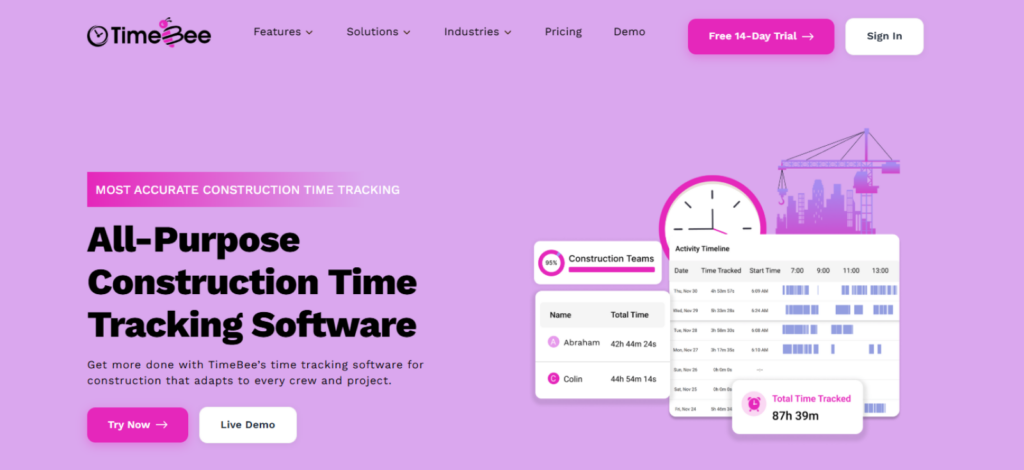
TimeBee finished first because it was the most balanced product across our criteria.
It handled attendance, location-aware clocking, offline capture, project/task attribution, timesheet correction, approvals, payroll calculations, and office-side reporting within one broader workflow.
We started by setting up three projects representing separate job sites and assigning workers to different tasks. Then, we ran 12 mobile clock-in/out cycles, including punches inside and outside the assigned work area.
The GPS record gave us the expected location context, while attendance settings let us distinguish ordinary hours from late arrivals, early departures, short hours, and absences.
The next test was more important for construction work. We disconnected the mobile device during an active field session for 20 minutes.
TimeBee continued retaining the time record locally and synchronized it after connectivity returned. Across nine offline runs, 9/9 punches appeared after reconnection, with a median synchronization delay of 43 seconds.
TimeBee also handled mixed field and office work better than most construction-first products in our shortlist.
In its dashboard, the same employee record combined mobile attendance with desktop or web-based activity, and tracked hours could flow into project records, costing, timesheets, reports, payroll, and client billing.
We also found that manual and imported time corrections within TimeBee moved through approval, while its audit records gave administrators a clearer history of what changed.
The limitation, however, is specialization. TimeBee supports projects and tasks, but it does not provide the same construction-native equipment tracking as BusyBusy or the same depth of automated job site labor-cost workflows as Workyard.
TimeBee Pricing
- Free Trial: 14 days
- Paid Plans: Custom pricing
TimeBee Compatibility
TimeBee supports Windows, macOS, and Linux desktop workflows, iOS and Android mobile use, browser-based administration, a Chrome workflow, and kiosk clocking.
That range is particularly useful when the same construction company has mobile crews, supervisors using shared devices, project staff working from computers, and payroll administrators operating from a browser.
TimeBee Pros and Cons
| Pros | Cons |
| Offline time capture can preserve field records during temporary connection loss | Paid pricing requires a quote |
| Connects attendance with projects, tasks, timesheets, payroll calculations, and reporting | Less construction-native equipment functionality |
| Supports location-aware field attendance alongside desktop and office workflows | Requires broader setup than a basic punch-only time clock |
| Audit and approval workflows make corrected records easier to review | – |
Verdict
TimeBee is strongest for contractors that want one time-and-attendance record to work across job sites, supervisors, office staff, projects, approvals, and payroll-related administration. Its advantage is breadth without forcing the entire workflow into a field-only time clock.
However, if equipment tracking or highly specialized construction job costing is the primary buying requirement, BusyBusy or Workyard deserves closer consideration.
TimeBee: Track Every Job Site Hour Across Crews and Projects
Learn More
2. Workyard — Best for GPS-Verified Job Site Time (8.8/10)
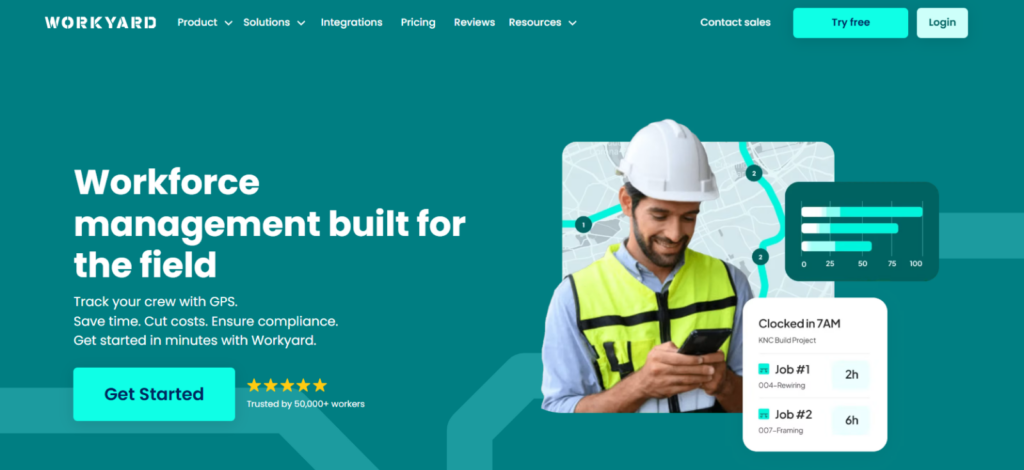
Workyard finished second on the best time and attendance software for construction list because it builds construction labor directly into the product model.
Its strongest advantage is the connection between employee time, job site location, projects, cost codes, mileage, and labor costs. Therefore, if your main question is “Where were those hours spent, and which job should carry the cost?”, Workyard handles that relationship naturally.
For testing, we created two active projects with three cost codes each, clocked a worker into the first location, moved the device between sites, and changed project attribution during the same day.
Workyard kept the time record closely tied to the project structure, while its Project Time workflow surfaced hours assigned to the wrong project before they reached payroll.
Its GPS layer also provided more context than a basic clock-in location. Workyard showed routes, stops, addresses, mileage, travel time, and time spent at different locations. However, the GPS accuracy degraded indoors and under poor reception.
We further evaluated Workyard’s geofencing and automatic clock-in separately.
Reminder-based geofencing passed our evaluation as a positive.
Moreover, polygon boundaries and overlap warnings gave us useful control over closely located job sites, while location-triggered reminders reduced missed punches.
Automatic clock-in, however, did not meet the same reliability threshold. We came across false clock-ins when users merely drove near a job site, including after hours and on weekends.
Plus, since there was no matching automatic clock-out, we still had to remember to end the shift manually.
There was also a privacy and battery trade-off since Workyard required unrestricted background location permission for geofence detection and led to battery drain.
Our mobile experience was similarly mixed. While the clock interface was straightforward, the overall experience included crashes, slow performance, forced updates during punch workflows, and filter failures.
Workyard Pricing
- Free trial: 14 days
- Starter: $6/user/month annually + $50/month company base fee
- Pro: $13/user/month annually + $50/month company base fee
- Autopilot: Custom pricing
- Enterprise: Custom pricing
Workyard Compatibility
Workyard supports web administration and iOS/Android field workflows, with kiosk clocking available in supported configurations.
Workyard Pros and Cons
| Pros | Cons |
| Strong link between time, projects, cost codes, mileage, and labor costs | Automatic clock-in can trigger when workers merely pass near a site |
| Polygon geofences and location-triggered reminders are useful for complex job sites | GPS accuracy can degrade in poor reception |
| Good fit for multi-site construction crews | Mobile crashes, slowdowns, and filter failures can occur |
Verdict
Workyard is a strong choice for contractors that want field attendance tied directly to job sites, projects, cost codes, mileage, and labor costs.
However, if reliable automatic clock-in/out, minimal background location tracking, or deeper construction project management is the primary requirement, you should consider other options.
3. BusyBusy — Best for Construction Labor and Cost Tracking (8.6/10)
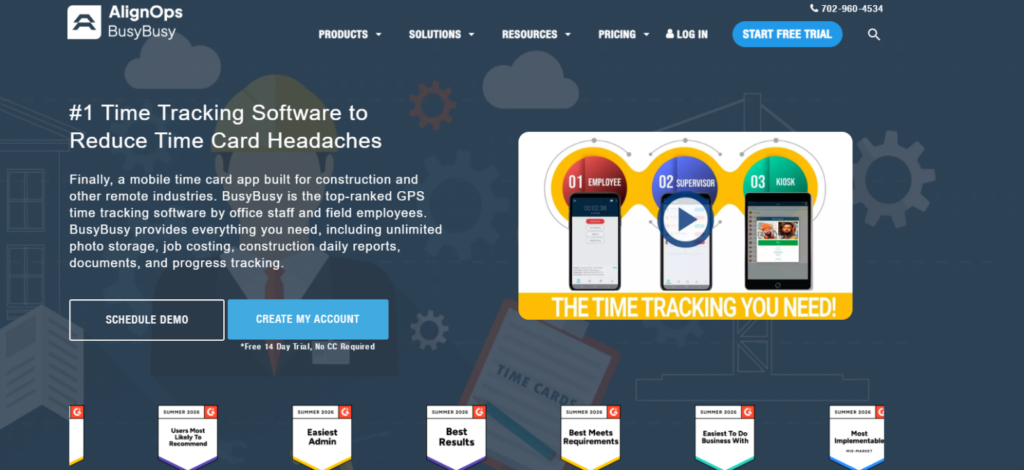
BusyBusy ranked third because it felt like the most explicitly construction-oriented platform in our comparison.
Projects, cost codes, crews, supervisors, equipment, labor budgets, and job records formed the structure around each time entry, which made the platform particularly useful.
We tested that structure by creating three projects, six cost codes, and two equipment records.
Workers could move their time between projects and cost codes, while Supervisor Tools let one manager handle multiple crew members.
That supervisor-led model worked well, but it did not completely remove classification errors.
In our classification test, 23 of 24 entries were assigned correctly on the first attempt, while one misclassified entry required office correction. That result highlighted BusyBusy’s main job-costing trade-off: the reporting structure was detailed, but the final numbers were only as reliable as the project and cost-code selections made in the field.
Punch reliability created another limitation. We came across instances where punches appeared to save but later failed to persist, clocks continued running after an apparent clock-out, synchronization became stuck, or the app crashed or froze.
We also found limits in the GPS and breadcrumb workflow. Location accuracy varied by job site; irregular boundaries could produce false off-site results, and breadcrumb points connected by straight lines didn’t show a precise road-level route.
Regardless, offline capability was one of the stronger findings since core time tracking and some changes continued without an active connection and were synchronized later.
Equipment tracking gave BusyBusy another construction-specific advantage by enabling us to associate equipment with workers and projects.
However, the equipment workflow also had limits. For example, smaller rental assets left at customer locations were harder to track accurately because the location followed the assigned device rather than a dedicated asset tracker.
BusyBusy Pricing
- Free trial: 14 days
- Free: $0; unlimited users
- Pro: $9.99/user/month annually + $40/month admin license
- Premium: $14.99/user/month annually + $40/month admin license
BusyBusy Compatibility
BusyBusy supports web, iOS, and Android workflows, along with shared-device/kiosk use.
The mobile-first model is appropriate for crews that spend most of the day away from an office.
BusyBusy Pros and Cons
| Pros | Cons |
| One of the strongest construction-specific labor models | Correct job costing still depends on accurate field classification |
| Supervisor tools reduce repetitive individual crew administration | Geofencing does not remove every need for worker/supervisor input |
| Equipment records distinguish it from generic attendance platforms | May be excessive for contractors that only need straightforward attendance |
Verdict
For contractors that need detailed labor and job-cost tracking, BusyBusy stands out as a strong fit. However, if simpler field workflows and lower administrative cleanup are the priority, BusyBusy is less convincing.
4. ClockShark — Best for Offline GPS Time Tracking (8.2/10)
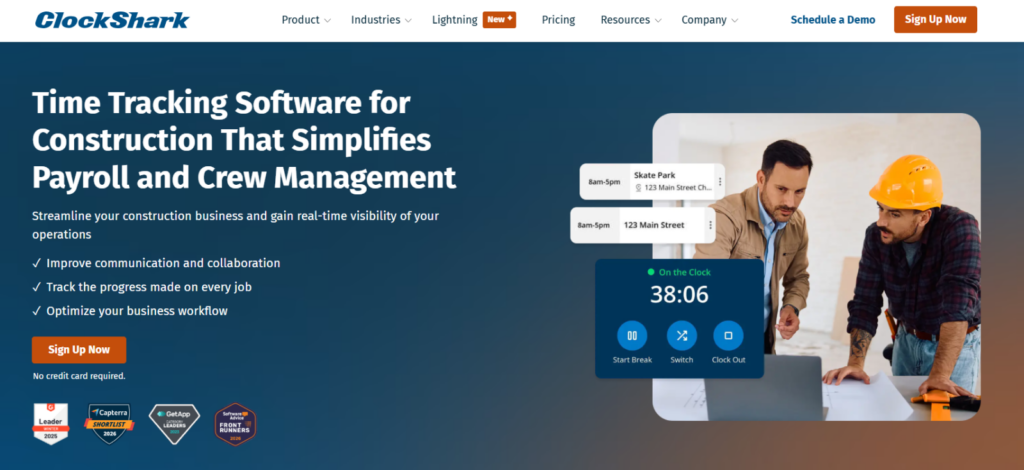
ClockShark ranked fourth because it handles the core contractor workflow without requiring the operational depth of a larger construction management platform.
Its strongest combination is mobile time, offline operation, jobs and tasks, GPS records, CrewClock, scheduling, and payroll/accounting connectivity.
We started with a simple field scenario: four workers assigned to the same job, one supervisor, weak connectivity, and two job/task changes during the day. ClockShark allowed the supervisor to handle the group.
We then disabled connectivity. The important result was that ClockShark could retain clock-in/out activity, breaks, and GPS information while disconnected and synchronize it after service returned.
Across eight offline test cycles, we recorded 8/8 successful punch recoveries after reconnection. The recovery itself was consistent, although synchronization was not always visually immediate, which is why we would still train workers not to create duplicate punches simply because a recovered entry takes a short time to appear.
As for its GPS records, ClockShark location points did not create a perfectly continuous trail, and accuracy varied with GPS conditions. Large structures, steel, concrete, indoor work, and poor satellite visibility all reduced precision.
ClockShark also did not automatically solve forgotten clock-outs simply because a worker left a geofence. Instead, its geofence was more useful for arrival context, restrictions, and verification.
ClockShark Pricing
- Free trial: 14 days
- Standard: $40/month base fee + $9/user/month
- Pro: $60/month base fee + $11/user/month
- Contract term: 3 years on all pricing plans
ClockShark Compatibility
ClockShark supports web, iOS, and Android time tracking, with shared kiosk workflows for teams that clock from a common device.
That makes it practical for contractors who want field workers on mobile while supervisors or office staff administer jobs and payroll from the web.
ClockShark Pros and Cons
| Pros | Cons |
| Offline time, break, and GPS workflows suit weak-connectivity job sites | GPS history should not be treated as perfectly continuous or exact |
| CrewClock reduces repetitive punch administration for supervisors | Geofence exit is not equivalent to guaranteed automatic clock-out |
| Straightforward fit for small and midsize trade crews | Current pricing carries a three-year contract term |
Verdict
ClockShark is a practical fit for trade and field-service contractors that need location-aware attendance, crew time, jobs, scheduling, and payroll exports. However, if you need deeper equipment and cost-code workflows, ClockShark does not support them.
5. Timeero — Best for Mobile Crews and Location-Based Automation (8.0/10)
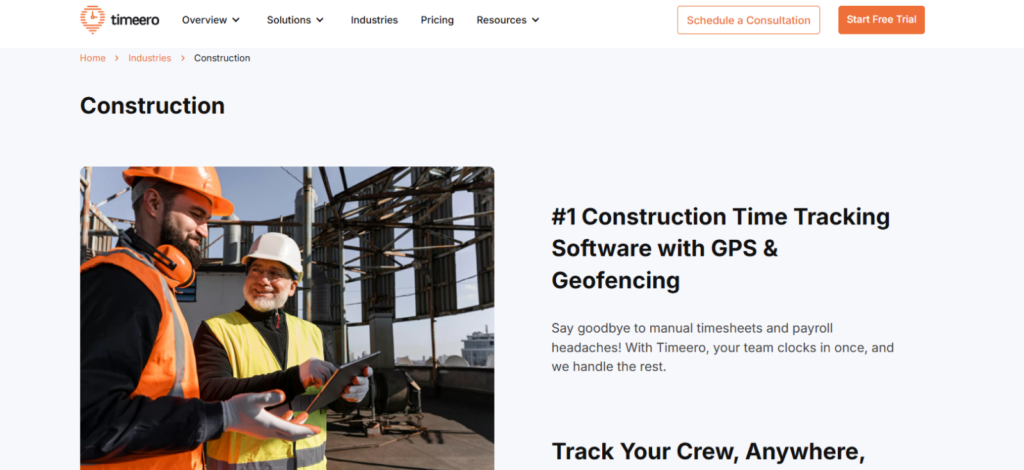
Timeero ranked fifth because its location workflow is particularly useful when a construction workday includes substantial movement between job sites.
The product combines employee time with GPS, mileage, geofencing, scheduling, automatic clock actions, and payroll/accounting integrations. That is why it is most compelling when movement itself is part of the attendance problem.
To test Timeero’s capabilities, we created three job sites separated by roughly 3 to 8 miles and moved the same mobile device between them during a simulated workday.
By doing so, we were looking for three things: whether the location change was recognized, whether the correct work period survived the transition, and whether mileage remained useful afterward.
We also put the mobile app into airplane mode during an active shift, and the recorded activity synchronized after connectivity returned.
Timeero’s geofencing also supported automatic clock-in and clock-out on relevant plans, while its scheduling and job functions gave the location event some work context.
We were less convinced, however, because its mileage and location records still depended on the device, background permissions, GPS availability, and whether the app remains active as required.
Timeero Pricing
- Free trial: 14 days
- Basic: $5/user/month annually; maximum 10 users
- Pro: $7.50/user/month annually
- Premium: $10/user/month annually
- Enterprise: Custom pricing
Timeero Compatibility
Timeero, one of the best time and attendance apps for construction, supports web administration and iOS/Android mobile workflows, with kiosk options for shared attendance.
Timeero Pros and Cons
| Pros | Cons |
| Strong fit for employees moving frequently between job sites | Less construction-native cost-code and equipment depth |
| Combines time, location, mileage, jobs, and scheduling | GPS accuracy still depends on phone and permission conditions |
| Offline records can synchronize after connectivity returns | Some advanced tracking requires additional per-user add-ons |
Verdict
Timeero is best for mobile construction or service crews since its location-oriented automation can reduce forgotten punches when configured carefully. However, companies that primarily care about job-level labor costing should look first at Workyard or BusyBusy. Likewise, teams wanting a broader attendance-to-payroll workflow across both field and office staff can look into TimeBee.
6. Jibble — Best Free Construction Attendance Tracker (7.2/10)
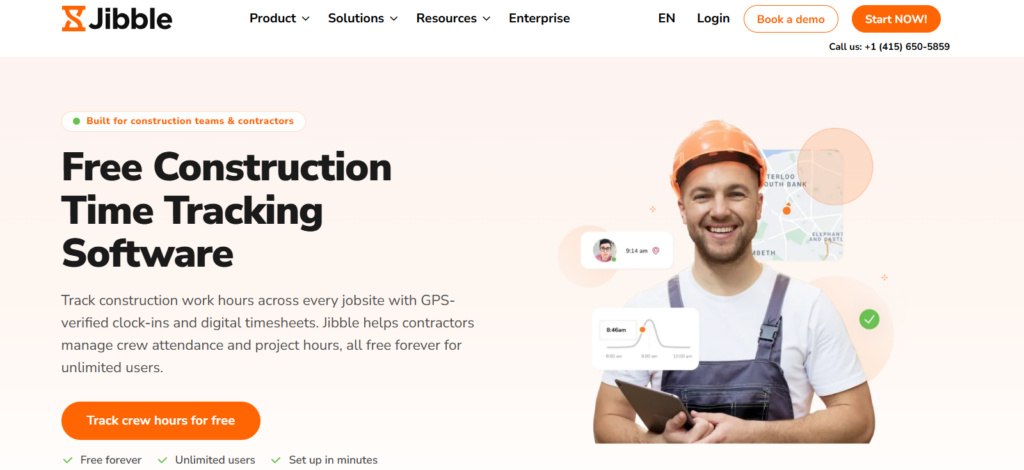
Jibble ranked sixth because its free plan gives small construction teams substantial attendance functionality without requiring an immediate subscription. That value is real.
However, our score reflects an important distinction: feature availability is not the same as feature dependability.
We tested Jibble primarily as an attendance product. Basic clocking was straightforward enough, and the shared kiosk model is useful when employees report to the same site but do not all carry company phones.
The identity-verification test produced the more important result. In one mobile buddy-punch simulation, a user could initially clock in on another person’s behalf before the stored face data was updated.
The repeat test behaved differently after the face record was corrected. Therefore, the presence of facial recognition is not, by itself, evidence that every identity check will be correct.
The same caution applies to geofencing. While Jibble restricted punches to authorized locations and offered offline mobile attendance, our time-tracking results in rural or GPS-challenging environments were inconsistent.
Our correction workflow also took more steps than the simpler field clocks in this comparison.
Therefore, we believe that while Jibble remains compelling on value, its weakness is that construction-specific labor costing, crew administration, and project-site relationships are shallow.
Jibble Pricing
- Free trial: 14 days
- Free: $0; unlimited users
- Premium: $4.49/user/month annually
- Ultimate: $7.99/user/month annually
- Enterprise: Custom pricing
Jibble Compatibility
Jibble supports web, desktop, mobile, browser-extension, and shared-kiosk workflows. That breadth gives small contractors flexibility to mix office administration, mobile punches, and a common job site device without adopting separate attendance systems.
Jibble Pros and Cons
| Pros | Cons |
| Free core is unusually capable for basic attendance | Construction-specific job costing and equipment functions are limited |
| Supports mobile, kiosk, offline, GPS, project, and biometric workflows | Correction and setup workflows can require more steps than expected |
| Multiple clocking methods provide deployment flexibility | Location-heavy mobile use can increase battery and permission friction |
Verdict
Jibble is easiest to justify when cost is a primary constraint, and the company needs basic digital attendance. Though we would not choose it solely because the free tier is generous.
7. Connecteam — Best for Construction Workforce Management (6.9/10)
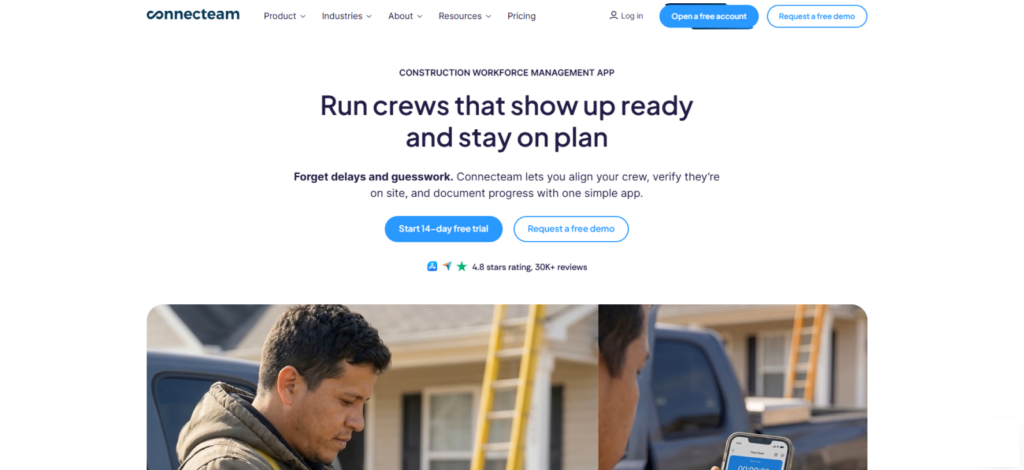
Connecteam ranked seventh because its strengths extend much further than the specific problem we are scoring.
Time clock, job scheduling, forms, quick tasks, communication, training, employee information, PTO, and HR functions all live within the platform. That consolidation can be attractive to a contractor trying to replace paper checklists, group texts, schedules, and a separate attendance app.
In our test, basic employee actions were easier to understand than the administrative side. Workers could clock, view schedules, complete routine mobile actions, and interact with operational information without navigating the entire platform.
However, administration was more layered. Jobs, policies, time rules, reports, forms, hubs, and permissions introduced considerably more configuration.
Since our larger concern for this article was field reliability, we also looked into that.
Connecteam’s standard mobile, kiosk, and desktop time-clock workflows depended on connectivity. Therefore, for a company whose workers regularly lost signal in basements, remote areas, large structures, or undeveloped sites, that is a major limitation.
Nonetheless, its scheduling was stronger. We could create and duplicate shifts, use templates, publish open work, attach tasks or notes, and combine schedules with workforce communication.
Connecteam Pricing
For the Operations hub:
- Free trial: 14 days
- Small Business Plan: $0 for businesses with fewer than 10 employees
- Basic: $29/month annually for the first 30 users
- Advanced: $49/month annually for the first 30 users
- Expert: $99/month annually for the first 30 users
- Enterprise: Custom pricing
Connecteam Compatibility
Connecteam supports web, iOS, Android, and kiosk-style workflows.
Connecteam Pros and Cons
| Pros | Cons |
| Broad workforce platform can consolidate schedules, tasks, forms, and communication | No dependable standard offline time-clock workflow for weak-connectivity sites |
| Strong scheduling and frontline coordination capabilities | Administrative setup is considerably more layered than employee clocking |
| GPS/geofence controls add job site context | Construction job costing is not as deep as specialist products |
Verdict
Connecteam is a better fit when construction time tracking is one part of a wider deskless-workforce problem. However, we still would not place it above the field-focused products for contractors working routinely in the field.
8. TimeCamp — Best for Mixed Field and Office Time (6.6/10)
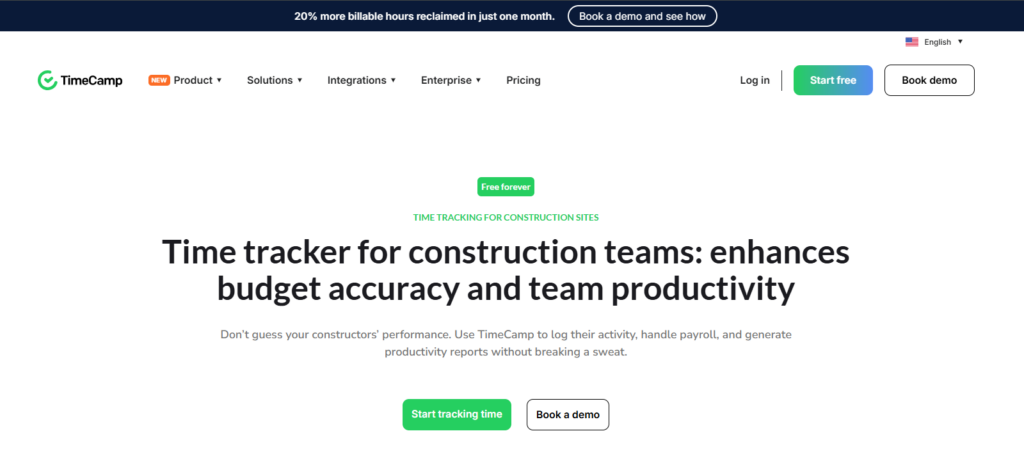
TimeCamp ranked eighth because it is fundamentally a horizontal time-tracking and work-analysis platform. However, that does not make it irrelevant to contractors.
In fact, its project structures, timesheets, reports, client billing, and budgets can be useful when a construction company’s labor record includes estimators, project managers, office staff, administrators, and field employees.
The difference here is context.
Workyard starts from field labor. BusyBusy starts from construction labor and equipment. TimeCamp starts with time itself and lets you organize it around projects, tasks, clients, and commercial workflows.
We tested TimeCamp with two field users and two office users assigned to the same project structure. The browser application gave us the clearest view for administration, project records, and reporting, while desktop activity capture made more sense for office-based work than for job sites.
That mixed-environment capability is the reason TimeCamp remains on this list.
However, cross-device consistency was weak because its browser, desktop, and mobile products did not always behave like one identical interface, and synchronization delays persisted.
TimeCamp Pricing
- Free trial: 14 days
- Free: $0; unlimited users
- Starter: $3.99/user/month annually
- Premium: $6.99/user/month annually
- Ultimate: $9.99/user/month annually
- Enterprise: Custom pricing
TimeCamp Compatibility
TimeCamp works across web, desktop, and mobile environments.
TimeCamp Pros and Cons
| Pros | Cons |
| Strong fit for project-based time analysis across office and field work | Construction-specific labor and field-operation depth is limited |
| Free plan lowers the cost of initial adoption | Cross-device synchronization needs careful validation |
| Reporting, billing, and project analysis can extend beyond attendance | Manual editing can become cumbersome |
Verdict
TimeCamp works best for construction businesses where time analysis extends beyond the job site into estimating, project administration, consulting, billing, or office work. However, for field-first contractors, every product above it provides a more direct construction attendance proposition.
Job Site vs Mixed vs Multi-Site: The Best Solutions by Work Setup
The best construction time and attendance apps for you often depend on how your crews actually work, so we have grouped our strongest picks by job site setup below.
Best for Job Site-First Construction Crews
- BusyBusy is the stronger choice when the job site is the center of the entire labor workflow. Its construction-native project structure, cost codes, supervisor tools, equipment records, GPS context, and job-cost orientation mean field time remains attached to construction information.
- ClockShark is the simpler alternative when the priority is dependable contractor time. CrewClock, with offline operation, jobs/tasks, GPS context, scheduling, and payroll integrations, supports a conventional trade workflow.
Best for Mixed Office & Field Construction Teams
- TimeBee makes the most sense when the company wants one time-and-attendance model across both environments. Mobile crews can generate location-aware attendance and project/task time, while office workers can use desktop, browser, or manual workflows. Those records can then feed the same timesheet, reporting, costing, and payroll-related process.
- TimeCamp is also relevant here, particularly when office project analysis and client billing matter. Its browser and desktop workflows are stronger than its construction specialization, so we would choose it when project-time analysis is more important than construction-native crew controls.
Best for Multi-Site Construction Teams
- TimeBee is useful when workers move across several job sites, but the company still wants their attendance, projects, timesheets, and payroll-related records under one system. Its advantage is continuity across location-based field time and wider workforce administration.
- Workyard is stronger when the office needs a more construction-specific answer to where labor was spent. GPS context, project structures, cost codes, travel, mileage, and labor reporting make it particularly relevant to contractors operating several active sites at once.
Final Verdict
No single app is the best construction time and attendance software for everyone. TimeBee ranked first in our weighted comparison because it was consistently capable across field reliability, attendance, adoption, workflow compatibility, and mixed field/office use.
However, it cannot necessarily rank first for you, and in that case, you can opt for one of these software options:
- Workyard supports exact job site presence and construction labor costing.
- Equipment-heavy or supervisor-led crews should look closely at BusyBusy.
- ClockShark fits contractors wanting a more focused field clock.
- Timeero is especially relevant when crews drive between several sites.
- Jibble is difficult to ignore when budget is the main constraint.
- Connecteam is better viewed as a broader workforce platform.
FAQs
What software do most construction companies use?
There is no single time-and-attendance product used by most construction companies. Contractors typically choose between construction-native tools such as Workyard, BusyBusy, or ClockShark; location-focused tools such as Timeero; broader workforce platforms such as Connecteam; and detailed time-and-attendance systems such as TimeBee or Jibble. The right category simply depends on the operating model.
How should a construction company roll out new time and attendance software?
You should start with one crew or job site and reproduce ordinary work first: arrival, clock-in, project selection, lunch, job changes, poor reception, missed punches, supervisor approval, and payroll export. Then you should run that pilot through at least one complete pay period to have enough time to expose specific problems.
Once testing is complete, train employees only on the actions they actually need. Finally, document what happens when something goes wrong.
How should construction companies handle missed punches and disputed time entries?
To handle missed punches and disputed time entries effectively, companies should use an exception-and-approval workflow within the software. While a worker should be able to flag or correct a legitimate missed punch, the system should preserve enough context for a supervisor to understand what changed before finalizing payroll.
For disputed entries, administrators can compare the original punch, corrected time, location context, project assignment, supervisor notes, and edit history. GPS can also provide useful supporting context, but it should not automatically override other evidence because mobile location data is not infallible.
What should construction companies test during a free trial or software demo?
You do not need to spend the trial simply clicking through menus. Instead, you should reproduce the conditions most likely to create problems. At minimum, you should:
- Clock workers at a real job site,
- Attempt an off-site punch,
- Turn off the internet during a shift,
- Change projects or cost codes,
- Record overtime,
- Move between job sites,
- Forget a clock-out,
- Correct the mistake,
- Approve the timesheet, and
- Send the result into the payroll process.
Also, you should test on the actual devices your workforce uses.
Can QuickBooks track time for contractors?
Yes, QuickBooks Time can track contractor hours, GPS locations, mileage, schedules, and job time, with data flowing into billing, payroll, and project costing. However, we left it out of our top eight because its construction depth is more limited. Not only that, but its geofencing is partly reminder-based; its GPS can miss points when background settings or connectivity interfere; and some stronger construction cost controls require higher-tier products or add-ons. Overall, it remains a practical option for contractors already using QuickBooks, but Workyard, BusyBusy, and TimeBee offered a stronger fit for dedicated construction time-and-attendance workflows.
Start Tracking Time More Clearly With TimeBee
Try TimeBee Today



Jacob Tyler
Member since July 2, 2026
Jacob Tyler
Member since July 2, 2026
Jacob Tyler is a B2B technology journalist specializing in workplace software, employee monitoring platforms, productivity technology, HR systems, data privacy, and the changing role of technology in modern organizations.
He holds an MSc in Information Systems from the University of Manchester. His professional qualifications include the CompTIA Data+ certification.
With more than 10 years of experience covering B2B software and digital transformation, Jacob focuses on translating complex product capabilities into clear guidance for business readers.
His work examines how software functions in practice, which operational problems it is designed to address, what data it collects, and what organizations should consider before implementation.
Through his writing, Jacob helps HR leaders, operations teams, founders, managers, and IT decision-makers understand workplace technology and make informed purchasing decisions.