

How to Manage Your Time as a Freelancer: Biggest Challenges and Tips You Won’t Find in Every Guide
By Jacob Tyler
October 7, 2026 15 min readBecause I started my career as a freelancer, I understand the pressure to take on more clients and finish more work in less time. The logic was simple: more projects should mean more income. However, when I started practice, constantly extending my workday eventually made that income harder to sustain.
Think about a 16-hour workday spent clearing client deadlines. You finish the work, but the exhaustion carries into the next day. Repeat that pattern over and over again, and you will see that your concentration drops and you are unable to meet your schedule’s demands; hence, it has become difficult to maintain income.
That is why good freelancer time management is not about filling every available hour. It is about knowing how much work your schedule supports and protecting enough time to complete that work properly.
In this guide, I explain the biggest challenges and how to manage your time as a freelancer without turning flexibility into an endless workday.
Essentials for Managing Freelance Time Better
- Real capacity is lower than total available working hours.
- Client work is only one part of a freelancer’s workload.
- Poor estimates create deadline problems before work even starts.
- Context switching and interruptions reduce usable focus time.
- Capacity planning becomes essential when several clients overlap.
- Time tracking works best when it improves future estimates.
- Weekly reviews keep freelancer time management based on actual workload patterns.
Why Time Management Is Harder for Freelancers Than Traditional Employees
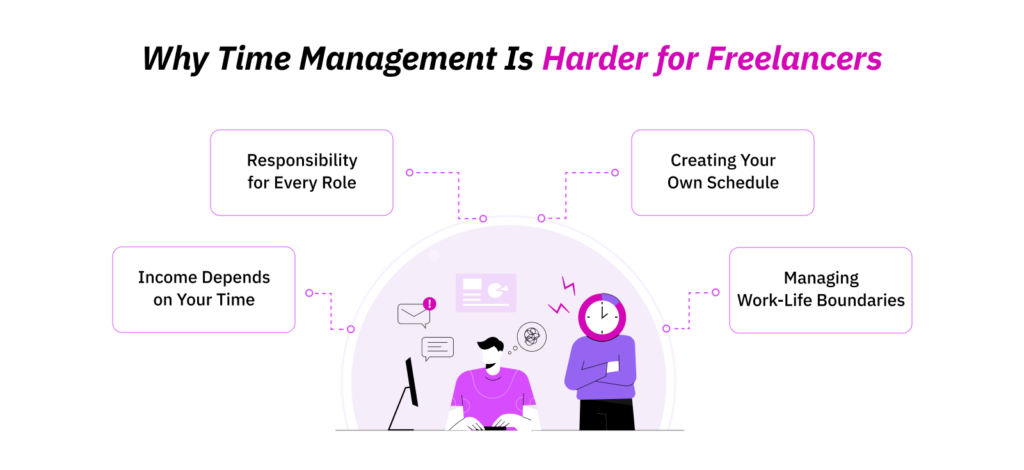
Freelancers have more control over their schedules than traditional employees, but they also have to create the structure that usually comes with a workplace. There is no manager deciding priorities or setting a fixed stopping time.
That makes time management as a freelancer a broader responsibility than simply completing client work.
1. You’re Responsible for Every Role
A freelancer rarely spends the entire day producing billable work. Client communication, revisions, proposals, invoices, project coordination, and planning are side tasks that compete for the same working hours.
The difficulty is not that these responsibilities exist. It is that they often sit outside the hours freelancers initially allocate to the project itself.
2. No One Creates Your Schedule
Traditional employees usually work within defined hours and established priorities. Freelancers have to create that structure themselves.
Without a proper time schedule, the task that looks most urgent often receives attention first, while another project with a greater deadline or income implications gets ignored.
3. Income Depends on Hours
Available time places a direct limit on how much freelance work fits into a week. When one project exceeds its estimate, it reduces the hours available for another.
This is why freelancer time management and income planning are closely connected. Poor control over time eventually becomes poor control over workload.
4. Flexibility Often Leads to Poor Boundaries
Freelancing gives you the freedom to choose when you work. That same freedom makes it easy for work to spread into evenings and weekends.
Once there is no clear distinction between working time and available time, every client request starts competing with the rest of your day.
That loss of structure leads directly to the challenges below.
8 Biggest Time Management Challenges Freelancers Face
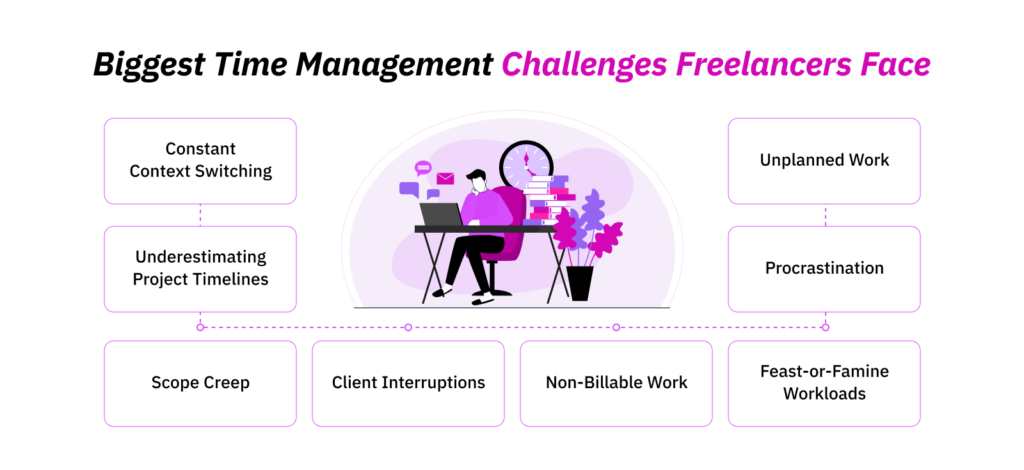
Freelance schedules rarely collapse because of one dramatic mistake. Small issues build on each other. An inaccurate estimate creates pressure, a client interruption delays the task, and an additional revision pushes the next project further back.
These are the eight challenges that most often disrupt freelance time management.
1. Constant Context Switching
Freelancers often move between different clients and different types of work throughout the same day. You finish part of a report, answer another client’s message, review feedback, and then return to the original task.
Your attention does not switch as quickly as the screen in front of you. Each change requires you to recover the context of the previous task, which reduces the amount of uninterrupted concentration available for complex work.
2. Underestimating Project Timelines
When I started freelancing, I often focused too heavily on the time required for the main deliverable.
I ignored the fact that the real project also included communication, research, preparation, revisions, and final checks. When those additional activities were left out of the estimate, the calendar looked more open than it really was.
That is how a manageable-looking week becomes overloaded before the work has even started.
3. Scope Creep
Scope creep starts when additional work enters a project without a corresponding change to the original time commitment.
While working, I didn’t know how one extra revision or an additional request that could look harmless at first could take up most of my time. The real problem appeared when those requests kept adding up.
The schedule then had to absorb work that was never included in the original estimate, while every other client deadline stayed the same. Once scope started expanding, the pressure usually spread into the rest of the week.
That pressure often became worse when clients also interrupted the work already in progress.
4. Client Interruptions Throughout the Day
Client communication becomes a time management problem when every message pulls attention away from scheduled work.
I found that a short update request or quick call rarely felt disruptive on its own. The problem was the combined effect of several interruptions across the same day.
Focused work kept getting divided into smaller blocks, and tasks that required sustained concentration moved forward more slowly.
Even when client interruptions were limited, another part of the workload still quietly consumed time.
5. Non-Billable Work
Freelance work includes responsibilities that support client delivery without appearing as billable project hours.
I learned during my freelance years that proposals, project discussions, payment follow-ups, scheduling, and record-keeping still had to fit somewhere in the week.
So if a freelancer looks only at billable hours, the schedule will appear more open than it actually is. Time management becomes even harder to maintain when work itself is unpredictable.
TimeBee: Track Freelance Time With Greater Billing Accuracy
Discover More
6. Feast-or-Famine Workloads
Freelance demand is rarely consistent. Quiet periods often create pressure to accept new work, while several projects can arrive close together once demand increases.
During my freelance time, I observed how easy it was for separate commitments to look manageable when they arrived one at a time. The conflict only became obvious once their deadlines started overlapping.
That uneven workload creates pressure on both time and attention. It also makes it easier to delay difficult work when there is no external structure keeping the day on track.
7. Procrastination When Nobody Is Watching
Freelancing removes much of the external structure found in a traditional workplace.
Back in the day, I procrastinated a lot. For me, it was easier to postpone difficult tasks when nobody was checking whether they had started. Smaller tasks often felt more productive because they were quicker to finish.
Emails got answered. Files got organized. Minor changes got completed.
To me, I was productive, but the most important project used to stay untouched. And even when the main work moved forward, another category of small tasks kept competing for time.
8. Administrative Work Nobody Plans For
Administrative work becomes disruptive because it usually arrives in small pieces.
During my freelance years, I found that checking records, organizing files, reviewing contracts, updating project information, and handling routine documentation rarely seemed large enough to schedule separately.
Individually, these tasks looked minor. Together, they consumed a meaningful part of the working day and reduced the time left for planned client work.
Once I understood how these challenges interacted, the next step was not simply to work faster. It was to build a freelancer time management system that accounted for them before they started controlling the schedule.
9 Freelancer Time Management Tips Most Guides Never Mention
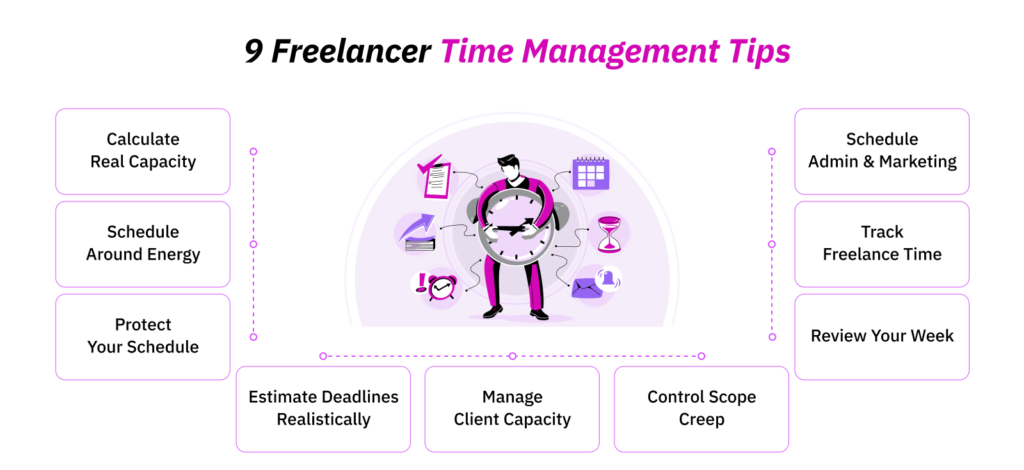
Time management problems do not always come from a lack of discipline. In many cases, the problem starts much earlier: freelancers accept work without knowing their actual capacity and leave no room for additional tasks that fall outside billable hours.
That is where these time management tips for freelancers come in.
1. Calculate Your Real Weekly Capacity Before Accepting More Freelance Work
Before accepting another project, I first calculated how many hours of my week were actually available for client work. If I planned to work 40 hours, I did not treat all 40 as billable capacity.
Project-related tasks and administration already occupied part of that time. Ignoring those hours meant I had to adjust them later, usually when the schedule was already full.
This is one of the most important parts of learning time management. Set a clear limit before another client or deadline enters the calendar.
Use a Freelancer Capacity Formula
I kept the calculation simple:
Weekly freelance capacity = total available work hours − fixed non-client hours − contingency time
For example, suppose you have 40 working hours available. If administration and other non-client tasks require eight hours, and you reserve another four hours for unexpected work, your actual client capacity is 28 hours, not 40.
I treated that final number as my maximum planned client capacity, not a target that I needed to fill.
Once I knew how many hours were available, the next question was where those hours belonged in the week.
2. Build a Freelance Time Management System Around Energy, Deadlines, and Cognitive Load
It is not wise to schedule work based only on what is due first. Look at how much concentration each task requires and schedule it at times when your attention matches that demand.
Two free hours on a calendar are not always equal. Tasks such as writing a technical report or developing software demand more cognitive effort than checking an invoice or replying to routine emails.
You have to allocate your time accordingly so the time management is more realistic.
Schedule Deep Freelance Work During Your Highest-Focus Hours
One of the most useful freelancer time management tips I received was to reserve my strongest concentration period for work that required deep thinking. Routine work went into my lower-focus periods.
For example, if my strongest focus lasted from 9 a.m. to noon, I used that block for demanding client work. I moved email and routine updates to the afternoon instead of allowing them to consume my most productive hours.
Batch Similar Freelance Tasks
Group similar tasks into dedicated blocks instead of switching between them throughout the day.
For example, instead of checking five client inboxes throughout the morning, I handled those messages in one communication block. The same principle applied to invoices or minor revisions. This reduced unnecessary task switching and kept larger work blocks intact.
Match Time Management Methods to the Type of Work You Do
One freelance time management technique does not fit every type of work. Match the method to the structure, duration, and concentration level of the task.
- Time blocking: Reserve fixed calendar periods for predictable, concentration-heavy work.
- Kanban: Track projects that move through clear stages from start to completion.
- Pomodoro: Divide mentally demanding work into focused intervals with scheduled breaks.
- Day theming: Assign specific categories of work to particular days.
- Eisenhower Matrix: Separate urgent tasks from important work before planning the day.
Once the core work had a defined place, the next priority was protecting those blocks from the biggest external disruption.
3. Protect Your Freelance Schedule From Client Interruptions
Client communication is part of freelancing, but it should not control the entire working day. If you respond every time a message arrives, your priorities become dependent on someone else’s inbox.
For better time management as a freelancer, set specific periods for routine communication before the day starts.
Set Client Response Windows
I set specific periods for emails, messages, and project updates. Outside those windows, I focused on scheduled work.
For example, I checked routine client communication at 11:30 a.m. and again at 4:30 p.m. instead of keeping the inbox open throughout the day.
Create an Urgency Rule
Define what actually qualified as urgent. Without that distinction, every new request starts to feel equally important.
For example, a missing file that stopped a deliverable due that afternoon qualified as urgent. A client asking for a progress update on work due three days later did not. The rule determined what interrupted the schedule and what waited for the next response window.
Leave 10–20% of Your Freelance Schedule Unallocated for Revisions
An unallocated 10–20% means intentionally leaving part of your available client capacity unscheduled. In a 30-hour client week, that represents roughly three to six hours. The time remains available for revisions or additional project work instead of being committed in advance.
I used to reserve part of my planned capacity for these disruptions and adjusted the amount according to what previous projects had required. I did not treat 10–20% as a fixed rule. My actual revision history determined how much buffer each workload needed.
Protecting the schedule addressed interruptions, but it did not fix a deadline that was unrealistic from the beginning. That required better estimation.
4. Estimate Freelance Deadlines by Including Revisions, Communication, and Risk Buffer
One of the time management tips for freelancers that I used to follow religiously was to estimate a deadline by including the entire delivery process rather than only the time required to produce the main deliverable.
This distinction is critical for time management. A project does not end when the first version is complete. Added tasks, including unexpected project issues, also occupy scheduled time.
Use a Four-Part Deadline Estimate
Break the estimate into four parts:
Project time = production + communication + revisions + risk buffer
Production covers the actual deliverable. Communication covers added tasks. Revision time covers agreed changes. The risk buffer accounts for reasonable uncertainty.
For example, if production requires eight hours, communication requires one hour, revisions require two hours, and you allocated another hour for unexpected issues, so schedule 12 hours for the project rather than eight.
Once each project had a realistic time estimate, I needed one place to see how those estimates interacted across clients.
5. Manage Multiple Freelance Clients With a Capacity Board
Once several projects were active, I stopped relying on memory to judge whether I had room for another one. I used a capacity board to see every active commitment in one place.
My board included the client, project, estimated hours, hours already used, remaining hours, deadline, and current stage. This gave me a workload view rather than another task list.
A to-do list tells you what needs to get done. A capacity board tells you whether enough time exists to get it done.
This distinction makes time utilization more efficient and precise. If two projects require ten remaining hours each and both have deadlines in the same period, the workload conflict becomes visible before another project enters the schedule.
But even an accurate capacity board stops working when an eight-hour project quietly becomes a twelve-hour project. That is why the next step is controlling scope.
6. Stop Scope Creep
When a client added work outside the original agreement, I treated it as a change to the schedule rather than a small favor.
Every additional section or revision required time. That time had to come from somewhere. If my schedule was already committed, extra work for one client started consuming hours reserved for another.
For better time management, separate new requests from the original deliverable and calculate the additional time before adding them to the project.
This keeps the effect of scope changes visible. A request that adds two hours to a project is not simply “two more hours.” It reduces the remaining weekly capacity and affects the time available for other deadlines.
Once client scope is under control, another category of work still needs space in the schedule: the work required to run the freelance business itself.
7. Protect Time for Marketing and Administration
One mistake I made early in freelancing was treating non-client work as something I could complete whenever I found spare time. The problem was simple: when client work increased, spare time disappeared.
I eventually started treating administration and business-related work as part of my weekly workload from the beginning.
Invoices, client follow-ups, project organization, proposals, records, and other operational tasks received their own scheduled time. I subtracted those hours before calculating how much client work fitted into the week.
This made time management more accurate because my schedule reflected the entire workload rather than billable work alone.
It also stopped administrative tasks from repeatedly moving into evenings or weekends.
At this point, the system has structure. The next step is replacing assumptions about where the hours went with actual time data.
8. Use a Reliable Freelancer Time Management Tool – TimeBee
Many freelancers initially manage their hours with a calendar, spreadsheet, or manual notes. That approach works when the workload is small. As projects and clients increase, manual tracking becomes harder to maintain accurately, especially when you also need task-level records, billable-hour breakdowns, and organized invoices.
Clients also sometimes require a clear breakdown of the hours attached to a project. A reliable time-tracking tool keeps these records in one place and provides data freelancers can review when their estimates and actual working hours stop matching.
Modern time management software combines several of these functions. Start by identifying the information you actually need to track, then choose a tool whose features support that workflow.
TimeBee – Time Tracking App for Freelancers
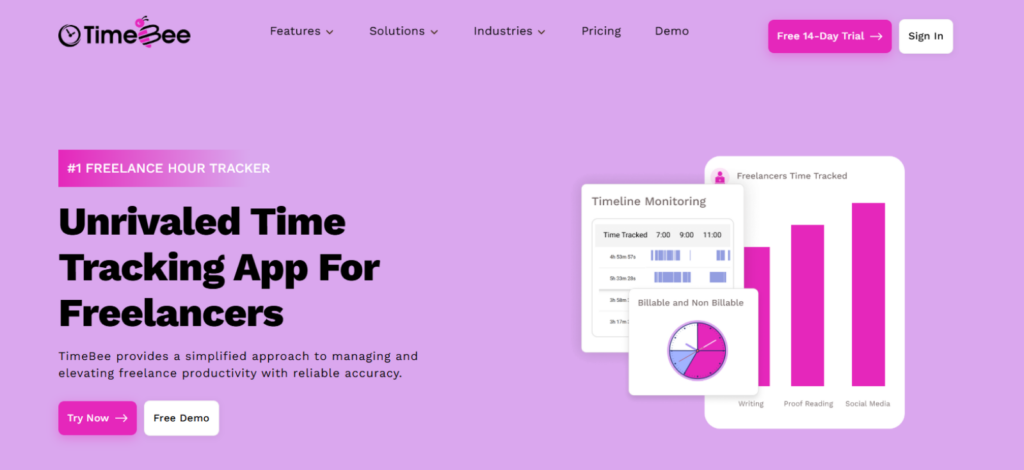
TimeBee is a time-tracking app for freelancers that records work hours through automated timesheets and breaks tracked time down into projects and tasks. This gives freelancers a clearer record of where working hours are spent.
Its freelancer-focused features include:
- Automated Timesheets: Records freelance working hours in timesheets without requiring every session to be entered manually.
- Billable Hours: Separates billable and non-billable time, which provides a clearer basis for client billing.
- Task Tracking: Breaks project hours down by individual tasks instead of showing only total project time.
- Invoicing: Connects tracked time with invoicing so billing records are based on recorded work hours.
- Project Costing: Shows project costs and time spent across individual tasks in one view.
- Project Progress: Provides visibility into project duration and how tracked hours are distributed across tasks.
- Client Management: Supports multiple clients and provides visibility into the progress of their projects.
- Profitability Reports: Compares tracked project costs with earnings to show project-level profitability.
The important part is not simply collecting more time data. Use the records to identify where estimates differ from actual work, which tasks repeatedly consume extra hours, and how much of the working week goes into billable versus non-billable activities.
That data becomes useful only when you review it, which leads to the final step.
9. Review Your Freelancer Time Management System Weekly
I always recommend finishing the system with a weekly review. Without that step, time tracking produces records, but those records do not improve how you can plan the following week.
If a task estimated at five hours repeatedly took seven, I changed the estimate. If revisions regularly consumed the entire buffer, I increased the revision allowance. If communication repeatedly interrupted deep-work blocks, I changed where those response windows sat in the day.
This was where managing your time as a freelancer became a continuous system rather than another productivity routine.
The process came full circle: I calculated real capacity, scheduled it according to the work, protected that time, tracked what actually happened, and used those records to plan the following week more accurately.
Ethical Monitoring: Know When Time Tracking is Essential
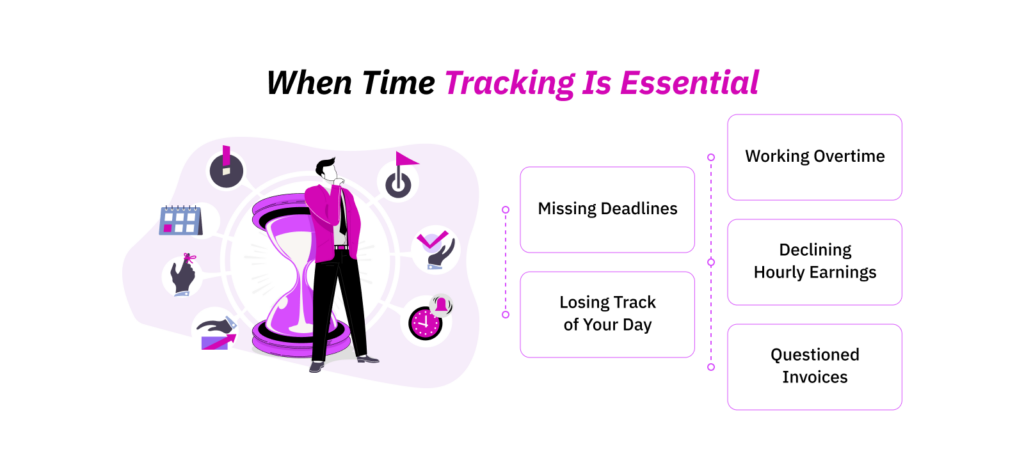
The mistakes above become difficult to correct when you do not have clear data about how your working hours are actually spent. You might feel busy throughout the day, yet still struggle to explain why deadlines slip or why a project takes longer than expected.
You should start tracking your time when:
- You’re Missing Deadlines. Tracked hours show whether projects consistently require more time than you originally estimated.
- You Don’t Know Where Your Day Goes. A time record exposes how much of the day is spent on client work, communication, administration, and other tasks.
- You Work Overtime Regularly. Repeated overtime often shows that your planned capacity does not match your actual workload.
- Your Hourly Earnings Are Decreasing. For project-based work, additional untracked hours reduce your effective hourly earnings even when the project fee stays the same.
- Clients Question Invoices. Accurate time records provide a clearer breakdown of the hours attached to specific projects or tasks.
The important word here is essential. Do not track time simply because a tool allows you to collect more data. Track the information that helps you make better scheduling, estimation, and billing decisions.
That keeps time tracking focused on how to manage your time, rather than turning it into unnecessary monitoring.
Final Thoughts
Learning how to manage your time as a freelancer is not about squeezing more tasks into every hour. It is about understanding your actual capacity and building enough structure to handle client demands without letting them control your entire schedule.
I learned the hard way that the biggest problems usually came from poor estimates and a lack of visibility into where my time was going. Once those areas became clearer, managing multiple responsibilities became much more predictable.
Good freelancer time management should help you work consistently, not continuously. It is better to track what matters, review your schedule regularly, and adjust your workload based on real patterns rather than assumptions. The goal is simple: maintain steady output and make freelance work sustainable over the long term.
Frequently Asked Questions
How do freelancers manage clients in different time zones?
Freelancers should define clear availability windows and communicate them before a project starts instead of adjusting the entire workday around different time zones and client communication into specific periods. This keeps response expectations clear while protecting focused work.
Shared calendars also help clients understand when you are available without repeated scheduling discussions.
How far ahead should freelancers plan their workload?
Freelancers should plan detailed tasks one week ahead while maintaining a broader view of commitments for the next few weeks. The weekly plan controls immediate priorities, while the longer view exposes overlapping deadlines and limited capacity. This approach also leaves enough flexibility to handle revisions or new client requests without rebuilding the entire schedule every day.
Should freelancers track time on fixed-price projects?
Yes. Time tracking remains useful even when clients pay a fixed project fee. It shows how many hours the work actually requires and helps calculate the project’s effective hourly return. Over time, these records improve future estimates and reveal which types of projects regularly demand more work than expected, even when the agreed price remains unchanged.
How should freelancers handle delayed client feedback?
Delayed feedback should remain visible in the project schedule instead of being treated as lost time that the freelancer must recover later. If client approval arrives late, reassess the remaining timeline before restarting the work. This prevents delayed feedback from compressing the schedule and disrupting deadlines already committed to other clients.
How do retainer clients affect freelance time planning?
Retainer clients reserve part of your future working capacity even before individual tasks arrive. Include those committed hours when calculating how much additional work you can accept. Otherwise, the same hours risk being promised twice. Reviewing typical retainer usage from previous months also gives you a more realistic estimate of how much weekly capacity each client requires.
TimeBee: Take Control of Your Freelance Workday
Learn More



Jacob Tyler
Member since July 2, 2026
Jacob Tyler
Member since July 2, 2026
Jacob Tyler is a B2B technology journalist specializing in workplace software, employee monitoring platforms, productivity technology, HR systems, data privacy, and the changing role of technology in modern organizations.
He holds an MSc in Information Systems from the University of Manchester. His professional qualifications include the CompTIA Data+ certification.
With more than 10 years of experience covering B2B software and digital transformation, Jacob focuses on translating complex product capabilities into clear guidance for business readers.
His work examines how software functions in practice, which operational problems it is designed to address, what data it collects, and what organizations should consider before implementation.
Through his writing, Jacob helps HR leaders, operations teams, founders, managers, and IT decision-makers understand workplace technology and make informed purchasing decisions.