

8 Best Time Tracking Software for Architects: We Tested the Top Tools to Find the Best
By Jacob Tyler
September 16, 2026 15 min readAccurate time tracking gives architecture firms a clearer view of where project effort is going, and whether that effort is staying aligned with scope, phases, and fees. When a single day spans design development, consultant coordination, drawing reviews, client calls, and site visits, that visibility becomes especially useful.
To see which platforms handle this best, we tested eight tools against the same architecture-focused workflows. So, allow us to walk you through the 8 best time tracking apps for architects that made it to our list.
Your Shortlist of the 8 Best Time Billing Software for Architects
- TimeBee: Best overall for architecture teams that want automated time capture, project and task tracking, attendance records, offline synchronization, and visibility across work.
- Monograph: Best for architecture firms that need time entries tied directly to project phases, fee budgets, staffing plans, invoicing, and profitability tracking.
- BQE CORE: Best for larger or more complex architecture practices that want time tracking connected to firm-wide financial management.
- Toggl Track: Best for teams that prioritize fast, low-friction time entry, flexible project organization, billable rates, and easy adoption.
- Total Synergy: Best for A&E firms that need structured phase, stage, and task tracking alongside budgets, charge-out rates, resource planning, WIP, and project financial reporting.
- Harvest: Best for small to mid-sized firms that want straightforward time tracking, project budgets, expenses, and a clean workflow.
- Clockify: Best for solo architects and smaller firms looking for a capable free starting point.
- TimeCamp: Best for firms that want more automatic time capture through desktop activity, calendar data, and keyword-based project assignment.
How We Chose the Best Time Tracking Apps for Architects
Our team of 3 people, including an architectural firm manager, an operations reviewer, and a B2B tech journalist, reviewed a total of 8 time tracking apps curated to fit architectural workflows.
To confirm that, we used a 12-point architecture workflow matrix across all eight products. Our test project moved through Schematic Design, Design Development, Construction Documents, Bidding, and Construction Administration, with time attributed across principal, project architect, and designer-level work.
Beyond that, we used several other factors, weighted by importance, to determine whether a particular software deserves to be called the best.
Architecture Workflow and Phase Tracking — 30%
Architecture-specific workflow received the highest weighting because logging three hours against “Project A” is materially different from knowing that those three hours consumed part of the Design Development fee.
Accordingly, we checked whether each platform could distinguish projects, architectural phases, tasks, roles, and billable status. We also looked at whether phase information remained meaningful downstream—in budgets, invoices, profitability reports, and staffing decisions.
Tracking Reliability and Accuracy — 20%
Next, we examined what happens when tracking stops being ideal.
That meant checking timers, manual entries, corrections, disconnected work, synchronization, and forgotten-time recovery.
Time-Entry Friction — 15%
A technically comprehensive system can still produce poor timesheets if architects avoid using it.
We therefore considered how much interruption is required to select a project, distinguish a phase, start or reconstruct time, switch between projects, and correct an entry.
Project Financial and Billing Controls — 15%
Once hours exist, they need somewhere useful to go.
Therefore, we evaluated billable and cost rates, project budgets, fee consumption, timesheet approvals, expenses, invoicing, profitability, and accounting handoff.
Architectural Team Fit — 10%
Architectural work is increasingly split between studios, homes, client offices, and construction sites, so we also considered whether the time record survives those transitions.
We checked desktop and mobile availability, offline behavior, location support where applicable, cross-device synchronization, and whether field expenses or site hours could be recorded without waiting to return to the studio.
Reporting and Overall Value — 10%
Finally, we judged what you can actually learn after the timesheet has been completed.
We looked for answers to practical questions such as:
- How many hours has Design Development consumed?
- Which employees are contributing the most cost to the project?
- Is the agreed fee being consumed faster than the work is progressing?
- How much billable time has not yet been invoiced?
- Can finance export or synchronize the information without recreating it?
We also factored price and plan restrictions into the score. A capability earned less value credit when it existed but required a substantially more expensive tier than the firm’s core time-tracking needs.
After Testing the Best Time Tracking Tools for Architects, These 8 Led the Pack
| App Name | Pricing | Compatibility | Best For | Main Limitation |
| TimeBee | 14-day free trial; custom paid pricing | Windows, Linux, macOS, iOS/Android-related mobile workflows, web dashboard | Automated tracking, manual entries, timesheet import, and invoicing | Not a dedicated A&E practice-management system. |
| Monograph | Starting from $45 per member/month (when billed annually) | Web-based; iOS and Android time entry | Architecture-specific phases, fees, staffing, and profitability | Invoicing and reporting issues. |
| BQE CORE | Custom quote based on users/modules | Web/cloud; iOS and Android | Comprehensive A&E practice management | Considerably more setup and administrative depth than a basic tracker requires |
| Toggl Track | Starting from $9/license/month annually | Web, desktop, mobile, browser integrations | Fast, low-friction project time tracking | Architecture phases require a generic project/task structure rather than an A&E-specific financial model |
| Total Synergy | Custom Pricing | Cloud/browser-based | A&E project financial and resource management | Deeper configuration and sync issues |
| Harvest | Starting from $9/seat/month annually | Web, Windows/macOS, iOS/Android | Straightforward time-to-invoice workflow | Generic project structure and less depth for A&E practice management |
| Clockify | Starting from$5.49 per seat/month (when billed annually) | Web, Windows, macOS, Linux, iOS/Android, extensions | Free and inexpensive tracking for smaller firms | Many financial controls sit behind paid tiers; no native architecture phase model |
| TimeCamp | Starting from $3.99/user/month annually | Windows, macOS, Linux, iOS, Android, browser | Automatic project assignment and forgotten-time recovery | Automatic classification and cross-device records still need verification |
8 Best Time Trackers for Architects for Remote, Hybrid & Onsite Teams
1. TimeBee — Best Overall for Architecture Teams (8.7/10)
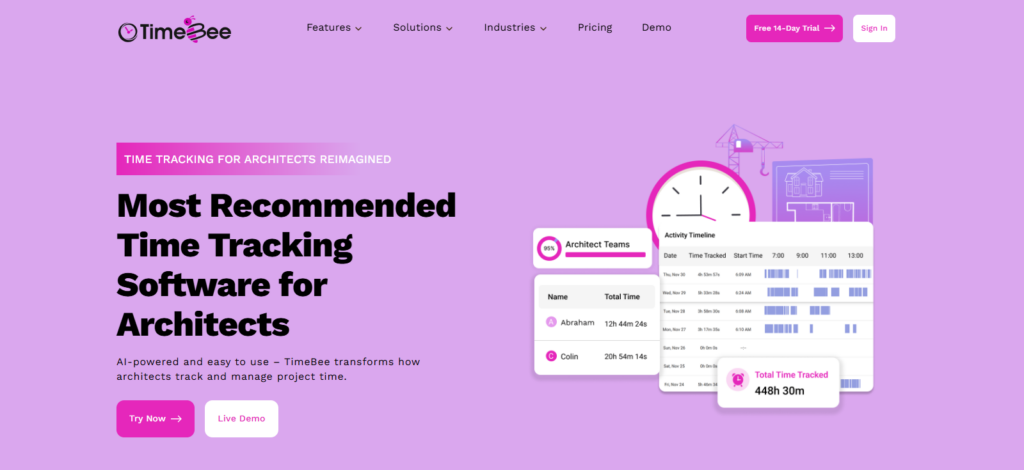
TimeBee’s value in an architecture workflow comes from how it connects time capture with the records produced afterward. Once time is assigned to a project and task, those hours can feed project progress, costing, profitability, attendance, and billing reports instead of remaining as isolated timer entries.
For an architecture firm, that makes it possible to structure work around a project and its phases, and then review how much time each part of the job is consuming.
We also found that TimeBee gives architects several ways to capture time when live tracking isn’t possible. The desktop app continues recording during an internet outage and synchronizes the session after reconnecting. In our 110 offline test runs, eight entries synchronized immediately, one followed after 49 seconds, and one appeared after refreshing the application.
Manual entry is useful for work that does not naturally happen in front of a computer. An architect can add missed time for a consultant meeting, site visit, drawing review, or other untracked work, associate it with the relevant project and task, and submit it for approval before it enters the final record.
TimeBee also supports CSV timesheet imports, which matters for firms moving historical records or bringing externally maintained timesheets into the same approval workflow. Our testing confirmed that imported timesheets, manual entries, and live-tracked time could all be handled through the dashboard rather than rebuilt separately.
Where TimeBee falls short is in its architecture-specific financial structure. Projects and tasks can represent architectural phases, but TimeBee does not natively model phase fees, consultant allocations, or A&E-specific project accounting.
TimeBee Pricing
- Free trial: 14 days
- Paid plans: Custom pricing
TimeBee Compatibility
TimeBee supports Windows, Linux, and macOS desktop workflows, alongside mobile (Android and iOS), and web-based access. It also supports kiosks.
TimeBee Pros and Cons
| Pros | Cons |
| Connects tracked time to project, cost, profitability, attendance, and billing reports | No native A&E phase-fee or consultant-budget model |
| Supports live tracking, offline capture, manual entries, and CSV timesheet imports | Public paid pricing is unavailable |
| Manual and imported time can move through an approval workflow | |
| Can use approved time records for payroll calculations and client invoicing |
Verdict
TimeBee is most useful when an architecture firm wants multiple ways to capture time and one place to turn those records into operational reports.
2. Monograph — Best for Architecture-Specific Phase and Fee Tracking (8.6/10)
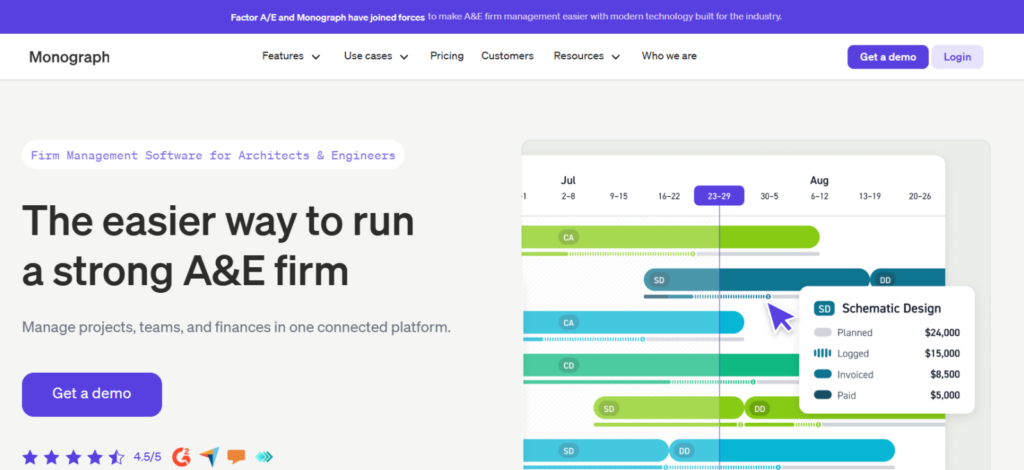
Monograph is one of the best time billing software for architects, as it approached our test project differently from the conventional trackers. Project phases are part of the underlying financial workflow, rather than labels added to generic tasks.
We used the same five-phase architecture project across our 12 workflow checks, entering time against Schematic Design, Design Development, Construction Documents, Bidding, and Construction Administration. Monograph kept those hours connected to the corresponding project budgets, staffing information, and invoicing workflow. That made phase attribution more useful.
This is particularly relevant for fixed-fee work. If DD begins consuming more staff hours than planned, the project manager can review that time in the context of the phase budget rather than discovering the overrun after billing. The trade-off is that Monograph requires more project setup than a simple timer.
During our tests, the friction increased once we moved into billing and reporting. We had to make manual adjustments in two of four invoice scenarios where phase progress and billable time did not line up cleanly, while several reports required additional filtering before they showed the project-level detail we wanted.
Moreover, importing an existing multi-phase project also took longer than creating one from scratch because historical phases, budgets, and staffing data had to be mapped carefully.
Monograph Pricing
- Track Plan: $45/member/month when billed annually
- Grow Plan: $60/member/month when billed annually (minimum members: 5)
Monograph Compatibility
Monograph is primarily web-based, with mobile applications supporting time and expense entry.
Monograph Pros and Cons
| Pros | Cons |
| Native project-phase structure | Extensive setup requirement |
| Links time with budgets, staffing, and invoicing | Occasional invoicing and reporting issues |
| Designed around A&E workflows | Less useful if you only need straightforward time capture |
Verdict
Monograph is the better fit when phase-level fee performance is the main reason you are tracking time. Smaller firms that mainly need accurate hours and uncomplicated billing may find its broader project-management layer unnecessary.
3. BQE CORE — Best for End-to-End Architecture Practice Management (8.4/10)
BQE CORE went furthest beyond conventional time tracking in our comparison. Time entries sit inside a broader project-management and accounting structure that includes phases, budgets, expenses, billing, fee schedules, utilization, and profitability.
During our architecture workflow checks, we created a parent project with separate phases and applied different rate logic to project roles. CORE supports up to four levels in its project hierarchy, and individual phases can be tracked and billed separately or rolled into a parent invoice.
Its rate handling is also more detailed than most tools on this list. Every time entry carries both a cost and bill rate, while fee schedules can vary rates according to employees, activities, classifications, projects, or other contractual requirements. That is useful when a principal and project architect carry different costs and client billing rates.
The downside appeared in the amount of configuration surrounding relatively simple tasks. CORE can replace several separate systems, but that also means more settings, project rules, and financial structure to understand before the resulting reports become dependable.
BQE CORE Pricing
Pricing is quote-based and depends on the packages, licenses, and optional modules selected.
BQE CORE Compatibility
CORE is web-based and provides native iOS and Android applications.
BQE CORE Pros and Cons
| Pros | Cons |
| Detailed project, phase, rate, and billing controls | Higher setup and training burden |
| Connects time with broader practice financials | Pricing is not publicly fixed |
| Suitable for complex professional-services workflows | Reporting and navigation can feel slow in larger or more complex accounts. |
Verdict
BQE CORE fits firms that want time data to feed a broader practice-management and project-accounting workflow. However, if your main requirement is simply cleaner timesheets, a lighter system will involve less administration.
TimeBee: Turn Architecture Timesheets Into Clearer Project Financials
Learn More
4. Toggl Track — Best for Low-Friction Architecture Time Tracking (8.1/10)
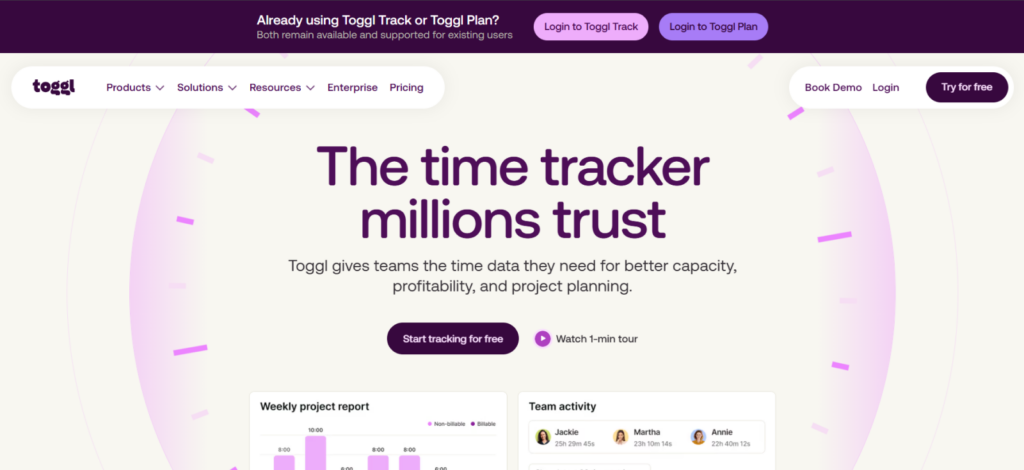
Toggl Track scored well because the day-to-day act of recording time remained simple even after we introduced multiple projects and tasks.
Across 12 standardized sessions, starting a new entry generally required two interactions, while changing the active project or description took around three. In a separate series of 20 cross-device checks, 16 records synchronized within 15 seconds; several took longer, and one Android entry appeared after reopening the app.
For architecture firms, projects and tasks provide a workable way to represent clients and phases. We could create SD, DD, CD, Bidding, and CA beneath the same project and then allocate time accordingly. Toggl also supports billable rates at several levels, while higher plans add fixed-fee projects, profitability reporting, and timesheet approvals.
The limitation is that Toggl does not attach architecture-specific meaning to that hierarchy. “Design Development” remains a task rather than a contractual phase linked natively to consultant allowances, architecture staffing, or phase-based project accounting.
Toggl Track Pricing
- Free: Available for a limited number of users
- Starter: $9/license/month annually
- Premium: $18/license/month annually
- Enterprise: Custom pricing
Toggl Track Compatibility
Toggl supports web, Windows, macOS, Linux, iOS, Android, and browser-based workflows.
Toggl Track Pros and Cons
| Pros | Cons |
| Fast timer and manual-entry workflow | No A&E-specific phase structure |
| Flexible projects, tasks, and billing rates | More financial controls require higher plans |
| Broad device support | Phase accounting requires another system or manual structure |
Verdict
Toggl Track suits firms where consistent timesheet adoption matters more than full practice management. It can represent architectural phases adequately, but firms requiring deeper fee control will outgrow that generic structure sooner.
5. Total Synergy — Best for A&E Project Financial and Resource Management (8.0/10)
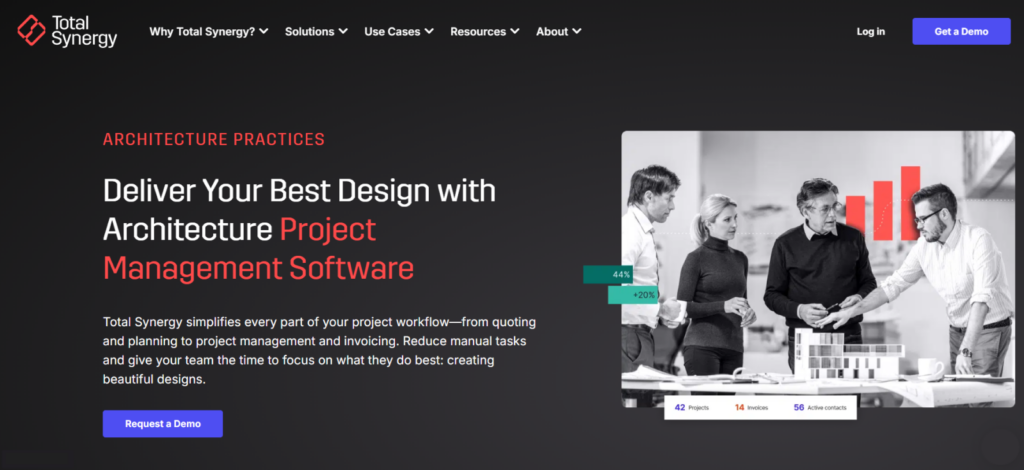
Total Synergy is closer to Monograph and BQE CORE than to a conventional timer. Its project structure is designed around A&E work and can divide projects into phases, stages, and tasks.
That hierarchy was the main reason it scored well in our architecture workflow. Phases group related stages; stages can carry fees and budgets; and tasks sit underneath them for more detailed time allocation. Staff can therefore record time against the part of the project where the work actually occurred rather than against one broad client record.
Its financial structure follows that very hierarchy. Standard charge-out rates can be adjusted for specific projects or stages, while time feeds into project costs, WIP, invoicing, and reporting.
Synergy relatively requires the firm to define more of its project and financial workflow before timesheets become genuinely useful. Another thing we noticed while testing was that the synchronization mostly takes a lot of time.
Total Synergy Pricing
Custom pricing plans
Total Synergy Compatibility
Synergy is primarily cloud/browser based and supports accounting workflows with systems including QuickBooks Online, Xero, and MYOB.
Total Synergy Pros and Cons
| Pros | Cons |
| A&E-specific phase, stage, and task hierarchy | Requires more initial configuration |
| Connects time to budgets and project financials | Sync delays |
| Supports project- and stage-specific rates | Pricing is not available publicly |
Verdict
Overall, Total Synergy is undoubtedly one of the best time and billing software for architects when your firm needs A&E project structure and financial reporting around its time records. For straightforward time capture, much of that additional project-management depth will go unused.
6. Harvest — Best for Simple Time Tracking and Invoicing (7.8/10)

Harvest performed best when we followed worked time through to billing rather than judging the timer in isolation.
To see how easily Harvest could move from everyday time entry into billing, we set up a small architecture-style workspace with five users, four clients, six projects, and multiple billing rates. The initial configuration took about 29 minutes.
We then ran 20 time-entry checks; 18 went through without correction, while two needed minor fixes before approval. Once those records were in place, we converted 12 time entries and six expenses into three client invoices without having to rebuild the underlying data.
For architecture firms, tasks can stand in for phases such as SD, DD, CD, and CA, while hourly and fee-based budgets provide basic cost control. The limitation is conceptual: Harvest treats Design Development as a task with a budget, not as part of an A&E-specific project model.
Harvest Pricing
- Free: 1 seat, 2 projects
- Teams: From $9/seat/month annually
- Enterprise: From $14/seat/month annually
Harvest Compatibility
Harvest supports web, desktop, and mobile workflows, with QuickBooks Online and Xero available through its paid team offering.
Harvest Pros and Cons
| Pros | Cons |
| Direct time-to-invoice workflow | No architecture-native phase structure |
| Supports project and task budgets | Limited practice-management depth |
| Relatively quick to configure | Free plan is restrictive |
Verdict
Harvest is a practical option when your firm needs accurate project time followed by straightforward client billing. It becomes less suitable as phase forecasting, staffing, and deeper project financial management become priorities.
7. Clockify — Best Free Time Tracker for Small Architecture Firms (7.6/10)
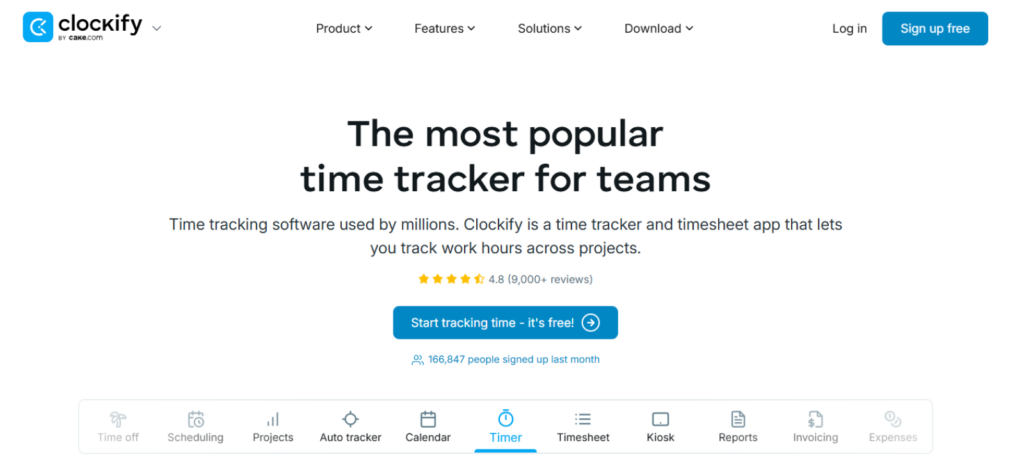
Clockify worked best when we treated it as a flexible time tracker first and a project-financial tool second. Its project-and-task structure gave us enough room to recreate an architecture workflow by setting up individual projects and then using tasks for phases such as SD, DD, CD, and CA. That approach is straightforward, although the platform does not attach any architecture-specific financial meaning to those phases.
Once the structure was in place, everyday tracking was dependable. Across 42 timer sessions on web, desktop, mobile, and browser extensions, recorded durations remained consistent.
We also added 12 manual entries, reconstructed three partially missed workdays, tested offline sessions, and completed six approval cycles. Two mobile records needed a manual refresh before the latest data appeared, which was the main synchronization issue we encountered.
The limitations became clearer as we moved beyond basic timekeeping. Phase tracking had to be built manually through projects and tasks, so Clockify could tell us how many hours were logged to “Design Development,” but it did not inherently connect that phase to an A&E fee structure or staffing plan.
We also found that the workflow becomes more dependent on paid tiers once you add billing rates, approvals, invoicing, budgets, costs, and profitability.
Clockify Pricing
- Free: Up to 5 users
- Standard: $5.49 per seat/month (when billed annually)
- Pro: $7.99 per seat/month (when billed annually)
- Enterprise: $11.99 per seat/month (when billed annually)
- Cake.com Bundle: $12.99 per seat/month (when billed annually)
Clockify Compatibility
Clockify supports web, Windows, macOS, Linux, iOS, Android, and browser extensions.
Clockify Pros and Cons
| Pros | Cons |
| Capable free starting point | Advanced financial controls require paid plans |
| Reliable core tracking | Phases must be modeled manually |
| Broad platform support | Advanced reports may require more configuration |
Verdict
Clockify works as one of the best time tracking tools for architects when it comes to small firms that primarily need dependable project time records. It becomes less suitable when phase budgets, staffing, and A&E-specific financial management become central to the workflow.
8. TimeCamp — Best for Automatic and Calendar-Based Time Tracking (7.4/10)
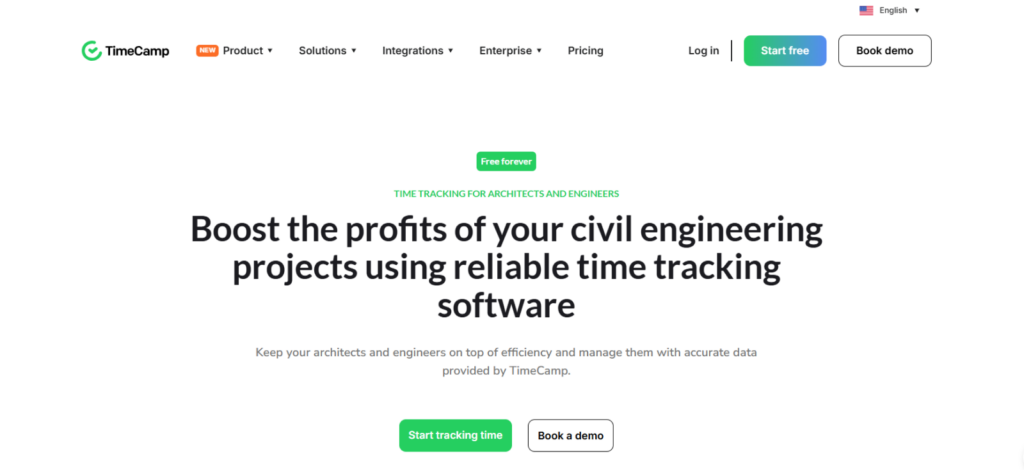
TimeCamp’s main distinction is its ability to reduce manual project switching through automatic classification.
Its desktop application can assign work to projects or tasks when configured keywords appear in application names, window titles, URLs, filenames, or folders. For architects, that can work well when project numbers consistently appear in Revit files, folders, or browser-based project systems.
In our 20 automatic-capture checks, TimeCamp assigned 17 activities to the expected project; three required reclassification because the keyword rules were too broad. During 20 synchronization tests, 15 records appeared within 15 seconds, while the remaining five took longer or required a refresh.
That limitation matters for architecture phases. Recognizing the project name does not necessarily tell the software whether an activity belongs to DD or CD, so automatic records still need review before they become billing data.
TimeCamp Pricing
- Free: $0
- Starter: $3.99/user/month annually
- Premium: $6.99
- Ultimate: $9.99
- Enterprise: Custom
TimeCamp Compatibility
TimeCamp supports Windows, macOS, Linux, Android, iOS, and browser-based workflows.
TimeCamp Pros and Cons
| Pros | Cons |
| Automatic keyword-based project assignment | Classification still needs verification |
| Helps reconstruct forgotten desktop work | No native A&E phase model |
| Broad platform support | Mobile timer behavior is less consistent than desktop tracking |
Verdict
TimeCamp works best when forgotten timers and frequent desktop context switching are the main problems. Its automatic records are useful starting points, but architecture firms should verify phase attribution before using them for budgets or invoices.
The Best Time and Billing Software for Architects by Workflow
Architecture firms need different levels of detail from their time records, so each tool’s suitability varies by workflow.
Best for Simple Time Tracking and Invoicing
- TimeBee: TimeBee fits firms that want several ways to capture project time and then use the same records for billing and invoices. It supports live tracking, offline capture, manual entries, and timesheet imports, which gives architecture teams more flexibility when all work does not happen at a desk.
- Harvest: Harvest is a strong alternative when the priority is a straightforward path from recorded hours to client billing. In our testing, we converted 12 time entries and six expenses into three invoices without rebuilding the underlying records.
Best for Phase-Based Fee and Project Management
- Monograph: Monograph is the stronger fit when time needs to remain connected to architectural phases, fee budgets, staffing, and invoicing. In our phase-based tests, SD, DD, CD, Bidding, and CA remained part of the project’s broader financial structure rather than functioning as simple task labels.
- Total Synergy: Total Synergy suits firms that need a more detailed A&E project hierarchy. Projects can be divided into phases, stages, and tasks, allowing time, rates, budgets, and fees to be managed at multiple levels.
Best for Full Architecture Practice Management
- BQE CORE: CORE makes sense when time tracking needs to feed broader practice operations. It connects time and expenses with project phases, budgets, fee schedules, WIP, billing, utilization, profitability, and resource planning.
- TimeBee: It is more appropriate when firms want time capture tied to project reporting, attendance, payroll, invoicing, and profitability without adopting a dedicated A&E practice-management system. It also supports offline tracking, manual entries, and imported timesheets when live tracking is not practical.
Final Verdict
The best time tracking software for architects depends on what you expect the recorded hours to support.
TimeBee ranked first overall because it handled the core time-tracking workflow well while also connecting those records to reports, invoicing, payroll, project costs, and profitability. Its support for live tracking, offline capture, manual entries, and timesheet imports also gives firms several ways to maintain complete records when work moves between desks, meetings, and site visits.
However, firms with more specialized A&E requirements may be better served elsewhere. Monograph is stronger for architecture-specific phase and fee tracking, while BQE CORE provides deeper practice-management and project-accounting controls.
Ultimately, the strongest option is the one that captures time accurately and turns those hours into information your firm can actually use, whether that means billing a client, monitoring a phase budget, reviewing project profitability, or planning resources for the next stage of work.
FAQs
What time tracking software works best with QuickBooks and Xero?
For architecture firms using QuickBooks or Xero, BQE CORE and Total Synergy are the strongest options because both connect time, project data, and financial workflows more deeply than basic trackers. Harvest is a simpler choice if you mainly need approved hours and expenses to flow into invoicing. Monograph is especially well integrated with QuickBooks Online. Before choosing, test the actual sync workflow you use, since connector availability does not always guarantee a seamless accounting process.
What is the best free time tracker for architects?
Clockify is the best free option for most small architecture firms because it offers dependable core time tracking, project and task organization, manual entries, and broad device support without requiring an upfront subscription. You can also structure phases such as SD, DD, CD, and CA as tasks. However, once you need approvals, invoicing, advanced rates, profitability, or deeper financial controls, you will need to compare its paid tiers with more specialized alternatives.
Can architects track time by project phase?
Yes. Architects can track time by project phase, and the strongest platforms make that structure part of the project workflow. TimeBeem, Monograph, BQE CORE, and Total Synergy can connect hours to phases such as Schematic Design, Design Development, Construction Documents, Bidding, and Construction Administration.
Is architecture-specific time tracking software better than a general time tracker?
Architecture-specific time tracking software is better when your firm needs phase budgets, fee tracking, staffing visibility, utilization, or project accounting tied directly to recorded hours. Platforms like Monograph, BQE CORE, and Total Synergy are built around those workflows. General trackers can still be the better choice for smaller firms that mainly need accurate hours, billing, and simple reporting. The right option depends on how much financial and operational context your timesheets need to carry.
What should architecture firms look for in time tracking software?
Architecture firms should look for project and phase tracking, billable and cost rates, reliable manual corrections, approvals, budget visibility, invoicing, accounting integrations, mobile access, and reporting that shows how hours affect project performance. Ease of use matters just as much, because a sophisticated system is only useful if staff enter time consistently. The best tools also make it easy to distinguish project phases, review fee burn, and turn approved hours into useful financial records.
Capture Design Hours Once. Use Them Across Reports With TimeBee
Try TimeBee

Jacob Tyler
Member since July 2, 2026
Jacob Tyler
Member since July 2, 2026
Jacob Tyler is a B2B technology journalist specializing in workplace software, employee monitoring platforms, productivity technology, HR systems, data privacy, and the changing role of technology in modern organizations.
He holds an MSc in Information Systems from the University of Manchester. His professional qualifications include the CompTIA Data+ certification.
With more than 10 years of experience covering B2B software and digital transformation, Jacob focuses on translating complex product capabilities into clear guidance for business readers.
His work examines how software functions in practice, which operational problems it is designed to address, what data it collects, and what organizations should consider before implementation.
Through his writing, Jacob helps HR leaders, operations teams, founders, managers, and IT decision-makers understand workplace technology and make informed purchasing decisions.