

8 Proven Benefits of Time Tracking for Consultants & How to Pick the Right Software
July 28, 2026 12 min readA consulting firm can look busy while still losing sight of where its time and profit are going.
As generic as the statement may sound, I learned its value when I saw firsthand the impact that a simple “track as you go” policy has.
Within two weeks, the records exposed missed billable work, hidden delivery costs, uneven workloads, and recurring administrative friction that calendars and end-of-week timesheets had concealed.
The lesson was not that consultants needed closer supervision; it was that managers needed clearer operational evidence.
Therefore, in this guide, I explain what time tracking of consultants can reveal and how to choose the right software.
Here’s Everything You Need to Know About Consultant Time Tracking
- Time tracking for consultants records billable and non-billable work by client, project, task, and internal activity.
- A two-week review of 640 hours across eight consultants recovered 15 omitted client hours and exposed 27.5 hours of unplanned delivery work.
- Consistent records improve invoice accuracy, project profitability, pricing, estimates, scope control, and client reporting.
- Tracking non-billable time showed that 21% of recorded hours supported meetings, training, administration, and internal operations.
- To implement consistent time tracking, choose software according to your billing, reporting, profitability, capacity, and privacy requirements.
- Use time records to improve decisions and workflows instead of a standalone measure of consultant performance.
What Is Time Tracking for Consultants?
Consultant time tracking is the practice of recording how much time you spend on clients, projects, tasks, and internal responsibilities.
But for a clear distinction, it is further divided into billable and non-billable time. Well, simply put, billable time covers work that can be charged to a client, whereas non-billable time includes administration, training, sales, and meetings.
Another crucial thing to remember is that time tracking for consultants does not equate to employee activity monitoring since the former records when and where work occurred, while the latter examines device activity.
8 Proven Benefits of Time Tracking for Consultants: The Business Case for Tracking Every Hour
At a firm, I had introduced a new policy that consultants have to track time as they go rather than reconstructing it at the end of the week. The purpose of the policy was to understand where time was going while the details were still fresh.
Over the following two weeks, eight consultants recorded 640 working hours across client delivery and internal responsibilities. I then reviewed those entries to understand the impact of consistent time tracking.
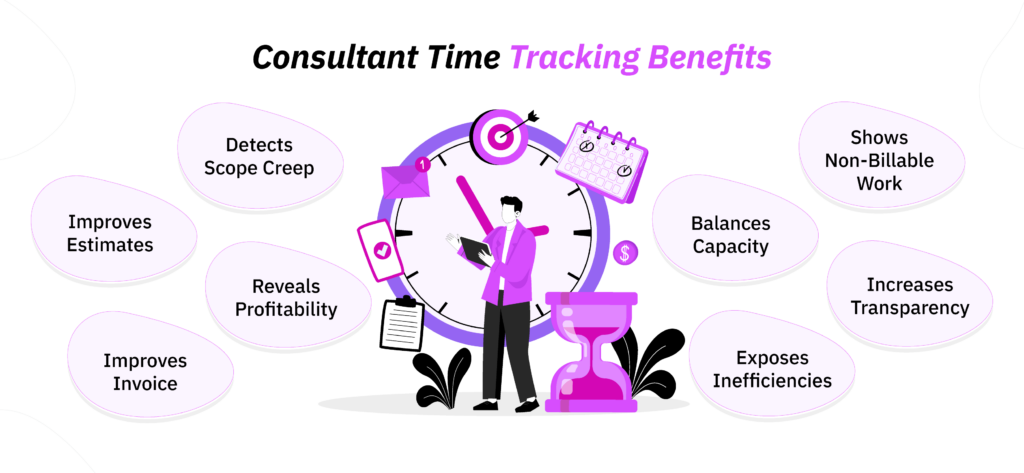
Although this was an internal operational review rather than an industry study, the policy produced eight particularly clear benefits.
| Benefit | Practical Effect | Useful Measure | Result Observed |
| Improved invoice accuracy | Reduces forgotten billable work | Billable capture rate | 15 previously omitted client hours were recovered |
| Profitability visibility | Shows which projects and clients are actually worth the delivery effort | Project margin | 27.5 hours of unplanned delivery work was identified across six projects |
| Better rates and estimates | Replaces assumptions with historical delivery evidence | Estimated vs. actual hours | Actual delivery required 48 more hours than originally estimated in a project |
| Earlier scope control | Identifies overruns before the budget is exhausted | Budget utilization | A project budgeted for 90 hours was forecast to require 109 hours |
| Stronger capacity planning | Helps distribute work more realistically across the team | Available vs. allocated hours | Three consultants who appeared to be 75% allocated were actually operating at 93%-97% capacity |
| Visibility into non-billable work | Reveals internal demands that affect delivery capacity | Billable-to-non-billable ratio | Of 640 recorded hours, 136 hours were non-billable |
| Clearer client reporting | Provides clients with a better record of work completed | Invoice adjustment or clarification rate | More specific time entries improved progress-report clarity |
| Process improvement | Exposes recurring administrative burdens and inefficient workflows | Time by task or project phase | Time spent on recurring administrative tasks reduced by 6.5 hours |
1. Improve Invoice Accuracy
The first improvement appeared in the firm’s billing records.
It was evident that incomplete invoices are not the result of consultants’ carelessness.
Instead, they occur when consultants have to move rapidly between client calls, research, document reviews, internal conversations, and project delivery. Naturally, when they try to reconstruct all of that activity several days later, the smallest tasks tend to get overlooked.
After introducing the track-as-you-go policy, the eight consultants identified 15 hours of client work that had initially been omitted, which equaled approximately 1.9 hours per consultant.
Upon checking the records, I found that most of that missing time came from short advisory calls, follow-up research, document revisions, and client communication rather than large deliverables.
By recording those activities promptly, you too can produce a more complete invoice and spend less time rebuilding the week from emails and calendars.
However, you should still review entries before billing them.
2. Understand Project and Client Profitability
While revenue shows which clients paid the highest fees, it does not reveal how much consultant time each engagement consumed and whether that time was spent as planned.
That is why, across six active projects, I noticed that the new records showed 27.5 hours of unplanned delivery work.
Likewise, one of the firm’s high-revenue engagements appeared to have a 31% margin before proper time tracking began. Later, when additional meetings, revisions, and senior-consultant support were included, the actual margin appeared to be closer to 22%.
You can assess the same relationship using:
Project margin = Project revenue – Delivery costs
Project margin percentage = Project margin ÷ Project revenue x 100
Once consultant time is linked to clients and project phases, you can see which work is genuinely profitable rather than relying on revenue alone.
3. Set More Accurate Rates and Estimates
The records also changed how we evaluated fixed-fee work.
Before the policy was introduced, project estimates generally accounted for the most visible delivery tasks but did not always reflect the time spent on revisions, client coordination, internal reviews, and administrative follow-up.
It was only after the new time records were taken into consideration that a visible gap of 48 hours in three similar project estimates was observed.
You can calculate this measure using:
Realized hourly rate = Fixed project fee ÷ Actual delivery hours
With this information, you can increase the fee, narrow the scope, include realistic revision allowances, or redesign the delivery process before preparing the next proposal.
4. Detect Scope Creep Earlier
Another benefit appeared before one project reached the point of financial damage.
The incoming time tracking records showed that an engagement that had a budget of 90 hours had already consumed 71 hours while only about 65% of the agreed work was complete.
The problem was that while research and analysis were close to plan, additional stakeholder meetings and a second round of revisions had consumed 13 hours that were not included in the original assumptions.
Based on the remaining work, the project was forecast to require approximately 109 hours, creating a likely 19-hour overrun.
Because the entries identified exactly where the additional effort had occurred, the project lead could discuss the issue with the client using evidence rather than saying the engagement merely “felt larger.”
The parties agreed to add 12 hours to the project scope and simplify part of the remaining deliverable.
You can use the same approach by comparing actual time with budgeted time throughout delivery and reviewing differences by phase.
5. Improve Capacity Planning
When capacity planning is based on calendars, it does not account for research, preparation, internal responsibilities, or other short pieces of project work.
That is how I found out that three consultants appeared to be approximately 75% allocated previously. However, when client delivery and internal work were combined through time records, their actual committed capacity ranged from 93% to 97%.
At the same time, two colleagues with relevant skills were operating between 58% and 61% capacity.
That difference allowed the firm to redistribute 18 hours of upcoming project work before deadlines became difficult to manage.
To gain the same clarity, you can review team-level time patterns alongside upcoming assignments, leave, business development, and internal responsibilities. This provides a more reliable basis for deciding whether to accept new work, move a deadline, or add support.
From a people-operations perspective, I would not use individual hour totals as a productivity ranking. Remember, capacity data is most useful when it helps you balance workloads and remove pressure, not reward visible busyness.
6. Make Non-Billable Work Visible
Of the 640 hours recorded during the review, 136 hours, or just over 21%, were non-billable. These included:
- 38 hours of internal meetings,
- 33 hours of proposals and administration,
- 21 hours of training and mentoring,
- 44 hours of internal operations.
That did not mean 136 hours had been wasted since much of this work supported future revenue, service quality, employee development, and operational continuity.
However, the breakdown showed that senior consultants were spending approximately 14 hours on administrative tasks that could be reassigned, while recurring internal meetings could be reduced by around six hours per two-week period.
When you track non-billable time properly, you too can plan capacity without assuming that every unbilled hour is unused. You can also distinguish valuable internal investment from preventable administrative burden.
The aim should be to make work visible enough to manage it responsibly.
Stay on Top of Consultant Time with TimeBee
Learn More
7. Improve Client Transparency
Clients also benefited from the policy since they received clearer invoices and progress reports.
Previously, time was sometimes grouped into broad descriptions such as “project support” or “consulting services.” Although those entries were not necessarily incorrect, they gave clients little information about what had taken place during the billing period.
With time recorded as the work occurred, consultants could describe activity more specifically and organize it by project phase and task.
You can achieve similar transparency by giving clients enough detail to understand the service they received without overwhelming them with minute-by-minute records. This is particularly helpful for retainers, hourly engagements, milestone billing, and projects with formal reporting requirements.
However, client transparency should remain proportionate. You should share information that verifies delivery while keeping personal employee data and unrelated activity records private.
8. Identify Workflow Improvements
Finally, the policy also revealed operational friction that was too dispersed to notice through individual complaints.
It came to the firm’s notice that consultants were formatting reports, transferring information between systems, searching for documents, and coordinating schedules manually.
During the first week, the team recorded 16.5 hours across these recurring administrative tasks.
After reviewing the entries, the firm introduced a standardized report template, centralized commonly used project files, and simplified the scheduling process. That is why, in the second week, time spent on the same activities fell to 10 hours.
You can use time data in the same way by looking for repeated patterns across several employees and projects.
For example, if a task repeatedly takes longer than expected, the issue may be an unclear process, missing information, poor system integration, or work that should be automated or delegated.
How to Choose Time-Tracking Software for Consultants: 4 Easy-to-Follow Steps
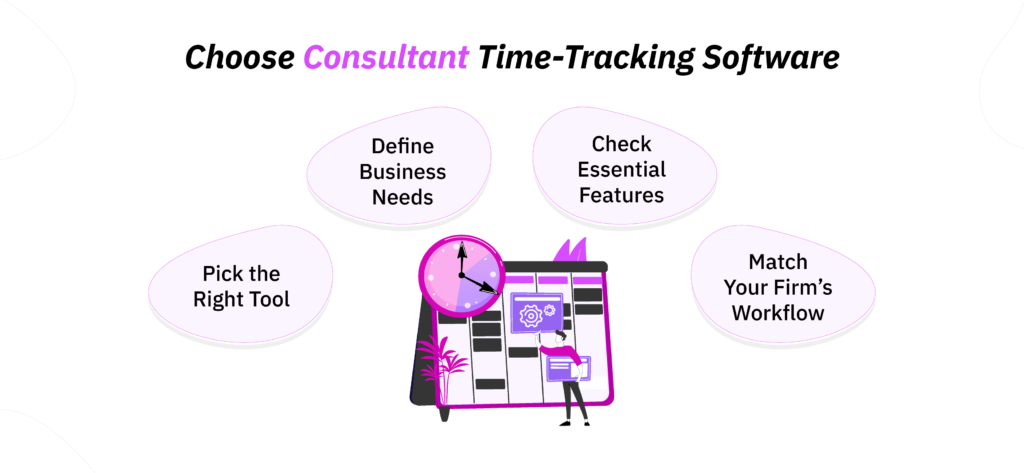
1. Start With the Business Problem
Before comparing tools, you should first define the decision your time data needs to support. Otherwise, you may pay for extensive monitoring features while still lacking the reports that matter to your consultancy.
Your primary objective may be:
- Producing accurate client bills
- Measuring project profitability
- Detecting scope and budget overruns
- Planning consultant capacity
- Preparing client reports
- Maintaining required records
- Reducing manual timesheet administration
To begin, prioritize one or two outcomes, then identify the information needed to achieve them.
For example, billing requires dependable project entries and rates, whereas profitability analysis also requires cost information. This approach helps you evaluate software according to practical fit rather than feature volume.
2. Identify the Right Type of Tool for the Job
Time-tracking products solve different levels of operational complexity. Such as, a simple timer may be sufficient for an independent consultant, while a growing firm may need budgets, approvals, cost rates, and resource-planning reports.
| Tool type | Best suited to |
| Standalone time tracker | Solo consultants and straightforward hourly billing |
| Project-management platform | Teams that need tasks, budgets, deadlines, and time in one place |
| Accounting or invoicing add-on | Consultants primarily concerned with turning hours into invoices |
| Professional-services automation platform | Firms needing resource planning, profitability analysis, approvals, and broader reporting |
Ideally, you should choose the least complicated category that can reliably support your current requirements and foreseeable growth since unnecessary complexity often lowers adoption.
3. Look for the Most Important Features
The right features should make time records easier to capture, classify, review, and use.
Depending on your operating model, examine:
- Simple manual time entries
- Automatic time capture
- Client, project, and task structures
- Custom billing and internal cost rates
- Profitability reports
- Invoicing or accounting integrations
- Mobile or offline access
- Timesheet approval workflows
- Role-based permissions
- Data retention controls
- Security and privacy settings
During a trial, test the complete workflow, from recording a client task to producing a report, to better understand a tool’s usability for your firm.
4. Match the Software to the Consulting Business
You must always match the tool to the risks and decisions involved rather than assuming that more detailed employee data automatically produces better management.
For example, a solo consultant may need quick time entry and basic reports, while a small consulting firm usually benefits from approvals, separate billing and cost rates, project budgets, and team-level utilization data.
Contrarily, as the firm grows across teams, resource planning, standardized project structures, permissions, consolidated reporting, and integration with financial systems become more important.
Likewise, if consultancies are handling confidential client work, they should give additional attention to access controls, data retention, reporting permissions, and the information collected through monitoring features.
One Consultant Time Tracking Tool That Meets These Requirements
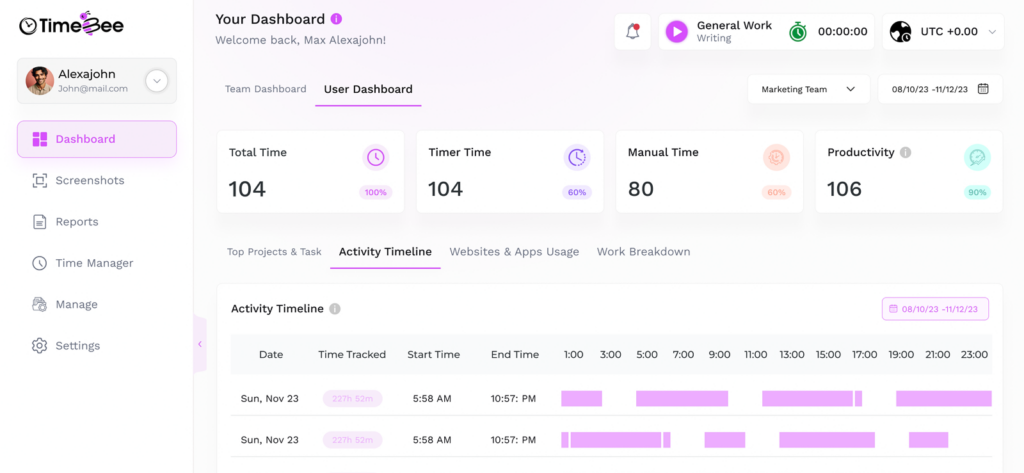
As discussed earlier, for consulting firms, the practical challenge is to capture hours consistently across different working arrangements and then turn that data into something managers and clients can actually use.
TimeBee supports this through several tracking options, including a desktop app, browser extension, web platform, mobile app, and kiosk mode.
The platform can also be configured around the way a firm operates.
For example, you can set user roles, time zones, working days, minimum daily hours, shift start and end times, timeout duration, and permitted margins for late arrivals or early departures.
In practice, these settings are most useful when they reflect genuine contractual or scheduling requirements.
Once time is recorded, managers can then review logged hours, detailed attendance records, arrival and departure times, and tagged entries.
Time can also be divided by client, project, and task, which makes it easier to compare delivery effort with budgets and identify where work is accumulating.
For corrections or missed entries, consultants can further import time or add it manually, with approval workflows providing an additional review step.
Dedicated client dashboards can then display approved billable time without exposing unrelated internal attendance or activity data.
How to Implement Time Tracking Without Micromanaging Consultants
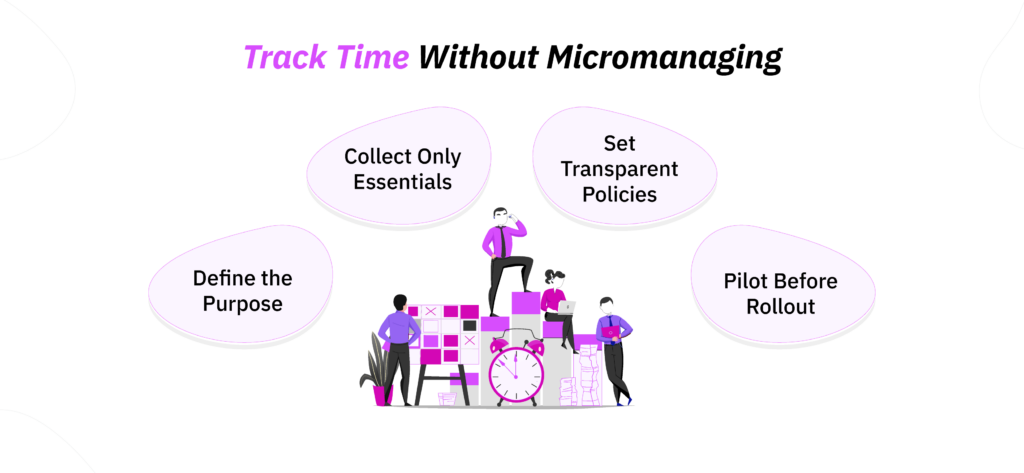
To implement time tracking without micromanaging the consultants in your firm:
- Define a clear business purpose: Explain whether you need the data for billing, project costing, resource planning, or another specific decision because consultants should understand the operational reason for tracking.
- Collect only necessary data: Record enough detail to support that purpose without defaulting to continuous activity visibility that managers do not need.
- Establish transparent policies: Tell people what is collected, when tracking operates, who can access reports, how long records are kept, and how the information will be used. I would also state explicitly that hours are not the sole measure of performance.
- Pilot and refine the system: Test the reports and approval process with a small group before a wider rollout to find out whether entries are clear and proportionate.
Conclusion
Time tracking can give consultants a more reliable understanding of billing, project costs, margins, scope, capacity, and internal workloads.
However, its value primarily depends on collecting consistent information and using it with context.
The best approach is to start with the business problem, choose software that supports its solution, and avoid adding complexity simply because a feature is available.
You should also distinguish time records from performance judgments because hours can reveal where effort goes, but they cannot independently measure work quality.
All in all, a general consensus is that time tracking can only be used as a practical tool for consultant firms if implemented responsibly and within reason.
FAQs
Is time tracking useful for fixed-fee and value-based consulting?
Yes, for fixed-fee projects, time tracking shows the cost of delivery and helps you calculate the realized hourly rate and project margin. In value-based consulting, hours should not determine what the outcome is worth to the client. However, they can still show whether your delivery model is efficient, scalable, and financially sustainable. You can use this information to adjust the scope, staffing, process, or minimum fee for similar future engagements.
What should consultants track other than time?
Consultants should connect time with the client, project, project phase, task, billable status, and a concise description of the work. A firm may also record the consultant’s role, applicable cost or billing rate, project budget, expenses, and scope category. Regardless, you should keep the structure limited to information you will actually analyze.
Is automatic time tracking better than manual time tracking?
Neither method is universally better. Automatic tracking can reduce forgotten entries and help consultants reconstruct work across several tasks. Manual tracking, on the other hand, gives consultants greater control and may be sufficient when projects are simple. A combined approach is often practical: automatic capture can create a private activity record, while the consultant reviews and assigns relevant time before submission.
How often should consultants record their time?
Consultants should ideally record time during the working day or shortly after completing a task. That is because the longer you wait, the more likely you are to forget short calls, research, revisions, and administrative work. Overall, daily review is generally more reliable than reconstructing an entire week at once.
How detailed should a consultant’s time entries be?
An entry should give the reader enough information to understand the work without recording unnecessary personal details. For example, “Prepared risk analysis for implementation workshop” is more useful than “project work,” while a minute-by-minute narrative is usually excessive. Therefore, you should choose a consistent level of detail based on billing and client-reporting needs.
What are the most common time-tracking mistakes consulting firms make?
Common mistakes include requiring too much detail, using unclear project categories, recording time days later, and collecting data without analyzing it. Firms also create problems when managers treat hours as a complete productivity measure or introduce monitoring without explaining its purpose. Other issues include incorrect billing rates, missing non-billable work, weak approval processes, and excessive software complexity. A useful system should make accurate entry easy and connect the resulting information with specific business decisions.
TimeBee: Review Consultant Hours and Work in One Place
Give TimeBee a Try

Patricia Adams
Member since July 28, 2026
Patricia Adams
Member since July 28, 2026
Patricia Adams is the Director of People and Culture, who focuses on employee experience, people operations, performance management, and the responsible use of workforce technology.
She holds an M.S. in Industrial/Organizational (I/O) Psychology from Florida Institute of Technology. She is also a Certified Information Privacy Manager through the International Association of Privacy Professionals.
With more than 5 years of experience, Patricia examines how workplace systems affect both organizational performance and the people being measured.
Therefore, her work centers on helping organizations establish practical policies that support accountability without disregarding employee privacy and professional autonomy.