

How to Track Hours as a Freelancer: Practical Steps and Tracking Options
By Jacob Tyler
July 6, 2026 13 min readWhen I started freelancing, I used to track my hours in a basic spreadsheet. Each entry contained the client’s” name, the date, the task, and the total time spent on it. That was literally it.
And I remember updating that sheet at the end of every working day, and initially believing that the system was sufficient as is since I could prepare invoices using the tracked hours.
However, it did not last. As I began managing more clients and projects, the limitations became clear to me. While the spreadsheet showed the total time I had recorded, it did not explain how much of that time went into research, revisions, short client calls, administrative work, or task switching.
To address these limitations, I gradually introduced separate client projects, task categories, clearer descriptions, and more frequent reviews. So, I can say that I am well aware of the initial struggles of new freelancers, no matter the industry, even though I later moved into a different role.
Therefore, in this guide, I will explain how you can build a similarly reliable system without making time tracking unnecessarily complicated.
The Main Takeaways Rounded Up
- Create separate records for each client and project to ensure clearer invoices.
- Track time as work happens to avoid backfilling several days.
- Confirm which activities are billable before work begins to ensure accurate tracking of billable hours.
- Review every entry before invoicing to remove errors and non-billable work.
- Use spreadsheets for simple workloads, timers for frequent switching, and automatic tracking when clients need proof of work.
- Reconstruct missed time from calendars and document history rather than memory alone.
How to Track Time as a Freelancer in 7 Easy-to-Follow Steps
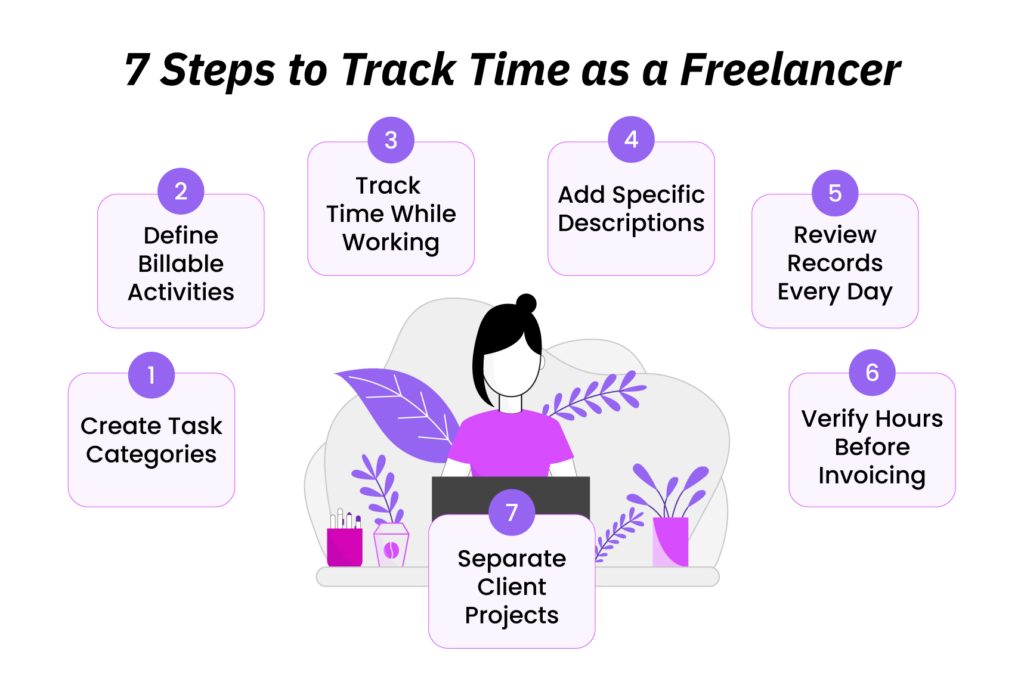
A reliable time-tracking system is less about the tool you use and more about the structure behind it. Without that structure, even consistently logged time can become difficult to interpret.
To prevent that, the following seven steps will help you build a system that remains clear as your client workload grows.
1. Create a Separate Project for Every Client
One of the first mistakes I made as a freelancer was treating all client work as one continuous block of time. When doing so, I used to know that at the end of the day I had worked for six hours, but I could not always say with confidence how much of that time belonged to each client’s assignment.
Therefore, I eventually learned to create a separate project for every client and a separate entry for each ongoing assignment. Not only that, but a proper naming structure, in my case, Client – Project – Month, also made the records much easier to review.
The results were clear; the updated entries allowed me to immediately see where my time went and which work belonged to which invoice.
2. Break Each Project into Clear Tasks
When I first freelanced, vague task labels were one habit that I am not particularly proud of.
When in a hurry, I used to add generic labels for my entries, like “Client Work”, but using them made the record nearly useless later.
While I could tell that I had worked three hours, I could not tell whether those three hours were spent drafting or revising.
Therefore, in addition to the distinction between clients and projects, you also need a task structure that makes your time meaningful.
As per my experience, I recommend using a short list of consistent categories, such as research, planning, production, meetings, communication, revisions, reporting, and administration. But remember that the categories are subject to change depending on the type of freelance work.
3. Decide Which Activities Are Billable
I understood early on that billable and non-billable work were not the same, but could not help but notice that many freelancers blurred the distinction once a project was underway.
Most of them commonly assume that if an activity is related to the client, it can automatically be added to the invoice. However, in practice, that is not always the case.
Remember, billable hours are the time you can charge to a client. Depending on the agreement, that may include client meetings, deliverables, project planning, work-related emails or calls, and revisions.
However, the agreement remains the deciding factor here because some clients may exclude planning, communication, travel, or additional revisions from the billable time. This is why I recommend deciding what is billable before the work begins.
Overall, clarifying these boundaries early on with your clients can prevent an awkward situation during invoicing.
4. Record Time While You Are Working
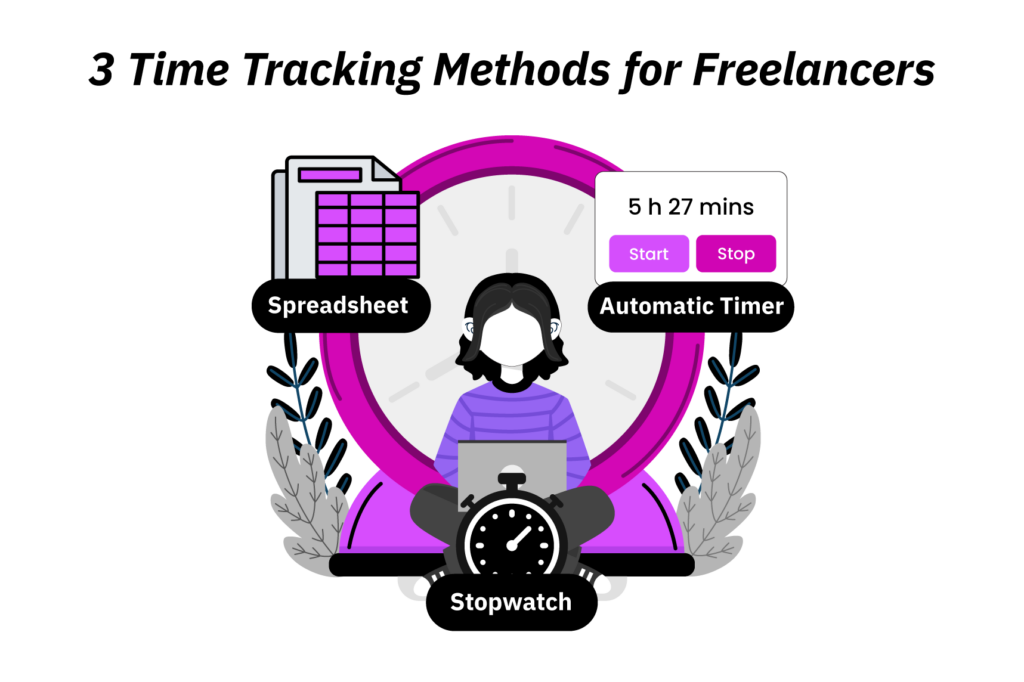
You can record freelance hours in three common ways:
- By entering them into a spreadsheet,
- By starting and stopping a manual timer, or
- By using software that captures activity automatically in the background.
Practically speaking, regardless of the method you opt for, real-time tracking is more reliable than backfilling three days from memory.
For example, if I try to rebuild Wednesday on Friday afternoon, I will remember the major tasks but forget the minute details like the 12-minute call or the 25 minutes I lost moving between two clients. That is why you should log your time on the go.
5. Add Descriptions That Explain What You Did
One thing that helped me significantly when improving my time tracking was adding a description to each time entry.
With proper descriptions of my work included in the sheets, I was able to turn a simple timesheet into a usable report. But it matters what these explanations look like:
| Weak entry | Better entry |
| Writing | Drafted introduction and product comparison |
| Client work | Researched three competing software platforms |
| Emails | Responded to questions about project scope |
All in all, writing clearer descriptions helped me in three ways at once. First, it made my invoices easier to justify. Second, it gave me more reliable historical data for future estimates. Third, it forced me to check whether each entry genuinely belonged to the client and task I had assigned it to.
6. Review Entries at the End of the Day
A five-minute review at the end of the day is one of the highest-value habits you can build. But reviewing here does not entail redoing the whole record. You simply need to clean up the entries while the day is still fresh.
For example, you can check for forgotten timers, missing meetings, overlapping entries, incorrect clients, vague descriptions, etc.
Honestly, that is where I corrected most of my early mistakes, too. Instead of waiting until the end of the week when the record had turned fuzzy, I used to review my entries the same evening since I could still remember everything.
7. Verify Billable Hours Before Sending an Invoice
I am treating the final review as a separate step here because a raw tracker export is not the same as a client-ready timesheet.
Therefore, before invoicing, you should always confirm the billable status of every entry, check durations, apply any agreed-upon rounding rules, and verify that the client and project names are correct.
While you are at it, you should also remove internal notes, duplicate records, and non-billable activities since they should not appear on the invoice.
And remember, this step matters for both manual entries and automated sheets. That is because while automation can reduce manual work, it can also carry over duplicate entries and incorrect project assignments that have not been reviewed.
Why Accurate Freelancer Time Tracking Matters: 4 Key Benefits
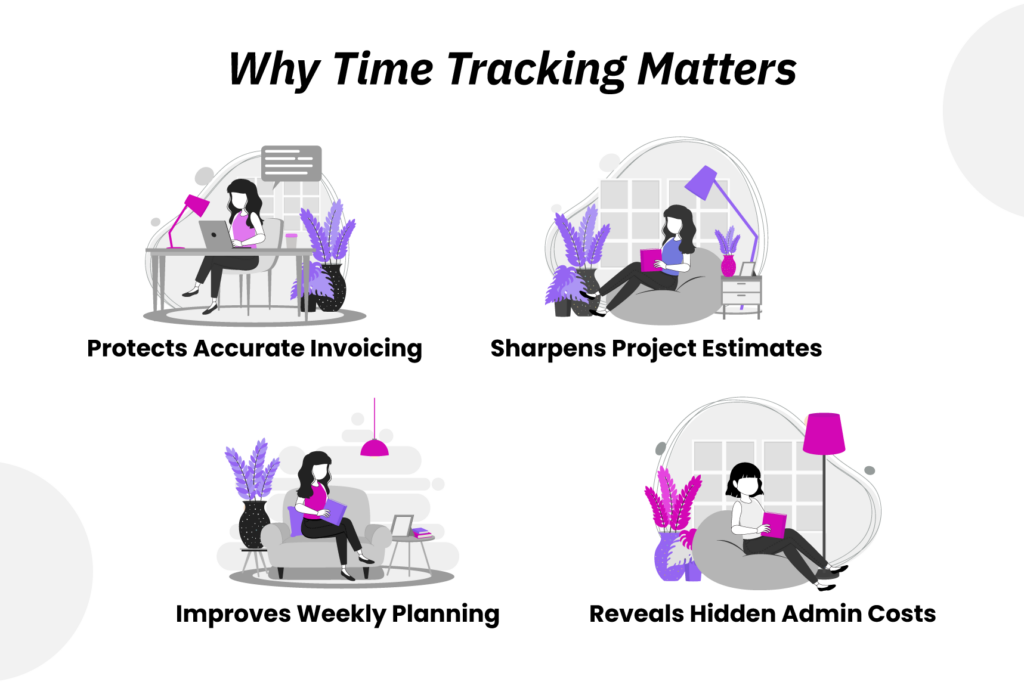
Once I began tracking my time more accurately, I noticed four benefits almost immediately. Below, I have explained each of them in detail.
1. Accurate Hourly Billing Protects Your Invoices
When I had initially compared four weeks of my older records with four weeks of more structured tracking, the amount of time I had to reconstruct from memory fell from an average of 2 hours and 10 minutes per week to about 35 minutes.
Not only that, but over the month, following the new workflow, I was able to account for around six additional work hours, of which approximately four hours and 45 minutes were billable client work.
More importantly, the records protected both the client and me because they reduced the risk of underbilling forgotten work and overbilling time that should not have appeared on the invoice.
You too can gain the same benefit by keeping specific, regularly reviewed entries.
2. Better Workload Visibility Helps You Manage Your Week
Before I started tracking time consistently, a 32-hour week simply felt full. It was only after I properly reviewed the numbers that I understood how only about 23.5 of my recorded hours were billable.
Of the remaining 8.5 hours, 5.25 went into follow-ups and revisions, while invoicing and administration accounted for the other 3.25 hours.
This insight helped me better judge my availability. For example, if I had a 10-hour gap in my calendar, I did not simply accept 10 more hours of client work because other tasks required my time too. Therefore, in practice, I often only made myself available for six or seven hours.
If you, too, have the same visibility into how much time each client and task actually consumes, you can plan your week more realistically.
3. Real Records Lead to Better Estimates and Earlier Scope Control
My early project estimates were often based on memory and did not account for research, client communication, revisions, and other small tasks. As a result, my projects often took longer than I expected.
But once I started using previous records to plan new work, my estimates became far more reliable.
The same records also helped me notice scope changes earlier. For example, one project required an additional revision and two extra calls, which added about two more hours of workload. Now, because I had tracked that time, I was able to raise the issue with the client before the project had expanded further.
4. Tracking Admin Time Shows the True Cost of Freelancing
One of the most useful findings in my records was that invoiced hours represented only part of my working week.
During one reviewed week, I noticed that I had spent approximately 10.5 non-billable hours on proposals, scheduling, bookkeeping, invoice preparation, file organization, and other internal tasks.
With the figures at hand, I began batching invoices, scheduling calls within set periods, reducing unnecessary project check-ins, and streamlining other tasks. These changes helped me free up around 2 hours and 15 minutes each week.
TimeBee: Stay in Control of Your Freelance Time
Learn More
How to Choose the Best Time-Tracking Method Depending on Your Freelance Workflow
Having been there myself, I know many new freelancers are riddled with the question, “How to track hours as a freelancer?”
There is no single correct answer because the right method of tracking hours depends entirely on the number of clients you manage and how much reporting you need.
Below is a quick comparison of the three methods and who they are most suitable for.
| Method | Best for | Main strength | Main limitation |
| Spreadsheet | Simple workloads | Flexible and inexpensive | Requires manual updates |
| Manual timer | Several clients or tasks | Records work as it happens | Easy to forget |
| Automatic tracker | Frequent computer-based work | Helps reconstruct activity | Requires review |
1. Use a Spreadsheet for Simple Freelance Work
A spreadsheet is still a completely valid option if your workload is simple.
If you have a few predictable clients, longer blocks of work, and straightforward billing, a spreadsheet can be enough. That is also usually the cheapest place to start.
There are many downloadable timesheet and invoice templates available online that can make structured manual tracking practical for solo freelancers.
A basic spreadsheet template can look like this:
| Date | Client | Project | Task | Start | End | Total | Billable | Notes |
| 06/30 | Client A | Blog series | Research | 9:00 | 10:15 | 1:15 | Yes | Competitor review |
| 06/30 | Client A | Blog series | Drafting | 10:30 | 12:00 | 1:30 | Yes | Intro + section one |
| 06/30 | Internal | Admin | Invoicing | 2:10 | 2:35 | 0:25 | No | June invoice prep |
If you are disciplined, this can work for you. However, the downside is quite obvious since you need to remember to update the sheet every day.
2. Use a Timer When You Frequently Switch Between Clients
I believe a timer helps a lot when your working day is divided across various clients and short assignments.
For example, if you spend 50 minutes drafting for one client, 25 minutes reviewing another client’s document, and 15 minutes on a project call, estimating the total later can cause small blocks of billable time to disappear.
To avoid this while freelancing, I used a simple desktop stopwatch timer for this purpose. And to be honest, it worked well because the method was straightforward.
By creating a separate project for each client, selecting the relevant task, and starting the timer before starting work, I was able to keep my time records sorted.
A timer also gave me a more accurate view of interrupted work. For instance, if I began a task at 10:00 a.m. and finished at 11:30 a.m., that did not necessarily mean I had completed 90 minutes of client work.
That is because my work could have been interrupted by a 15-minute personal break or an unrelated call. In such cases, I would need to pause my timer or exclude the time from the total.
However, a manual timer is only reliable when you use it consistently.
3. Use Automatic Tracking When You Need a Complete Activity Record
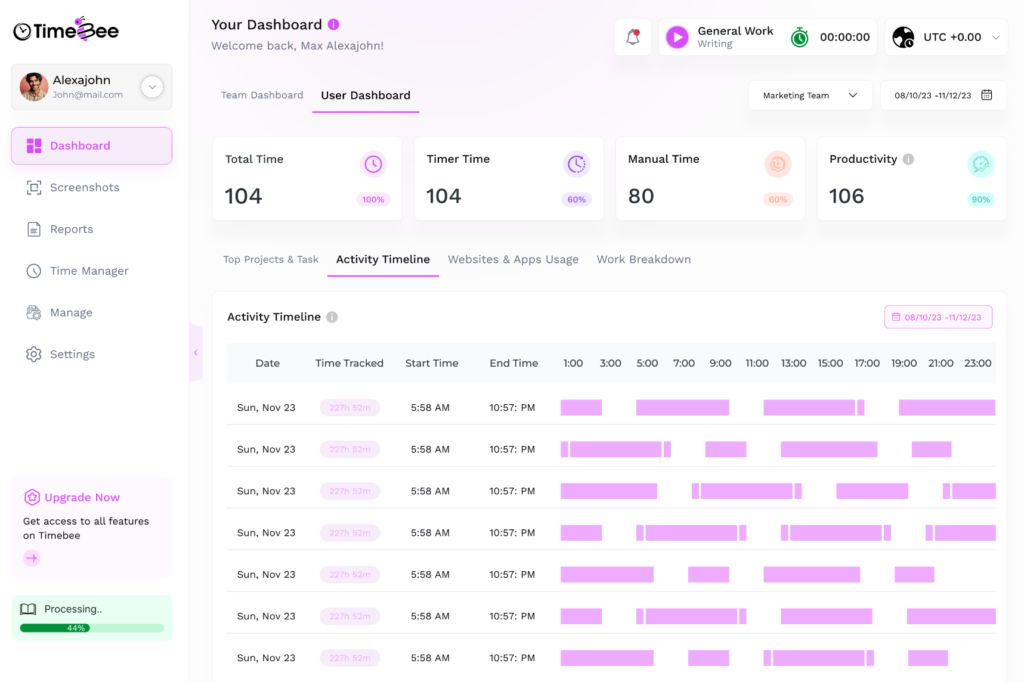
Automatic timers become useful for freelancer time tracking when a client needs more visibility than a basic timesheet provides. This approach is quite common in hourly contracts since clients often want to confirm how the recorded time relates to their project.
TimeBee is one example of how this can work in practice. Using the software, you can create a separate dashboard for each client and then organize their work into individual projects and relevant tasks. This separation is significant here because each client can see only the work associated with their own account and cannot view another client’s projects, tasks, hours, rates, or activity records.
Within the client dashboard, clients can see how recorded time relates to a specific completed task. Moreover, they can also see the billable hours, the projects worked on, the agreed hourly rate, the total payment, and screenshots that provide supporting evidence of the work performed.
Overall, this level of visibility can be useful for longer hourly assignments, remote client relationships, multiple project breakdowns, and proof of work. It also reduces the amount of time you would otherwise spend preparing separate timesheets and explaining how the hours were used.
Moreover, non-billable work can be kept separate from client-facing records. For example, you can switch to an internal project and log administrative tasks such as invoicing, scheduling, file organization, or general business management. Those hours remain part of your own workload record without appearing as chargeable time in a client’s dashboard.
However, automatic tracking still requires judgment. A screenshot or recorded activity can show that work took place, but it does not automatically prove that every minute was covered by the agreement. You should still review the entries, remove unrelated time, correct task assignments, and confirm that the final record accurately reflects the work completed.
What to Do If You Forget to Track Your Time
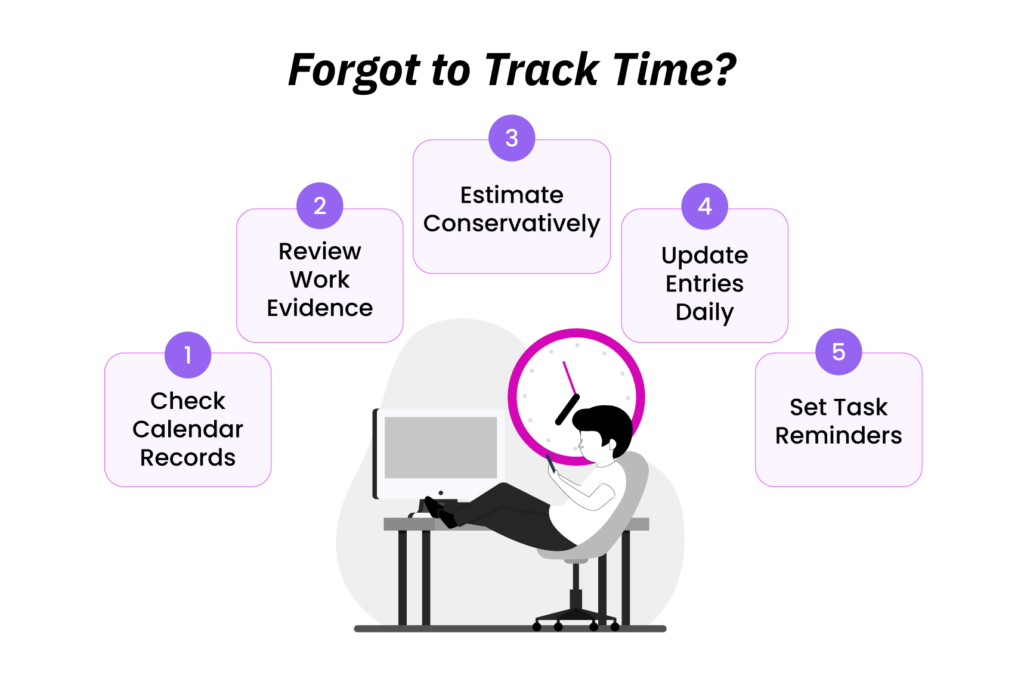
When I used to forget recording a work session, I would primarily reconstruct it from evidence rather than relying on memory alone.
I usually began with my calendar, then compared it with document edits, messages, call records, and project updates. Doing so would help me better understand when the work most likely started and ended.
However, I always avoided claiming more precision than the evidence supported. For example, if my calendar showed a 30-minute client call and a document history recorded edits between 11:05 and 11:52, I could create a reasonable entry for that period.
However, I would not present the total as exact since interruptions may have occurred.
To reduce the chance of the same problem recurring, I began reviewing my entries at the end of each day and correcting any missed time while the work was still fresh in my mind.
A simple reminder at the start of a task also helped.
5 Common Freelance Time-Tracking Mistakes + How to Avoid Them
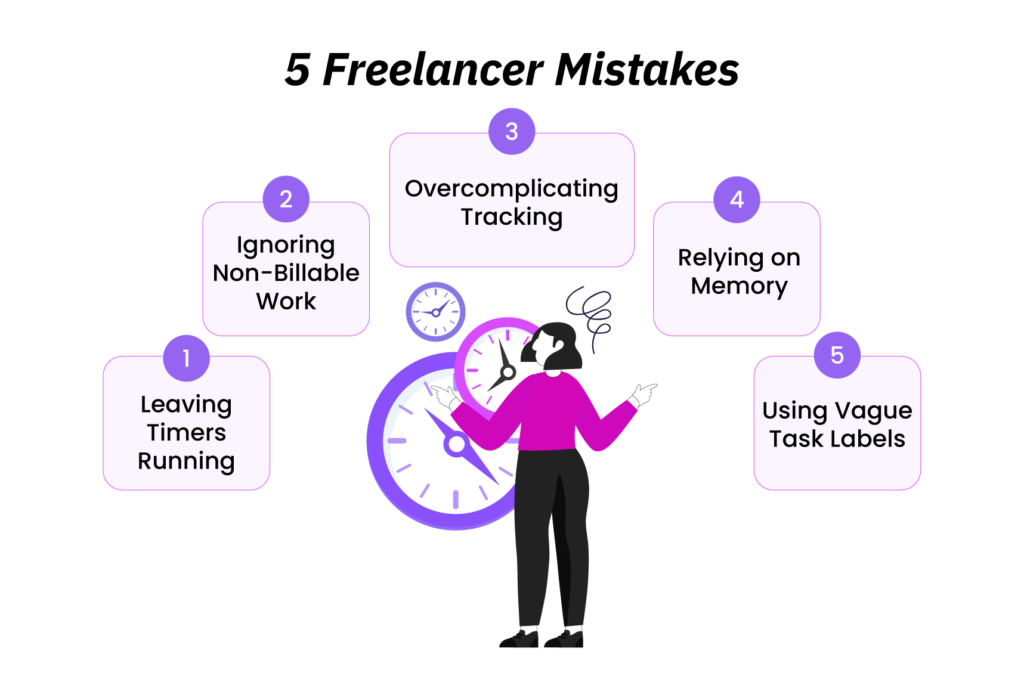
In my experience, most time-tracking errors for freelancers are caused by a few recurring habits rather than the tracking method itself. Once you identify those habits, they are usually very easy to correct.
1. Recording Only Obvious Billable Work
If you track only the hours that appear on the invoice, you lose sight of the admin, email, planning, and follow-up work that affects pricing and capacity. That is because you are overlooking the workload taking place in non-billable hours, even though it still matters.
How to fix: Track both billable and non-billable time, even if only the billable portion is client-facing.
2. Using Vague Task Descriptions
A timesheet full of entries like “work,” “writing,” “admin tasks,” or “client stuff” becomes frustrating almost immediately. When time is tracked with such entries, it becomes harder to prepare an invoice and then justify the recorded time to the client.
How to fix: Always describe the action and the output, such as “revised onboarding copy after client feedback” instead of “edits.”
3. Reconstructing an Entire Week From Memory
Your memory cannot replace a timekeeping system.
If you, therefore, rely solely on it, by the end of the week, you may remember the major deliverables but forget shorter tasks like calls, revisions, interruptions, and clarifications.
How to fix: Track your worked hours in real time when possible and do a short review at the end of each day.
4. Leaving Timers Running
A timer that runs through lunch or a task switch bloats your record and undermines trust. The practice is particularly risky if you import your time directly into invoices without first checking the logs.
How to fix: Stop timers when you stop working and review daily for idle or overstated entries. If you keep forgetting, switch to an app like TimeBee that detects idle time and stops the timer after a specific period of inactivity.
5. Overcomplicating the System Before You Need To
If your system has 19 task labels and three different tracking apps that you cannot explain to yourself a week later, it will eventually become difficult to maintain.
How to fix: Choose the least complicated system that produces reliable records, then add more structure only when your client load or billing needs actually require it.
Conclusion
Learning how to track time as a freelancer is part of running a successful freelance business. When done right, it can not only protect your income but also help you better manage your client work. Therefore, the sooner you establish a consistent time recording system, the better.
Simply, start with a method that suits your workload, then build the habit of recording time as you work and reviewing each entry before billing.
Remember, you do not necessarily need a complicated system, just the one that produces clear records.
FAQs
How often should a freelancer update a timesheet?
Freelancers should update their timesheets at natural stopping points in their workflow, such as after completing a task. By doing so, they can keep entries tied to actual work segments rather than reconstructed estimates. Moreover, a brief review at the end of the day also helps catch gaps for short activities.
How do freelancers track time across several clients?
Freelancers can track time across several clients by creating a separate project for each client and using clear task categories within those projects. When switching assignments, they should stop the current entry and start a new one under the correct client.
Is automatic time tracking more accurate?
Automatic time tracking can produce a more complete activity record, specifically if you often forget to start a timer. However, it is not automatically more accurate because captured activity may include breaks or time outside the client agreement. Therefore, you still need to review entries and confirm which hours are genuinely billable.
What information should a freelance timesheet include?
A freelance timesheet should include the date, client name, project, task description, start and end times, total duration, and billable status. Moreover, freelancers should keep client-facing records clear and remove non-billable details that do not belong on the invoice.
How can freelancers use tracked hours to create accurate invoices?
Freelancers can create accurate invoices by reviewing tracked hours before billing and confirming that each entry belongs to the correct client and project. In the end, by removing non-billable work and replacing vague descriptions with clear ones, they can turn a raw tracker export into verified billable time.
TimeBee: Track Your Freelance Hours With Accuracy
Try Out TimeBee



Jacob Tyler
Member since July 2, 2026
Jacob Tyler
Member since July 2, 2026
Jacob Tyler is a B2B technology journalist specializing in workplace software, employee monitoring platforms, productivity technology, HR systems, data privacy, and the changing role of technology in modern organizations.
He holds an MSc in Information Systems from the University of Manchester. His professional qualifications include the CompTIA Data+ certification.
With more than 10 years of experience covering B2B software and digital transformation, Jacob focuses on translating complex product capabilities into clear guidance for business readers.
His work examines how software functions in practice, which operational problems it is designed to address, what data it collects, and what organizations should consider before implementation.
Through his writing, Jacob helps HR leaders, operations teams, founders, managers, and IT decision-makers understand workplace technology and make informed purchasing decisions.